

CodeDesign ✓
Build stunning websites from a simple prompt in seconds.
from $97.45
Verdict
A quick read before you dig into the full page.
- Best if
- You are entrepreneurs and need: Creating landing pages
- Skip if
- Limited export options (HTML only)
- Pick this when
- Generates UI elements
Considering B12 AI Website Builder instead? Compare side by side
Overview
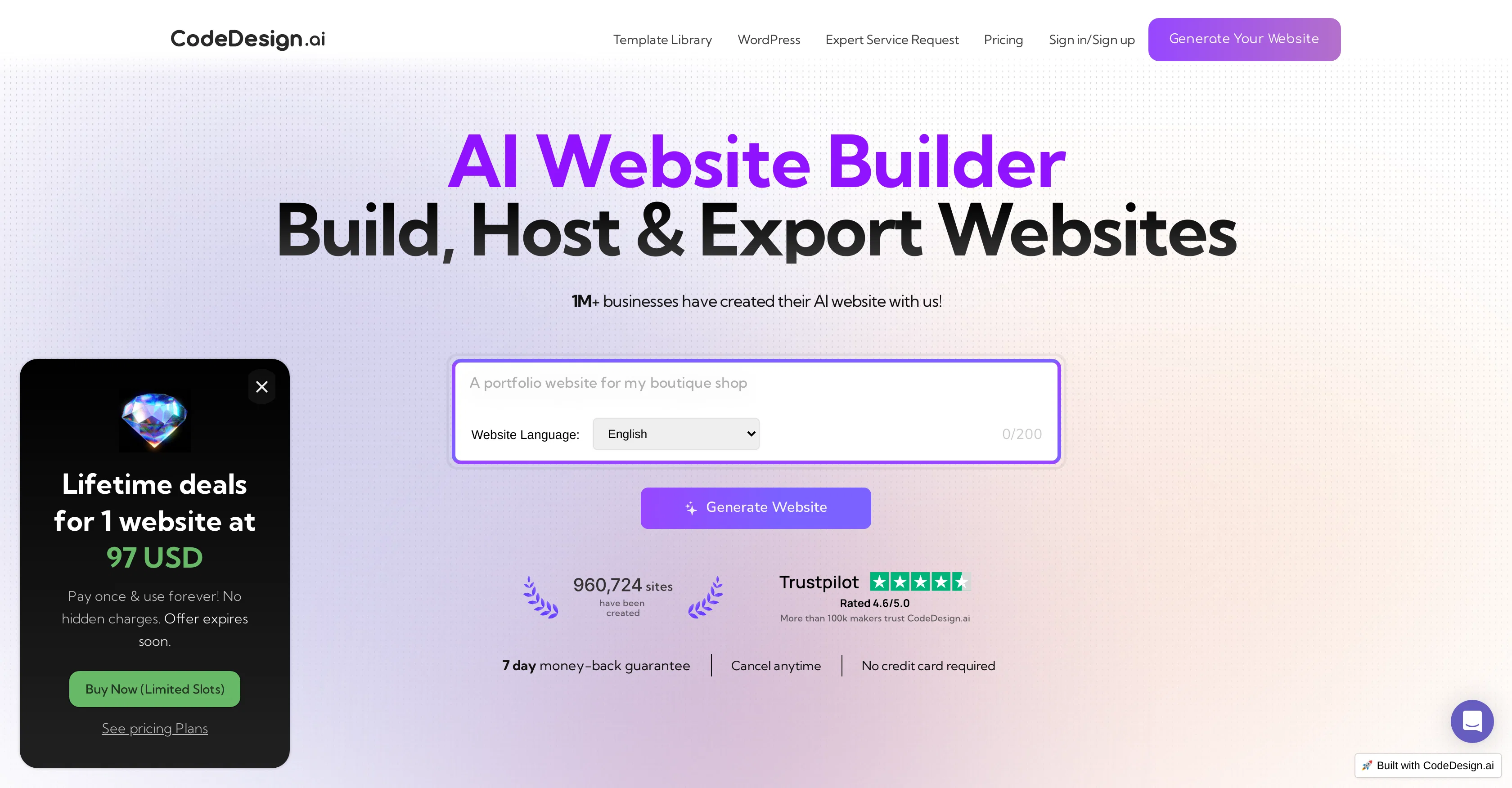
CodeDesign.ai is an artificial intelligence-powered website builder designed to simplify the process of creating a website. It enables users to generate, export, and host their websites with high levels of convenience.
With this tool, businesses can create a range of web offerings from components to full-fledged pages in one place, and in real time. Further notable features include cloud hosting, allowing users to own their components, websites, and assets all in one secure place, namely, the cloud.
There's also the provision for exercising control over content, through 'AI Magic' which helps in creating enticing marketing copy. Users can also customize and edit designs based on their preferences without any need for coding knowledge.
It also facilitates responsive design, making created websites adaptable for desktops, mobile phones, or tablets. This tool is designed to assist in form data collection and provide real-time insights with analytics.
Additionally, the platform simplifies building landing pages, websites, sales funnels, and portfolios. It supports code export, allowing you to reuse the HTML code elsewhere when needed.
Offering SEO optimization facilities, it also caters to collaborative needs by letting you share your project with your team. CodeDesign.ai also enables the ability to connect a custom domain to a project.
Best for
Short scenarios where CodeDesign tends to shine.
-
Creating landing pages
Best for Entrepreneurs
-
Building business websites
Best for Small business owners
-
Developing e-commerce stores
Best for Marketing professionals
-
Designing portfolio websites
Best for Designers
-
Generating sales funnels
Best for Agencies
Example outputs 1
Sample generations and before/after results for CodeDesign.
Access & connections
Where you can use CodeDesign, and what it plugs into.
Platforms
Integrations
Capabilities
What this tool accepts, produces, and is strongest at.
Input
- Text
Output
- Code
Pros & cons
Pros
- Generates UI elements
- Offers smart suggestions
- Flawless marketing copy creation
- Easy customization of designs
- Quick preview options
- Cloud hosting provided
- SEO optimization
- Publish or export to code
Show 12 more
- Relational database feature
- Version history available
- Developer handoff features
- Allows up to three projects
- No coding knowledge needed
- Individual user needs catered
- Can connect custom domain
- Collaboration and project sharing
- Free basic plan available
- Export website into HTML, CSS & JS
- CAPTCHA integration for added security
- 30-day money-back guarantee
Cons
- Limited free plan
- Subdomain hosting only on free plan
- Unclear SEO features
- Unsure about data privacy
- No information about loading speeds
- Limited export options (HTML only)
- No clear collaboration features
Compare alternatives
Similar tools in the catalog — with a clear reason to open each one.

B12 AI Website Builder ✓
FreemiumAI-powered website builder
Why look Freemium alternative
Full comparison
Redesignr Ai - website redesign and landing page bui... ✓
FreemiumRedesign And Build websites, docs, and blogs with AI in minutes
Why look Freemium alternative
Full comparison
InstaWebAI ✓
FreemiumCreate, launch and grow your business website all in one platform
Why look Freemium alternative
Full comparison
AI Builder | Hostinger Horizons ✓
Free TrialBuild web apps and websites without writing any code.
Why look Typically cheaper
Full comparison
Macaly ✓
FreemiumAI website builder with built-in database, hosting & more
Why look Freemium alternative
Full comparisonPeople also view
Tools that often show up alongside CodeDesign in collections and comparisons.
AI Builder | Hostinger Horizons ✓
Free TrialBuild web apps and websites without writing any code.
Redesignr Ai - website redesign and landing page bui... ✓
FreemiumRedesign And Build websites, docs, and blogs with AI in minutes

Mixo ✓
Free TrialLaunch a website in seconds with AI.
Macaly ✓
FreemiumAI website builder with built-in database, hosting & more
InstaWebAI ✓
FreemiumCreate, launch and grow your business website all in one platform
B12 AI Website Builder ✓
FreemiumAI-powered website builder

self.cv ✓
FreemiumTurn your resume into a website recruiters remember.

RYPL ✓
Free TrialAI Facebook automation that converts comments into sales.
Releases 1
Imported reviews 12
I found CodeDesign.ai easy to work with, even without a technical background. The editor is intuitive, and the AI-generated sections are visually consistent across pages. It’s a practical solution for small businesses.
CodeDesign.ai makes website creation much more accessible. The interface is clear, and the AI guidance feels helpful rather than intrusive. I was able to launch a professional-looking site with minimal effort and without technical frustration.
I’ve had a very good experience with CodeDesign.ai so far. The AI-generated layouts are clean, structured, and aligned with modern design standards. What I appreciate most is how quickly a website can be built without sacrificing quality or performance.
From a more technical standpoint, the code export after AI generation is well implemented. @CodeDesign.ai provides a clean and usable base that can be extended further if needed. This makes it useful for both non-technical and technical workflows.
I was impressed by how polished the AI-generated designs look right from the start. @CodeDesign.ai speeds up the process of getting a site live while maintaining quality. It’s especially helpful when time and simplicity matter.
I’ve had a solid experience using @CodeDesign.ai so far. Pages load quickly, responsiveness across devices is consistent, and the generated layouts feel optimized rather than heavy. From a performance perspective, it’s reliable and well thought out.
The performance of sites built with @CodeDesign.ai is solid. Pages load quickly and remain responsive across devices. The AI-generated structure feels optimized rather than bloated.
What I like about @CodeDesign.ai is the balance between AI automation and manual control. The generated layouts follow modern UI practices, and customization stays flexible. It’s efficient without feeling restrictive.
What stands out to me about @CodeDesign.ai is the speed and structure. The AI generates clean layouts quickly, and the editor makes it easy to refine details without breaking the design.
Most AI builders lock you in, but CodeDesign’s export code feature is the real deal. One click and I can edit everything directly in VS Code. Perfect for developers who want flexibility.
I’ve used a lot of AI website builders, but CodeDesign is the first one where the layouts actually look intentional instead of random blocks thrown together. The results feel like something a real designer made.
I wasn’t expecting such clean code output.Usually AI builders generate junk,but CodeDesign’s export looked like something a frontend dev would write.
FAQ 12
What is CodeDesign.ai?
What does AI Magic feature in CodeDesign.ai do?
What kind of websites can I build with CodeDesign.ai?
Do I need to be a web developer to use CodeDesign.ai?
Does CodeDesign.ai allow customization of website designs?
Can I preview my website design in real-time with CodeDesign.ai?
Is CodeDesign.ai a cloud-based tool?
What are the advantages of CodeDesign.ai being a cloud-based tool?
Can I publish my website directly to code with CodeDesign.ai?
What is the version history feature of CodeDesign.ai?
What is the developer handoff feature in CodeDesign.ai?
Can I use CodeDesign.ai for free?
Related tools
Recommended

Pineapple Builder ✓
FreemiumAI Website Building for Businesses

Studio Design ✓
FreemiumBuild stunning websites with creative freedom, no code required.

Stunning ✓
PaidBuild AI-powered websites in seconds

Durable AI Website Builder ✓
PaidCreate a professional website in seconds with AI.

Sitekick ✓
PaidCreate stunning landing pages with AI in seconds.

VenturusAI ✓
FreemiumBusiness idea analysis and reporting.