

Clideo Video Translator ✓
Automatically translate subtitles or voice in your video
from $9/mo
Verdict
A quick read before you dig into the full page.
- Best if
- Automatically translate subtitles or voice in your video
- Skip if
- Limited video editing features
- Pick this when
- Automatic subtitle translation
Considering VideoDubber instead? Compare side by side
Overview
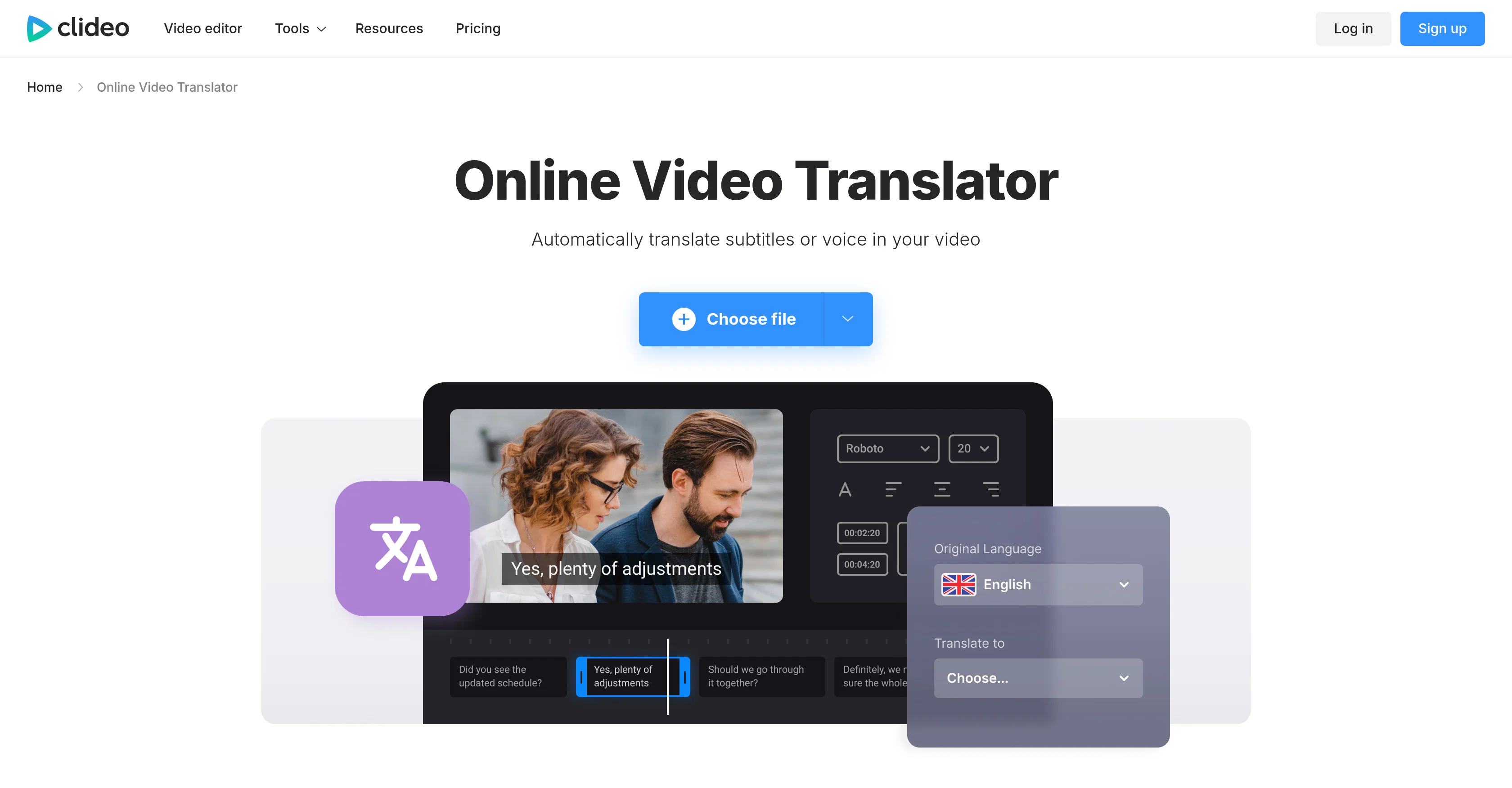
Clideo Video Translator is a multifunctional tool designed to automatically translate subtitles or voices in a video. Leveraging AI, this tool can translate video audio into a range of languages, providing an alternative solution to manual video translation which can be time-consuming and expensive.
It includes a feature which allows users to generate AI voiceovers in different languages, enhancing content accessibility for a global audience. The platform also collaborates with users to enable them to manually adjust the accuracy of the translation if necessary.
Apart from translation capabilities, it offers an array of video editing tools, including the ability to customize the appearance of your subtitles by adjusting their font, size, color, and placement.
Users also can download a separate file with the translation or embed it directly into their videos. Safeguarding user content, Clideo ensures that all data is thoroughly protected and encrypted.
Functioning online in a browser, it is accessible from any device and supports a wide array of popular video formats such as MP4, AVI, MOV, among others.
It also maintains the original resolution and quality during the translation process. The process to translate a video is streamlined and straightforward, reducing the need for extensive tutorials or manuals to master the tool.
Access & connections
Where you can use Clideo Video Translator.
Platforms
Capabilities
What this tool accepts, produces, and is strongest at.
Input
- Video
Output
- Video
Supported features
- Translation
Pros & cons
Pros
- Automatic subtitle translation
- Voices translation in video
- Manual translation accuracy adjustment
- Advanced video editing tools
- Subtitle customization (font, size)
- Subtitle color and placement adjustment
- Separate file with translation option
- Embed translation to video option
Show 13 more
- Data protection and encryption
- Online browser functionality
- Multi-device accessibility
- Supports popular video formats (MP4, AVI)
- Maintains original video resolution
- Maintains original video quality
- User-friendly interface
- Respects original subtitle timing
- Advanced file conversion options
- Inbuilt subtitle editor
- Subtitle synchronization to video frames
- Preview of translated video
- Save translated text for future use
Cons
- Limited subtitle formats support
- Requires internet connection
- Possible accuracy issues
- Manual adjustment necessary
- Data privacy concerns despite encryption
- No standalone app
- Limited video editing features
- No offline usage
Show 1 more
- Operates only in browser
Compare alternatives
Similar tools in the catalog — with a clear reason to open each one.

VideoDubber ✓
FreemiumTranslate and dub videos, audios and subtitles with voice cloning and lipsync
Why look Freemium alternative
Full comparison
CAMB.AI ✓
Free TrialAI voice translation and dubbing for videos in 150+ languages.
Why look Higher community rating
Full comparison
VoiceCheap ✓
FreemiumTranslate, dub and publish any video in any language.
Why look Freemium alternative
Full comparison
UnMarkAI - Remove subtitles first. Translate video, d... ✓
Free TrialAI video translation with dubbing and lip-sync.
Why look Typically cheaper
Full comparison
VMEG Video Translation ✓
FreemiumBreak Down Language Barriers with Video Translation
Why look Freemium alternative
Full comparison
Vidby ✓
FreemiumFast translation and dubbing of videos with AI.
Why look Freemium alternative
Full comparisonReleases 1
FAQ 12
Does Clideo Video Translator support video translation to any language?
How does Clideo Video Translator safeguard user data?
Can Clideo Video Translator maintain original video quality during translation?
Is Clideo Video Translator accessible from any device?
Does Clideo Video Translator have video editing tools?
How can users customize the appearance of subtitles in Clideo Video Translator?
Can a translated file be downloaded separately in Clideo Video Translator?
Does Clideo Video Translator work with popular video formats such as MP4, AVI, MOV?
What is the process for translating a video in Clideo Video Translator?
Does Clideo Video Translator allow manual adjustment for translation accuracy?
How does Clideo Video Translator handle subtitle translation?
Can I change the font, size, color, and placement of subtitles in Clideo Video Translator?
Related tools
Recommended

Verbalate ✓
PaidMultilingual video/audio translation and lip-sync.

Vuepak ✓
PaidAI-powered outreach and multimedia delivery to help sales and marketing teams close.

WebZum ✓
Free TrialSite, Google ad, and a 15-second video ad. Five minutes.

Reedle ✓
FreemiumTurn your reading list into AI conversation.

HappySRT ✓
FreemiumOpen-source AI transcription, translation & summarization

SmartlyQ ✓
FreemiumAutomate SEO content creation with AI