Agent

Clawdbot

Open-source, self-hosted AI assistant providing full system access via common chat apps like WhatsApp.

Source rating 5.0 (97) 3.4M views 3.4M/mo traffic 0 saves Unknown
More categories (9)

Verdict

A quick read before you dig into the full page.

Best if
You are software Developers and need: Automating code tasks (running tests, capturing errors, opening PRs, managing Claude Code sessions)
Pick this when
Open-source, self-hosted AI assistant providing full system access via common chat apps like WhatsApp

Overview

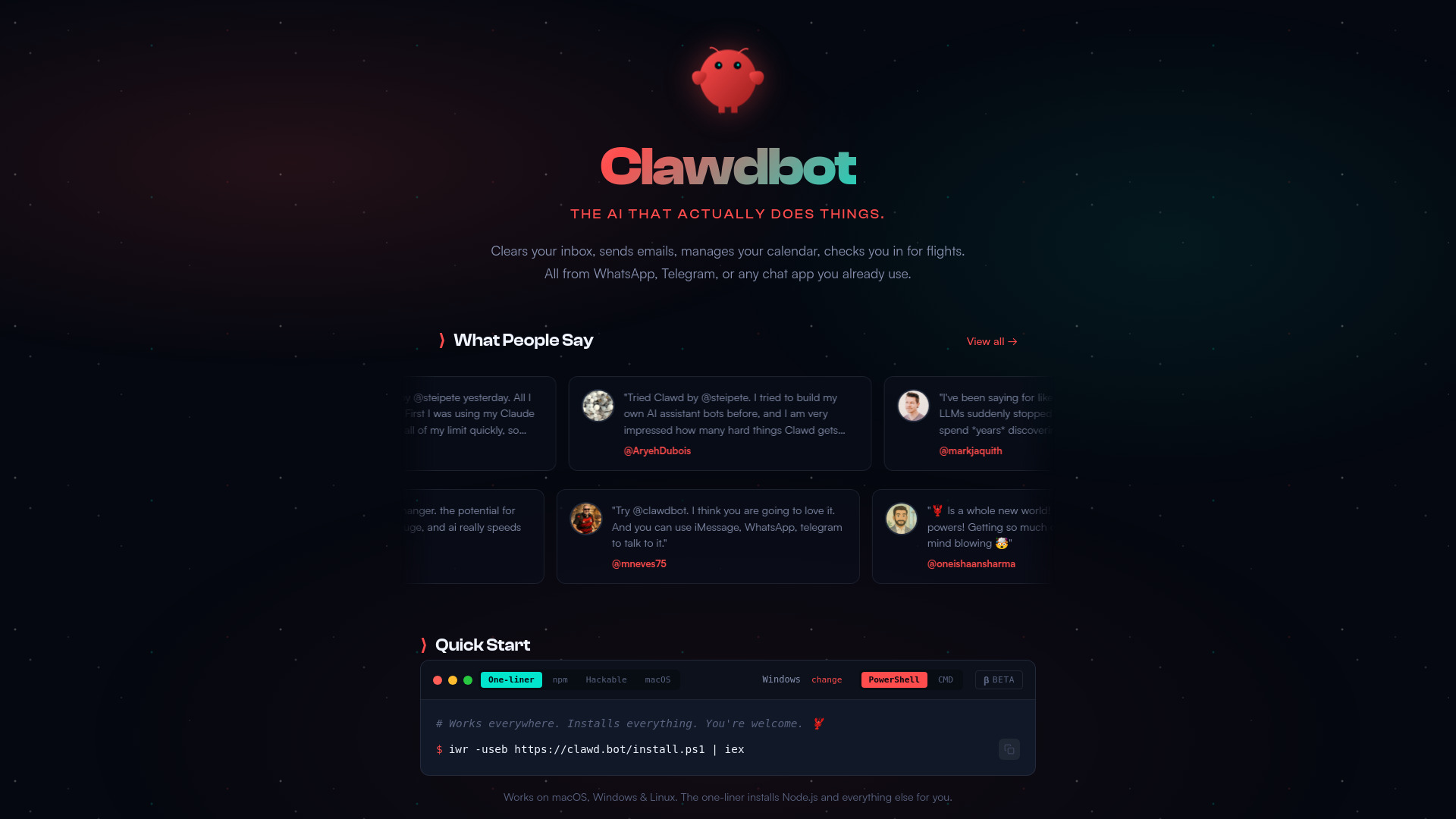
Clawdbot is an open-source, self-hosted personal AI assistant designed to automate complex tasks across various platforms and applications. It functions as a digital employee that users interact with via popular chat apps like WhatsApp, Telegram, or Discord. Key capabilities include clearing inboxes, managing calendars, executing system commands (Full System Access), controlling the browser, and running proactive background tasks (cron jobs, reminders). Unlike cloud-based AI assistants, Clawdbot allows users' context and skills to live on their own computer (Mac, Windows, or Linux), ensuring privacy and deep customizability. It is highly hackable and extendable via community-built or self-written skills and plugins.

Clawdbot screenshot

Best for

Short scenarios where Clawdbot tends to shine.

  • Automating code tasks (running tests, capturing errors, opening PRs, managing Claude Code sessions).

    Best for Software Developers

  • Managing professional life (clearing inboxes, sending emails, managing calendars, doing taxes, content pipelines).

    Best for IT Professionals

  • Smart home control (discovering and confirming controls for devices like air purifiers).

    Best for System Administrators

  • Building custom tools and skills (building a flight querying CLI, automating Todoist, creating custom meditations).

    Best for Entrepreneurs

  • Handling personal admin (submitting health reimbursements, finding doctor appointments, fighting insurance companies).

    Best for Automation Enthusiasts

How it works

Users must first install Clawdbot on their local machine (Mac, Windows, or Linux) using methods like a one-liner shell script, npm, or Git clone. After installation, they run the `clawdbot onboard` command to set it up. Once running, the assistant can be accessed and commanded via existing chat applications (such as Telegram, WhatsApp, or Discord) by messaging it like a coworker. Clawdbot can then be instructed to perform tasks using its integrations and system access.

Example outputs 1

Sample generations and before/after results for Clawdbot.

Access & connections

Where you can use Clawdbot, and what it plugs into.

Platforms

Discord Bot

Capabilities

What this tool accepts, produces, and is strongest at.

Highlights

  • Open-source and Self-Hosted (Infrastructure you control)
  • Full System Access (Read/write files, run shell commands, execute scripts)
  • Persistent Memory (Remembers context, preferences, and persona 24/7)
  • Cross-Platform Chat Integration (Works on WhatsApp, Telegram, Discord, Slack, iMessage, etc.)
  • Proactive AF (Cron jobs, reminders, background tasks)
  • Browser Control (Browse the web, fill forms, extract data)

People also view

Tools that often show up alongside Clawdbot in collections and comparisons.

In the news

Launch coverage and community mentions for Clawdbot.

FAQ 5

What is OpenClaw-(Clawdbot, Moltbot)?
Clawdbot is an open-source, self-hosted personal AI assistant designed to automate complex tasks across various platforms and applications. It functions as a digital employee that users interact with via popular chat apps like WhatsApp, Telegram, or Discord. Key capabilities include clearing inboxes, managing calendars, executing system commands (Full System Access), controlling the browser, and running proactive background tasks (cron jobs, reminders). Unlike cloud-based AI assistants, Clawdbot allows users' context and skills to live on their own computer (Mac, Windows, or Linux), ensuring privacy and deep customizability. It is highly hackable and extendable via community-built or self-written skills and plugins.
How to use OpenClaw-(Clawdbot, Moltbot)?
Users must first install Clawdbot on their local machine (Mac, Windows, or Linux) using methods like a one-liner shell script, npm, or Git clone. After installation, they run the `clawdbot onboard` command to set it up. Once running, the assistant can be accessed and commanded via existing chat applications (such as Telegram, WhatsApp, or Discord) by messaging it like a coworker. Clawdbot can then be instructed to perform tasks using its integrations and system access.
What makes Clawdbot different from commercial AI assistants like Siri or ChatGPT?
Clawdbot is open-source and self-hosted, meaning your data, context, and skills live on your personal computer, offering superior privacy and full control. It also possesses system access capabilities and operates proactively across standard chat apps, fulfilling roles beyond typical conversational agents.
What platforms can I use to interact with Clawdbot?
You can interact with Clawdbot using almost any chat application you already use, including WhatsApp, Telegram, Discord, Slack, Signal, and iMessage.
Does Clawdbot require a powerful computer to run?
Clawdbot can run on various systems, including Mac, Windows, and Linux. Testimonials mention successful setup on a Raspberry Pi and Mac mini, suggesting it is relatively flexible in its hardware requirements.
Clawdbot

