
Betafish.js | Chess AI
Chess AI that thinks like a pro
Verdict
A quick read before you dig into the full page.
- Best if
- Chess AI that thinks like a pro
- Skip if
- Limited to web-based applications
- Pick this when
- Web-based operation
Considering ChessGPT.ai instead? Compare side by side
Overview
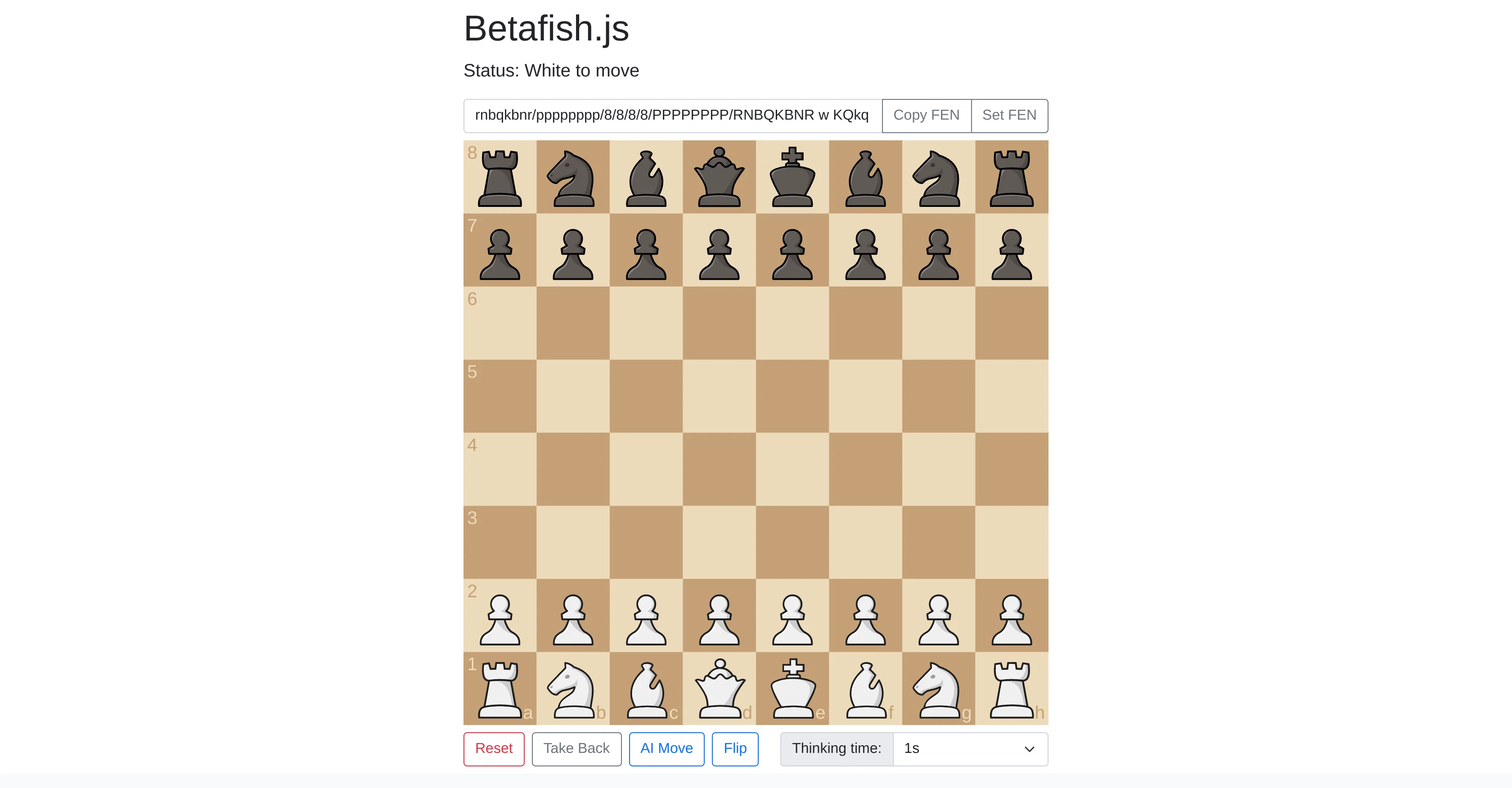
Betafish.js, also referred to as Chess AI, is a specialized Artificial Intelligence system with a specific focus on the game of chess. It provides an interactive chess-playing environment, with a broad array of configurable in-game settings.
It allows users to copy the FEN (ForsythEdwards Notation), a standard notation for describing a particular board position of a chess game, and set the same too.
The Reset functionality can swiftly reload the board to the starting position or remove the changes that have been applied. It provides an 'AI Move' feature, where the AI calculates and makes a move on behalf of the user, facilitating users to study the game from an AI perspective.
Notably, the game also includes a 'Take Back' feature, permitting you to roll back your move, and learn from the potential strategic errors. Another standout feature is its ability to flip the board.
This attribute provides the convenience to switch the perspective of the game at any moment. You can also manipulate the AIs 'thinking time', translating to the time the AI takes for calculating and making its move.
This tool is flexible, as you need to determine the duration of time the AI needs for its move from a choice of predefined options. Lastly, the source code of Betafish.js, created by a developer named Gavin, is made available publicly and can be found on GitHub, allowing developers to study, modify, or make contributions to the tool.
In summary, Betafish.js, offers a comprehensive platform for learning and playing chess with the assistance of AI, while also serving as a valuable resource for coding enthusiasts examining the underpinnings of AI in game theory.
Access & connections
Where you can use Betafish.js | Chess AI, and what it plugs into.
Platforms
Capabilities
What this tool accepts, produces, and is strongest at.
Input
- Text
Output
- Text
Pros & cons
Pros
- Web-based operation
- No additional hardware needed
- Uses FEN Standard
- Customizable chessboard component
- Move undo function
- Open source code
- Available on Github
- Developer-friendly
Show 11 more
- Interactive chess-playing environment
- Take back feature
- Board flip feature
- Developer's name disclosed
- Valuable for coding enthusiasts
- Copy FEN
- Set FEN
- Reset functionality
- Useful for learning chess
- Educational resource
- Staunty pieces and markers sprites
Cons
- Limited to web-based applications
- Restricted to JavaScript
- Relies on FEN notation
- Customizable component CSS/HTML only
- No multi-player feature
- Reliant on browser performance
- No alternative notation systems
- Does not support multi-games simultaneously
Compare alternatives
Similar tools in the catalog.




Releases 1
Imported reviews 1
too smart for me
FAQ 12
What is Betafish.js?
How does Betafish.js operate in the browser?
What is the Forsyth-Edwards Notation standard Betafish.js uses?
What does the customizable chessboard component of Betafish.js consist of?
How can the AI in Betafish.js be configured in terms of thinking time?
Can I reverse a move I make in Betafish.js?
Where can I find the source code for Betafish.js?
Who developed Betafish.js?
What is the 'AI move' feature in Betafish.js?
How can I copy and set the FEN in Betafish.js?
What does the 'Reset' function in Betafish.js do?
Can I flip the board view in Betafish.js?
Related tools
Recommended

TutorAI ✓
FreemiumInstant knowledge on any topic

LearningStudioAI ✓
Free TrialAI-powered authoring tool for effortless online course creation.

Scisummary ✓
Free TrialCutting-edge scientific articles summarization.

Stockimg AI ✓
PaidGenerated images and text for design ease.

AI Course Creator ✓
FreemiumAI-powered course creation in minutes.

6000 thoughts ✓
FreePersonal coach for your thoughts.