
ChatGPT Organize
Chrome extension to organize ChatGPT conversations into customizable folders.
Source rating 5.0
(61)
2.2k views
2.2k/mo traffic
0 saves
Freemium
Free + from €29.95
Verdict
A quick read before you dig into the full page.
- Best if
- Chrome extension to organize ChatGPT conversations into customizable folders
- Skip if
- You need enterprise SLAs or a fully managed team plan right away
- Pick this when
- Freemium · Free + from €29.95
Overview
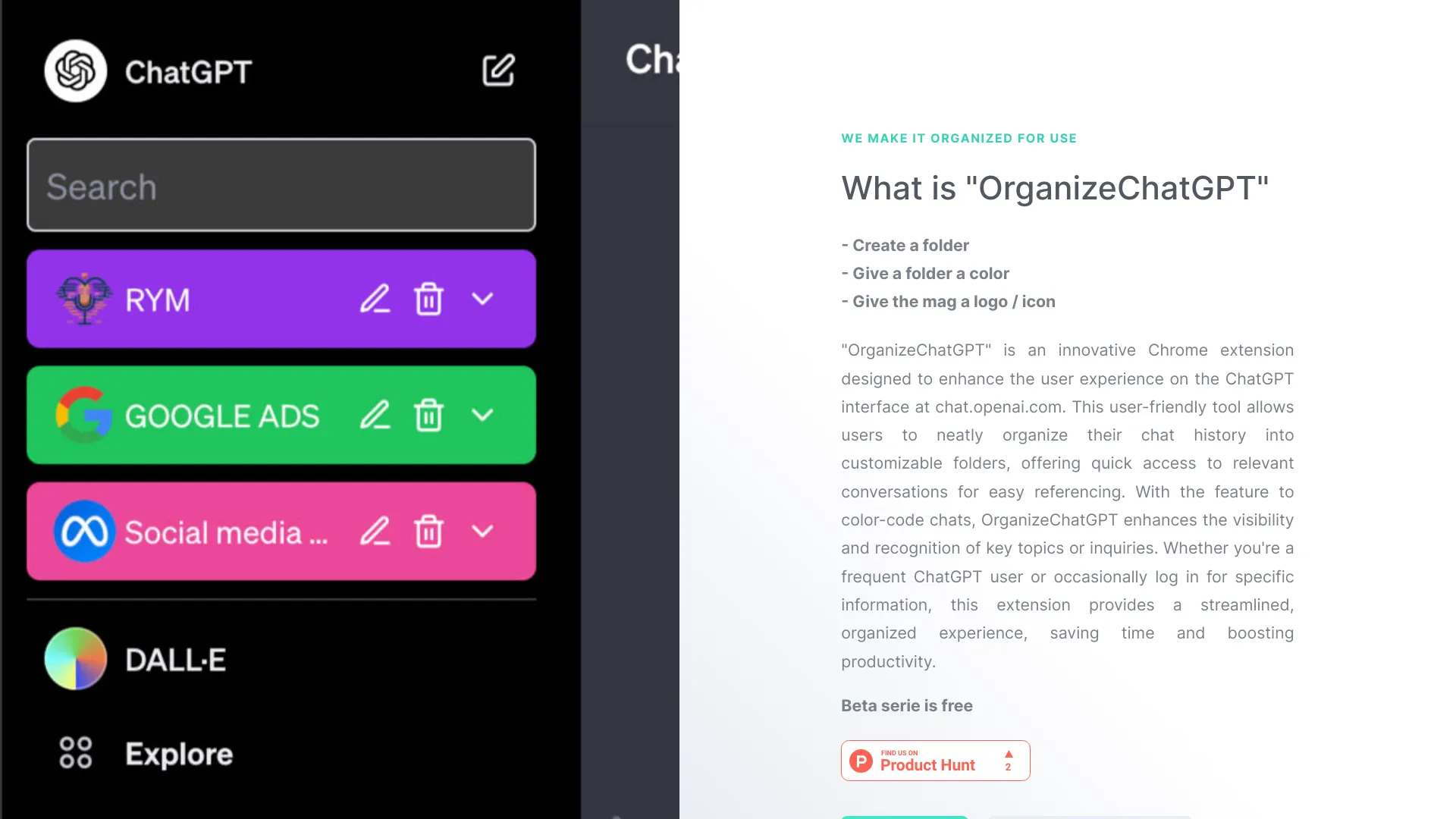
OrganizeChatGPT is a Chrome extension designed to enhance the user experience on the ChatGPT interface at chat.openai.com. It allows users to organize their chat history into customizable folders, pin important chats, and manage their chat history with ease. Features include folder organization, quick access, and chat management, enabling users to easily search and reference relevant conversations.
Access & connections
Where you can use ChatGPT Organize, and what it plugs into.
Platforms
Integrations
Capabilities
What this tool accepts, produces, and is strongest at.
Highlights
- Folder organization for ChatGPT conversations
- Pinning important chats
- Color-coding folders for easy recognition
- Search and filtering options
FAQ 6
What is OrganizeChatGPT?
OrganizeChatGPT is a Chrome extension designed to enhance the user experience on the ChatGPT interface at chat.openai.com. It allows users to organize their chat history into customizable folders, pin important chats, and manage their chat history with ease. Features include folder organization, quick access, and chat management, enabling users to easily search and reference relevant conversations.
How to use OrganizeChatGPT?
Install the OrganizeChatGPT Chrome extension. Create folders to categorize chats by topic or project. Pin important chats for quick access. Use color codes to visually separate chats. Utilize search and filtering options to quickly find any chat.
How do I organize my ChatGPT conversations?
Use folders to categorize your chats by topic or project. Pin important chats for quick access. Color-code folders for easy recognition. Search & Filter: Quickly find any chat with search and filtering options.
Is OrganizeChatGPT free to use?
The extension is free to use. Only if you want to use the folders on multiple computers, we charge 29,95 euros once for lifelong use.
How do I add multiple chats to a folder at the same time?
Right-click on the folder to add chats. Now you can add multiple chats.
How do I add a pin to a chat?
You can add a pin with a right mouse click on the chat.
Related tools
Recommended



ChatGPT Organize
Free + from €29.95