

Chalkie AI ✓
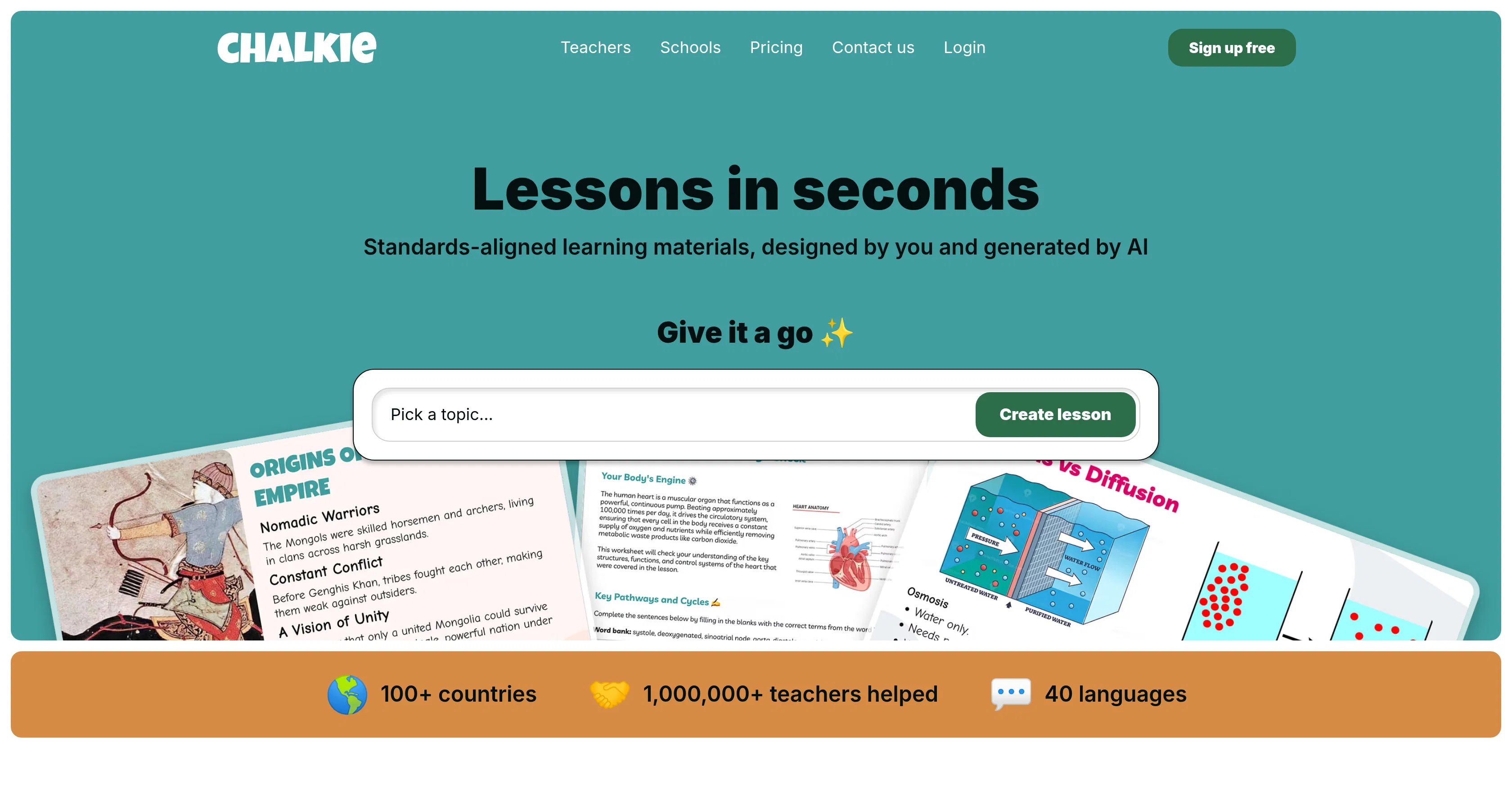
Standards-aligned learning materials, designed by you and generated by AI
Free + from $8.99/mo
Verdict
A quick read before you dig into the full page.
- Best if
- Standards-aligned learning materials, designed by you and generated by AI
- Skip if
- Limited customization for slides
- Pick this when
- Generates classroom-ready lessons
Considering Teacherbot instead? Compare side by side
Overview
Chalkie is a digital tool that assists teachers in generating classroom-ready lessons, worksheets, and activities in a fast and efficient manner, leveraging artificial intelligence (AI).
Teachers can create, edit and share their lessons in seconds. The platform offers a range of functionalities including creating individual lessons or an entire ordered series of lessons on complex topics complete with recaps and quizzes.
The tool also allows teachers to produce engaging activity sheets to complement their lessons, with the flexibility to share, export, or print them as needed.
Lessons can be aligned to Common Core or specific state standards, making them highly adaptable and suitable for a variety of educational frameworks. Chalkie also boasts a powerful slide editor for creating customised, engaging and accurate slides, and the ability to differentiate content for diverse learners.
Teachers can start from scratch, use a pre-existing lesson plan, or even use a website URL as a basis for their lesson. Users have the flexibility to edit and style their lessons according their preferences and needs of their students.
The lessons can be exported to PowerPoint, Google Slides or PDF, catering to different technology preferences. The primary objective of Chalkie is to save teachers time in lesson preparation, allowing them to refocus their efforts on teaching and inspiring students in the classroom.
Access & connections
Where you can use Chalkie AI.
Platforms
Capabilities
What this tool accepts, produces, and is strongest at.
Input
- Tabular
- Text
Output
- Text
Pros & cons
Pros
- Generates classroom-ready lessons
- Creates worksheets and activities
- Fast and efficient
- Lessons can be edited
- Able to share lessons
- Platform with varied functionalities
- Set lessons in ordered series
- Offers recaps and quizzes
Show 31 more
- Produces activity sheets
- Print, share, or export flexibility
- Common Core alignment
- Specific state standards alignment
- Adaptable to various frameworks
- Powerful slide editor
- Content differentiation for learners
- Start lesson from scratch
- Utilize pre-existing lesson plans
- Use website URL for lesson
- Lesson styling flexibility
- Exportable to PowerPoint, Google Slides, PDF
- Time-saving for teachers
- Standards-aligned learning materials
- Creates engaging slides
- Creates series of lessons
- Activity sheets generator
- Customised lessons
- Assists in efficient lesson preparation
- Generates unique lessons
- Editable lessons
- Teaching objectives alignment
- Generates lessons from clean slate
- Buttons to add slides, differentiate
- Custom themes availability
- Experienced user testimonials
- Preferred technology exporting
- Test Chalkie for free
- Multilingual support
- Used in 100+ countries
- Able to generate differentiated worksheets
Cons
- No mobile application
- No offline functionality
- Limited export formats
- No multi-language support
- No encryption for data protection
- No user collaboration features
- No integrated classroom broadcast
- No mention of training/support
Show 2 more
- No API for integration
- Limited customization for slides
Compare alternatives
Similar tools in the catalog — with a clear reason to open each one.

Teacherbot ✓
PaidCreate teaching content instantly with AI magic.
Why look Typically cheaper
Full comparison
Teachally ✓
FreemiumEfficient lesson planning for teachers.
Why look Higher community rating
Full comparison

EducatorLab ✓
Free TrialAI-powered lesson plans and assessments in seconds.
Why look Typically cheaper
Full comparison
Planit Teachers ✓
PaidAI lesson plans in seconds for any subject or age
Why look Typically cheaper
Full comparison
Releases 1
FAQ 12
What is the core purpose of Chalkie AI?
How does Chalkie AI use artificial intelligence in lesson generation?
How quickly can lessons be created using Chalkie AI?
Can I customize the lessons created with Chalkie AI?
Does Chalkie AI offer the function to create a series of ordered lessons on complex topics?
How does Chalkie AI support the creation of engaging activity sheets for lessons?
Can lessons created by Chalkie AI be aligned to specific teaching standards like Common Core or state standards?
How useful is the slide editor provided with Chalkie, and what can it do?
Can I differentiate content for diverse learners using Chalkie AI?
What formats can the lessons be exported in?
Can Chalkie AI be used to create lessons based on a pre-existing plan or a website URL?
What level of lesson editing and stylizing flexibility does Chalkie AI offer?
Related tools
Recommended

Polarbear Study ✓
FreemiumAI tools that make studying bearable.

Turbo-Learn ✓
FreeLearn Smarter. Understand Faster.

Learn Your Way ✓
FreePersonalized learning that adapts to you.

Studocu Ask AI ✓
FreeAsk any study question, get instant AI answers.
Stud.AI ✓
UnknownAI-powered study assistant for personalized practice

Athena ✓
Free TrialYour 24/7 AI study buddy: Learn, quiz, and conquer.