

City to Minecraft map 2026 Rank: #1815
CartoVoxel ✓
Turn real-world locations into playable Minecraft worlds.
Verdict
A quick read before you dig into the full page.
- Best if
- Turn real-world locations into playable Minecraft worlds
- Skip if
- Customizable options seem limited
- Pick this when
- Web-based tool
Considering MCP Showcase instead? Compare side by side
Overview
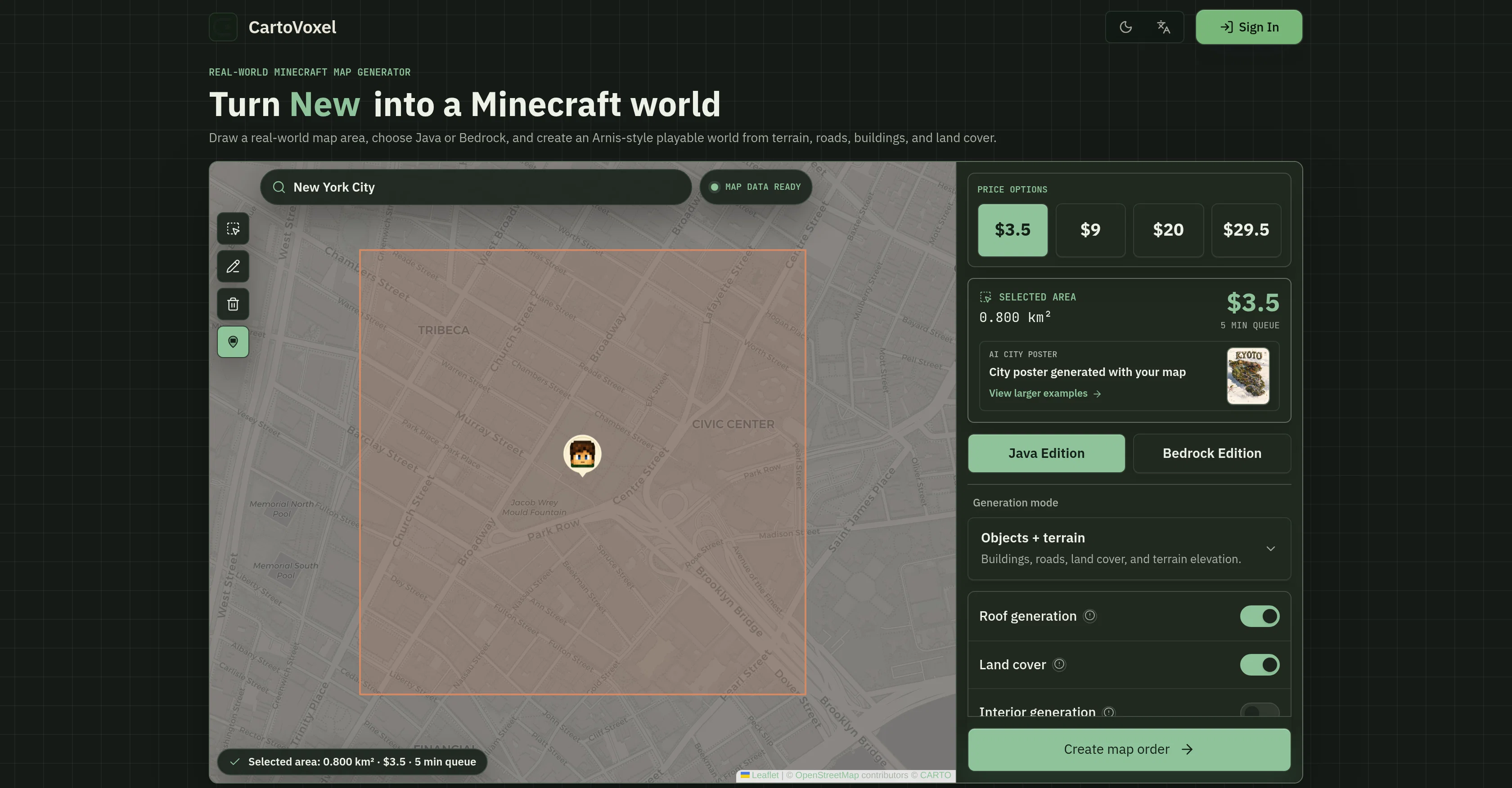
CartoVoxel is a user-friendly, web-based map generator for Minecraft that allows users to create playable maps using real-world geographic data. Users can transform areas from the real world into Minecraft environments in both Java and Bedrock versions.
The process begins by selecting a real-world location through the tool's interactive map. Options for customizing the generated maps include features like terrain, roads, and buildings, bringing a great level of detail and authenticity.
Once the area is selected and features set, the map is rendered remotely in the cloud, freeing up the user's PC resources. On completion, the ready-to-play Minecraft world files are delivered straight to the user's email, ready for import and play.
Along with the world files, the tool also provides a bonus AI-generated city poster, adding a visual story element for users to share along with their created world.
The Map Generator prides itself on transparency, providing instant quotes and rendering time estimates before users commit to a map.
Access & connections
Where you can use CartoVoxel.
Platforms
Capabilities
What this tool accepts, produces, and is strongest at.
Input
- Geo
Output
- Game
- Image
Supported features
- App Builder
- Visual Creation
- Image Generation
- Web browsing
Pros & cons
Pros
- Web-based tool
- Supports Java and Bedrock
- Customizable world elements
- Zero setup required
- Rendering via cloud
- Email delivery of files
- Dynamic transparent pricing
- Real-time queue status
Show 33 more
- Interactive map for area selection
- Instant quote and queue time
- No downloads
- No heavy software
- Selectable real-world locations
- Available for low-end PCs
- Compatible for mobile and Mac
- Straightforward importing and playing
- Pricing scales based on selection
- Detailed map generation
- Real-time queue status
- Ability to convert landmarks
- Transparent pricing
- Variety in output selection
- Dynamic area estimate
- Pricing based on map size
- Compatible with both Java and Bedrock
- Preserves computer performance
- No need to install desktop applications
- Landscape specifications include terrain, roads, buildings
- Instant generation and download
- Real-world locations to Minecraft conversion
- Terrain, roads and buildings customization
- Instant quote and queue time
- Email delivery of Minecraft world files
- Preserves PC's performance
- Resources-saving cloud-based rendering
- Visual story for social sharing
- Convenient map order delivery
- Bonus promotional material
- Online map generation
- Optimized for creators
- Instant rendering time estimates
Cons
- Limited to Minecraft landscapes
- No offline mode
- Depending On Email Communication
- Cloud dependence
- No multi-language support
- Customizable options seem limited
- Rendering errors possible
- Lack render preview function
Show 2 more
- No trial version
- No integrated poster printing
Compare alternatives
Similar tools in the catalog — with a clear reason to open each one.

MCP Showcase ✓
FreemiumGive prospects a live MCP playground instantly.
Why look Freemium alternative
Full comparison
Soular Map ✓
FreemiumThe first somatic astrology app.
Why look Freemium alternative
Full comparisonReleases 1
Imported reviews 1
this is actually kinda cool for Minecraft map prototyping. turning real locations into playable terrain with roads and buildings in minutes is insane. it’s a really neat shortcut :D
FAQ 12
What is CartoVoxel?
How does CartoVoxel turn real-world locations into Minecraft worlds?
Can CartoVoxel support both Java and Bedrock versions of Minecraft?
How can I customize the elements in my Minecraft world using CartoVoxel?
Do I need to install anything to use CartoVoxel?
How does CartoVoxel handle complex rendering?
How will I receive my Minecraft world files from CartoVoxel?
What is included in the shareable AI city poster?
Can CartoVoxel be used for educational gaming and virtual travel?
What is the dynamic pricing with CartoVoxel?
Can I track the status of my world creation on CartoVoxel?
How does CartoVoxel ensure computer performance sustainability?
Related tools
Recommended

MagicSlides.app AI PPT Maker ✓
FreemiumCreate Stunning PPTs in Seconds with the AI PPT Maker

GetLogit ✓
FreemiumArtificial intelligence, available for everyone.

ChatGPT ✓
FreemiumAsk anything, create anything, and move from idea to action.

Automateed ✓
Free TrialCreate eBooks effortlessly with Automateed, the AI-powered writing tool.

Notis ✓
Free TrialThe first WhatsApp assistant that runs on your ChatGPT and Claude subscriptions

CodeRabbit ✓
Free TrialEnhanced code review for improved workflow and quality.