

Carousel generator ✓
Create AI-generated LinkedIn carousels effortlessly.
Trial; then from $14.95/mo
Verdict
A quick read before you dig into the full page.
- Best if
- Create AI-generated LinkedIn carousels effortlessly
- Skip if
- Limited tone of voice options
- Pick this when
- Generates LinkedIn carousels
Considering LinkedIn Carousel Generator by 2PR instead? Compare side by side
Overview
The AI Carousel Generator is a tool that enables users to generate LinkedIn carousels automatically using AI technology. The platform is currently in beta and is only accessible to invited users.
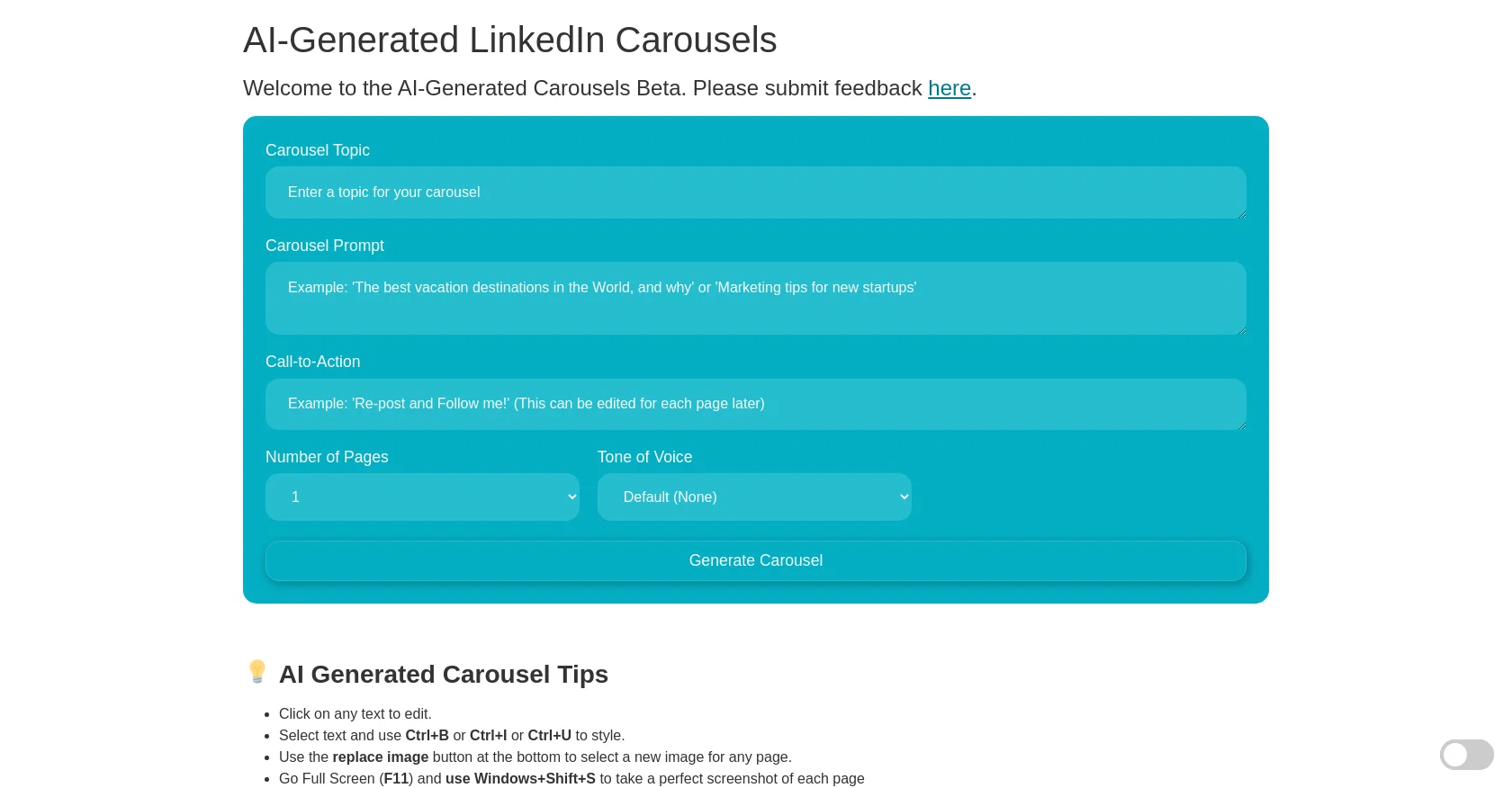
The tool provides users with different options to customize their carousels including carousel topic, prompt, call-to-action, number of pages, and tone of voice.
Users can also modify carousel pages by clicking on text to edit, selecting text to apply styles, replacing images, and taking screenshots. Additionally, the tool offers features like copying and pasting icons, changing the background image, and converting the carousel into PDF format.
The tool's website also provides tips for users to optimize their AI-generated carousels and a feedback form for users to submit feedback. The tool addresses one of the challenges of converting HTML to PDF and offers an easy way to obtain high-quality screenshots that can be converted into PDFs.
However, the website does not provide information on how the AI technology works or how it selects the tone of voice or prompts. Overall, the AI Carousel Generator can significantly reduce the time needed to create LinkedIn carousels while allowing users to personalize the carousel's content.
It has the potential to be a useful tool for marketers, social media managers, and individuals who regularly create LinkedIn carousels.
Access & connections
Where you can use Carousel generator, and what it plugs into.
Platforms
Integrations
Capabilities
What this tool accepts, produces, and is strongest at.
Input
- Text
Output
- Text
- Image
Pros & cons
Pros
- Generates LinkedIn carousels
- High customization options
- Editable text
- Customizable carousel pages
- Text styling options
- Replaceable image options
- Screenshot feature
- Has copy and paste icons
Show 14 more
- Background image alteration
- Converts carousels to PDF
- Tips for optimizing carousels
- Feedback submission available
- Targeted for LinkedIn posts
- Multiple tone of voice options
- Carousel prompt customization
- Beta testers' exclusive access
- Customizable calls-to-action
- Determines carousel page numbers
- Can reduce carousel creation time
- Potential marketing tool
- Converts high-quality screenshots to PDF
- Specifically catered to LinkedIn users
Cons
- Invite-only accessibility
- Limited customization options
- Lack of cover page generator
- Difficult conversion to PDF
- No mobile support indicated
- No insights on data privacy
- No direct tool user-support
- Unreliable HTML to PDF conversion
Show 1 more
- Limited tone of voice options
Compare alternatives
Similar tools in the catalog — with a clear reason to open each one.

LinkedIn Carousel Generator by 2PR ✓
FreeTurn tweets into LinkedIn carousels instantly.
Why look Fully free option
Full comparison
Carousel ✓
Free TrialTurn images, tweets or Reddit posts into LinkedIn carousels
Free + from $49/mo
Full comparison
Dottypost ✓
PaidCreate stunning LinkedIn carousels in seconds.
Why look Typically cheaper
Full comparison
Releases 1
FAQ 12
What is the AI Carousel Generator?
How does the AI Carousel Generator work?
What features does the AI Carousel Generator offer?
How do I customize my carousel on the AI Carousel Generator?
Why can't I access the AI Carousel Generator?
How do I take a screenshot on the AI Carousel Generator?
What is the function of the screenshot feature on the AI Carousel Generator?
What does 'tone of voice' mean on the AI Carousel Generator?
How do I change the background image on my carousel?
How can I convert my carousel into a PDF on the AI Carousel Generator?
How does the AI Carousel Generator select the tone of voice for the carousel?
Why is the AI Carousel Generator only accessible to invited users?
Related tools
Recommended

LearningStudioAI ✓
Free TrialAI-powered authoring tool for effortless online course creation.

VenturusAI ✓
FreemiumBusiness idea analysis and reporting.

PostPerfect ✓
FreemiumAutomated social media posts.

D-ID ✓
FreemiumCreate AI-generated videos with ease

Taplio ✓
FreemiumThe LinkedIn growth tool to turn content into pipeline

DataSquirrel ✓
FreemiumData cleaning & visualization for insights gained.