
Buildable ✓
AI-powered build planning for SaaS ideas
Trial; then from $15/mo
Verdict
A quick read before you dig into the full page.
- Best if
- AI-powered build planning for SaaS ideas
- Skip if
- Limited project generations
- Pick this when
- Streamlines development process
Considering Whacka instead? Compare side by side
Overview
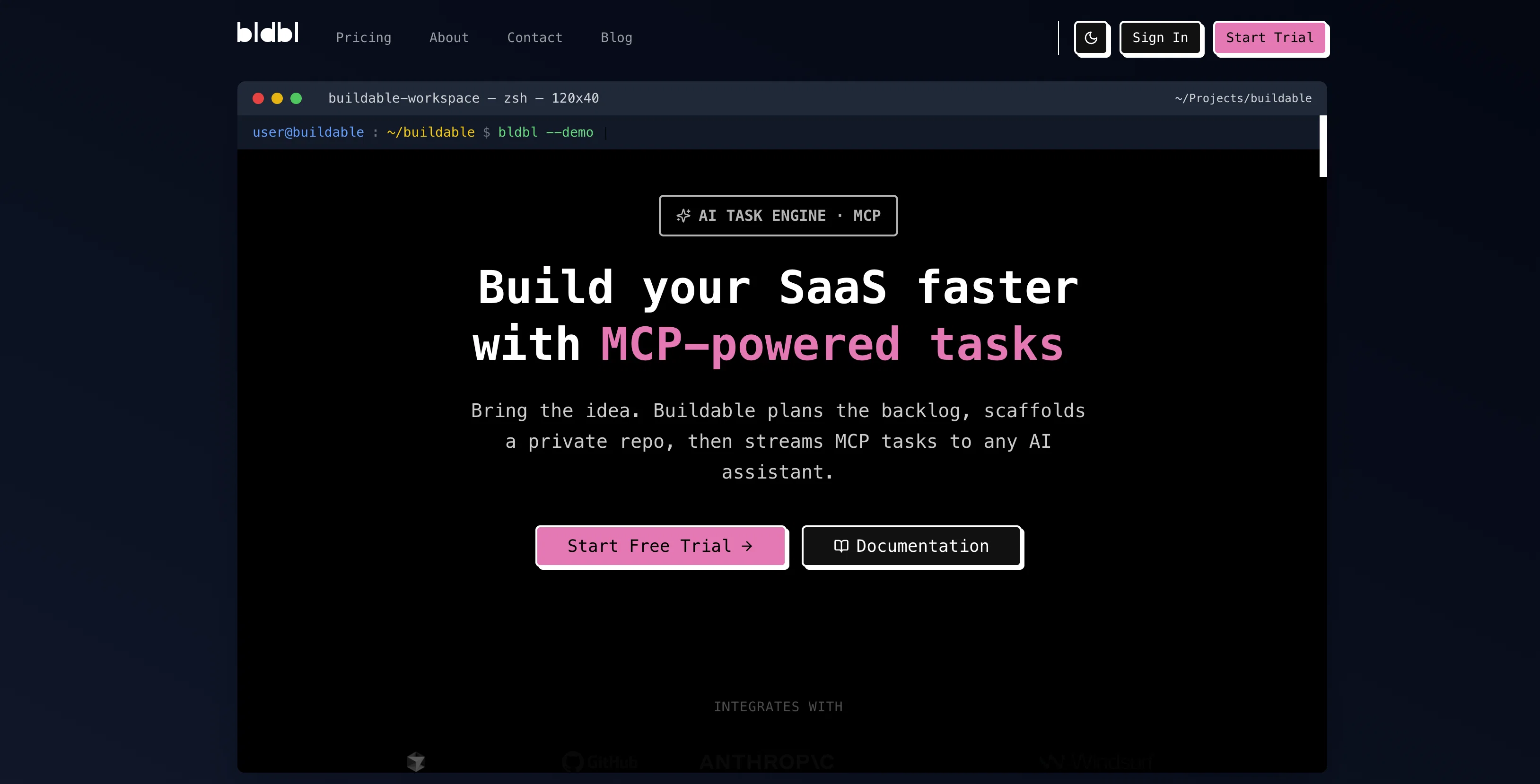
Buildable is an AI-powered tool designed to streamline the development process. The cutting-edge technology behind Buildable turns any app idea into AI-ready build instructions swiftly.
The MCP (Master Control Program) task engine orchestrates your software development process by planning the backlog, scaffolding a private repository, and streaming MCP tasks to your chosen AI assistant.
Buildable generates detailed, actionable development plans, breaking down your idea into various stages from high-level architecture to specific implementation tasks.
It supports integration with any MCP-compatible AI, facilitating smooth task execution by enabling the AI assistant to understand and work on the codebase.
Through a simple, user-friendly process, Buildable initializes your project by scaffolding your entire repository structure, setting up CI/CD pipelines, and creating a foundation tailored to your project requirements.
Additionally, it offers features like live Kanban boards and the ability to auto-update card status on CI. Teams or solo developers can utilize these tools to their advantage.
Buildable guarantees freedom through its commitment to no vendor lock-in, thus ensuring what you create remains under your control. It is language agnostic, implying you have the freedom to decide the software language or framework you want to use.
The tool provides personal support for all your queries and concerns, promoting a smooth user experience.
Best for
Short scenarios where Buildable tends to shine.
-
AI-powered build planning for SaaS ideas
Example outputs 1
Sample generations and before/after results for Buildable.
Access & connections
Where you can use Buildable, and what it plugs into.
Platforms
Integrations
Capabilities
What this tool accepts, produces, and is strongest at.
Input
- API
- Tabular
- Text
Output
- Code
- API
- Text
Supported features
- IDE
Pros & cons
Pros
- Streamlines development process
- Automates task planning
- Scaffolds private repositories
- Generates detailed development plans
- Project initialization
- CI/CD pipelines setup
- Live Kanban board
- Auto-updates card status
Show 12 more
- Suitable for solo developers and teams
- Offers vendor freedom
- Language agnostic
- Provides personal support
- Promotes user friendly experience
- Stack-agnostic
- Private repository by default
- Option to export project data
- No mandatory MCP learning
- Offer for self-hosting
- Minimalistic user interface
- Team plan for collaboration
Cons
- Limited project generations
- Extra charges for additional generations
- Dependency on API keys
- Requires understanding MCP protocol
- Personal support may be slow
- Language-agnostic may lack specificity
- Requires active seat for team billing
- Self-hosting only on Enterprise tier
Show 1 more
- No explicit data encryption mentioned
Compare alternatives
Similar tools in the catalog — with a clear reason to open each one.

Whacka ✓
Free TrialTurn ideas into real apps from your phone.
Why look Typically cheaper
Full comparison
AppDeploy ✓
FreeDeploy real apps directly from ChatGPT or Claude
Why look Fully free option
Full comparison
Anything - AI App Builder ✓
FreemiumTurn your words into apps, sites, and products.
Why look Higher community rating
Full comparison


People also view
Tools that often show up alongside Buildable in collections and comparisons.

Promptmate ✓
FreemiumBuild AI Powered Apps for superior efficiency.

Pmfm ✓
FreemiumLaunch and monetize custom AI apps without code

Mocha ✓
FreemiumTurn app ideas into reality, instantly.

freebeat AI ✓
FreemiumTurn Music & Ideas into Viral Videos In One Click

Bravostudio ✓
FreemiumBuild native mobile apps without code
Whacka ✓
Free TrialTurn ideas into real apps from your phone.

Vondy ✓
PaidCreate and explore AI-powered apps for anything

The Forge ✓
FreePlatform for creating & selling workflows.
Releases 1
FAQ 12
What is Buildable and how does it streamline the development process?
How does Buildable turn an app idea into AI-ready build instructions?
How does the MCP task engine used in Buildable work?
How does Buildable plan and manage the software development process?
How does Buildable generate the detailed, actionable development plans?
Which MCP-compatible AI assistants can be integrated with Buildable?
How does Buildable facilitate the understanding and working capacity of AI assistants on the codebase?
How does Buildable initialize my project and what does this process entail?
What features does Buildable offer to aid in setting up CI/CD pipelines?
How does Buildable support and enhance the working experience for both team builders and solo developers?
What does 'No vendor lock-in' in the context of Buildable's features mean?
How is Buildable language agnostic and how does that benefit me as a user?
Related tools
Recommended

OnSpace.AI - No Code App Builder ✓
FreemiumBuild Apps with AI, No Code

Specifys.ai ✓
FreemiumPlan your dream app with smart AI tools
freebeat AI ✓
FreemiumTurn Music & Ideas into Viral Videos In One Click

Emergent ✓
FreemiumUse the code TAAFT for access to vibe coding platform
Mocha ✓
FreemiumTurn app ideas into reality, instantly.

MageGPT ✓
FreeGenerate full-stack web apps with GPT magic