

Barra/AI ✓
Summon AI assistance with a simple slash command
Verdict
A quick read before you dig into the full page.
- Best if
- Summon AI assistance with a simple slash command
- Skip if
- No support for Meta platforms
- Pick this when
- User-friendly interface
Considering Claude in Chrome instead? Compare side by side
Overview
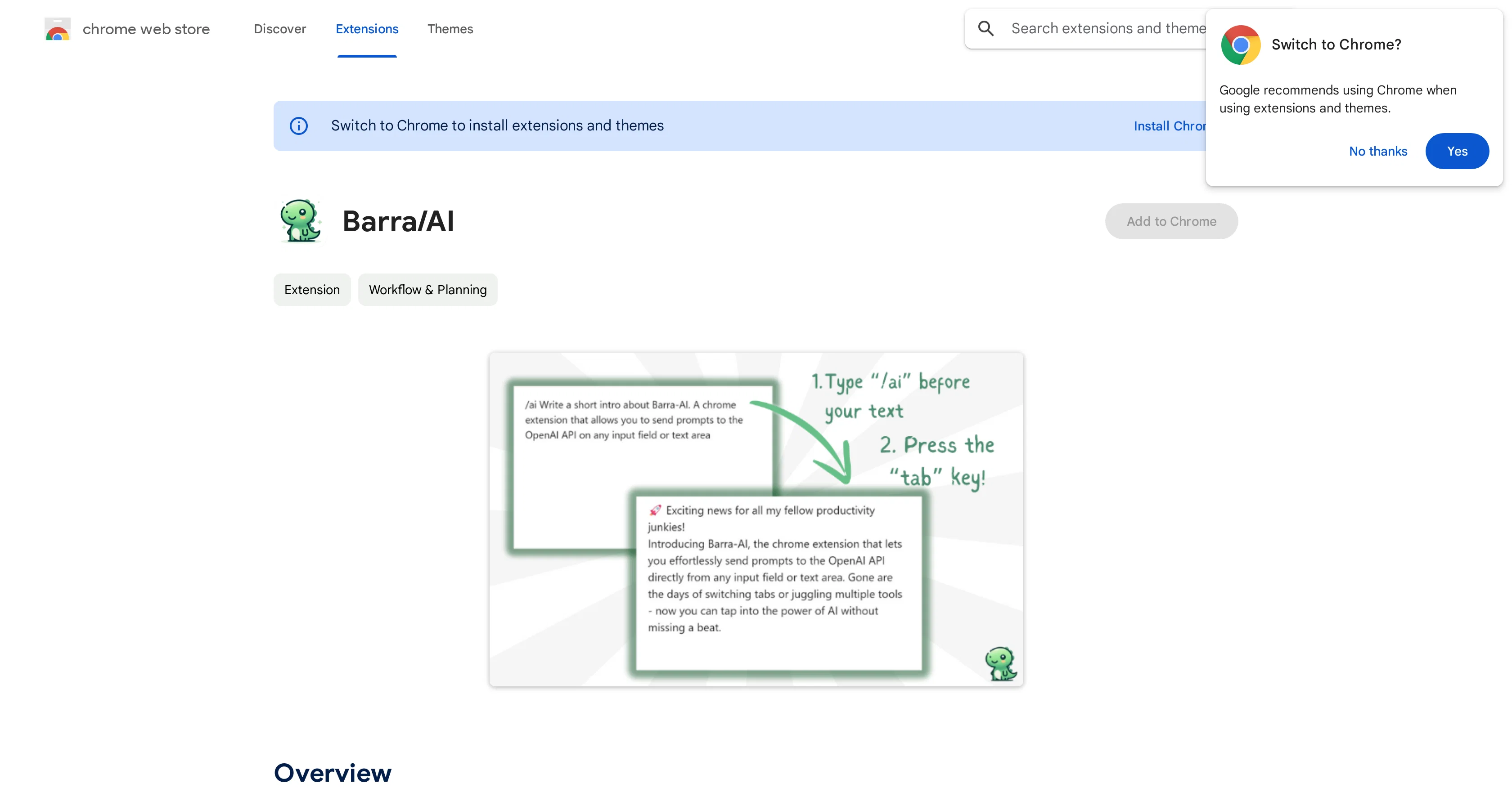
Barra/AI is a no-frills AI browser extension designed to make access to GPT (Generative Pretrained Transformer) models easy and straightforward. Named after the Portuguese word for 'slash', the plugin allows users to type '/ai' followed by their query or prompt in any text input on the web, generate AI responses by pressing the 'Tab' key, and replace the existing field's content with the generated material.
Beyond its simplicity, the extension boasts of other impressive features. All data is processed on the client-side, i.e., within the browsers local storage, ensuring personal data remains private.
Also, any requests to OpenAI's API are sent directly from the user's browser, reinforcing data security. Another notable attribute is that it works with a user's own API key from OpenAI, eliminating hidden costs and subscription fees typically associated with such services, giving users unlimited usage.
Additionally, Barra/AI is an open-source project, fostering a community-centered development approach, and inviting interested individuals to review and contribute to its codebase.
The tool is also noted for its universal application, being integrated smoothly across various text input fields on the web. However, compatibility issues with particular platforms such as Meta properties (including Facebook and Instagram) are presently being addressed to broaden its utility.
The set-up process is fairly simple, requiring the user to install the extension, enter their OpenAI API key and select their preferred GPT model from the options menu.
Despite the assurance of being a no-frills tool, it uses a dinosaur icon, reflecting its commitment to provide a cool, unpretentious AI companion to users.
Access & connections
Where you can use Barra/AI, and what it plugs into.
Platforms
Capabilities
What this tool accepts, produces, and is strongest at.
Input
- Text
Output
- Text
Pros & cons
Pros
- User-friendly interface
- Simplifies access to GPT models
- Utilizes user API keys
- Prevents hidden costs
- Allows unlimited usage
- Community-centered development
- Universal application
- Client-side data processing
Show 8 more
- Improves data security
- Open-source project
- Potential for wide-scale integration
- No subscription fees
- Data remains private
- Allows user contributions
- Features unique dinosaur icon
- Simple set-up process
Cons
- No support for Meta platforms
- Incompatible with Lexical editor framework
- Requires manual GPT model selection
- Only operates in browser
- No assistance for setup issues
- No multi-language support
- No in-app customer support
Compare alternatives
Similar tools in the catalog — with a clear reason to open each one.

Claude in Chrome ✓
FreemiumBring Claude's AI assistance to your browser.
Free + from $17/mo
Full comparison
Leo ✓
FreemiumAI assistant built into the Brave browser
Why look Higher community rating
Full comparison


Releases 1
FAQ 12
What types of GPT models can Barra/AI access?
How does Barra/AI ensure data privacy?
Can I use my own API key from OpenAI with Barra/AI?
What types of services does Barra/AI eliminate the costs of?
Is Barra/AI an open-source project?
Can I contribute to the development of Barra/AI?
What platforms is Barra/AI compatible with?
How do I set up Barra/AI?
Why does Barra/AI have a dinosaur icon?
Can I use Barra/AI on Facebook and Instagram?
How does the Barra/AI browser extension work?
What does the slash command in Barra/AI do?
Related tools
Recommended

COACH ✓
FreeAI-powered career development platform built by career experts.

TutorAI ✓
FreemiumInstant knowledge on any topic

Kin - Personal AI Advisors ✓
FreePrivacy-first & designed your for mind, and life at work

VenturusAI ✓
FreemiumBusiness idea analysis and reporting.

Stratup.ai ✓
FreemiumInnovative idea generation for businesses.

Business Idea Generator AI ✓
FreeGenerate innovative business ideas with AI