

Image descriptions 2026 Rank: #1066
autokeyworder ✓
Turn AI images into stock income.
Verdict
A quick read before you dig into the full page.
- Best if
- Turn AI images into stock income
- Skip if
- Subscription for unlimited credits
- Pick this when
- Chrome extension
Considering ImageAI instead? Compare side by side
Overview
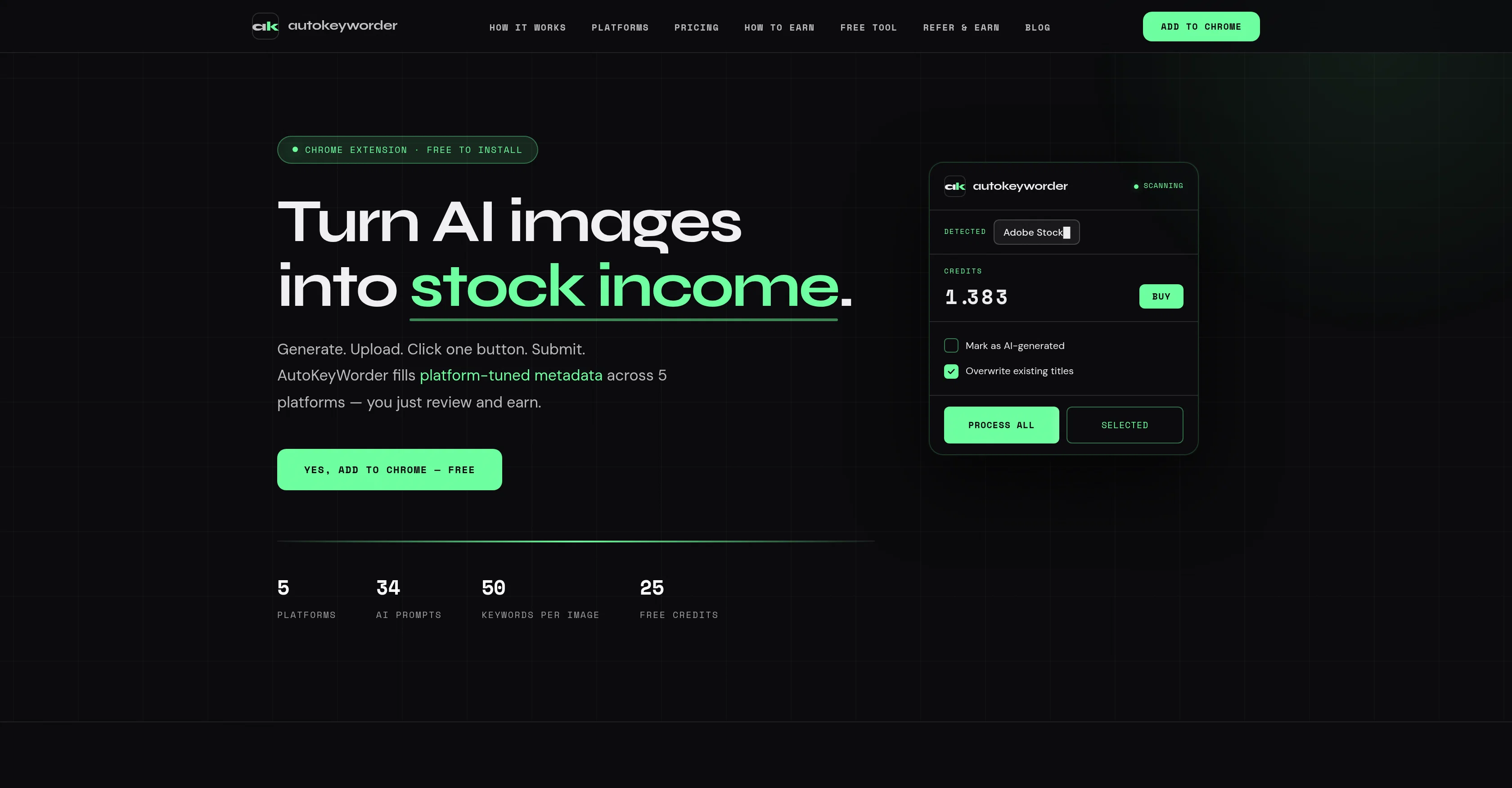
Autokeyworder is a tool designed for AI creators, automating the process of generating and uploading AI images on stock platforms to create a passive income stream.
It specifically targets the quality of metadata, providing inputs that are tailored to each individual platforms search algorithm instead of relying on generic tags or keywords.
Autokeyworder uses specific prompts to optimise titles, keywords, and categories thus enhancing the discoverability of the AI images across platforms such as Adobe Stock, Shutterstock, Zedge, Displate and TeePublic.
The entire workflow is browser-based and simple: generate images using any AI tool, upload them, click a single button for Autokeyworder to fill in the metadata, review, submit, and earn.
Besides, the browser extension automatically detects supported platforms' upload pages, making the process even smoother. Autokeyworder also continues to extend its metadata support to more platforms, meticulously aligning its functions to match the platform's algorithm, keyword counts, and rules.
The tool is free to install as a Chrome extension.
- Auto-fills Upload Forms Directly On 5 Stock Platforms
- Platform-specific Ai Prompts For Each Site
- Stock Video Keywording With 5-frame Analysis
- Generates Titles, Keywords, Categories, And Descriptions
- Adobe Stock, Shutterstock, Displate, Teepublic, Zedge
- 25 Free Credits, No Credit Card Required
- No Csv Export Or Clipboard Needed
- Metadata Tuned To Each Platform's Search Algorithm
Best for
Short scenarios where autokeyworder tends to shine.
-
Turn AI images into stock income.
Example outputs 1
Sample generations and before/after results for autokeyworder.
Access & connections
Where you can use autokeyworder, and what it plugs into.
Platforms
Integrations
Capabilities
What this tool accepts, produces, and is strongest at.
Input
- Image
- Video
Output
- Text
Supported features
- Transcription
Pros & cons
Pros
- Chrome extension
- Fills metadata automatically
- Platform-specific keywording
- Integration with multiple platforms
- Optimized for image SEO
- Motion context for videos
- No use of CSV files
- No clipboard nor desktop app required
Show 37 more
- Maintains on-page workflow
- 25 free credits on signup
- Metadata optimization for more platforms
- Automated platform detection
- One-click functionality
- Algorithm alignment with platforms
- Compliance with keyword counts
- Compliance with platform rules
- Free installation
- Optimized titles, keywords, categories
- Working towards more platform support
- 5-frame video analysis
- Per-platform metadata customization
- 34 platform-specific prompts
- Build into upload workflow
- Batch processing capabilities
- No API key generation
- Platform-tuned metadata generation
- Comprehensive quality testing
- Market niche position
- Plans for every workflow
- Subscription or on-demand payment
- Credits-based system
- No expiration on purchased credits
- Contactless payment methods support
- Natural form filling, safe for platforms
- Allows user metadata review and editing
- Supports passive income generation
- Enhanced image discoverability
- Automatic camera movement detection in videos
- Animated scan for platform detection
- Automated process initiation
- Automated form filling
- Platform rules considered in prompts
- No context switching needed
- No setup needed for platform detection
- No manual import or export
Cons
- Chrome-exclusive
- Limited platform compatibility
- Limited free credits
- Potential inaccuracies in metadata
- Fee for extra credits
- No desktop app available
- Dependency on platform's algorithms
- Limited video analysis
Show 2 more
- Manual review required
- Subscription for unlimited credits
Compare alternatives
Similar tools in the catalog — with a clear reason to open each one.

ImageAI ✓
FreemiumUnlock image secrets with AI description generator.
Free + from $4.95/mo
Full comparison
AI Keywording Tool ✓
FreemiumAI-powered keywording for stock photographers
Free + from $19/mo
Full comparison
AI Describe Picture ✓
PaidTurn images into detailed descriptions with AI.
from $19.99/mo
Full comparison
PhotoTag.ai ✓
FreemiumAI-powered tagging for photos and videos in one click.
Why look Higher community rating
Full comparison
DescribeImage.io ✓
FreemiumAI-powered image and video understanding tool.
Why look Typically cheaper
Full comparisonPeople also view
Tools that often show up alongside autokeyworder in collections and comparisons.
PhotoTag.ai ✓
FreemiumAI-powered tagging for photos and videos in one click.
ImageAI ✓
FreemiumUnlock image secrets with AI description generator.
DescribeImage.io ✓
FreemiumAI-powered image and video understanding tool.
AI Keywording Tool ✓
FreemiumAI-powered keywording for stock photographers
AI Describe Picture ✓
PaidTurn images into detailed descriptions with AI.

Vidnix | AI Text to Video Generator ✓
Free TrialAll-in-one AI video and image generation platform

Context.dev ✓
Free TrialThe unified API for web scraping and AI-powered data extraction.

CataSEO ✓
PaidGet unique, high-performing product listings without lifting a finger.
Releases 1
FAQ 12
How does AutoKeyWorder differ from Xpiks or StockSubmitter?
🛠️ 1
tool
wrote:
Those tools export metadata as CSV files that you import separately. AutoKeyWorder fills titles, keywords, and categories directly into the upload form you're already on. No file exports, no imports, no extra steps.
Which platforms are supported?
🛠️ 1
tool
wrote:
Adobe Stock, Shutterstock, Displate, TeePublic, and Zedge. Each platform gets its own AI prompt tuned to that site's search algorithm and category system.
Does it work with stock video?
🛠️ 1
tool
wrote:
Yes. Video keywording analyzes 5 frames across the clip to capture motion, transitions, and context that single-frame tools miss.
Do I need an OpenAI API key?
🛠️ 1
tool
wrote:
No. Everything runs on our servers. Install the extension, get 25 free credits, and start processing.
Will this get my stock account flagged?
🛠️ 1
tool
wrote:
No. The extension fills forms with natural timing delays and never submits automatically. You always review and submit yourself.
What happens when credits run out?
🛠️ 1
tool
wrote:
The extension still works, you just can't process new images until you buy more. Credits never expire.
Does it work with AI-generated images?
🛠️ 1
tool
wrote:
Yes. It analyzes the final image, not how it was made. Midjourney, DALL-E, Stable Diffusion, Flux, any generator works.
Is my image data stored?
🛠️ 1
tool
wrote:
No. Images are analyzed in real-time and never stored on our servers.
What is the AutoKeyWorder?
How does AutoKeyWorder work?
How is AutoKeyWorder different from generic SEO tools?
Is AutoKeyWorder a Chrome extension?
Related tools
Recommended

Notis ✓
Free TrialThe first WhatsApp assistant that runs on your ChatGPT and Claude subscriptions

MarketFoundry AI Workspace ✓
Free TrialYour complete digital presence, built by AI in minutes.

Thea ✓
FreemiumAI study tools to master material, not just memorize it.

Suno ✓
FreemiumMake music at the speed of your ideas.

CodeRabbit ✓
Free TrialEnhanced code review for improved workflow and quality.

Easy-Peasy.AI ✓
FreemiumAccelerates content creation.