

Video dubbing 2026 Rank: #1526
AutoDub ✓
Hear any YouTube video in your own language.
Verdict
A quick read before you dig into the full page.
- Best if
- Hear any YouTube video in your own language
- Skip if
- Limited to browsers
- Pick this when
- Translates and dubs YouTube videos
Considering Genve AI instead? Compare side by side
Overview
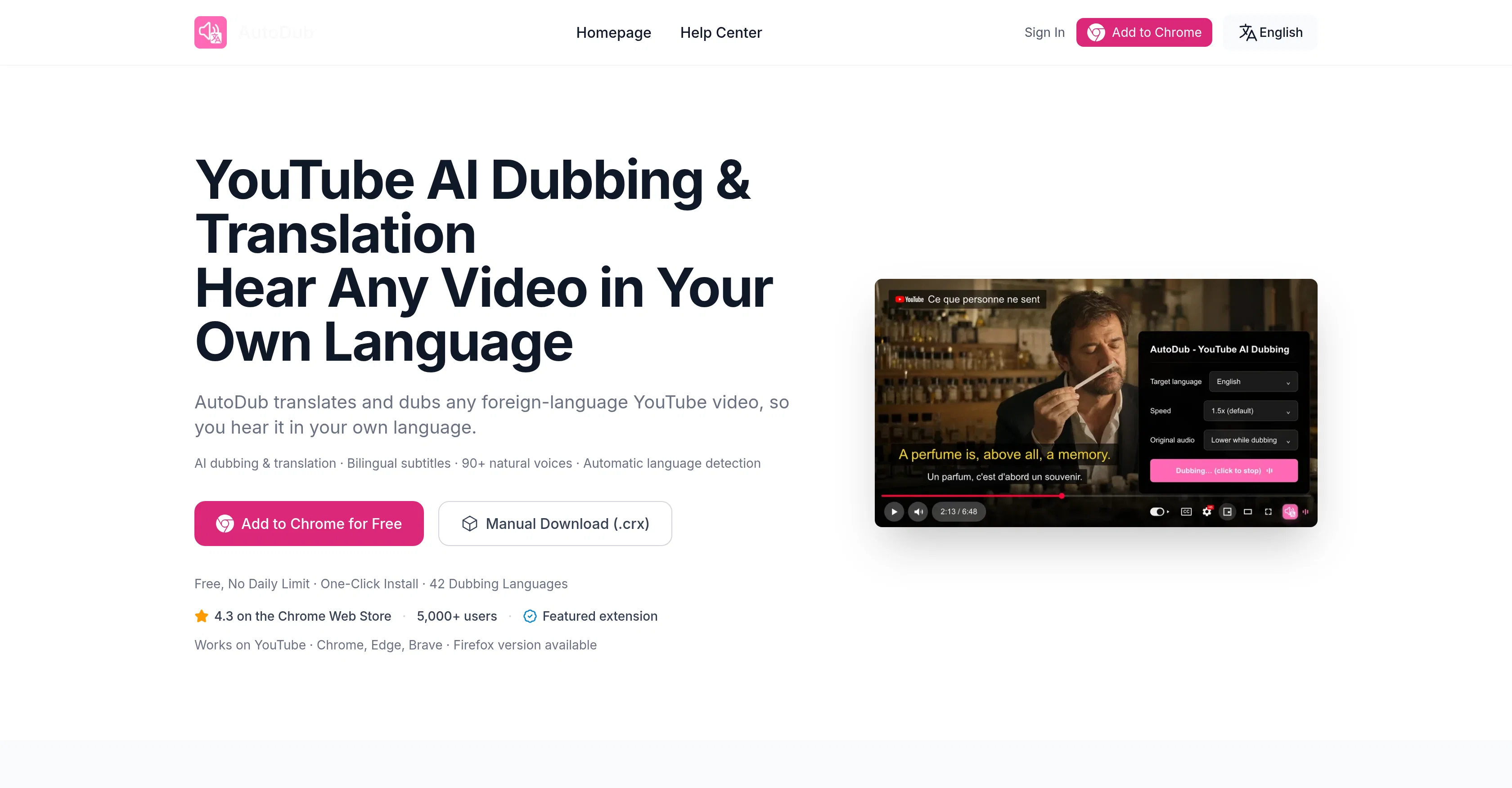
AutoDub is an AI-powered browser extension designed to translate and dub YouTube videos into the viewer's preferred language, making foreign-language content more accessible.
The extension automatically detects the original language of the video and provides a dubbed version with bilingual subtitles. Additionally, it has a robust offering of natural-sounding voices and supports over 42 languages.
AutoDub's functionalities include automatic language detection, bilingual subtitles, and operates without any daily usage limitations. It integrates seamlessly into YouTube's player controls and is compatible with multiple browsers - Chrome, Edge, Brave, and Firefox.
The extension was designed with versatility in mind, with use cases spanning across different types of content such as programming tutorials, educational content, lifestyle vlogs, business and financial advice, interviews, documentaries, and films.
Users can easily install AutoDub from the Chrome Web Store or Firefox Add-ons with a single click. Despite being primarily intended for YouTube, the developers are considering expanding its capabilities to other platforms.
AutoDub respects user privacy by avoiding the need for an account or sign-in and does not sell user data. The extension requires an internet connection as translations are powered by AI and processed on the servers.
For any technical support, users can reach out via the feedback feature in the extension, email, or visit the help center.
Access & connections
Where you can use AutoDub, and what it plugs into.
Platforms
Integrations
Capabilities
What this tool accepts, produces, and is strongest at.
Input
- Video
Output
- Audio
- Text
Pros & cons
Pros
- Translates and dubs YouTube videos
- Supports over 42 languages
- Automatic language detection
- Bilingual subtitles provision
- Unlimited daily usage
- Integrates with YouTube controls
- Compatible with multiple browsers
- Single-click installation
Show 33 more
- Potential cross-platform expansion
- No account or sign-in required
- Doesn't sell user data
- Technical support availability
- 90+ natural voices
- Broad content application scope
- Privacy policy transparency
- Optimized to maintain playback speed
- Processing doesn't affect viewing experience
- Translates globally recognized languages
- 4.3 rating on Chrome store
- Allows for user feedback
- Low internet bandwidth requirement
- Effective for educational content
- Enhances accessibility of documentaries
- Tool for programming tutorials
- Makes business advice accessible
- Improves understanding of interviews
- Adaptable to lifestyle vlogs
- Recognizes original video language
- High-quality voice dubbing
- Promising future platform expansion
- Compliant with data protection
- Helps overcome language barriers
- Seamlessly integrated with YouTube
- Localizes global creator content
- Convenient for viewer preference
- Optimized translation processing speed
- Subtitles processing on servers
- 24 hours support reply time
- One-click install from web stores
- Useful for breaking language barriers
- Captions are cashed, not data
Cons
- Limited to YouTube
- Internet required
- Doesn't support Safari
- Limited to 42 languages
- Dependant on YouTube subtitles
- Limited to browsers
- Support response takes 24 hours
- No offline usage
Compare alternatives
Similar tools in the catalog — with a clear reason to open each one.

Genve AI ✓
Free TrialScale content across 140+ languages with AI dubbing.
Why look Better for writing
Full comparison
Dubverse.ai ✓
Free TrialAI-powered video dubbing in 30 languages
Free + from $9.58/mo
Full comparison
Perso AI Dubbing ✓
FreemiumDub Any Video into 33+ Languages with AI Lip Sync
Why look Offers a public API
Full comparison
YouTube Dubbing ✓
FreemiumClick to play YouTube videos in your language
Free + from $10/mo
Full comparison
Dub AI ✓
FreemiumLocalize videos in minutes with AI dubbing
Why look Higher community rating
Full comparison
Releases 1
FAQ 12
What is AutoDub?
How does AutoDub translate and dub YouTube videos?
What languages are supported in AutoDub's translation and dubbing?
Does AutoDub have any usage limitations?
Which browsers is AutoDub compatible with?
What types of content can AutoDub be useful for?
How can I install AutoDub?
Is AutoDub exclusively for YouTube?
What measures does AutoDub take to respect user privacy?
Why does AutoDub require an internet connection?
How can I get technical support for AutoDub?
What are the bilingual subtitles in AutoDub?
Related tools
Recommended

SparkVid | Image to Video AI Generator ✓
Free TrialUpload a still and watch it move.

The Muse Shop ✓
FreeUpload a photo. We build your personal shop.

MagicSlides.app AI PPT Maker ✓
FreemiumCreate Stunning PPTs in Seconds with the AI PPT Maker

GetLogit ✓
FreemiumArtificial intelligence, available for everyone.

ChatGPT ✓
FreemiumAsk anything, create anything, and move from idea to action.

Automateed ✓
Free TrialCreate eBooks effortlessly with Automateed, the AI-powered writing tool.