

Android AI Assistant Widget ✓
AI Chatbot Widget with OpenAI ChatGPT technology
Verdict
A quick read before you dig into the full page.
- Best if
- You are students and need: Composing emails
- Skip if
- Learning curve for personalization
- Pick this when
- Composes emails
Considering ChatGPT instead? Compare side by side
Overview
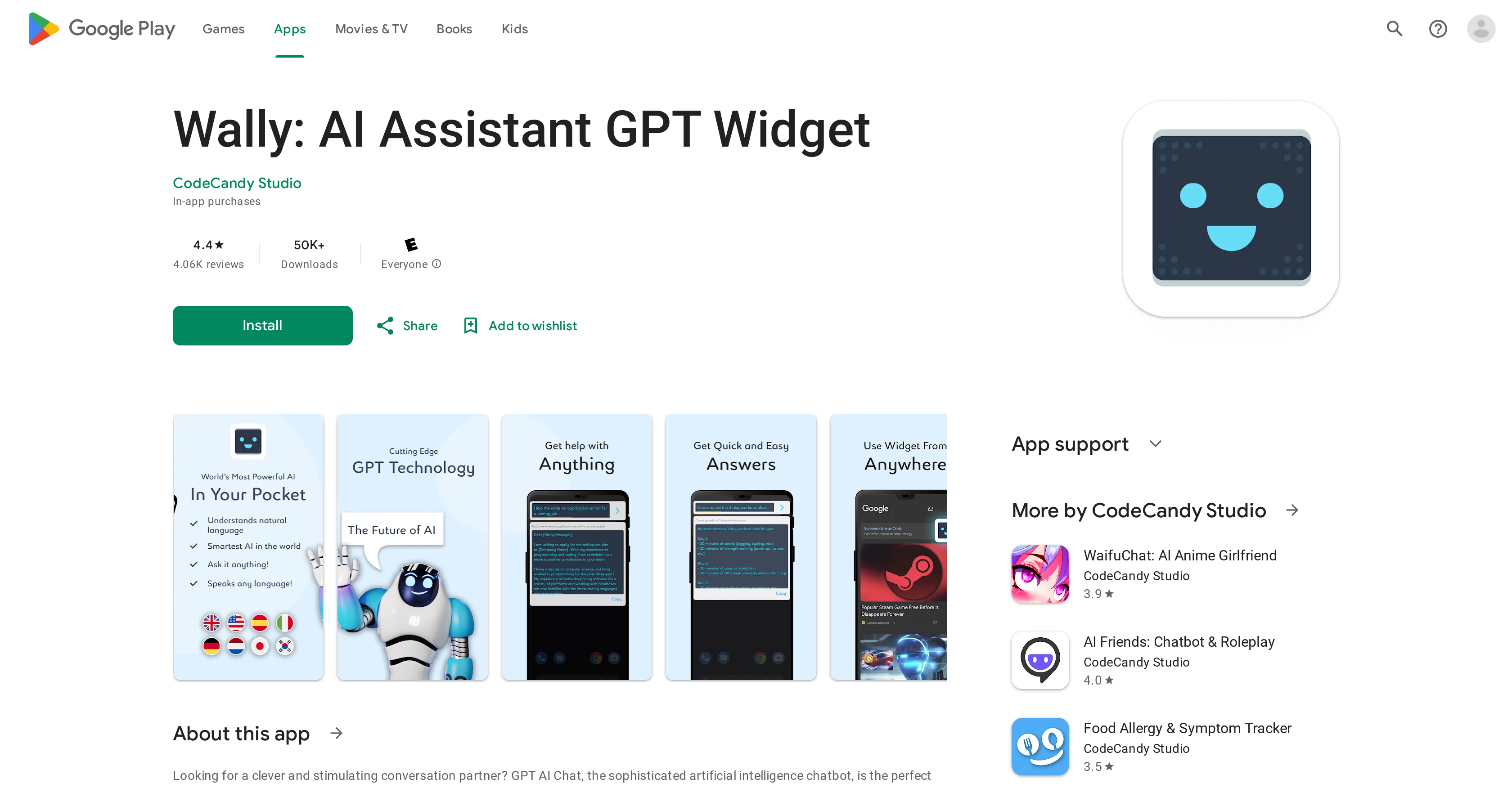
Wally: AI Assistant GPT Widget, developed by CodeCandy Studio, is an artificial intelligence chatbot that employs sophisticated AI technology. The tool mirrors human conversational abilities and is designed to respond to a wide array of queries, perform tasks like composing emails and writing essays, and even indulge in games.
It offers a range of features including personalized responses, multiple chatbot personalities, AI games, and support for multiple languages. The AI chatbot is designed to learn about user interests and preferences over time, and provide a truly intelligent conversational experience.
The tool can be shared across multiple platforms and various languages. Data security is ensured as all transitions are encrypted and the tool practices respect for user privacy.
However, once collected, the user data can't be deleted. The tool combines natural language processing (NLP), machine learning (ML), deep learning (DL), and natural language understanding (NLU) for advanced AI performance and user adaptability.
Start talking with Wally: AI Assistant GPT Widget to experience the uniqueness and capabilities of AI.
Best for
Short scenarios where Android AI Assistant Widget tends to shine.
-
Composing emails
Best for Students
-
Writing essays
Best for Writers
-
Programming
Best for Programmers
-
Playing games
Best for Anyone seeking quick access to an AI assistant
-
Answering questions
Best for Students
-
Having engaging conversations
Best for Students
Example outputs 1
Sample generations and before/after results for Android AI Assistant Widget.
Access & connections
Where you can use Android AI Assistant Widget.
Platforms
Capabilities
What this tool accepts, produces, and is strongest at.
Input
- Text
Output
- Text
Pros & cons
Pros
- Composes emails
- Writes essays
- Personalized responses
- Multiple chatbot personalities
- Learns user interests
- Multi-language support
- Multi-platform support
- Ongoing updates and improvements
Show 32 more
- Data security features
- Privacy-respecting
- Can't delete collected data
- User adaptability
- NLP capable
- Machine learning usage
- Deep learning application
- Natural Language Understanding
- In-app purchase options
- Broad user adaptability
- Shares data encrypted
- Faster, enjoyable conversation over time
- Can program, play games
- Single language capable
- Social platform sharing ease
- Unique tone and style per personality
- Designed for user privacy
- Wide array of tasks
- Conversational human skills mimicry
- Extensive language learning
- Data safety ensured
- Intelligible conversation ability
- Tool improvements combination
- Performance Increase through new features
- Quick learning of user preferences
- Easy usability
- Variety of game options
- Stimulating and engaging experience
- Intelligent chat experience
- Wide range of query response
- Interactive conversational abilities
- Classified as a tools app
Cons
- User data can't be deleted
- Limited chatbot personalities
- Learning curve for personalization
- Accuracy of responses varies
- Requires frequent updates
- In-app purchases
- Interface not user-friendly
- Lacks advanced customization options
Show 1 more
- Inconsistent chatbot response quality
Compare alternatives
Similar tools in the catalog — with a clear reason to open each one.

ChatGPT ✓
FreemiumAsk anything, create anything, and move from idea to action.
Why look Freemium alternative
Full comparison
Smarter ChatGPT by Athena AI ✓
FreemiumAI assistant that gets your tasks done. Smarter than ChatGPT.
Why look Freemium alternative
Full comparison
Free AI Chatbot & Image Generator ✓
FreeFree AI chat and image creation, no signup required
Why look Fully free option
Full comparison
KoalaChat ✓
FreemiumThe best AI writer and chatbot for your needs
Why look Freemium alternative
Full comparison
FlowGPT ✓
FreemiumVisualize ChatGPT conversations on a canvas board.
Why look Freemium alternative
Full comparisonPeople also view
Tools that often show up alongside Android AI Assistant Widget in collections and comparisons.
KoalaChat ✓
FreemiumThe best AI writer and chatbot for your needs
FlowGPT ✓
FreemiumVisualize ChatGPT conversations on a canvas board.

Chatmind app ✓
PaidAI-powered mind mapping for effortless brainstorming
ChatGPT ✓
FreemiumAsk anything, create anything, and move from idea to action.
Smarter ChatGPT by Athena AI ✓
FreemiumAI assistant that gets your tasks done. Smarter than ChatGPT.
Free AI Chatbot & Image Generator ✓
FreeFree AI chat and image creation, no signup required

Skillaeo ✓
FreemiumSee how ChatGPT, Claude & Gemini describe your brand

Slashspace (Formerly RabbitHoles AI) ✓
PaidIntelligence canvas for ambitious work
Releases 1
FAQ 12
What is the main function of Wally: AI Assistant GPT Widget?
What advanced AI technologies does Wally: AI Assistant GPT Widget utilize?
What personal information is collected by the Wally: AI Assistant GPT Widget?
How can Wally: AI Assistant GPT Widget be used for email composition?
How does Wally: AI Assistant GPT Widget ensure data security?
Can Wally: AI Assistant GPT Widget be used across multiple languages and platforms?
What type of games can be played with Wally: AI Assistant GPT Widget?
What is the process for downloading Wally: AI Assistant GPT Widget?
How does Wally: AI Assistant GPT Widget learn about user's interests and preferences?
What are the features of multiple chatbot personalities offered by Wally: AI Assistant GPT Widget?
Can I customize the responses of the Wally: AI Assistant GPT Widget?
How does the Wally: AI Assistant GPT Widget use Machine Learning and Deep Learning?
Related tools
Recommended

Taplio ✓
FreemiumThe LinkedIn growth tool to turn content into pipeline

VenturusAI ✓
FreemiumBusiness idea analysis and reporting.

ChatGPT Chrome Extension by Glasp ✓
FreemiumProductivity enhancement via instant messaging.

Stratup.ai ✓
FreemiumInnovative idea generation for businesses.

Eightify
UnknownAI-powered YouTube video summarizer extracting key ideas for quick content assessment.

Stockimg AI ✓
PaidGenerated images and text for design ease.