
AI Palette
AI-powered tool for generating and customizing color palettes.
Source rating 5.0
(57)
0 views
0 saves
Unknown
Verdict
A quick read before you dig into the full page.
- Best if
- AI-powered tool for generating and customizing color palettes
- Pick this when
- AI-powered tool for generating and customizing color palettes
Overview
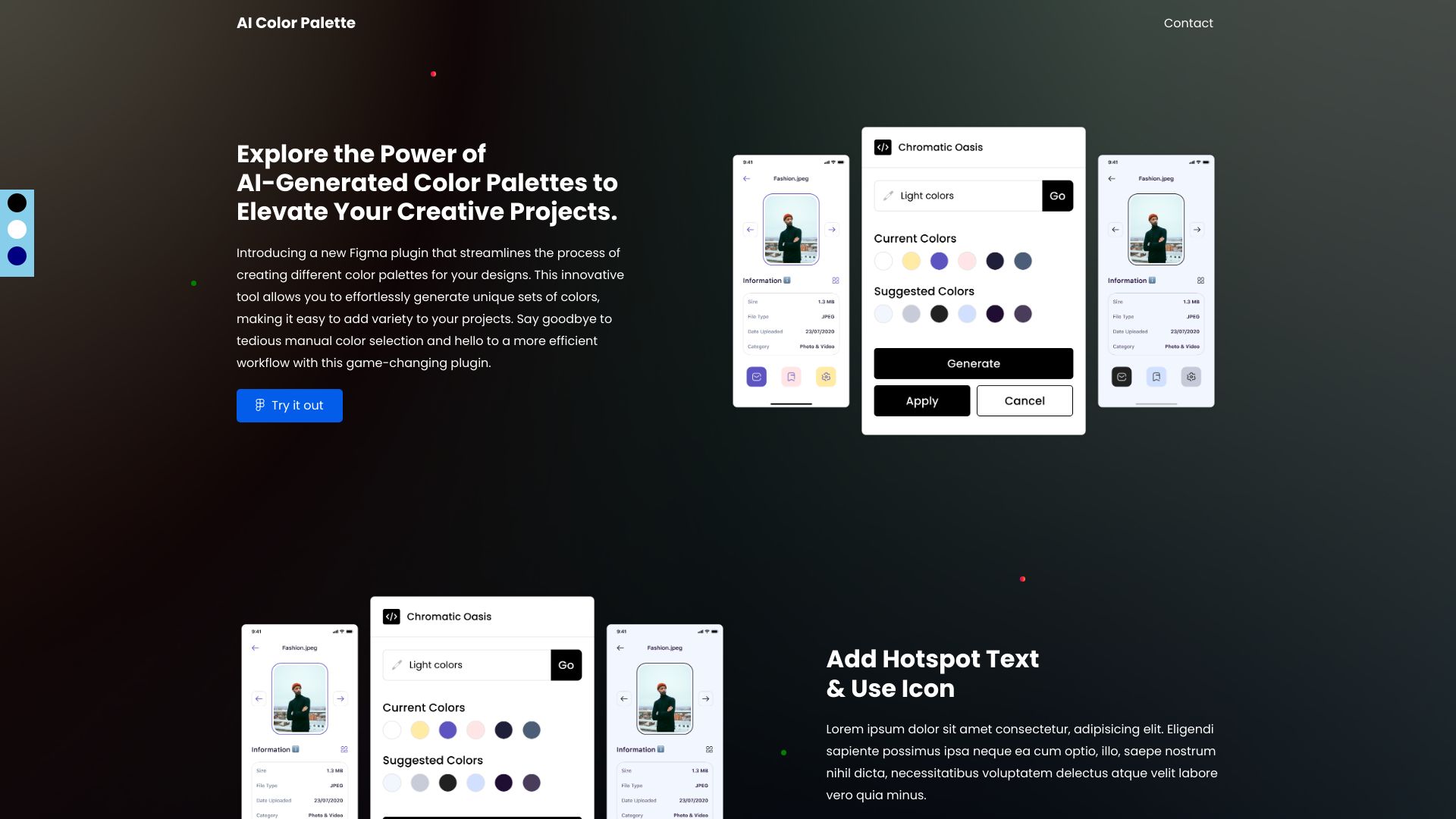
AI Palette is a tool that helps users generate unique color palettes using AI. It allows users to create palettes inspired by art bot colors, generate palettes from text input using ChatGPT, and easily modify suggested colors. The AI studies millions of color combinations to find inspiring palettes.
Access & connections
Where you can use AI Palette.
Platforms
Capabilities
What this tool accepts, produces, and is strongest at.
Highlights
- AI-powered color palette generation
- Color palette generation from text input using ChatGPT
- Color customization
- Artboard color application
FAQ 6
What is AI Palette?
AI Palette is a tool that helps users generate unique color palettes using AI. It allows users to create palettes inspired by art bot colors, generate palettes from text input using ChatGPT, and easily modify suggested colors. The AI studies millions of color combinations to find inspiring palettes.
How to use AI Palette?
Generate palettes by clicking the 'generate' button. Change Artboard colors by clicking 'Apply'. Use ChatGPT by inputting desired colors in the designated box and clicking 'search'. Modify colors by clicking on suggested colors and applying the selection.
How do I generate a new color palette?
Click on the 'generate' button to obtain a new suggested color palette.
How do I change the color of the Artboard?
Simply click on the 'Apply' button.
How do I generate a color palette using text input?
Input your desired color in the designated input box and click the search button.
How do I modify the colors generated for each palette?
Please click on the suggested color to explore alternative options. Choose a color from the window color palette and click the apply button to confirm your selection.
Related tools
Recommended

ace.me
UnknownYour new website, email address & cloud storage. Simple. Fast. Secure.

Mexty ✓
FreemiumAI-native interactive learning platform with LMS and SCORM

KiloClaw ✓
PaidHosted OpenClaw AI agent with zero DevOps required.

Raccoon AI ✓
FreemiumThe AI Coworker for Apps, Research, Docs & Everything Else
AI Palette