

AI Keyboard: KeyAI ✓
AI Keyboard with writing assistant and translator.
Verdict
A quick read before you dig into the full page.
- Best if
- AI Keyboard with writing assistant and translator
- Skip if
- Limited tone settings customization
- Pick this when
- Grammar and spell check
Considering Clico instead? Compare side by side
Overview
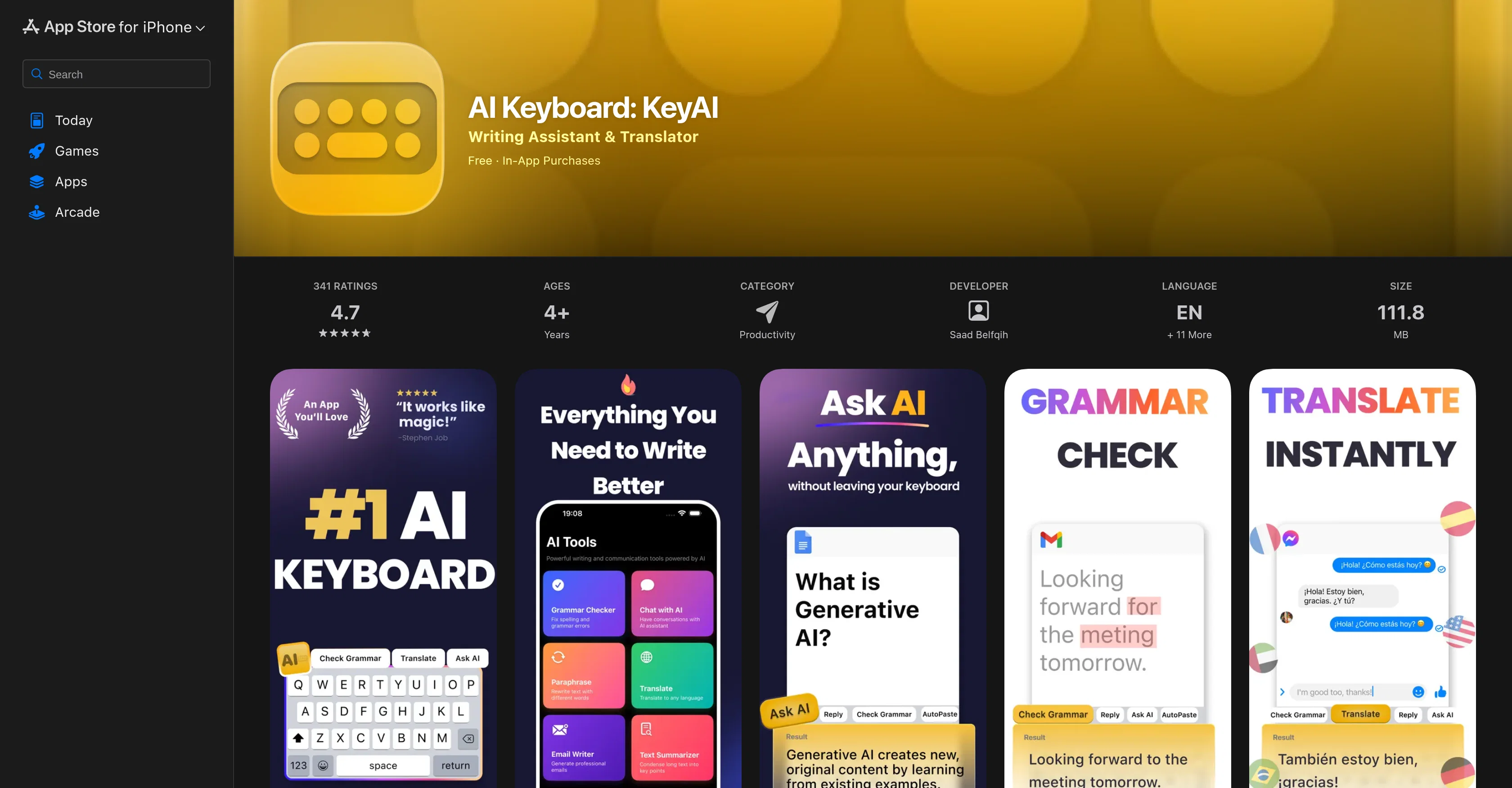
KeyAI, developed by Saad Belfqih, is an AI-powered writing assistant application that integrates with the user's keyboard. It offers a suite of innovative features aimed at enhancing productivity and improving linguistic precision to the text the user writes across all their apps or in the main KeyAI workspace.
It offers functionality such as grammar and spell check, an auto-paste feature for reusing custom snippets, email generation, and synonym suggestions to help users craft polished written content and communicate effectively.
With a global translator, users can translate text in many languages directly from the keyboard. It also offers a paraphrasing feature for rewriting text to improve clarity and uniqueness and a summarizer for converting lengthy documents into brief, actionable points.
The utility provides adjustable tone settings for crafting messages to suit different audiences and an AI-driven reply feature that provides intelligent, context-aware responses.
The AI keyboard can be customized to tailor the workspace according to user preferences. It aims to facilitate quick replies and drafting of more complex documents such as emails, catering to the needs of both professionals and casual users.
Its privacy policy and terms of service can be found on the Engines Studio Tech website. While the basic version of KeyAI is available for free, unlimited access could require a subscription or in-app purchase.
Access & connections
Where you can use AI Keyboard: KeyAI, and what it plugs into.
Platforms
Integrations
Capabilities
What this tool accepts, produces, and is strongest at.
Input
- Text
Output
- Text
Pros & cons
Pros
- Grammar and spell check
- Auto-paste custom snippets
- Integrated email generator
- Synonym suggestions
- Text summarization feature
- Paraphrasing capability
- Adjustable tone settings
- Keyboard workspace customization
Show 15 more
- Applicable across all apps
- Suits professional and casual needs
- Free basic version
- Supports many languages
- Auto translation feature
- In-app purchase options
- Subscription services available
- Document drafting ease
- Improves communication efficiency
- Enhances linguistic precision
- Assists in quick replies
- Privacy policy in place
- Assists in complex document drafting
- Increases productivity
- Regular updates for bugs fixes
Cons
- Subscription required for full access
- Can have keyboard latency issues
- Autocorrect not automatically enabled
- Doesn't highlight misspelled words
- Potential privacy concerns
- Subpar performance during quick typing
- Platform limited to iOS
- Limited tone settings customization
Show 2 more
- Sizeable at 111.8 MB
- Contains in-app purchases
Compare alternatives
Similar tools in the catalog — with a clear reason to open each one.


ReadPo ✓
FreemiumAI-powered reading and writing assistant for rapid content creation.
Why look Typically cheaper
Full comparison
Writer Assistant ✓
PaidEnhance your writing with AI-powered assistance.
Why look Higher community rating
Full comparison
Sidelong ✓
Free TrialTurn everything you learn into writing worth reading.
Why look Typically cheaper
Full comparison
Releases 1
FAQ 12
What makes KeyAI unique among AI keyboard applications?
How does KeyAI improve user's linguistic precision with their typing?
Can you explain the auto-paste feature offered by KeyAI?
What is the process to translate a text using KeyAI?
Could you elaborate on the paraphrasing feature of KeyAI?
Can KeyAI summarize lengthy documents, and how does it do so?
What is the tone adjustment function offered by KeyAI?
What does it mean that KeyAI offers 'context-aware' replies?
How can the layout of KeyAI be customized to suit the user's needs?
How does KeyAI assist with the drafting of emails specifically?
Can KeyAI be used by both professional and casual users?
Is the basic version of KeyAI free to use?
Related tools
Recommended

AITextTune ✓
Free TrialImprove your text with AI in just one click!

ChatGBot ✓
FreemiumAll top AI models, one login.

remio: Your Personal ChatGPT ✓
FreemiumGet Tailored Answer with Your Personal ChatGPT

Librida ✓
FreemiumTurn your idea into a book.

AppDeploy ✓
FreeDeploy real apps directly from ChatGPT or Claude

CoWriter AI ✓
FreemiumAI-powered writing assistant for smarter, faster content