

Repository
gr3en
GR3EN: Generative Relighting for 3D Environments 1Google DeepMind · 2Google Research · 3University of Amsterdam *Work done during an internship at Google DeepMind. GR3EN is a relig · License Apache 2.0 · Install via pip · Maintenance unknown
- License
- Apache 2.0
README
GR3EN: Generative Relighting for 3D Environments




Xiaoyan Xing1,3,*,
Philipp Henzler2,
Junhwa Hur1,
Runze Li1,
Jonathan T. Barron1,
Pratul P. Srinivasan1,
Dor Verbin1
1Google DeepMind · 2Google Research · 3University of Amsterdam
*Work done during an internship at Google DeepMind.
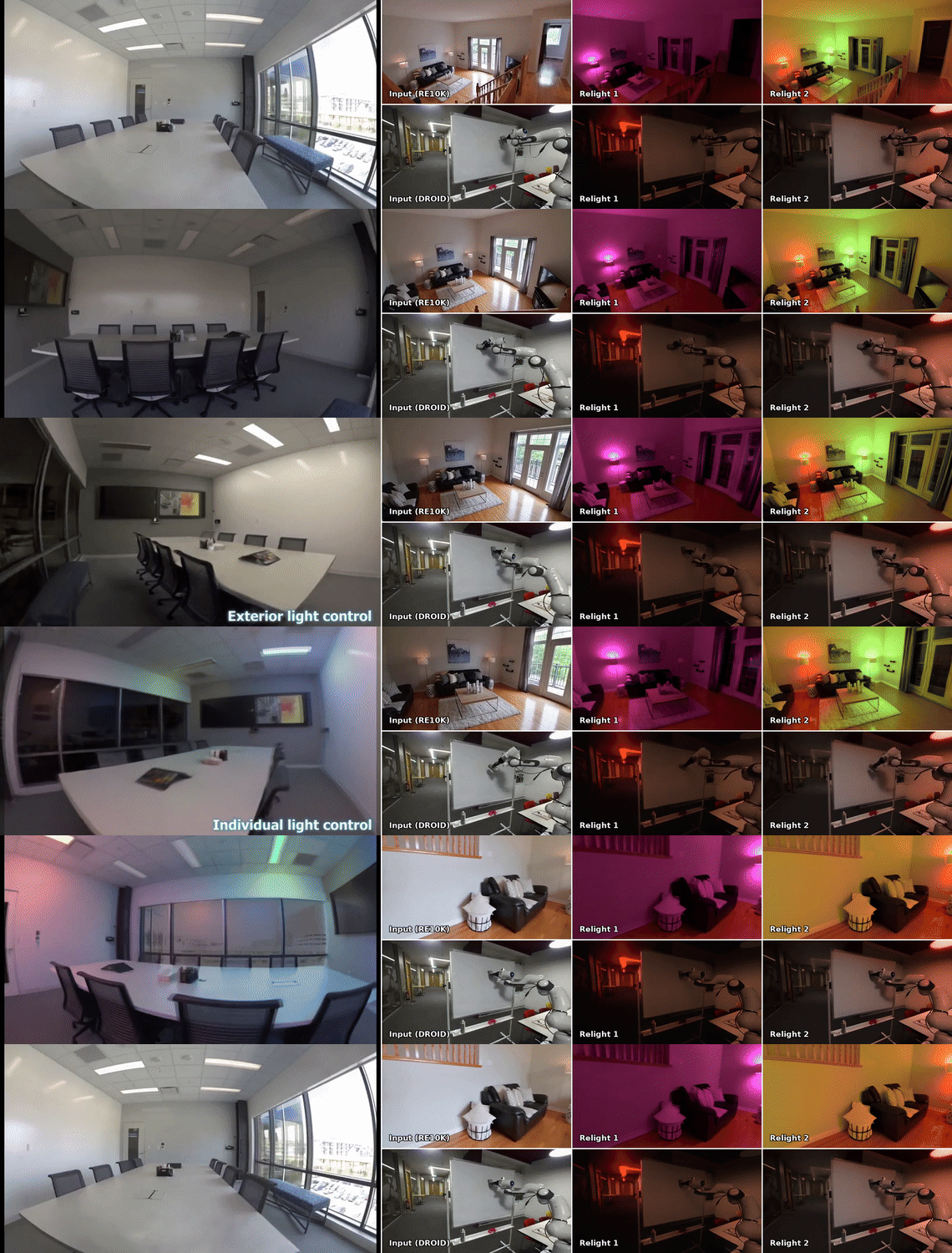
GR3EN is a relighting model that builds on Wan2.2
for 3D-aware video generation with controllable lighting. Given input images
and light control masks, GR3EN generates relit video sequences in 30s. No inverse rendering, no ray tracing.
Installation
git clone https://github.com/xyxingx/gr3en.git
cd gr3en
pip install -r requirements.txt
Hardware. This release has been tested on NVIDIA RTX 6000 Ada (48 GB).
We recommend a GPU with at least 48 GB of memory to run the full demo. The
code also supports multi-GPU runs (faster) for batch inference via torchrun.
Model Weights
Download all checkpoints from
huggingface.co/xyxingx/GR3EN and
arrange them as:
gr3en/inference/checkpoints/
├── wan2.2-ti2v-5b/                  # Wan2.2-TI2V-5B base model + VAE
│   ├── diffusion_pytorch_model-*.safetensors
│   ├── Wan2.2_VAE.pth
│   ├── config.json
│   ├── prompt_embed.pt
│   └── null_prompt_embed.pt
├── gr3en_weights.pt      # GR3EN fine-tuned weights
└── sam2/
    └── sam2.1_hiera_large.pt        # SAM 2 (interactive demos only)
Interactive Demo — GR3EN Relighting Studio
The easiest way to try GR3EN. A single-page Gradio app that walks you through
the whole pipeline with a step-by-step progress bar:
cd inference
PYTHONPATH=. python studio_app.py --port 7862
# open http://localhost:7862-
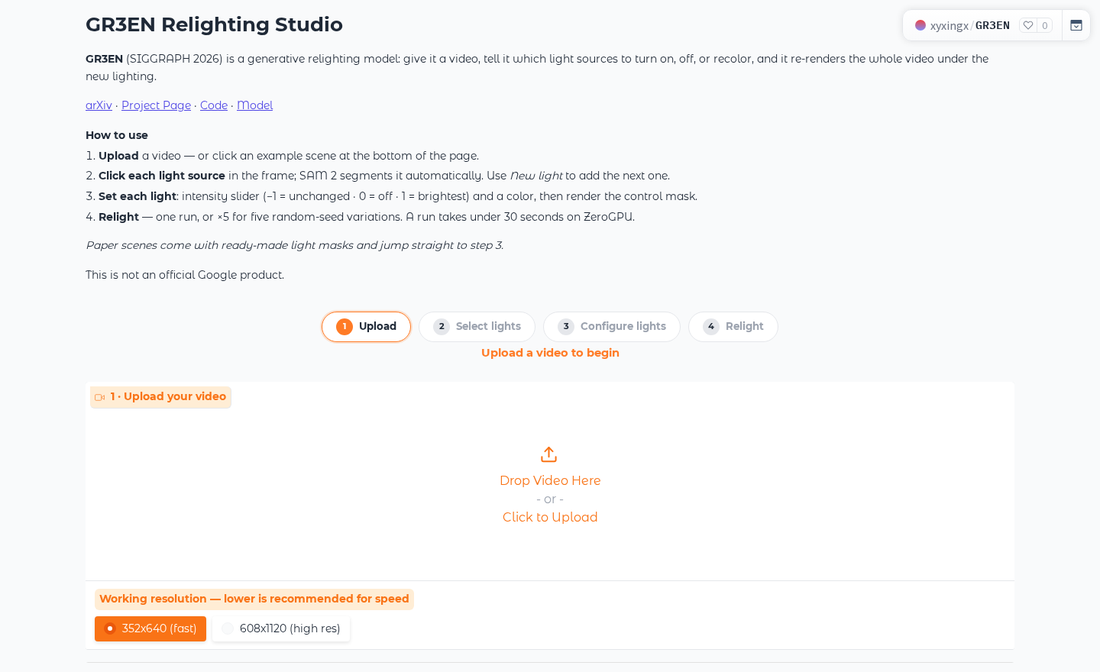
Upload a video — it is analyzed automatically; for clips longer than
81 frames you pick "first 81 frames" or downsampling at a recommended fps. -
Select lights — click each light source; SAM 2 segments it and tracks
it through the whole clip. One button propagates all masks. -
Configure lights — per-light color, state (On / Off / No change)
and intensity (1 = dim, 5 = max; encoded as sigmoid(intensity)), plus
external-lighting and auto-exposure controls. Confirming renders the
control mask the model sees. -
Relight — single run or 5 random seeds. Denoising steps default to 10
for fast previews; raise to ~50 for best quality.1 · Upload — single-page wizard with a step-by-step progress bar
2 · Select lights — click a light source, SAM 2 segments and tracks it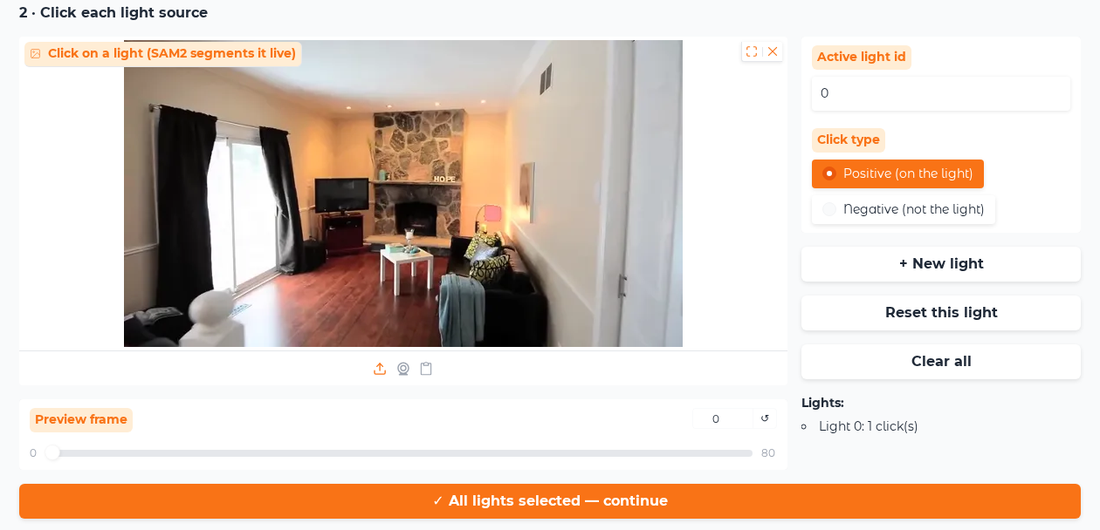
3 · Configure — per-light color/intensity and the rendered control mask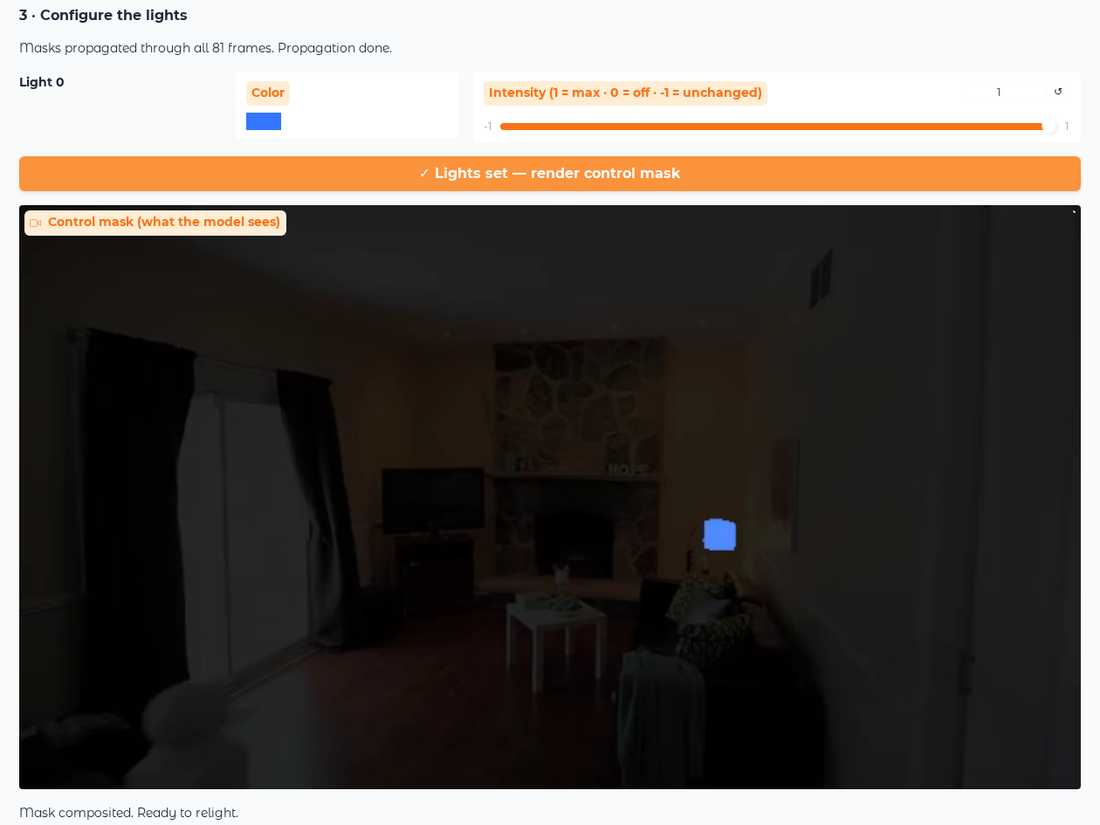
4 · Relight — input vs. relit output (lamp recolored to blue)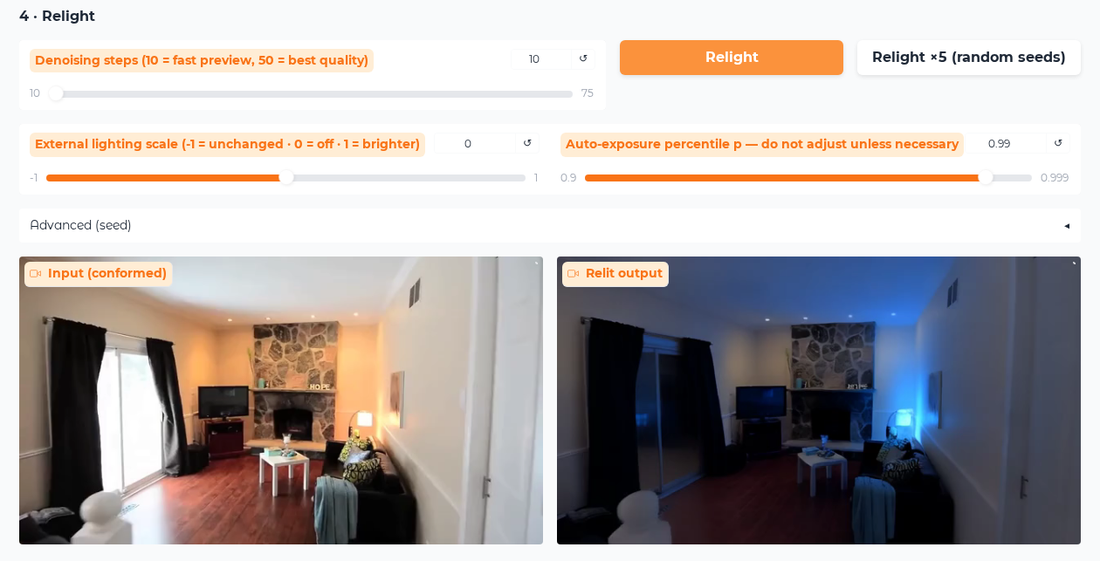
Example scenes at the bottom of the page (video + palette mask pairs from the
paper, plus input-only clips from RE10K / DROID / Aria) jump straight into the
flow. Place them under inference/assets/ (demo_video/, extra_video/) —
they are not included in this repository.
A second, tabbed UI is included: gradio_app.py — SAM2 interactive
relighting plus relighting from a pre-painted palette mask.
On a SLURM cluster, use the provided launcher run_studio_slurm.sh; it also
stages the weights to node-local storage for fast loading
(stage_weights.sh).
Batch Inference (yaml + palette mask)
Relight a clip whose light sources are painted with palette colors
(red / green / blue / yellow / ... = one light each):
cd inference
PYTHONPATH=. torchrun --nproc_per_node=1 --standalone fsdp.py \
    --model_configs_string="$(cat configs/demo_local.yaml)" \
    --workdir=./output --enable_flash=True
See configs/ for more examples (seating_*.yaml, goffice_lamp_*.yaml,
eyeful_*.yaml); point test_root at your own frames/ + mask/
directories. On SLURM: sbatch run_inference_slurm.sh.
In the yaml config (see inference/configs/):
test_root— directory withframes/andmask/PNG sequencesmask_intensity— per-light mask-space value:1.0= on (max),
0.5= off,-1= no change; for intermediate brightness use
sigmoid(i)of a raw intensityiin[1, 5]light_color— per-light[R, G, B]ambient_scale— external lighting (0.5 = neutral)resume_from_checkpoint— path to the GR3EN.pt
Random Relighting Variations
Generate N configs with random on/off states and colors from a palette mask,
ready to run:
cd inference
python random_relight.py --video scene_rgb.mp4 --mask scene_mask.mp4 \
    --out ./output/randoms --num 5
Citing this work
If you use GR3EN in your research, please cite:
@inproceedings{xing2026gr3en,
  title={GR3EN: Generative Relighting for 3D Environments},
  author={Xing, Xiaoyan and Henzler, Philipp and Hur, Junhwa and Li, Runze and Barron, Jonathan T and Srinivasan, Pratul P and Verbin, Dor},
  booktitle={ACM SIGGRAPH 2026 Conference Papers},
  year={2026}
}
Licensing & Disclaimer
Copyright 2026 Google LLC
All software is licensed under the Apache License, Version 2.0 (Apache 2.0);
you may not use this file except in compliance with the Apache 2.0 license.
You may obtain a copy of the Apache 2.0 license at:
https://www.apache.org/licenses/LICENSE-2.0
All other materials are licensed under the Creative Commons Attribution 4.0
International License (CC-BY). You may obtain a copy of the CC-BY license at:
https://creativecommons.org/licenses/by/4.0/legalcode
Unless required by applicable law or agreed to in writing, all software and
materials distributed here under the Apache 2.0 or CC-BY licenses are
distributed on an "AS IS" BASIS, WITHOUT WARRANTIES OR CONDITIONS OF ANY KIND,
either express or implied. See the licenses for the specific language
governing permissions and limitations under those licenses.
This is not an official Google product.