

Repository
RenderGraphWebinarSample01
Japanese version (日本語バージョン) RenderGraphWebinarSample01 Here is a sample code that uses Render Graph to perform two-pass blur. Clone this repository or download project zip Open pro · License unknown · Maintenance unknown
- License
- Unknown
README
RenderGraphWebinarSample01
Here is a sample code that uses Render Graph to perform two-pass blur.
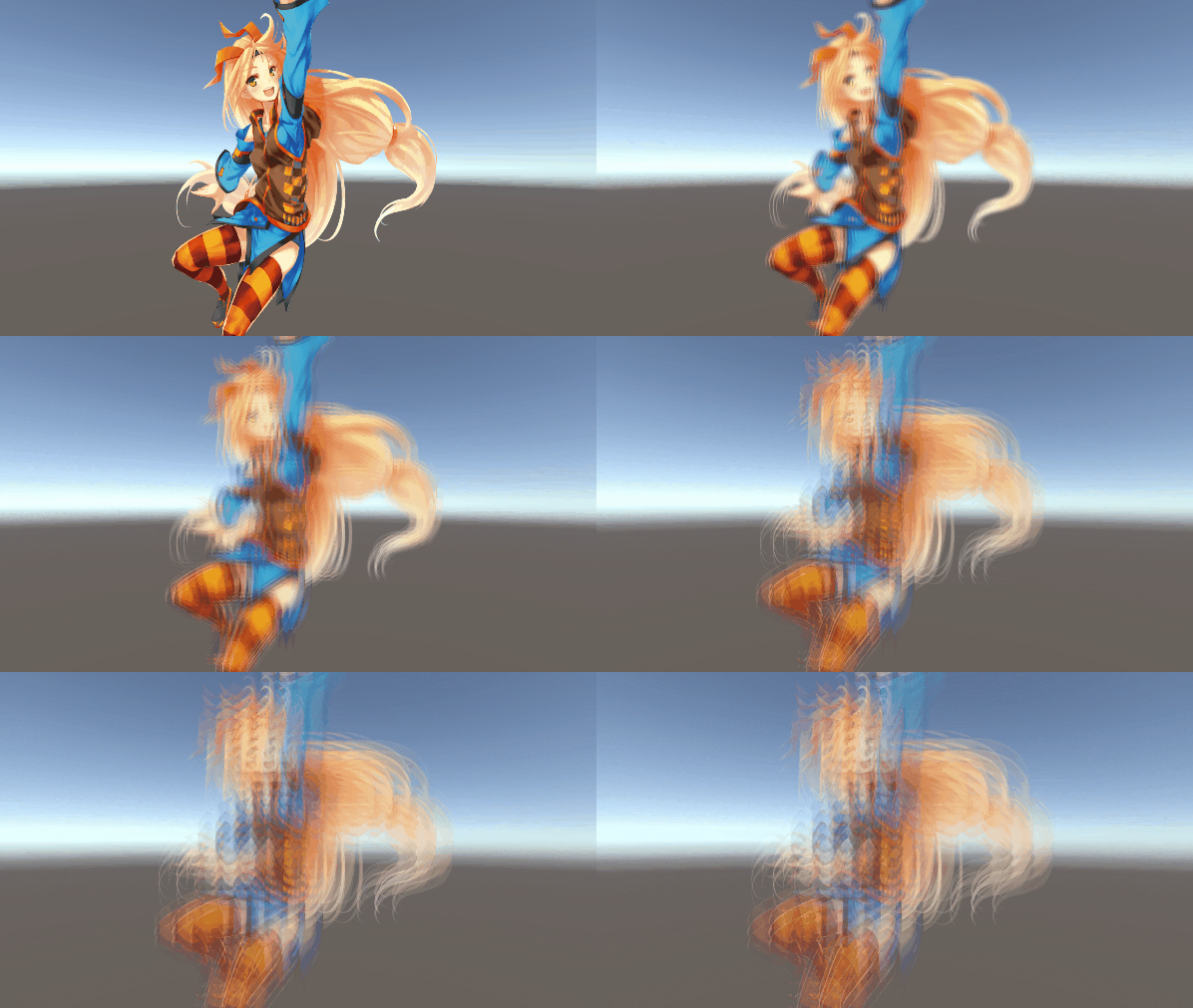
Requirement
- Unity 6000.3.3f1 LTS
Getting the project
- Clone this repository or download project zip
- Open project with Unity Editor (please use the version listed in the above Requirement section)
How to use
Open the “Assets/TwoPassBlur.unity” scene and hit the play button.
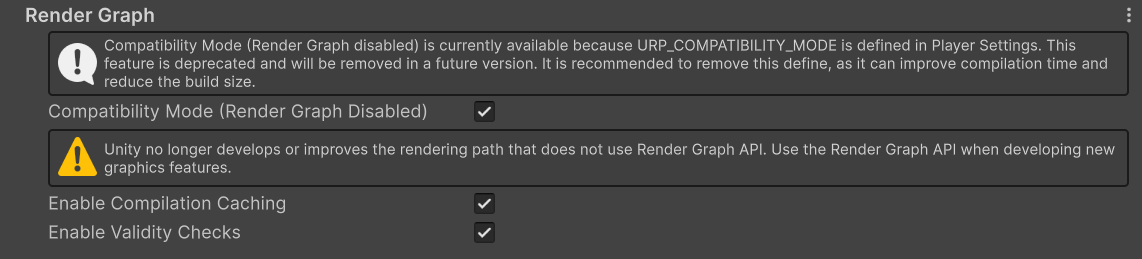
The URP_COMPATIBILITY_MODE scripting define symbol is set in Player Settings, and Render Graph Compatibility Mode is currently enabled.
If you want to see the scene rendered with Render Graph, please turn Compatibility Mode off.
The final image will not change, but Render Graph will be used in the render pipeline.

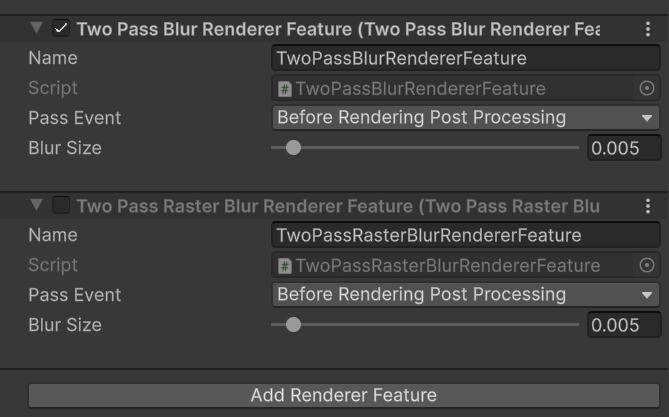
The TwoPassBlurFeature currently used in Blur_Renderer.asset uses an Unsafe Pass.
If you want to check the version that uses a Raster Render Pass, disable TwoPassBlurFeature and enable TwoPassRasterBlurRendererFeature, which is not supported in Compatibility Mode.
LICENSE
The source code in this repository is licensed under the Unity Companion License.
However, the following asset is NOT licensed under the Unity Companion License:
Assets/01_TwoPassBlur/Hello_Unity-Chan.png
This asset is provided under the Unity-chan License (UCL) by Unity Technologies Japan.
Please refer to the official Unity-chan License for details:
https://unity-chan.com/contents/license_en/
Requirement
1
-
Unity 6000.3.3f1 LTS
Getting the project
1
-
Clone this repository or download project zip Open project with Unity Editor (please use the version listed in the above Requirement section)
How to use
1
-
Open the “Assets/TwoPassBlur.unity” scene and hit the play button.
LICENSE
1
-
The source code in this repository is licensed under the Unity Companion License .