

Repository
R1-Ranker
IRanker: Towards Ranking Foundation Model <a href="https://ulab-uiuc.github.io/R1-Ranker/">🌐 Project Page</a> | <a href="http://arxiv.org/abs/2410.03834">📜 arXiv</a> conda create - · License unknown · Install via pip · Maintenance unknown
- License
- Unknown
README
IRanker: Towards Ranking Foundation Model




<p align="center">
<a href="https://ulab-uiuc.github.io/R1-Ranker/">🌐 Project Page</a> |
<a href="http://arxiv.org/abs/2410.03834">📜 arXiv</a>
<p>
📌Preliminary
Environment Setup
conda create -n iranker python=3.9
# install torch [or you can skip this step and let vllm to install the correct version for you]
pip install torch==2.4.0 --index-url https://download.pytorch.org/whl/cu121
# install vllm
pip3 install vllm==0.6.3 # or you can install 0.5.4, 0.4.2 and 0.3.1
pip3 install ray

# verl
pip install -e .

# flash attention 2
pip3 install flash-attn --no-build-isolation
# quality of life
pip install wandb IPython matplotlib
📊 Dataset Preparation
This section outlines the steps to generate the datasets used for DRanker and IRanker training and evaluation.
DRanker Dataset
To generate the DRanker dataset, run the following command:
python examples/data_preprocess/direct_data_generation.pyThe processed dataset will be saved to: data/direct_ranking
IRanker Dataset
To generate the IRanker dataset, execute this script:
python examples/data_preprocess/iterative_data_generation.pyThe processed dataset will be saved to: data/iterative_ranking
Raw Dataset
The original raw dataset is available for download from Hugging Face:
Dataset Repository: ulab-ai/Ranking-bench
⭐Experiments
Training
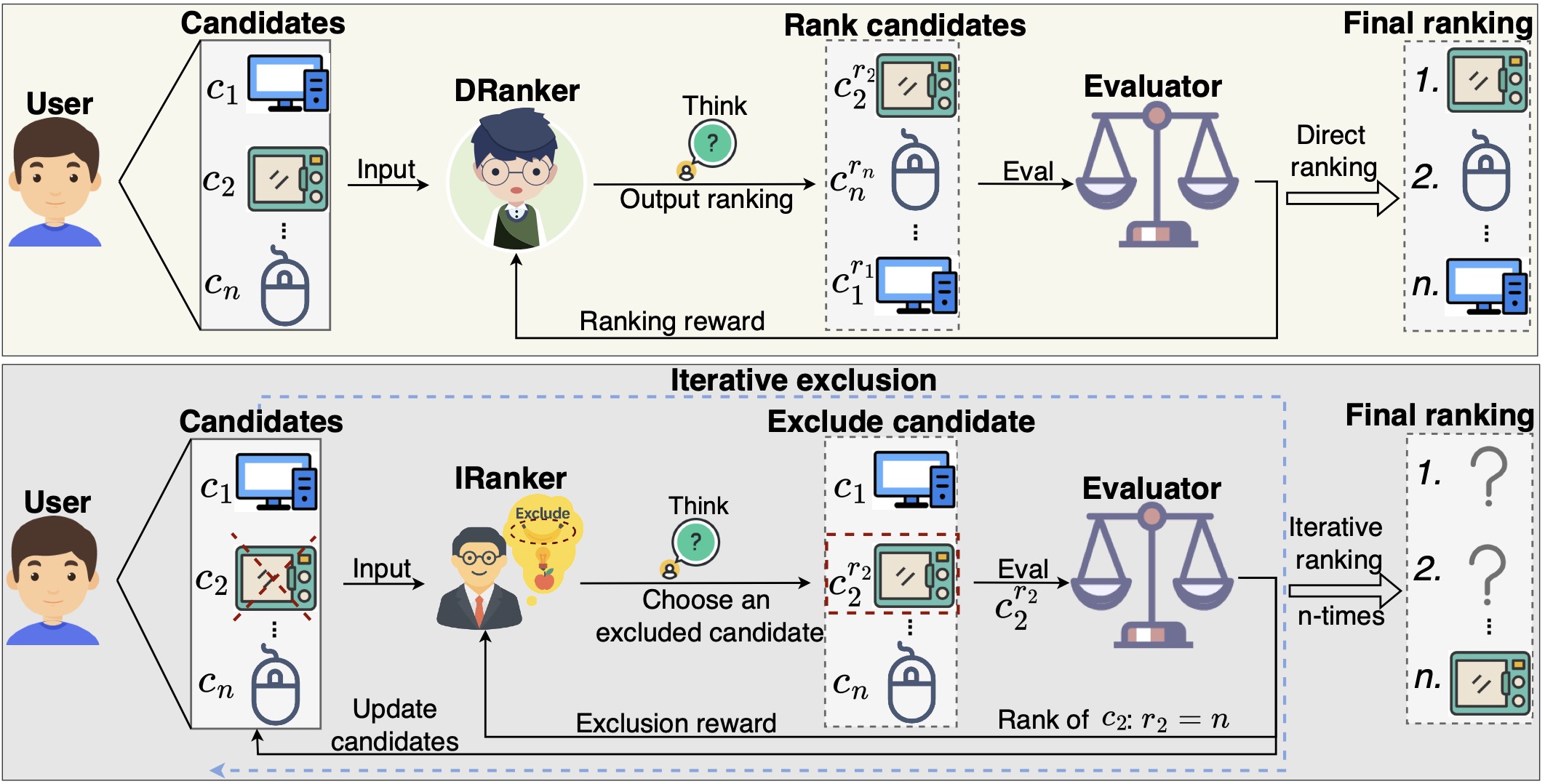
To train IRanker (Iterative Deletion Ranker) or DRanker (Direct Ranking Ranker), use the provided training scripts:
# Set required environment variables
export N_GPUS=2
export BASE_MODEL=/path/to/base/model
export DATA_DIR=data/iterative_ranking  # for IRanker
# or
export DATA_DIR=data/direct_ranking      # for DRanker
export ROLLOUT_TP_SIZE=2
export EXPERIMENT_NAME=my_experiment

# Run training
bash scripts/train_iranker.sh  # for IRanker
# or
bash scripts/train_dranker.sh  # for DRanker
Checkpoints will be saved to checkpoints/Ranking-FM/<experiment_name>/.
🔍 Evaluation
Running Evaluation
To evaluate a model on a specific dataset, use the following command:
python eval/eval.py --dataset <dataset_name> --model_path <path_to_model>Parameters
--dataset: Specifies the dataset to evaluate on--model_path: Path to the trained model you want to evaluate
Supported Datasets
The evaluation script supports the following datasets:
Passage Ranking
Passage-5Passage-7Passage-9
Router Tasks
Router-PerformanceRouter-BalanceRouter-Cost
Recommendation Systems
Rec-MovieRec-MusicRec-Game
Citation
@inproceedings{feng2024graphrouter,
  title={Graphrouter: A graph-based router for llm selections},
  author={Feng, Tao and Shen, Yanzhen and You, Jiaxuan},
  booktitle={The Thirteenth International Conference on Learning Representations},
  year={2024}
}