

Repository
ModelPort
ModelPort is a free, self-hosted model gateway for 20–50 person development teams. Administrators connect local or cloud models and define access boundaries; developers copy client · License MIT · Install via docker · Maintenance unknown
- License
- MIT
README
ModelPort


English | 简体中文
ModelPort is a free, self-hosted model gateway for 20–50 person development
teams. Administrators connect local or cloud models and define access boundaries;
developers copy client configuration and inspect request, routing, usage and
billing evidence when something fails. Licensed under MIT.
What You Get
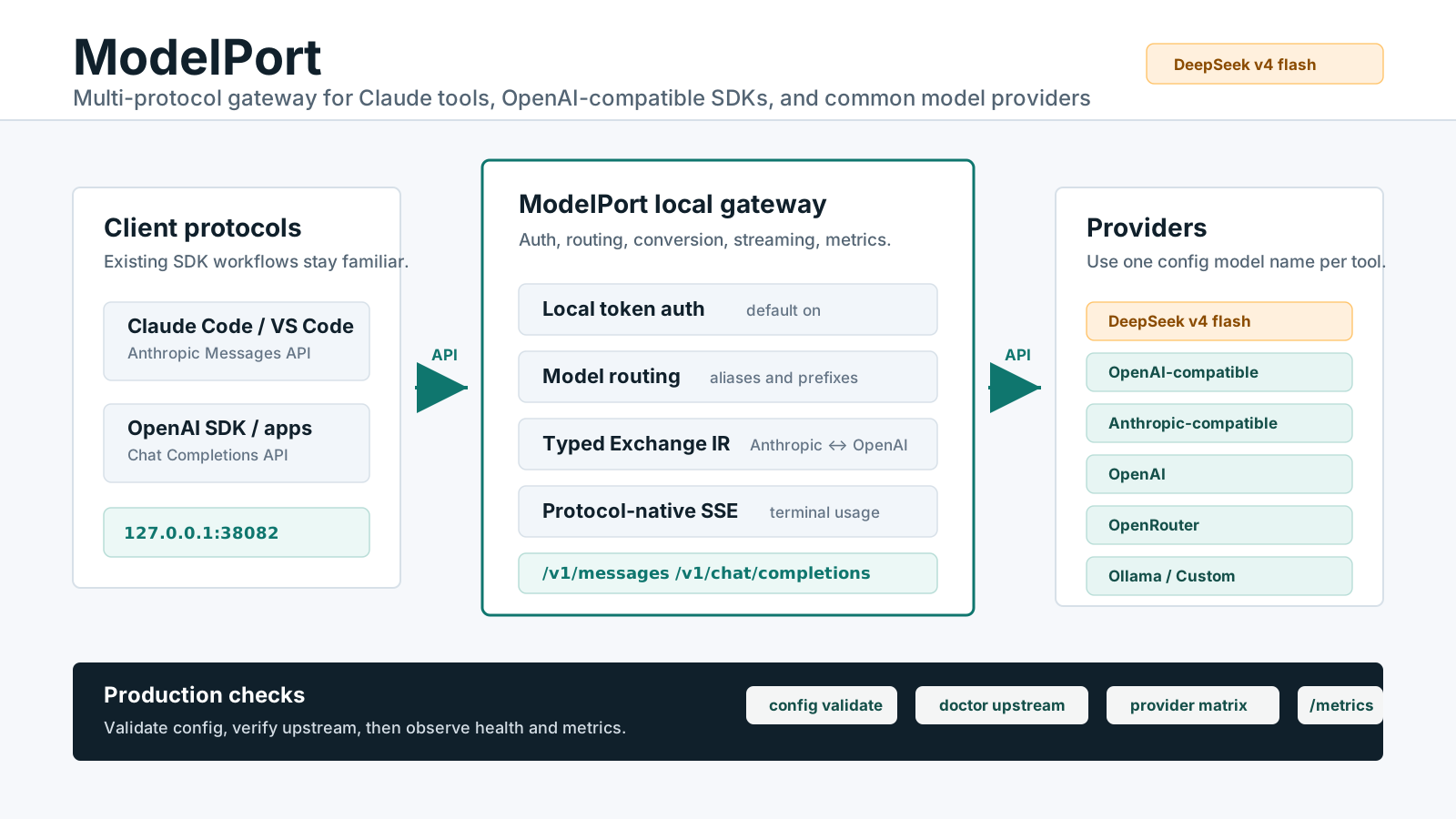
- One endpoint for Claude Code, Qwen Code and the OpenAI SDK, with Messages,
Chat Completions, streaming and Tool Use. - Users, teams, scoped API keys, quotas and budgets; unknown and sensitive data
stays local by default. - Local and cloud Providers, model catalogs, deterministic and optional smart routes.
- Five console entry points: overview, model access, requests/usage, team/policy, system.
- PostgreSQL evidence, backup/restore and metrics; an optional operations Agent.
v0.1.x is a Chinese-first Small-Team Beta for single-instance Linux x86_64.
See the compatibility matrix for protocol and deployment
boundaries. Team activation and diagnosis take priority; GPU expansion is driven
by verified needs in the roadmap.
Quick Start
Requires Linux x86_64, Git, Docker Compose v2 and Provider credentials. No host
Rust or Node installation is needed.
git clone https://github.com/tiammomo/ModelPort.git
cd ModelPort
scripts/setup.sh
# Set DEEPSEEK_ANTHROPIC_AUTH_TOKEN in .env
scripts/doctor.sh --setup
scripts/build-container.sh
scripts/compose-up.sh
docker compose ps
scripts/smoke-test.sh
The initializer writes distinct router, administrator and database credentials
to .env with mode 0600; reruns preserve existing configuration. The default
build produces the gateway and Dashboard images. Compose supplies PostgreSQL
and publishes ports on loopback only.
Open http://127.0.0.1:33002, sign in with the administrator credentials in
.env, and choose Continue setup (继续接入). The four-step journey resumes
from saved configuration. For another Provider, external PostgreSQL or published
images, use Getting Started.
Send Your First Request
Follow model access → egress policy → key/client → request evidence. Record
and apply project policy through the form. Selecting a cloud Provider still
requires explicit egress authorization and data classification. Client setup
checks the selected key's permissions, credentials and policy before enabling copy.
The first-request example
uses explicitly classified synthetic data and may consume Provider quota.
Ordinary smoke-test.sh does not call an upstream. Use request logs to confirm a
complete call; administrators can open the exact routing and billing evidence
from a log. Provider keys remain on the server.
Documentation
- Getting started and troubleshooting
- Configuration and API
- Deployment, operations and upgrades/rollback
- Documentation index and roadmap
Security And Support
Keep backend and PostgreSQL ports private. Use same-origin HTTPS, exact trusted
proxy CIDRs, secure cookies, CSRF protection, and dashboard-issued API keys for
shared use. Never commit .env, Provider keys, backups, prompts, responses, or
raw sensitive logs.
Read Security, Privacy, Support, and
Governance. ModelPort is free self-hosted software. The
project provides no paid edition, hosted service, or community-support SLA.
Development
Use the development guide for the repository map,
pinned tools, PostgreSQL setup, and frontend workflow. Native gateway commands
share scripts/dev.sh; use scripts/dev.sh help to see the available actions.
Before submitting a change, run scripts/dev.sh check.