

Repository
aperture-cli
This repository is alpha software. It is under active development and may change significantly without notice. A CLI launcher for coding agents preconfigured to work with . It mana · License unknown · Maintenance unknown
- License
- Unknown
- Flag
- Description
- -version
- Print build version and exit
- -debug
- Print environment variables set before launching the agent
Specs
- FlagDescription
- -versionPrint build version and exit
- -debugPrint environment variables set before launching the agent
README
aperture-cli
Supported agents |
Installation |
Usage |
Development
[!WARNING]
This repository is alpha software. It is under active development and may change significantly without notice.
A CLI launcher for coding agents preconfigured to work with Aperture. It manages installation, configuration and environment variables that make using multiple providers and models very easy.
Supported agents
Installation
go install github.com/tailscale/aperture-cli/cmd/aperture@latestOr build from source:
make buildUsage
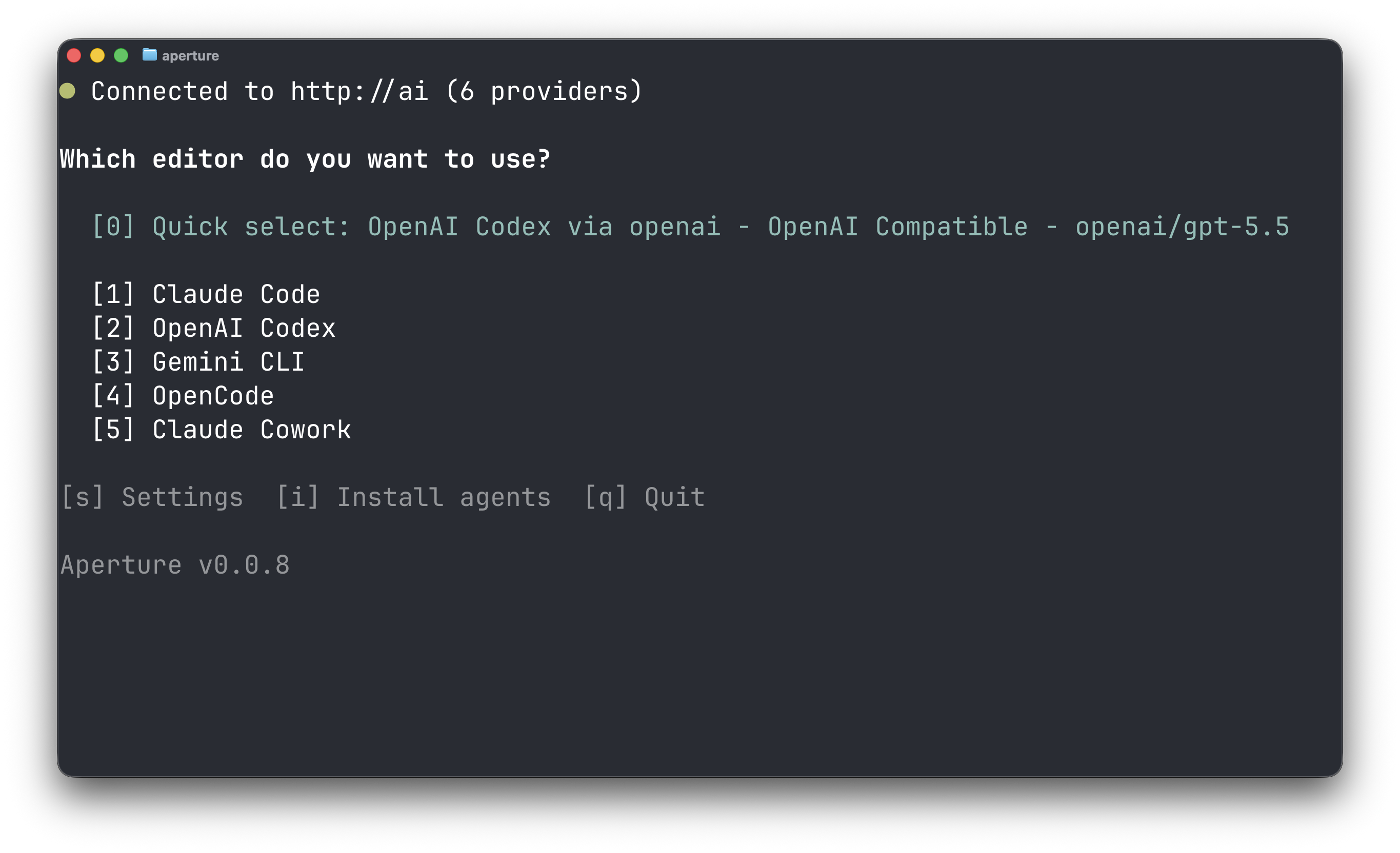
apertureOn first run, aperture will attempt to connect to http://ai. If it cannot reach that host, it will prompt you to configure an Aperture endpoint.
Bridge mode
Bridge mode lets Aperture CLI reach an Aperture endpoint through an embedded Tailscale node. Only the Aperture CLI proxy appears on the tailnet; the rest of the machine does not need the full Tailscale client installed or connected to that tailnet.
This is useful on machines where installing Tailscale is not practical, where Aperture needs to work alongside another VPN, or where you need to switch tailnets while continuing to use a single Aperture instance.
To use bridge mode:
- Open
Settings, then openAperture Endpointsand pressato add an endpoint. - Choose
Bridge, then select an existing bridge or chooseAdd Bridge. - Enter the Aperture URL and follow the Tailscale login prompt for the bridge.
- Aperture CLI verifies
/v1/models, makes the endpoint active, and returns to the agent menu.
If verification fails, the endpoint remains configured for retry or editing, and any previous working endpoint remains active. Select a configured endpoint from Aperture Endpoints to switch to it.
Flags
| Flag | Description |
|---|---|
-version |
Print build version and exit |
-debug |
Print environment variables set before launching the agent |
Development
make build   # build ./aperture
make test    # run tests
make install # install to $GOPATH/bin
make clean   # remove built binary