

Repository
token-meter
Token Meter is a local-first observability dashboard for AI coding agents. It turns session evidence from Claude, Codex, Cursor, OpenCode, and Kiro into one view of what happened, · License MIT · Maintenance unknown
- License
- MIT
- Goal
- Token Meter helps you
- Understand a live run
- Understand a live run
- Review history and spend
- Review history and spend
Specs
- GoalToken Meter helps you
- Understand a live runUnderstand a live run
- Review history and spendReview history and spend
- Compare models and executionCompare models and execution
- Investigate tools and skillsInvestigate tools and skills
- Manage usageManage usage
- PlatformStatus
- macOSmacOS
- LinuxLinux
- DocumentUse it for
- User guideRequirements, daily use, MCP, updates, uninstall, evidence semantics, and troubleshooting
- SecurityPrivacy and security boundaries or vulnerability reporting
- ArchitectureComponents, data flow, runtime adapters, and extension contracts
- ContributingIssues, pull requests, development, and validation
- Product principles and visual designProduct and experience decisions
- Specifications and plansMaintained feature designs and implementation plans
README
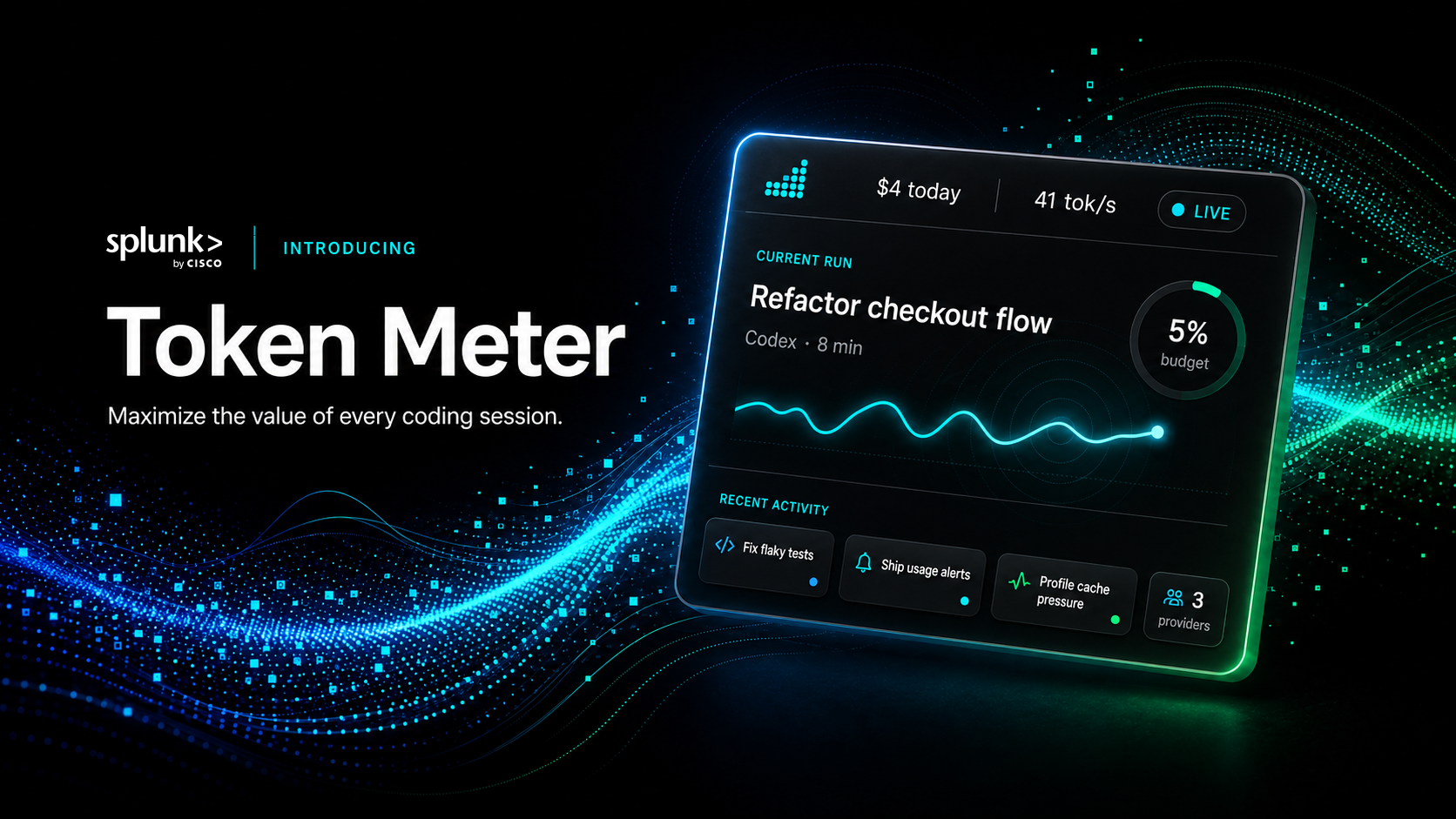
Token Meter is a local-first observability dashboard for AI coding agents. It
turns session evidence from Claude, Codex, Cursor, OpenCode, and Kiro into one
view of what happened, what it cost, and where time went—so you can decide
whether to continue, intervene, compare, or investigate a run.
Python standard library only. No API keys for trace analysis. No Token Meter
analytics or telemetry leaves your machine.
What You Can Do
| Goal | Token Meter helps you |
|---|---|
| Understand a live run | Follow estimated cost, tokens, context pressure, wait, output pace, tool calls, execution evidence, and session-budget alerts. |
| Review history and spend | Find expensive or slow work across sessions, projects, runtimes, platforms, and calendar ranges. |
| Compare models and execution | Compare input, output, pace, wait, and workload shape without presenting weak matches as meaningful results. |
| Investigate tools and skills | Find high-output, failing, repeated, unobserved, or deferred capabilities while keeping incomplete evidence explicit. |
| Manage usage | Check provider-reported limits, allocate a monthly budget, receive threshold notifications, and let Codex or Claude query bounded evidence through the local MCP. |
Coverage
Runtimes: Claude Code and Desktop Agent/Cowork, Codex CLI and desktop,
Cursor Agent/Composer, OpenCode, and Kiro.
| Platform | Status | Experience |
|---|---|---|
| macOS | Supported | Browser dashboard and native menu-bar companion |
| Linux | Supported | Browser dashboard and AppIndicator tray companion |
| Windows | Beta | Browser dashboard and notification-area extension |
Evidence varies by runtime and client version. Missing values remain
unavailable instead of appearing as a misleading zero.
Quick Start
macOS or Linux
git clone https://github.com/splunk/token-meter.git
./token-meter/scripts/install
The installer stages a stable per-user runtime, starts the local server and
native companion, and configures automatic startup.
Windows
Beta: The Windows extension is still in beta.
powershell.exe -NoLogo -NoProfile -ExecutionPolicy Bypass -Command '$p=Join-Path $env:TEMP "token-meter-bootstrap.ps1"; try { Invoke-WebRequest -UseBasicParsing "https://raw.githubusercontent.com/splunk/token-meter/main/scripts/bootstrap-windows.ps1" -OutFile $p; & $p } finally { Remove-Item -LiteralPath $p -Force -ErrorAction SilentlyContinue }'The bootstrap uses WinGet from Microsoft App Installer to install missing Git and Python.
It then stages the beta extension without administrator access. From an
existing checkout, rerun .\scripts\install-windows.cmd.
Open Token Meter
Open http://127.0.0.1:8722, start a normal agent run,
and choose it from Sessions.
For requirements, development startup, updates, uninstall commands, and
troubleshooting, see the User guide.
Windows beta uninstall:
powershell.exe -NoLogo -NoProfile -ExecutionPolicy Bypass -File "$env:LOCALAPPDATA\Token Meter\runtime\scripts\uninstall-windows.ps1"
First Five Minutes
- Open Sessions → Current sessions and select an active run.
- Check cost confidence, context pressure, wait, input, output, and output pace
under Run. Add a session budget if the run needs an attention limit. - After more sessions accumulate, use Spend, Models, and Tools to
review longer-term patterns.
Product Tour
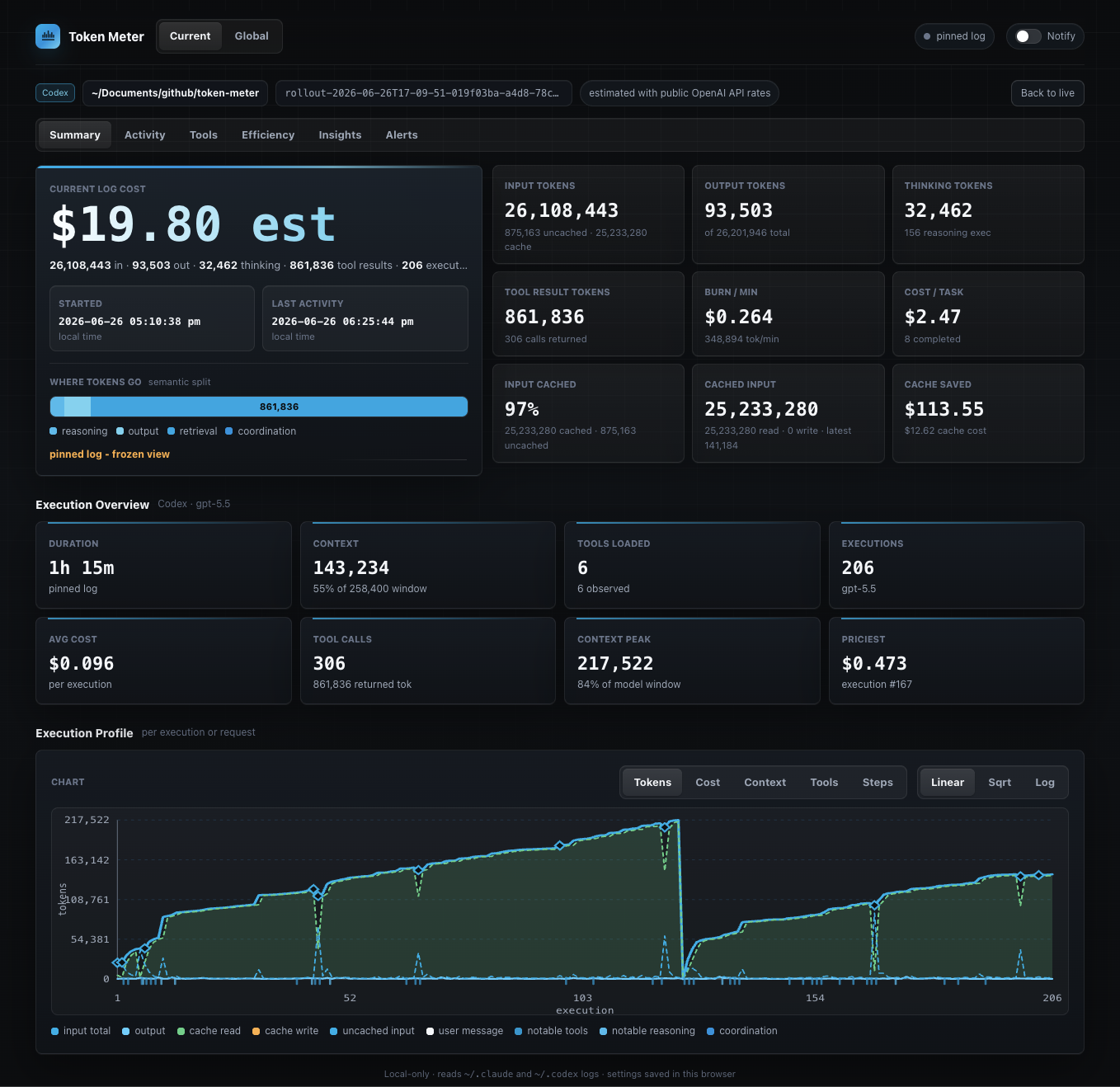
Follow a session
Run, Activity, Tools, Insights, and Alerts keep usage, execution, and budget
evidence connected to the session that produced it.
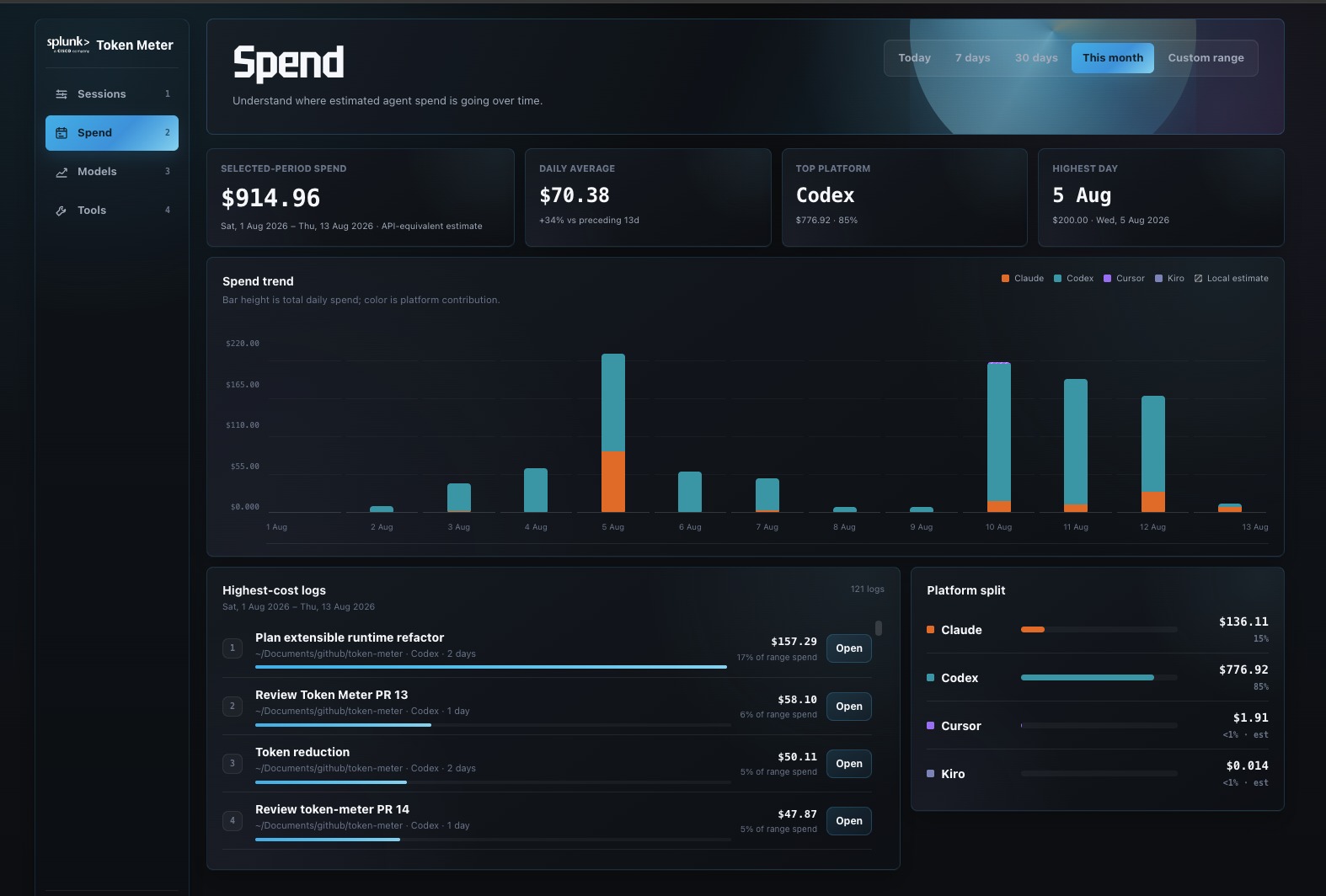
Understand spend
Compare Today, 7-day, 30-day, This month, or a custom period across platforms,
projects, runtimes, and sessions.
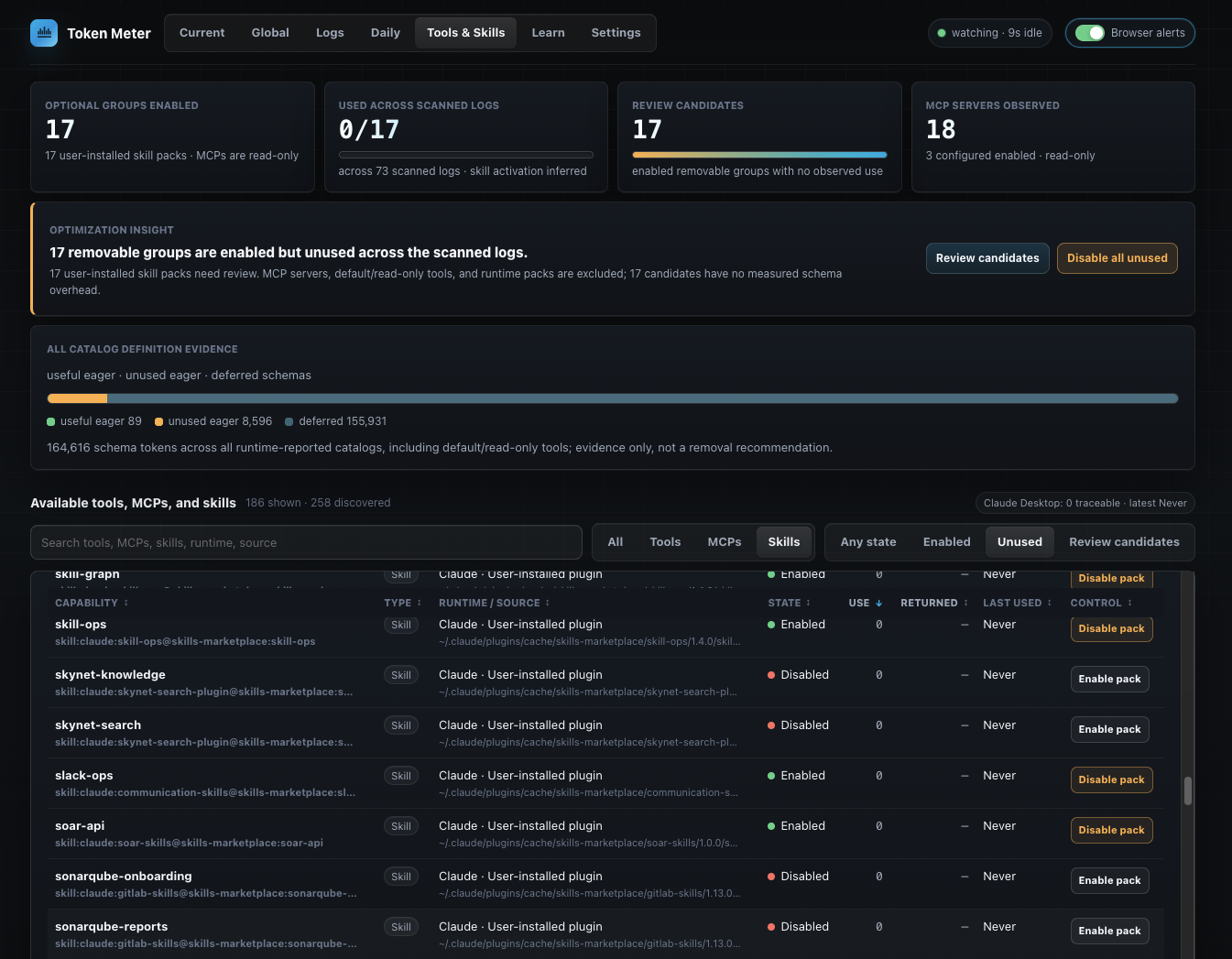
Inspect tools and skills
Review observed calls, output estimates, failures, repeats, catalog exposure,
skill-pack activation, and bounded review candidates.
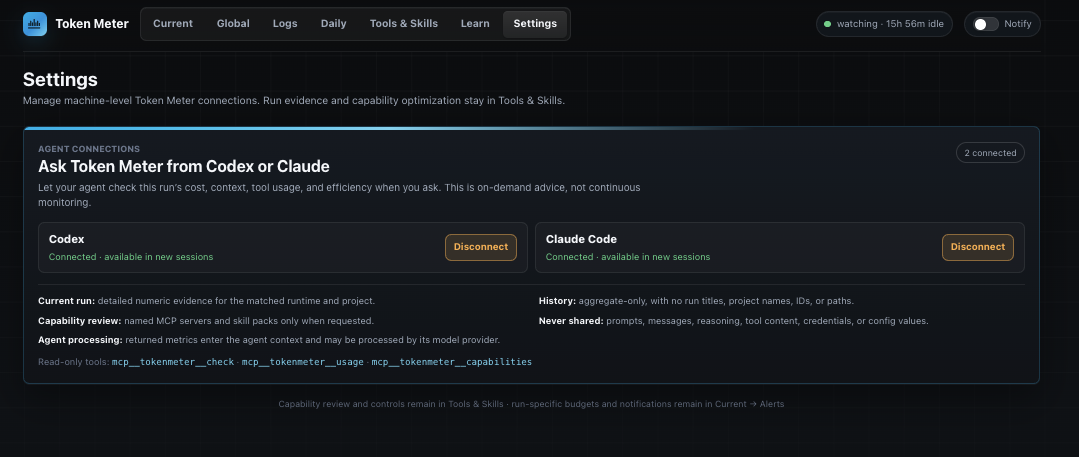
Configure budgets and agent access
Manage monthly budgets, model pricing, language signals, native preferences,
and local read-only connections for Codex and Claude. Software update checks
and automatic installation are separate settings; both are on by default.
Check without opening the dashboard
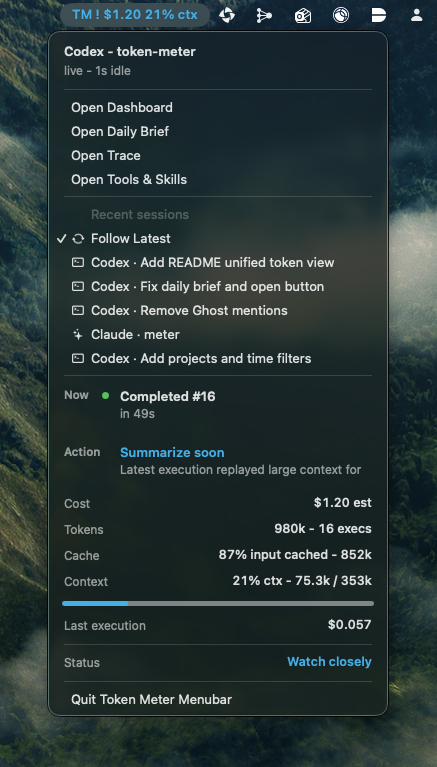
Use the macOS menu bar, Linux tray, or beta Windows extension to reach the
current or pinned run. The native clients read a compact local payload and do
not parse traces or read provider credentials directly. Token Meter checks for
updates every 10 minutes and installs safe main updates automatically by
default, so normal updates do not require opening the dashboard. If automatic
installation is off, the native menu shows New update available instead.
Evidence and Privacy
Token Meter reads local runtime stores and binds its dashboard to 127.0.0.1.
It does not upload traces, prompts, responses, project paths, token counts,
costs, or derived analytics. Do not expose the localhost dashboard publicly.
Costs and selected token values can be estimates. Codex cost uses public
API-equivalent rates, which can differ from subscription billing; Cursor usage
includes local proxies where authoritative values are unavailable. Provider
limit checks make bounded read-only requests using the matching provider's
existing sign-in.
The optional MCP returns bounded derived evidence, not prompts, responses,
reasoning, tool contents, credentials, settings, or trace paths. A result sent
to an explicitly connected agent may be processed by that client's model
provider under its own terms. See the User guide for the
full evidence semantics and Security policy for the
canonical boundary.
Documentation
| Document | Use it for |
|---|---|
| User guide | Requirements, daily use, MCP, updates, uninstall, evidence semantics, and troubleshooting |
| Security | Privacy and security boundaries or vulnerability reporting |
| Architecture | Components, data flow, runtime adapters, and extension contracts |
| Contributing | Issues, pull requests, development, and validation |
| Product principles and visual design | Product and experience decisions |
| Specifications and plans | Maintained feature designs and implementation plans |
License
MIT. See LICENSE.