

Repository
Matrix-3D
Matrix-3D: Omnidirectional Explorable <br>3D World Generation [](https://matrix-3d.github.io/) [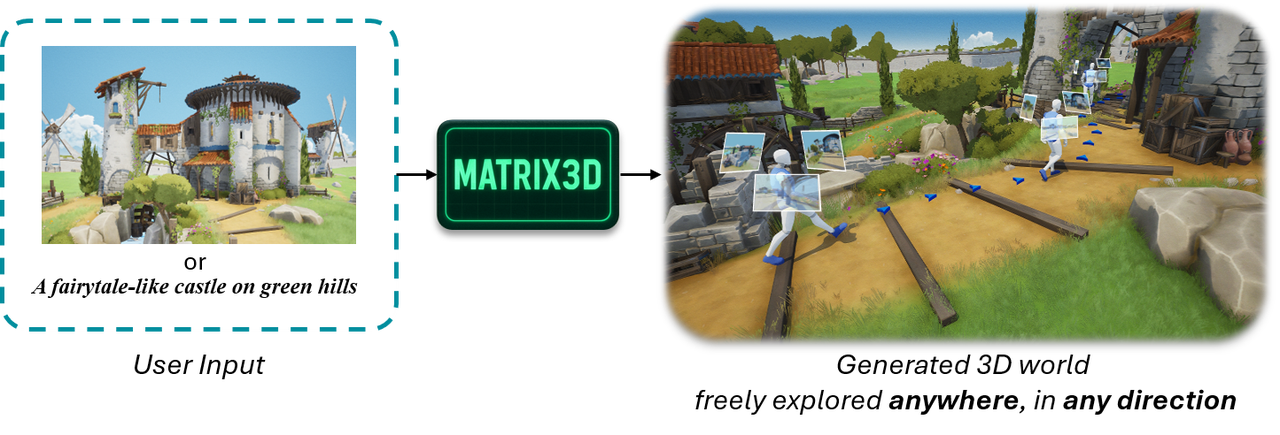
🌟 Introduction
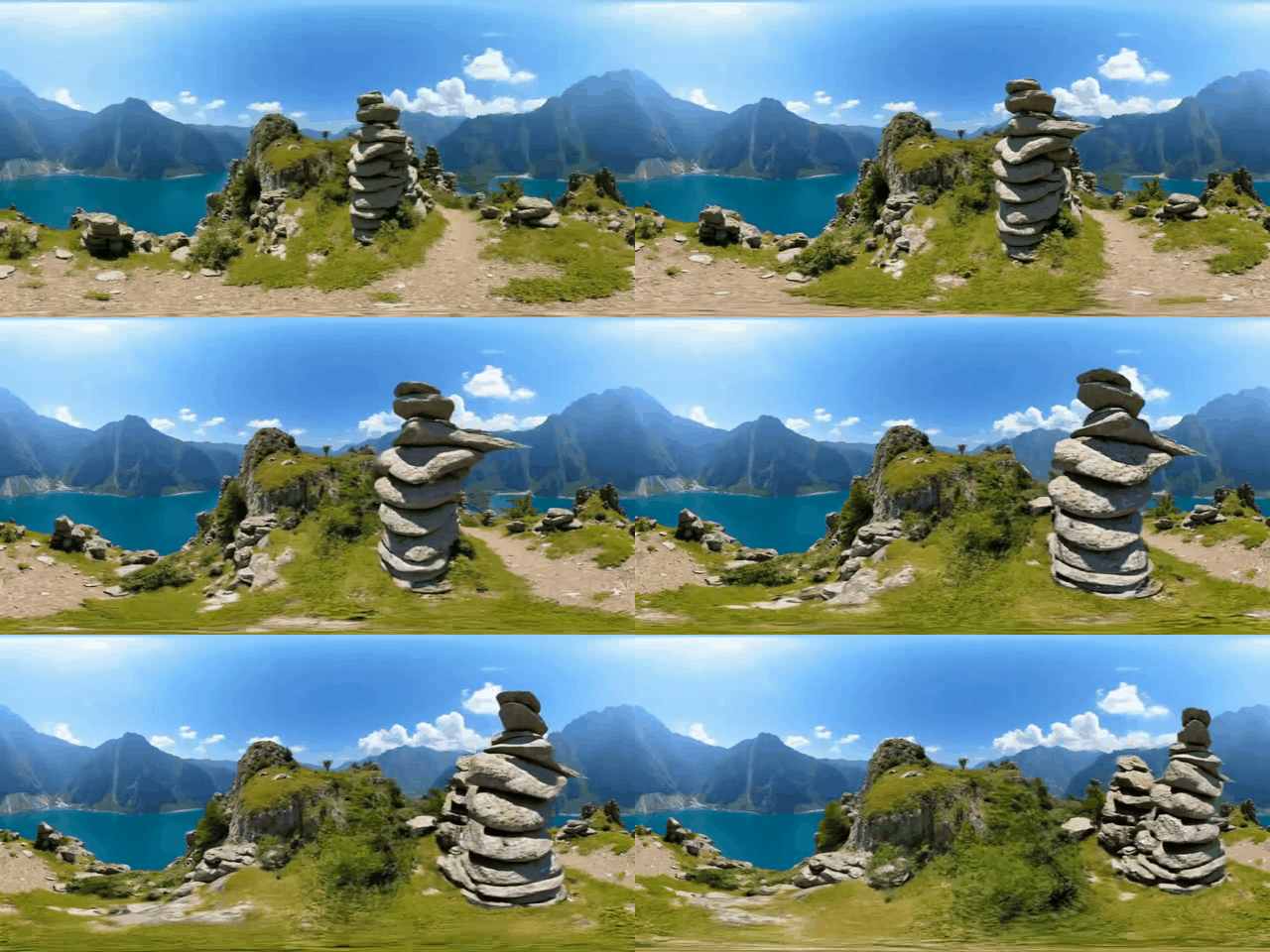
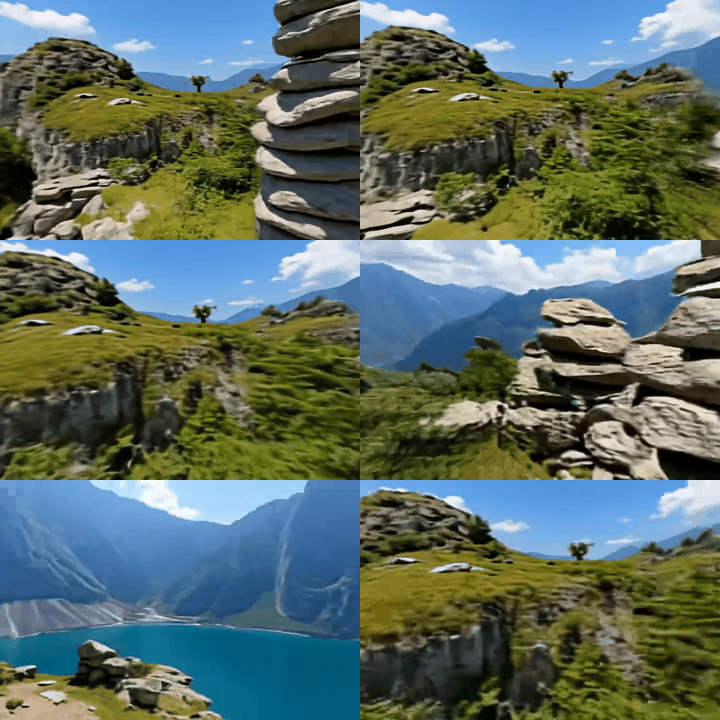
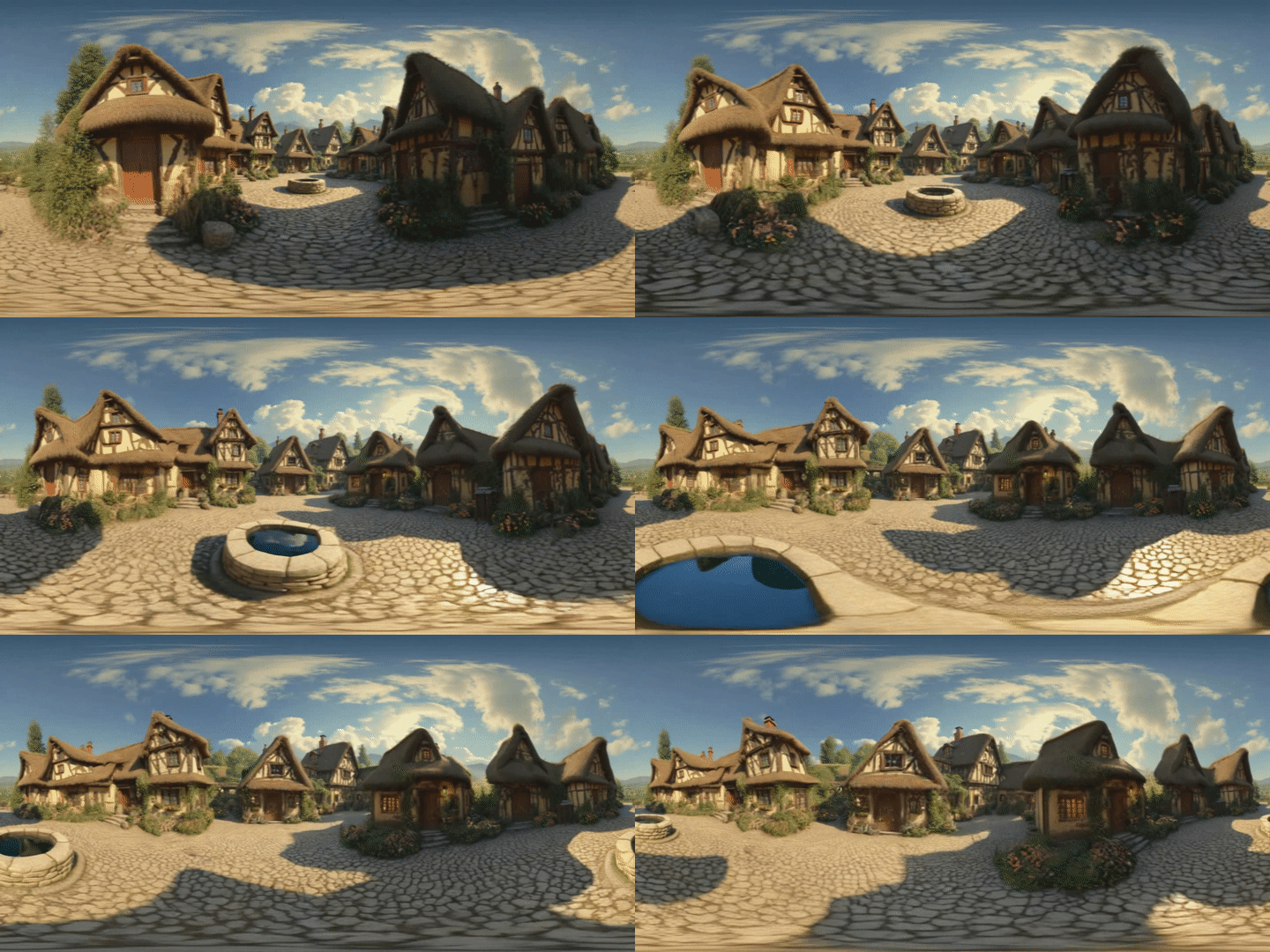
Matrix-3D utilizes panoramic representation for wide-coverage omnidirectional explorable 3D world generation that combines conditional video generation and panoramic 3D reconstruction.
- Large-Scale Scene Generation : Compared to existing scene generation approaches, Matrix-3D supports the generation of broader, more expansive scenes that allow for complete 360-degree free exploration.
- High Controllability : Matrix-3D supports both text and image inputs, with customizable trajectories and infinite extensibility.
- Strong Generalization Capability : Built upon self-developed 3D data and video model priors, Matrix-3D enables the generation of diverse and high-quality 3D scenes.
- Speed-Quality Balance: Two types of panoramic 3D reconstruction methods are proposed to achieve rapid and detailed 3D reconstruction respectively.
🗞️ News
- Sep 02, 2025: 🎉 We provide a 5B model with low-VRAM mode which only requires 12G VRAM!
- Aug 29, 2025: 🎉 We provide a gradio demo for Matrix-3D!
- Aug 25, 2025: 🎉 We provide a script for running the generation process with 19G VRAM!
- Aug 12, 2025: 🎉 We release the code, technical report and project page of Matrix-3D!
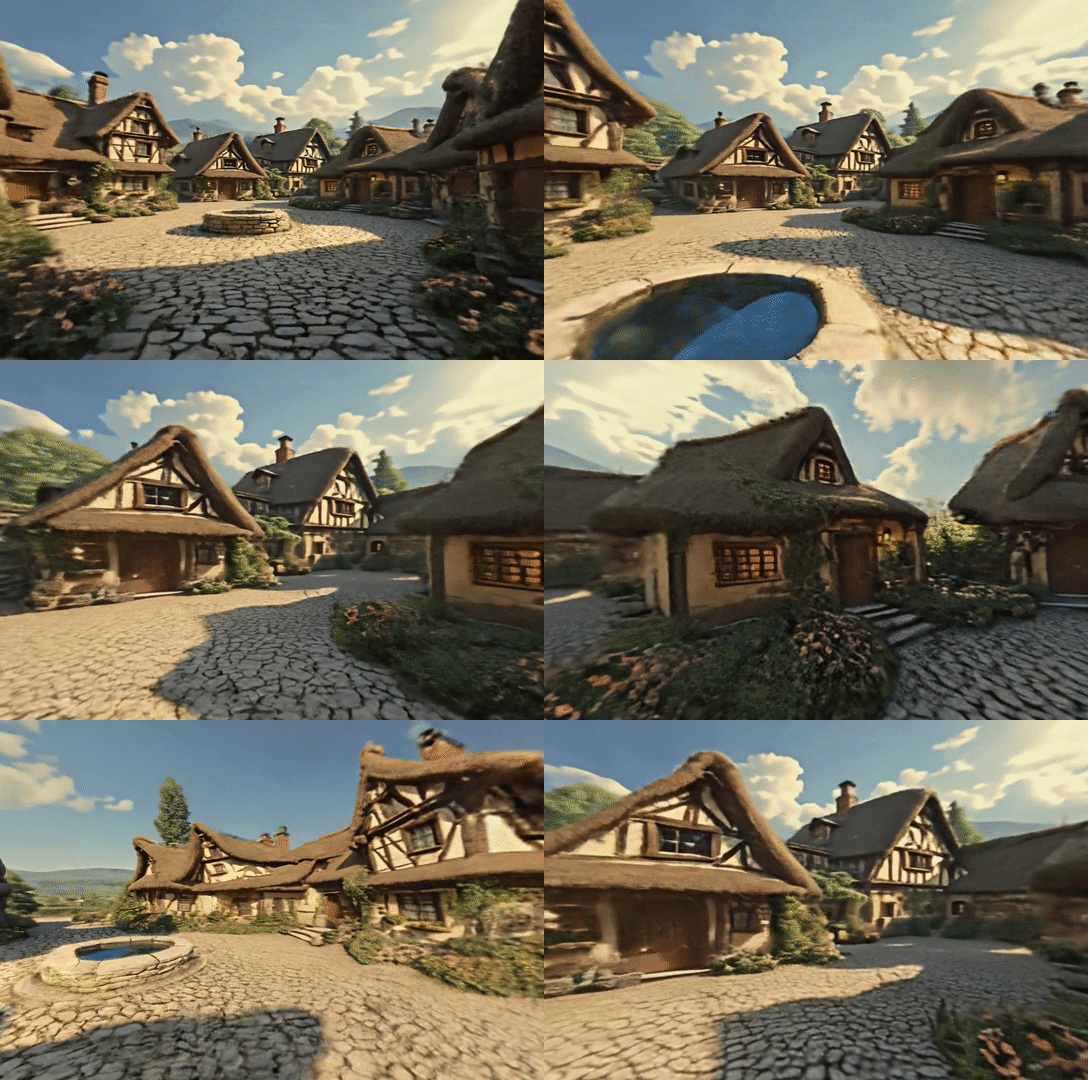
Image-to-Scene Generation
<table border="1">
<tr>
<th>Image</th>
<th>Panoramic Video</th>
<th>3D Scene</th>
</tr>
<tr>
<tr>
<td width="210" height="150" style="
padding: 15px;
border: 1px solid rgba(168,237,234,0.5);
border-radius: 8px;
background-color: rgba(10,20,30,0.7);
position: relative;
text-align: center;
vertical-align: top;
font-family: 'Palatino', 'Georgia', serif;">
<img src="asset/i2p/i2p_2.png" style="width: 200px; border-radius: 6px;"><br>
</td>
<td>
</td>
<td>
</td>
</tr>
<tr>
<th>Image</th>
<th>Panoramic Video</th>
<th>3D Scene</th>
</tr>
<tr>
<td width="210" height="150" style="
padding: 15px;
border: 1px solid rgba(168,237,234,0.5);
border-radius: 8px;
background-color: rgba(10,20,30,0.7);
position: relative;
text-align: center;
vertical-align: top;
font-family: 'Palatino', 'Georgia', serif;">
<img src="asset/i2p/i2p_1.png" style="width: 200px; border-radius: 6px;"><br>
</td>
<td>
</td>
<td>
</td>
</tr>
</table>
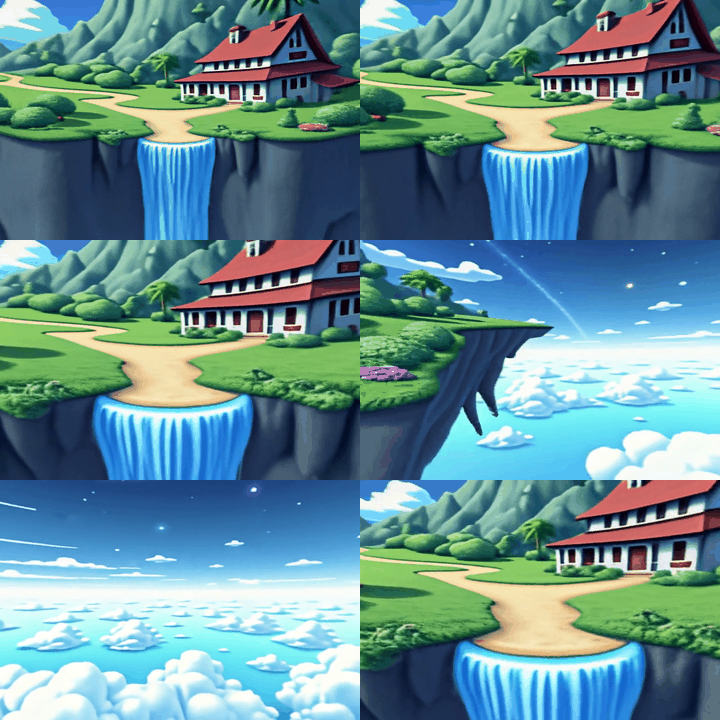
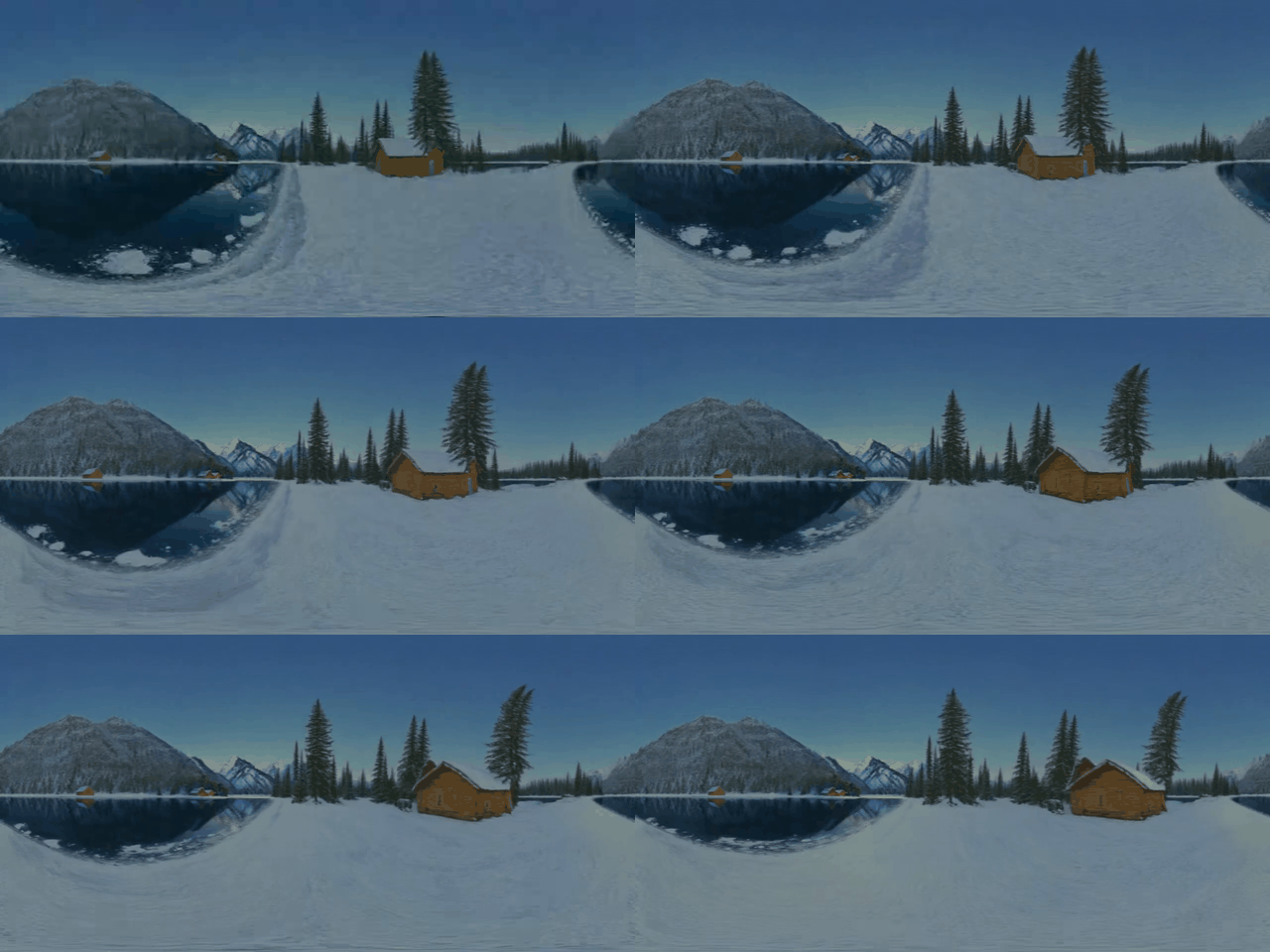
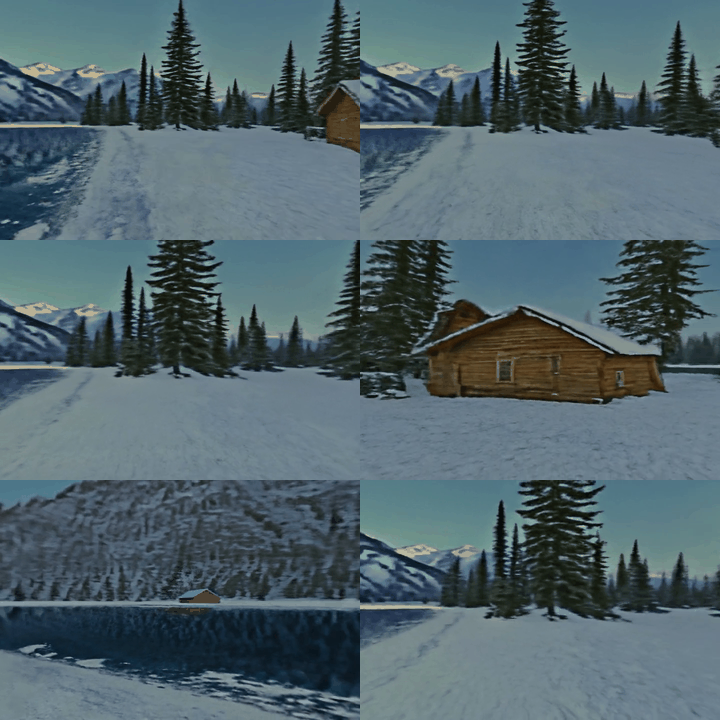
Text-to-Scene Generation
<table border="1">
<tr>
<th>Text</th>
<th>Panoramic Video</th>
<th>3D Scene</th>
</tr>
<tr>
<th width="200" style="
font-family: 'Palatino', 'Georgia', serif;
font-size: 1.3em;
color: transparent;
background:
linear-gradient(45deg,
a8edea 0%,
  #fed6e3 50%,
  #a8edea 100%);
-webkit-background-clip: text;
background-clip: text;
text-shadow:
0 0 5px rgba(168,237,234,0.3),
0 0 10px rgba(254,214,227,0.3);
padding: 15px;
border: 1px solid rgba(168,237,234,0.5);
border-radius: 8px;
background-color: rgba(10,20,30,0.7);
position: relative;
overflow: hidden;
">
<div style="
position: absolute;
top: -10px;
left: -10px;
right: -10px;
bottom: -10px;
background:
radial-gradient(circle at 20% 30%,
rgba(254,214,227,0.1) 0%,
transparent 40%),
radial-gradient(circle at 80% 70%,
rgba(168,237,234,0.1) 0%,
transparent 40%);
z-index: -1;
"></div>A floating island with a waterfall</th>
<td>

</td>
<td>
</td>
</tr>
<tr>
<th>Text</th>
<th>Panoramic Video</th>
<th>3D Scene</th>
</tr>
<tr>
<th width="200" style="
font-family: 'Palatino', 'Georgia', serif;
font-size: 1.3em;
color: transparent;
background:
linear-gradient(45deg,
a8edea 0%,
  #fed6e3 50%,
  #a8edea 100%);
-webkit-background-clip: text;
background-clip: text;
text-shadow:
0 0 5px rgba(168,237,234,0.3),
0 0 10px rgba(254,214,227,0.3);
padding: 15px;
border: 1px solid rgba(168,237,234,0.5);
border-radius: 8px;
background-color: rgba(10,20,30,0.7);
position: relative;
overflow: hidden;
">
<div style="
position: absolute;
top: -10px;
left: -10px;
right: -10px;
bottom: -10px;
background:
radial-gradient(circle at 20% 30%,
rgba(254,214,227,0.1) 0%,
transparent 40%),
radial-gradient(circle at 80% 70%,
rgba(168,237,234,0.1) 0%,
transparent 40%);
z-index: -1;
"></div>an impressionistic winter landscape</th>
<td>
</td>
<td>
</td>
</tr>
</table>
Related Project: If you want to explore Real-Time Interactive Long-Sequence World Models, please visit Matrix-Game 2.0 for details.
📦 Installation
Currently tested on Linux system with NVIDIA GPU.
Clone the repo and create the environment:
# Clone the repository
git clone --recursive https://github.com/SkyworkAI/Matrix-3D.git
cd Matrix-3D

# Create a new conda environment
conda create -n matrix3d python=3.10
conda activate matrix3d

# Install torch and torchvision (with GPU support, we use CUDA 12.4 Version)
pip install torch==2.7.0 torchvision==0.22.0

#Run installation script
chmod +x install.sh
./install.sh
💫 Pretrained Models
| Model Name | Description | Download |
|---|---|---|
| Text2PanoImage | text2panoimage_lora.safetensors | Link |
| PanoVideoGen-480p | pano_video_gen_480p.ckpt | Link |
| PanoVideoGen-720p | pano_video_gen_720p.bin | Link |
| PanoVideoGen-720p-5B | pano_video_gen_720p_5b.safetensors | Link |
| PanoLRM-480p | pano_lrm_480p.pt | Link |
The minimum GPU VRAM requirement to run our whole pipeline is 16G. We provide a script for running the video generation process with low VRAM mode, so that one can generate 720p video with only 19G VRAM.
The specific amount of GPU vram occupation under different model settings are listed below.
| Model Name | VRAM |VRAM with low-vram mode |
| :---------: | :----------: | :----------: |
| Text2PanoImage| ~16g | - |
| PanoVideoGen-480p| ~40g | ~15g |
| PanoVideoGen-720p| ~60g | ~19g |
| PanoVideoGen-720p-5B| ~19g | ~12g |
|PanoLRM-480p| ~80g | - |
Note: the inference of PanoLRM will take lots of VRAM, but it is optional, you can replace it with the optimization-based reconstruction(see below), which only takes about 10G VRAM.
🎮 Usage
-
🔧 Checkpoint Download
python code/download_checkpoints.py -
🔥 One-command 3D World Generation
Now you can generate a 3D world by just running a single command:
./generate.shOr you can choose to generate a 3D world step by step.
- 🖼️ Step 1: Text/Image to Panorama Image
You can either generate a panorama image from text prompt:
python code/panoramic_image_generation.py \
    --mode=t2p \
    --prompt="a medieval village, half-timbered houses, cobblestone streets, lush greenery, clear blue sky, detailed textures, vibrant colors, high resolution" \
    --output_path="./output/example1"
Or from an input image:
python code/panoramic_image_generation.py \
    --mode=i2p \
    --input_image_path="./data/image1.jpg" \
    --output_path="./output/example1"
The generated panorama image will be saved in the output/example1 folder.
If you want to use your own panorama image or panorama images generated by other methods like HunyuanWorld. You can organize the panorama image with its prompt as the following structure then proceed to step 2.
./output/example1
└─ pano_img.jpg
└─ prompt.txt- 📹 Step 2: Generate Panoramic Video
VISIBLE_GPU_NUM=1
torchrun --nproc_per_node ${VISIBLE_GPU_NUM} code/panoramic_image_to_video.py \
  --inout_dir="./output/example1"  \
  --resolution=720
You can switch the resolution option in [480,720] to perform video generation under 960 × 480 resolution or 1440 × 720 resolution.
The generated panoramic tour video will be saved in output/example1/pano_video.mp4. It will take about an hour to generate a 720p video on an A800 GPU. You can accelerate this process with multi-gpu inference by setting VISIBLE_GPU_NUM.
<span id="lowvram">Low VRAM mode</span> To run the video generation step on devices with low VRAM, you can now enable VRAM management with a command line argument setting:
VISIBLE_GPU_NUM=1
torchrun --nproc_per_node ${VISIBLE_GPU_NUM} code/panoramic_image_to_video.py \
  --inout_dir="./output/example1"  \
  --resolution=720 \
  --enable_vram_management # enable this to allow model to run on devices with 19G vram.
<span id="5B">5B model</span> We recently developed a 5B version of our video generation model based on Wan2.2-TI2V-5B model. The 5B model achieves fast video generation as well as lower vram usage. To run the video generation with 5B model, you can now enable 5B model usage with a command line argument setting:
VISIBLE_GPU_NUM=1
torchrun --nproc_per_node ${VISIBLE_GPU_NUM} code/panoramic_image_to_video.py \
  --inout_dir="./output/example1"  \
  --resolution=720 \
--use_5b_model # enable this to generate video with light-weight 5B model.- 🏡 Step 3: Extract 3D Scene
Here we provide two options, one is high-quality optimization-based 3D scene reconstruction and another is efficient feed-forward 3D scene reconstruction.
To perform optimization-based reconstruction, run
 python code/panoramic_video_to_3DScene.py \
    --inout_dir="./output/example1" \
    --resolution=720
Modify the resolution option as the value used in panoramic video generation.
The extracted 3D scene in .ply format will be saved in output/example1/generated_3dgs_opt.ply.
To perform feed-forward reconstruction, run
python code/panoramic_video_480p_to_3DScene_lrm.py \
--video_path="./data/case1/sample_video.mp4" \
--pose_path='./data/case1/sample_cam.json' \
--out_path='./output/example2'
The extracted 3D scene in .ply format and rendered perspective videos will be saved output/example2.
If you want to reconstruct 3D scene with another panorama video and conditioned camera pose, just replace the video_path and pose_path accordingly.
🎬 Create Your Own
<table border="1">
<tr>
<th>Movement Mode</th>
<th>Trajectory</th>
<th>Panoramic Video</th>
<th>3D Scene</th>
</tr>
<tr>
<th width="30" style="
font-family: 'Palatino', 'Georgia', serif;
font-size: 1.3em;
color: transparent;
background:
linear-gradient(45deg,
a8edea 0%,
  #fed6e3 50%,
  #a8edea 100%);
-webkit-background-clip: text;
background-clip: text;
text-shadow:
0 0 5px rgba(168,237,234,0.3),
0 0 10px rgba(254,214,227,0.3);
padding: 15px;
border: 1px solid rgba(168,237,234,0.5);
border-radius: 8px;
background-color: rgba(10,20,30,0.7);
position: relative;
overflow: hidden;
">
<div style="
position: absolute;
top: -10px;
left: -10px;
right: -10px;
bottom: -10px;
background:
radial-gradient(circle at 20% 30%,
rgba(254,214,227,0.1) 0%,
transparent 40%),
radial-gradient(circle at 80% 70%,
rgba(168,237,234,0.1) 0%,
transparent 40%);
z-index: -1;
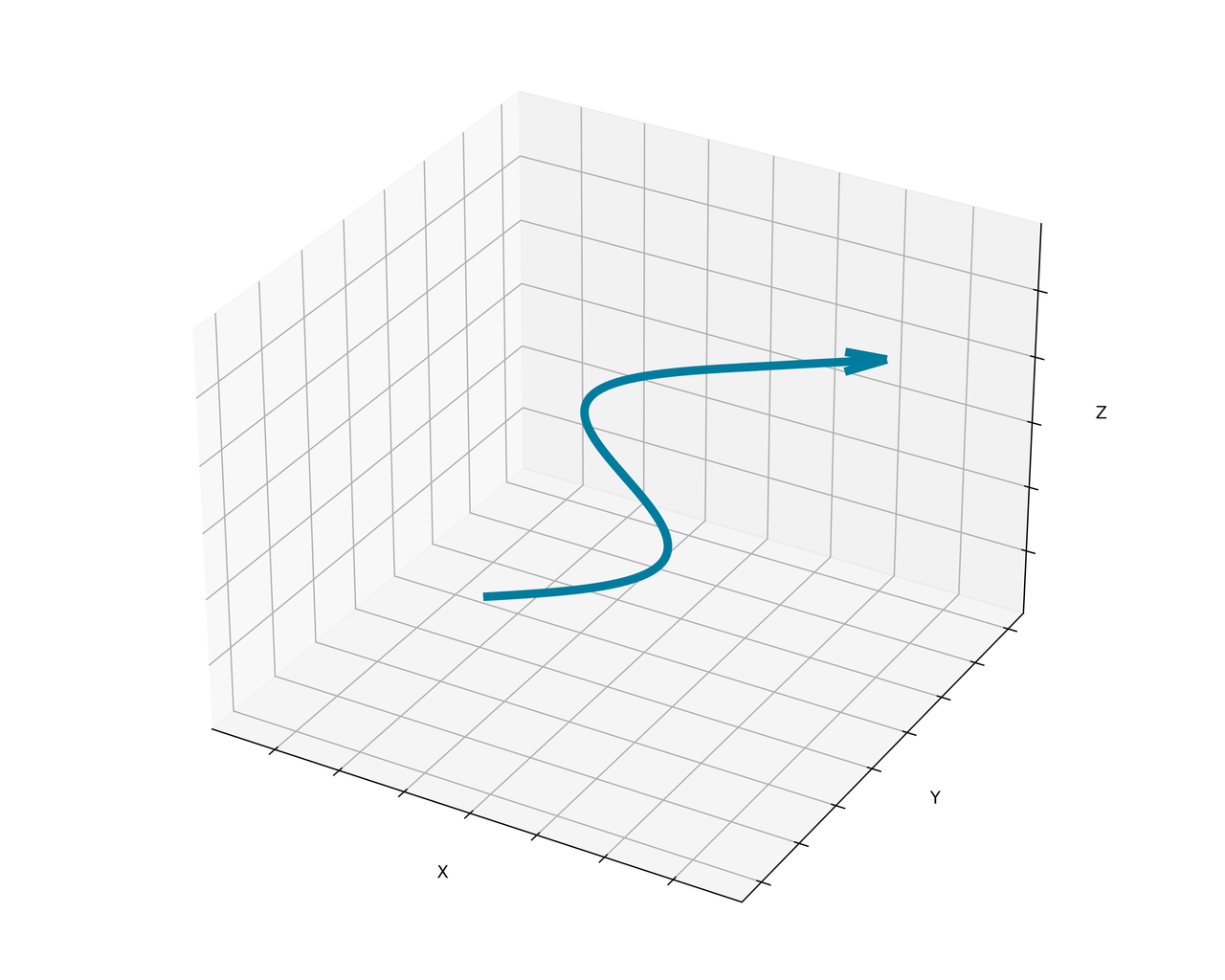
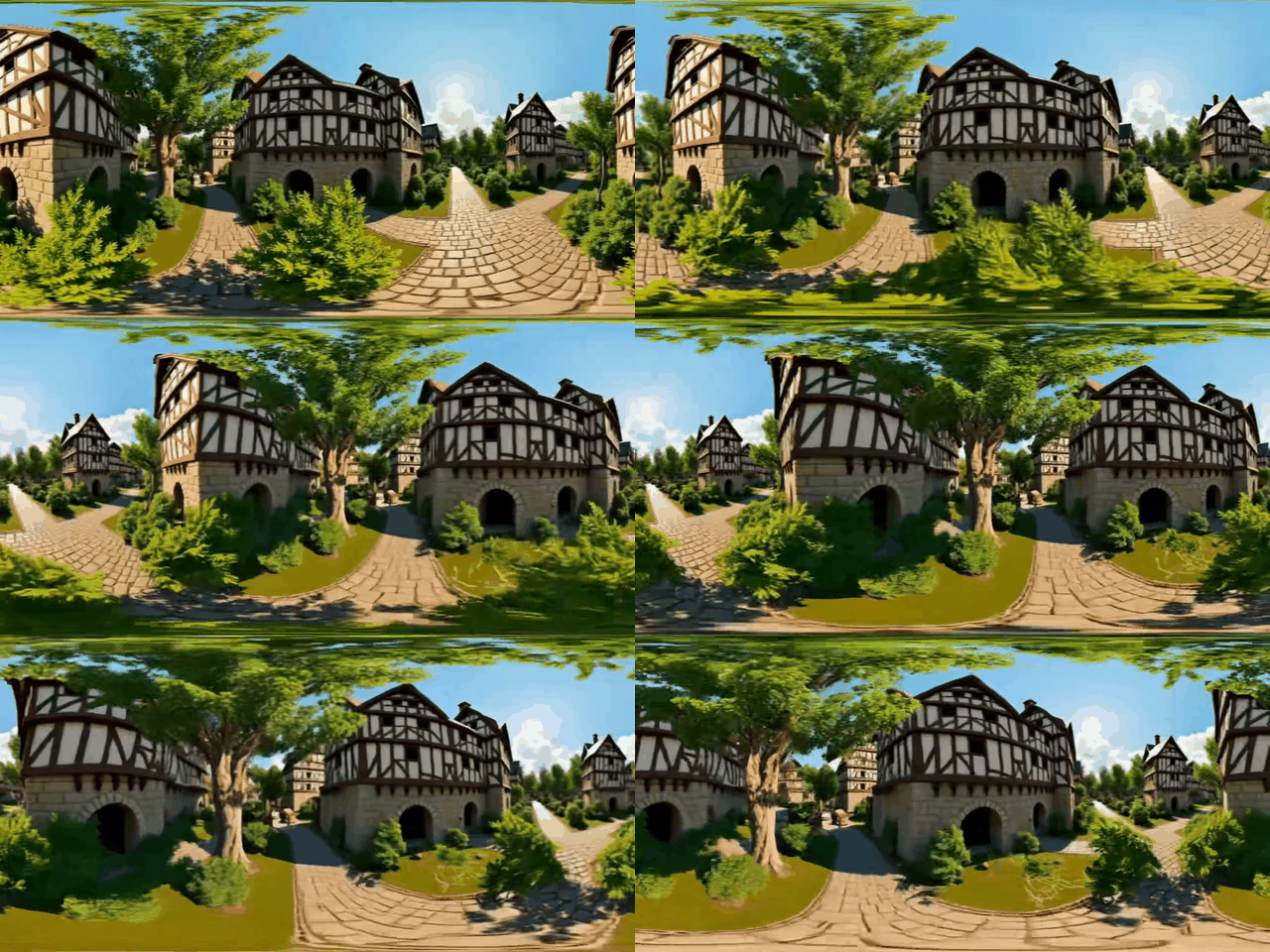
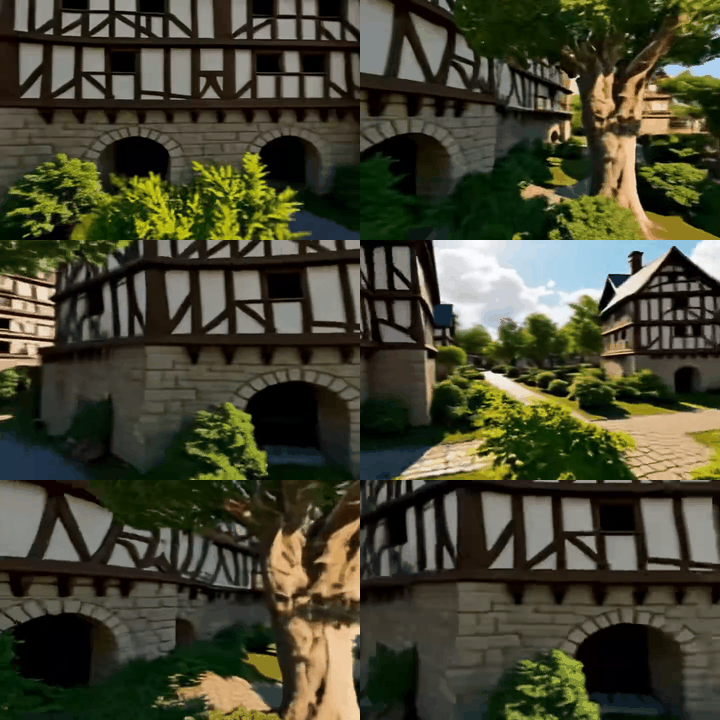
"></div>S-curve Travel</th>
<td>
</td>
<td>
</td>
<td>
</td>
</tr>
<tr>
<th width="30" style="
font-family: 'Palatino', 'Georgia', serif;
font-size: 1.3em;
color: transparent;
background:
linear-gradient(45deg,
a8edea 0%,
  #fed6e3 50%,
  #a8edea 100%);
-webkit-background-clip: text;
background-clip: text;
text-shadow:
0 0 5px rgba(168,237,234,0.3),
0 0 10px rgba(254,214,227,0.3);
padding: 15px;
border: 1px solid rgba(168,237,234,0.5);
border-radius: 8px;
background-color: rgba(10,20,30,0.7);
position: relative;
overflow: hidden;
">
<div style="
position: absolute;
top: -10px;
left: -10px;
right: -10px;
bottom: -10px;
background:
radial-gradient(circle at 20% 30%,
rgba(254,214,227,0.1) 0%,
transparent 40%),
radial-gradient(circle at 80% 70%,
rgba(168,237,234,0.1) 0%,
transparent 40%);
z-index: -1;
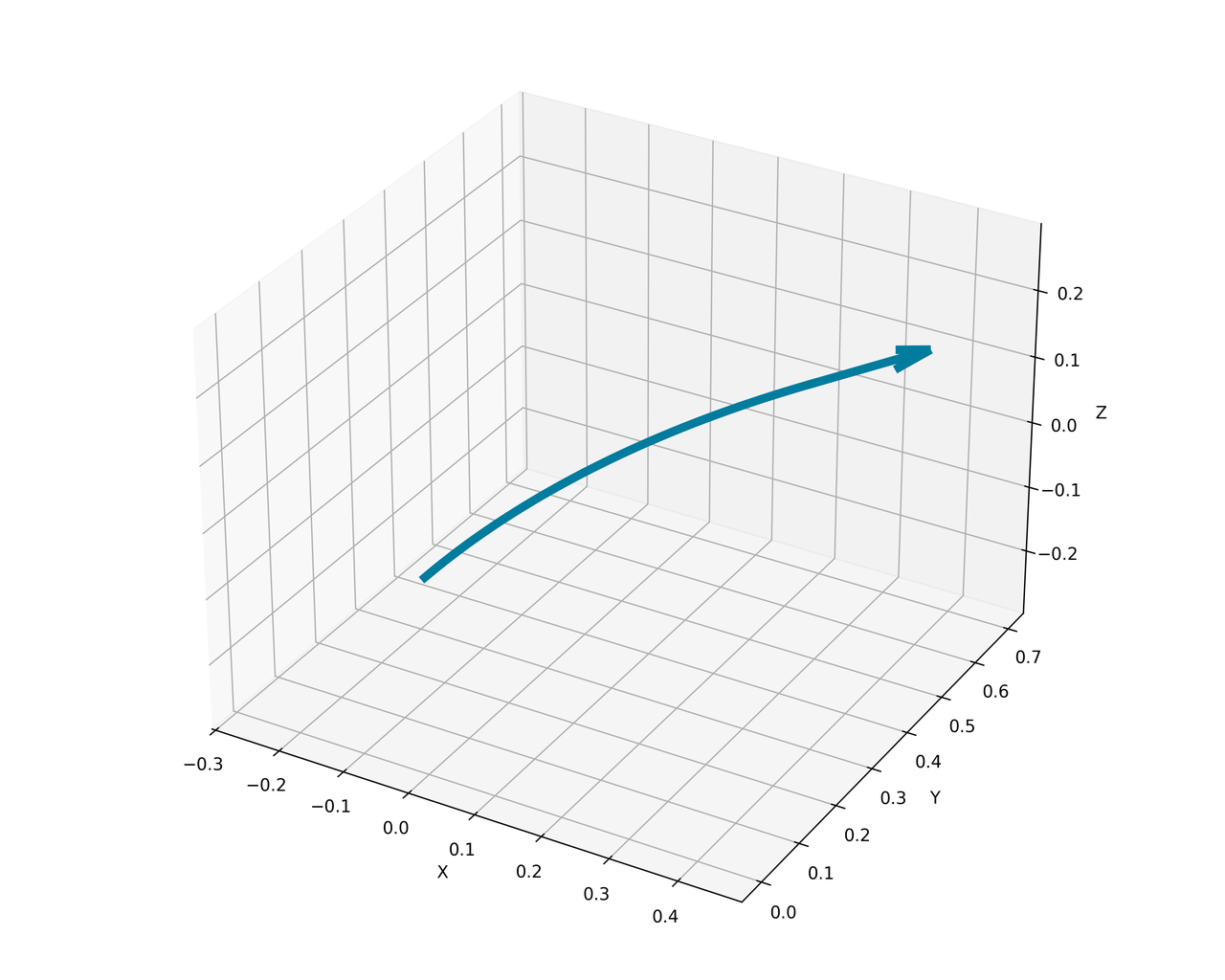
"></div>Forward on the Right</th>
<td>
</td>
<td>
</td>
<td>
</td>
</tr>
</table>
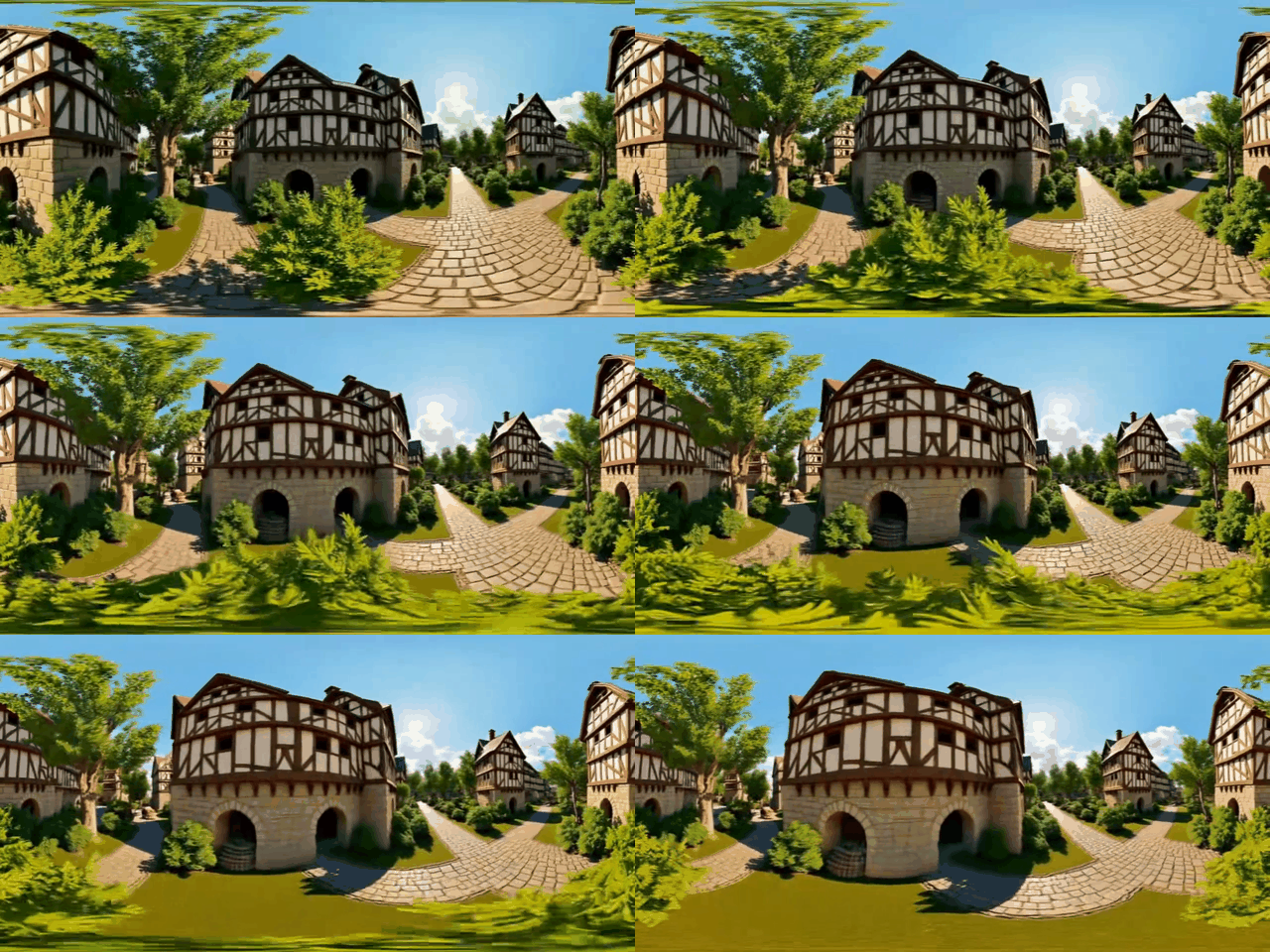
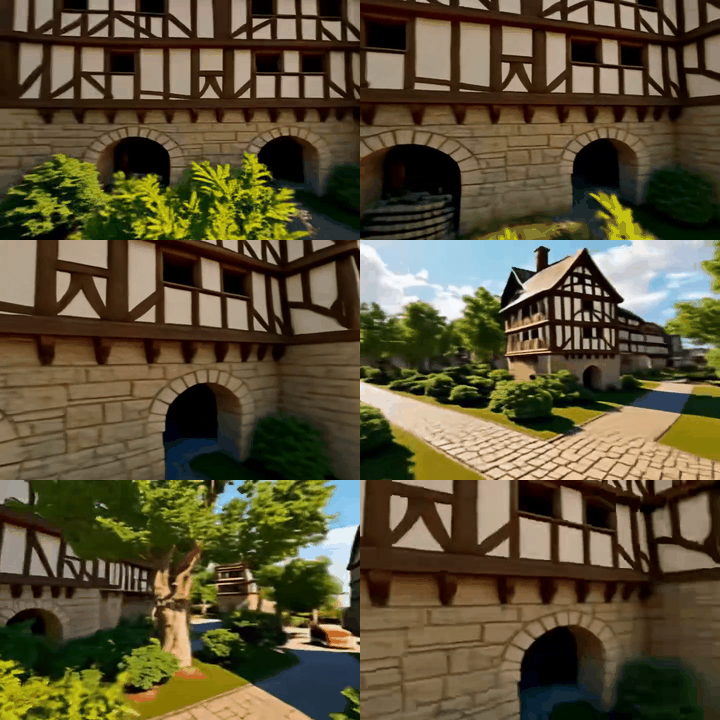
We provide three movement modes: Straight Travel, S-curve Travel, and Forward on the Right, which can be configured in --movement_mode in code/panoramic_image_to_video.py.
You can also provide your own camera trajectory in .json format and use it for video generation.
VISIBLE_GPU_NUM=1
torchrun --nproc_per_node ${VISIBLE_GPU_NUM} code/panoramic_image_to_video.py \
  --inout_dir="./output/example1"  \
  --resolution=720
  --json_path YOUR_TRAJECTORY_FILE.json
All camera matrices used in our project are world to camera matrices in opencv format. Please refer to the sample file ./data/test_cameras/test_cam_front.json, and use code/generate_example_camera.py to generate your own camera trajectory.
🖱️ Gradio Demo
We also provide a Gradio demo for better visualization. To launch the demo, run the following command in your terminal:
python code/app_matrix3d.py --max_gpus=1Notes on GPU Configuration:
- Single GPU (--max_gpus=1): Currently only supports text-video-3D generation workflow. Ensure your GPU has at least 62 GB of memory to run this mode smoothly.
- Multiple GPUs (--max_gpus=N, N≥2): Supports both Supports both text-video-3D and image-video-3D generation workflows. Allocate GPUs based on your hardware resources to optimize performance.
📚 Citation
If you find this project useful, please consider citing it as follows:
@article{yang2025matrix3d,
  title     = {Matrix-3D: Omnidirectional Explorable 3D World Generation},
  author    = {Zhongqi Yang and Wenhang Ge and Yuqi Li and Jiaqi Chen and Haoyuan Li and Mengyin An and Fei Kang and Hua Xue and Baixin Xu and Yuyang Yin and Eric Li and Yang Liu and Yikai Wang and Hao-Xiang Guo and Yahui Zhou},
  journal   = {arXiv preprint arXiv:2508.08086},
  year      = {2025}
}

@article{dong2025panolora,
  title     = {PanoLora: Bridging Perspective and Panoramic Video Generation with LoRA Adaptation},
  author    = {Zeyu Dong and Yuyang Yin and Yuqi Li and Eric Li and Hao-Xiang Guo and Yikai Wang},
  journal   = {arXiv preprint arXiv:2509.11092},
  year      = {2025}
}
🤝 Acknowledgements
This project is built on top of the follows, please consider citing them if you find them useful:
- FLUX.1
- Wan2.1
- WorldGen
- MoGe
- nvdiffrast
- gaussian-splatting
- StableSR
- VEnhancer
📧 Contact
If you have any questions or would like us to implement any features, please feel free post an issue.