

README
Large Hadron Migrator

This is the Shopify fork of SoundCloud's LHM. The
following description, originally from SoundCloud (with minor updates by Shopify),
gives some of the flavor around its original creation, and its choice of name...
Rails-style database migrations are a useful way to evolve your database schema in
an agile manner. Most Rails projects start like this, and at first, making
changes is fast and easy.
That is, until your tables grow to millions or billions of records. At this point,
the locking nature of ALTER TABLE may take your site down for hours or more
while critical tables are migrated. In order to avoid this, developers begin
to design around the problem by introducing join tables or moving the data
into another layer. Development gets less and less agile as tables grow and
grow. To make the problem worse, adding or changing indices to optimize data
access becomes just as difficult.
Side effects may include black holes and universe implosion.
There are few things that can be done at the server or engine level. It is
possible to change default values in an ALTER TABLE without locking the
table. InnoDB provides facilities for online index creation, but that only
solves half the problem.
At SoundCloud we started having migration pains quite a while ago, and after
looking around for third party solutions, we decided to create our
own. We called it Large Hadron Migrator, and it is a Ruby Gem that provides
facilities for online ActiveRecord migrations.
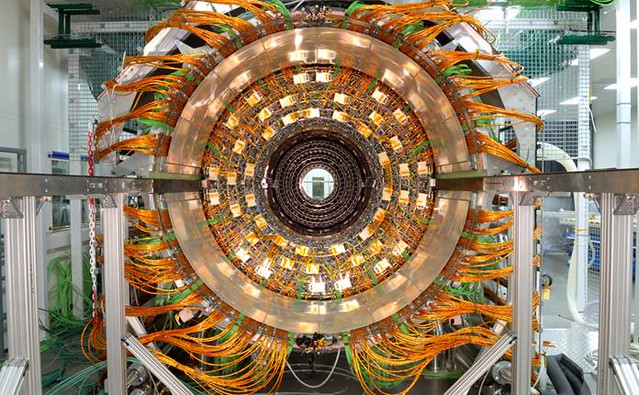
The Large Hadron Collider at CERN near Geneva, Switzerland.
The idea
The basic idea is to perform the migration online while the system is live,
without locking the table. In contrast to OAK and the facebook tool, we
only use a copy table and triggers.
LHM is a test-driven Ruby solution which can easily be dropped into an ActiveRecord
migration. It presumes a single auto-incremented numeric primary key called id as
per the Rails convention. Unlike Matt Freels's table_migrator solution,
it does not require the presence of an indexed updated_at column.
Requirements
LHM currently only works with MySQL databases and requires an established
ActiveRecord connection.
Limitations
Due to the Chunker implementation, LHM requires that the table to migrate has a
a single integer numeric key column named id.
Installation
Install it via gem install lhm-shopify or by adding gem "lhm-shopify" to your Gemfile.
Usage
You can invoke LHM directly from a plain Ruby file after connecting ActiveRecord
to your MySQL instance:
require 'lhm'

ActiveRecord::Base.establish_connection(
  :adapter => 'mysql',
  :host => '127.0.0.1',
  :database => 'lhm'
)

# and migrate
Lhm.change_table :users do |m|
  m.add_column :arbitrary, "INT(12)"
  m.add_index  [:arbitrary_id, :created_at]
  m.ddl("alter table %s add column flag tinyint(1)" % m.name)
end
To use LHM from an ActiveRecord::Migration in a Rails project, add it to your
Gemfile, then invoke as follows:
require 'lhm'

class MigrateUsers < ActiveRecord::Migration
  def self.up
    Lhm.change_table :users do |m|
      m.add_column :arbitrary, "INT(12)"
      m.add_index  [:arbitrary_id, :created_at]
      m.ddl("alter table %s add column flag tinyint(1)" % m.name)
    end
  end

  def self.down
    Lhm.change_table :users do |m|
      m.remove_index  [:arbitrary_id, :created_at]
      m.remove_column :arbitrary
    end
  end
end
Note: LHM does not delete the old, leftover table. This is intentional, in order
to prevent accidental data loss. After successful or failed LHM migrations, these leftover
tables must be cleaned up.
Usage with ProxySQL
LHM can recover from connection loss. However, when used in conjunction with ProxySQL, there are multiple ways that
connection loss could induce data loss (if triggered by a failover). Therefore it will perform additional checks to
ensure that the MySQL host stays consistent across the schema migrations if the feature is enabled.
This is done by tagging every query with /*maintenance:lhm*/, which will be recognized by ProxySQL.
However, to get this feature working, a new ProxySQL query rule must be added.
{
  rule_id = <rule id>
  active = 1
  match_pattern = "maintenance:lhm"
  destination_hostgroup = <MySQL writer's hostgroup>
}
This will ensure that all relevant queries are forwarded to the current writer.
Also, ProxySQL disables multiplexing for select on @@ variables.
Therefore, the following rules must be added to ensure that queries (even if tagged with /*maintenance:lhm*/) get
forwarded to the right target.
{
  rule_id = <rule id>
  active = 1
  match_digest = "@@global\.server_id"
  multiplex = 2
},
{
  rule_id = <rule id>
  active = 1
  match_digest = "@@global\.hostname"
  multiplex = 2
}
Once these changes are added to the ProxySQL configuration (either through .cnf or dynamically through the admin interface),
the feature can be enabled. This is done by adding this flag when providing options to the migration:
 Lhm.change_table(..., options: {reconnect_with_consistent_host: true}) do |t|
  ...
endNote: This feature is disabled by default
Throttler
LHM uses a throttling mechanism to read data in your original table. By default, 2,000 rows are read each 0.1 second. If you want to change that behaviour, you can pass an instance of a throttler with the throttler option. In this example, 1,000 rows will be read with a 10 second delay between each processing:
my_throttler = Lhm::Throttler::Time.new(stride: 1000, delay: 10)

Lhm.change_table :users, throttler: my_throttler  do |m|
  ...
end
ReplicaLag Throttler
Lhm uses by default the time throttler, however a better solution is to throttle the copy of the data
depending on the time that the replicas are behind. To use the ReplicaLag throttler:
Lhm.change_table :users, throttler: :replica_lag_throttler  do |m|
  ...
end
Or to set that as default throttler, use the following (for instance in a Rails initializer):
Lhm.setup_throttler(:replica_lag_throttler)ThreadsRunning Throttler
If you don't have access to connect directly to your replicas, you can also
throttle based on the number of threads running in MySQL, as a proxy for "is
this operation causing excessive load":
my_throttler = Lhm::Throttler::ThreadsRunning.new(stride: 100_000)

Lhm.change_table :users, throttler: my_throttler  do |m|
  ...
end

# or use default settings:
Lhm.change_table :users, throttler: :threads_running_throttler do |m|
  ...
end
Or to set that as default throttler, use the following (for instance in a Rails initializer):
Lhm.setup_throttler(:threads_running_throttler)Retrying chunks using Throttler
If chunks fail due to the MySQL max_binlog_cache_size being exceeded, the Chunker class will call the backoff_stride method on the throttler to reduce the stride size and retry the chunk. The default backoff factor is 0.2 (reducing the chunk size by 20% with each failure), and the minimum stride size is 1 (the stride can be reduced until each chunk is 1 row). Default values can be overridden (see below). To disable backoff, set min_stride_size equal to stride_size; this will throw an exception when max_binlog_cache_size is exceeded. Configuration options should be passed into the time throttler constructor or in the throttler_options of change_table when using a time throttler.
## Configure on throttler instance
my_throttler = Lhm::Throttler::ThreadsRunning.new(stride: 2000, delay: 1, backoff_reduction_factor: 0.1, min_stride_size: 10)

Lhm.change_table :users, throttler: my_throttler  do |m|
  ...
end

## Or pass as throttler options
Lhm.change_table :users, {
  throttler: :time_throttler,
  throttler_options: {
    stride: 2000,
    delay: 1,
    backoff_reduction_factor: 0.1,
    min_stride_size: 10
  }
} do |t|
  ...
end
Custom Throttlers with retry functionality
If using your own throttler, ensure that the class definition includes the Lhm::Throttler::BackoffReduction to retry failed chunks.
Table rename strategies
There are two different table rename strategies available: LockedSwitcher and
AtomicSwitcher.
The LockedSwitcher strategy locks the table being migrated and issues two ALTER TABLE statements. The AtomicSwitcher uses a single atomic RENAME TABLE query and is the favored solution.
LHM chooses AtomicSwitcher if no strategy is specified, unless your version of MySQL is
affected by binlog bug #39675. If your version is
affected, LHM will raise an error if you don't specify a strategy. You're recommended
to use the LockedSwitcher in these cases to avoid replication issues.
To specify the strategy in your migration:
Lhm.change_table :users, :atomic_switch => true do |m|
  ...
end
Limiting the data that is migrated
For instances where you want to limit the data that is migrated to the new
table by some conditions, you may tell the migration to filter by a set of
conditions:
Lhm.change_table(:sounds) do |m|
  m.filter("inner join users on users.`id` = sounds.`user_id` and sounds.`public` = 1")
end
Note that this SQL will be inserted into the copy directly after the FROM clause
so be sure to use INNER JOIN or OUTER JOIN syntax and not comma-joins. These
conditions will not affect the triggers, so any modifications to the table
during the run will happen on the new table as well.
Cleaning up after an interrupted Lhm run
If an LHM migration is interrupted, it may leave behind the temporary tables
and/or triggers used in the migration. If the migration is re-started, the
unexpected presence of these tables will cause an error.
In this case, Lhm.cleanup can be used to drop any orphaned LHM temporary tables or triggers.
To see what LHM tables/triggers are found:
Lhm.cleanupTo remove any LHM tables/triggers found:
Lhm.cleanup(true)Optionally, only remove tables up to a specific time, if you want to retain previous migrations.
Rails:
Lhm.cleanup(true, until: 1.day.ago)Ruby:
Lhm.cleanup(true, until: Time.now - 86400)Contributing
To run the tests:
bundle exec rake unit # unit tests
bundle exec rake integration # integration tests
bundle exec rake specs # all tests
You can run an individual test as follows:
bundle exec rake unit TEST=spec/integration/atomic_switcher_spec.rbYou can check the code coverage reporting for an individual test as follows:
rm -rf coverage
COV=1 bundle exec rake unit TEST=spec/integration/atomic_switcher_spec.rb
open coverage/index.html
To check the code coverage for all tests:
rm -rf coverage
COV=1 bundle exec rake unit && bundle exec rake integration
open coverage/index.html
Merging for a new version
When creating a PR for a new version, make sure that the version has been bumped in lib/lhm/version.rb. Then run the following code snippet to ensure the everything is consistent, otherwise
the gem will not publish.
bundle install
bundle update
bundle exec appraisal install
Podman Compose
The integration tests rely on a replication configuration for MySQL which is being proxied by an instance of ProxySQL.
It is important that every container is running to execute the integration test suite.
License
The license is included as LICENSE in this directory.