
Repository
dallify-discord-bot
Example code for using OpenAI’s NodeJS SDK with discord.js SDK to create a Discord Bot that uses Slash Commands.
README
Please read!
For any problems running this specific bot: Discord Project Post
For general OpenAI API problems or questions: Discord API Discussions
For bugs in the template code: create an Issue
For feature requests: this repo is not accepting feature requests, you can discuss potential features in Discord Project Post
For PRs: only bug fix PRs wil be accepted. If you are implementing a new feature, please fork this repo.
Thank you!
Example code for running a Discord Bot that uses OpenAI's DALL-E api to generate AI images.
This bot uses OpenAI's NodeJS SDK, and v14 of discord.js, and is written in Typescript.
Features include:
- draw command to generate images (1 to 9) using the generations endpoint
- save button to send images to user's DMs
- reroll button to rerun that generation
- expand button to zoom out of the image by using the edits (inpaint) endpoint
Discord Bot setup:
https://discordjs.guide/preparations/setting-up-a-bot-application.html
Your bot needs the following bot permissions:
- Send Messages
- Use Slash Commands
- Attach Files
Use the invite link in src/Bot.ts, which includes the above permissions.
Secrets setup:
-
Go to
src/utils/constants.tsand follow the comments to createsrc/utils/config.json -
Copy your bot's client id and token into
config.json -
Copy your server's id into
config.json(https://support.discord.com/hc/en-us/articles/206346498-Where-can-I-find-my-User-Server-Message-ID-) -
Copy your OpenAI API key into
config.json(https://platform.openai.com/api-keys) -
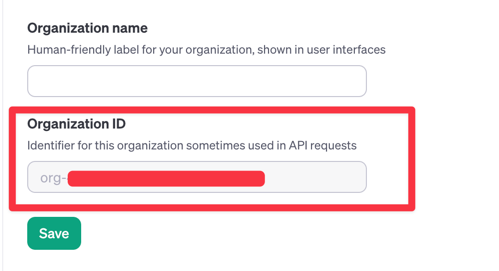
Copy your OpenAI Organization ID into
config.json(https://platform.openai.com/account/organization)
Node server setup:
-
install brew if you don't have it (https://docs.brew.sh/Installation)
-
brew install npmif you don't have it -
npm installin repo root -
npm run startin repo root
