

README
M2T2: Multi-Task Masked Transformer for Object-centric Pick and Place
project website     arxiv paper     model weights
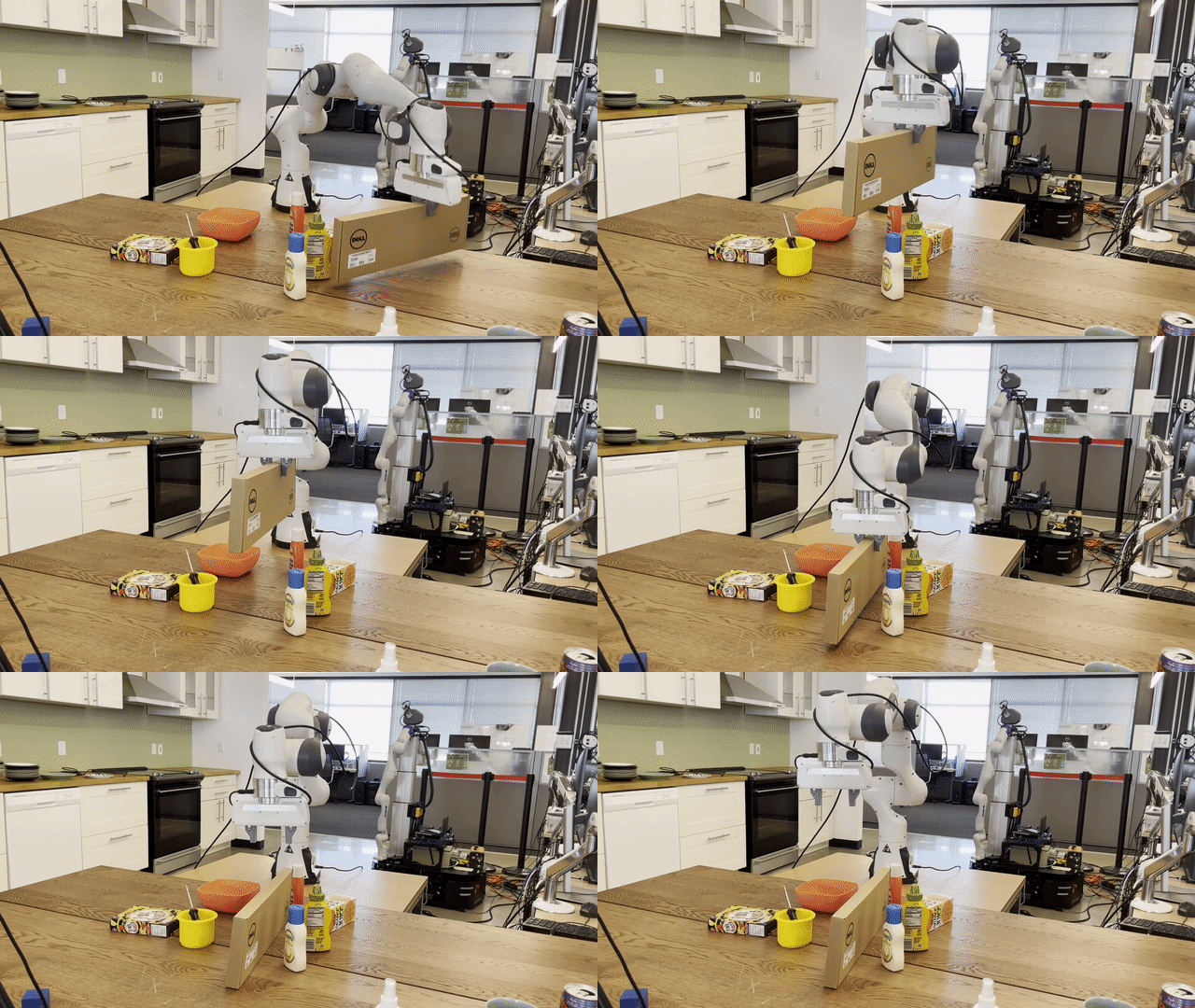
Introduction
M2T2 (Multi-Task Masked Transformer) is a unified transformer model for learning different low-level action primitives on complex open-world scenes. Given a raw point cloud observation, M2T2 reasons about contact points and predicts collision-free gripper poses for different action modes, including 6-DoF object-centric grasping and orientation-aware placement. M2T2 achieves zero-shot sim2real transfer on the real robot, outperforming the baseline system with state-of-the-art task-specific models by about 19% in overall performance and 37.5% in challenging scenes where the object needs to be re-oriented for collision-free placement. M2T2 also achieves state-of-the-art results on a subset of language conditioned tasks in RLBench. This repository contains a basic PyTorch implementation of M2T2 and demo scripts for how to run the model on real-world as well as simulated scenes. Videos of real-world robot evaluations are available on our project website.
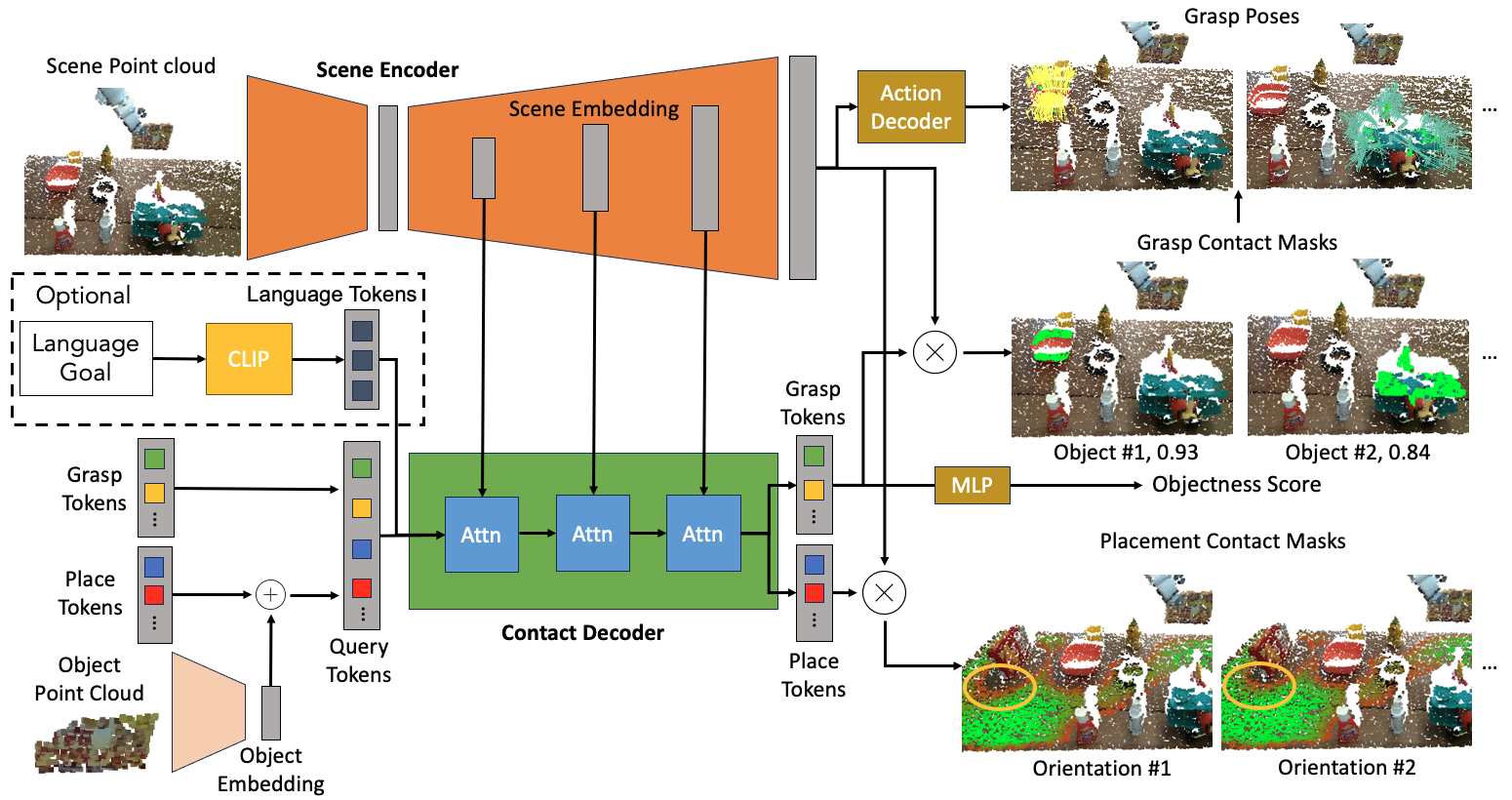
M2T2 pairs a transformer with a 3D point cloud encoder-decoder to predict contact points and gripper targets for pick and place primitives in complex, cluttered environments. It can also be optionally conditioned on a language goal to predict task-specific grasp/placement poses.
If you find our work useful, please consider citing our paper:
@inproceedings{yuan2023m2t2,
  title     = {M2T2: Multi-Task Masked Transformer for Object-centric Pick and Place},
  author    = {Yuan, Wentao and Murali, Adithyavairavan and Mousavian, Arsalan and Fox, Dieter},
  booktitle = {7th Annual Conference on Robot Learning},
  year      = {2023}
}
Installation
- Create and activate conda environment
conda env create -n m2t2 python=3.10 conda activate m2t2 - Install CUDA. Replace
11.7.0with the CUDA version compatible with your nvidia driver. You can check your CUDA version usingnvidia-smi.conda install cuda -c nvidia/label/cuda-11.7.0 - Install PyTorch which matches the cuda version. Check https://pytorch.org/get-started/previous-versions.
pip install torch==2.0.1 torchvision==0.15.2 - Install PointNet++ custom ops.
pip install pointnet2_ops/ - Install additional dependencies.
pip install -r requirements.txt - Install m2t2 as a package.
pip install .
Running M2T2
-
Download [model weights].
m2t2.pthis the generic pick-and-place model which outputs all possible grasping and placement poses, whereasm2t2_language.pthis a model that outputs a single grasping or placement pose conditioned on a language goal. -
Run
meshcat-serverin a separate terminal. Openhttp://127.0.0.1:7000/static/in a browser window for visualization. -
Try out M2T2 on different scenes under
sample_data.-
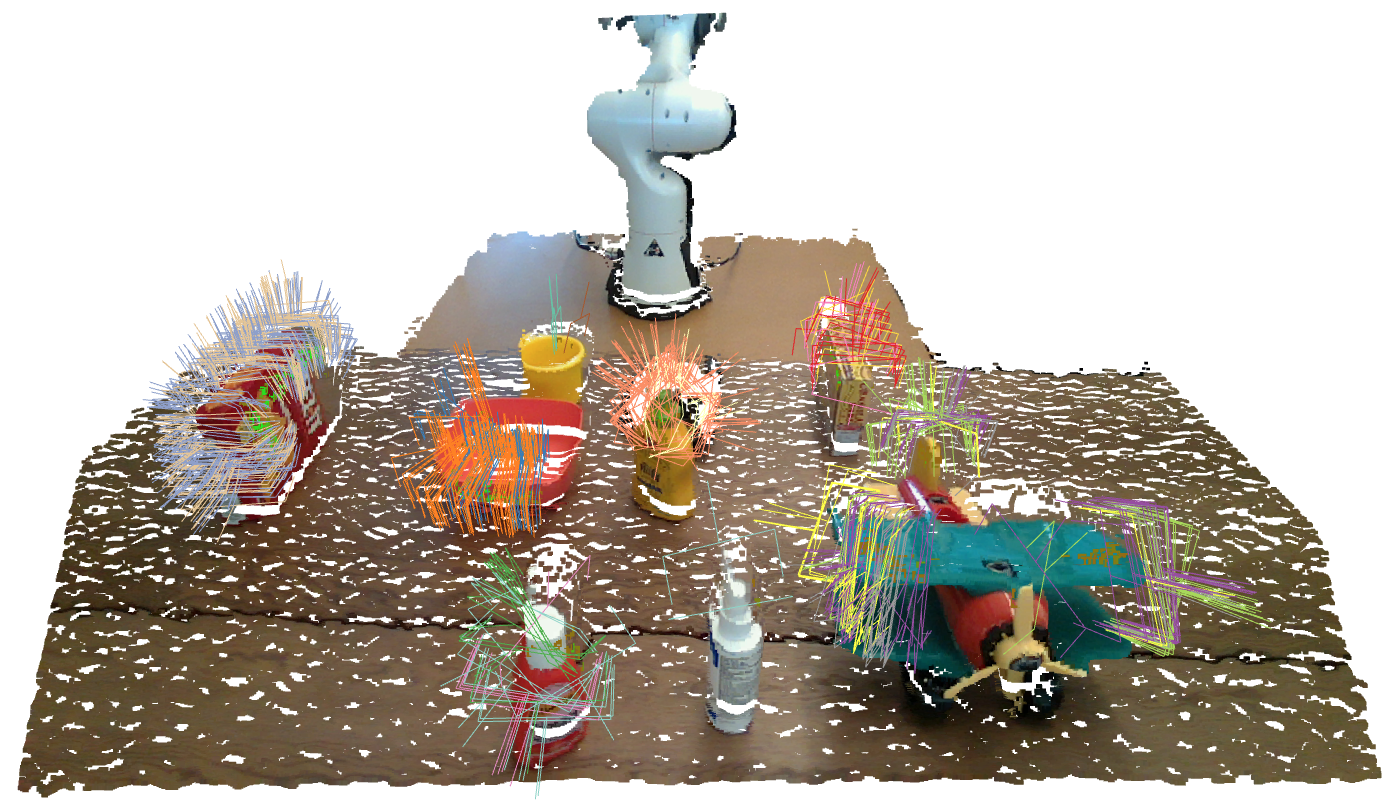
real_world/00andreal_world/02contain real-world scenes before graspingpython demo.py eval.checkpoint=m2t2.pth eval.data_dir=sample_data/real_world/00 eval.mask_thresh=0.4 eval.num_runs=5Use
eval.mask_threshto control the confidence threshold for output grasps. Useeval.num_runsto aggregate multiple forward passes for more complete prediction. -
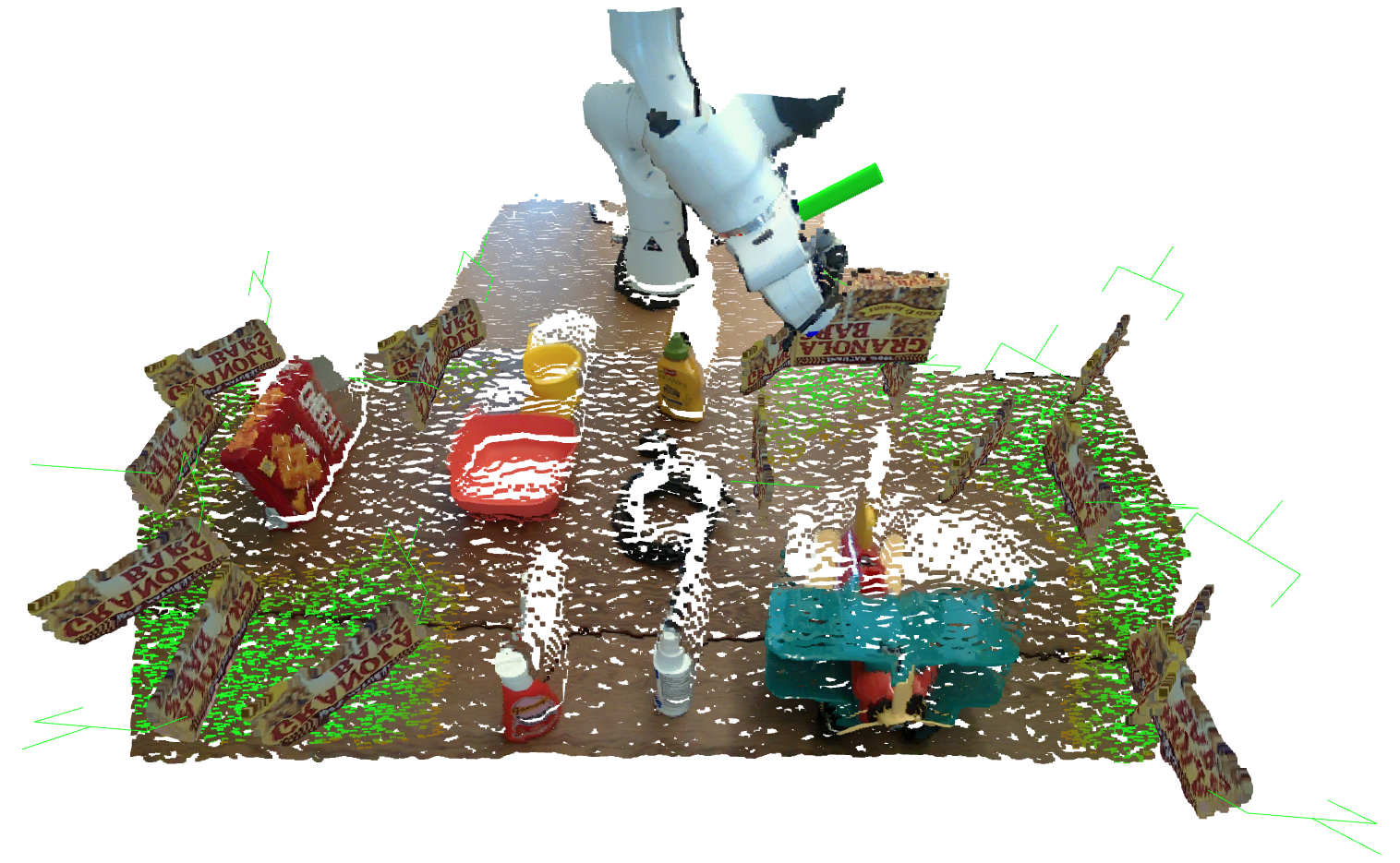
real_world/00andreal_world/02contain real-world scenes before placement. It can be run with the same command. Just replace the path ineval.data_dir. -
Under
rlbenchthere are two episodes of the taskmeat_off_grill. Running the following command to see the grasp predictionpython demo_rlbench.py eval.checkpoint=m2t2_language.pth rlbench.episode=4and
python demo_rlbench.py eval.checkpoint=m2t2_language.pth rlbench.episode=4 rlbench.frame_id=90to see the placement prediction.
-
Here are some example visualizations
Training
We are not able to release the training dataset at this point due to copyright issues, but we do provide the training script and a few simulated scenes under sample_data/simulation to show the data format. Here's how you would train the model.
python train.py m2t2.action_decoder.max_num_pred=512 data.root_dir=sample_data/simulation train.log_dir=logs/test train.num_gpus=1 train.batch_size=4 train.print_freq=1 train.plot_freq=4You can visualize training curves and plots by running tensorboard on the log directory:
tensorboard --logdir logs/test