

Repository
edge-ai-object-tracking-camera
A local edge AI pan/tilt camera that detects and follows objects without using a laptop.
- Feature
- Original Version
- Camera system
- ESP32-CAM
- AI inference
- Laptop
- Servo control
- Second ESP32
Specs
- FeatureOriginal Version
- Camera systemESP32-CAM
- AI inferenceLaptop
- Servo controlSecond ESP32
- ServosMG995/MG996-style servos
- Tracking loopLaptop YOLO + serial commands
- PortabilityLimited
- Main limitationRequired laptop inference
README
Local Edge AI Object-Tracking Camera
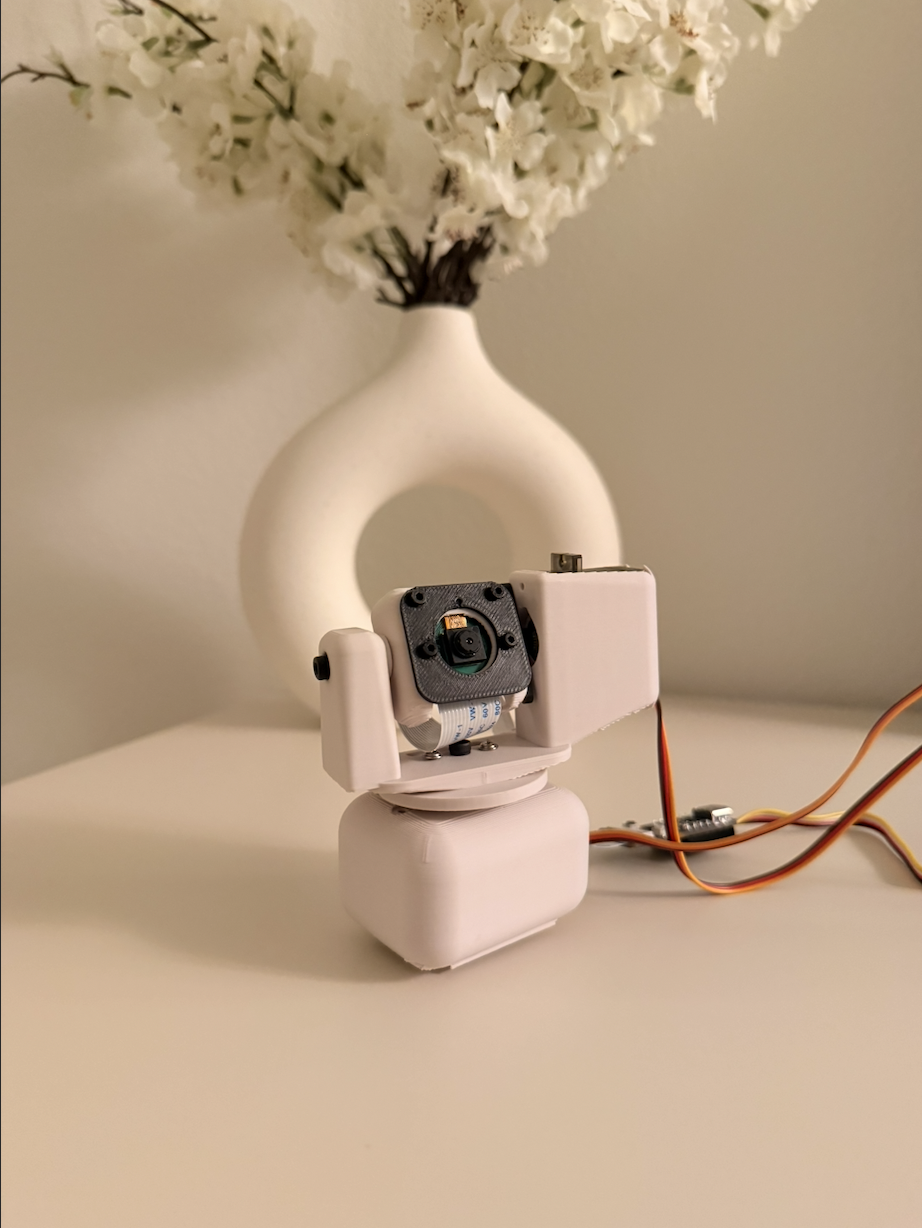
Why I Rebuilt It
My first object-tracking camera used an ESP32-CAM to stream video to my laptop. A YOLO model running on the laptop detected the object, and the laptop sent movement commands to another ESP32 controlling the servos.
It worked, but the camera could not track anything without my laptop.
In this upgraded version, object detection runs locally on Grove Vision AI V2. The detected object position is sent to a XIAO ESP32-S3, which controls the pan and tilt servos.
I also redesigned the 3D-printed camera body to fit the new hardware.
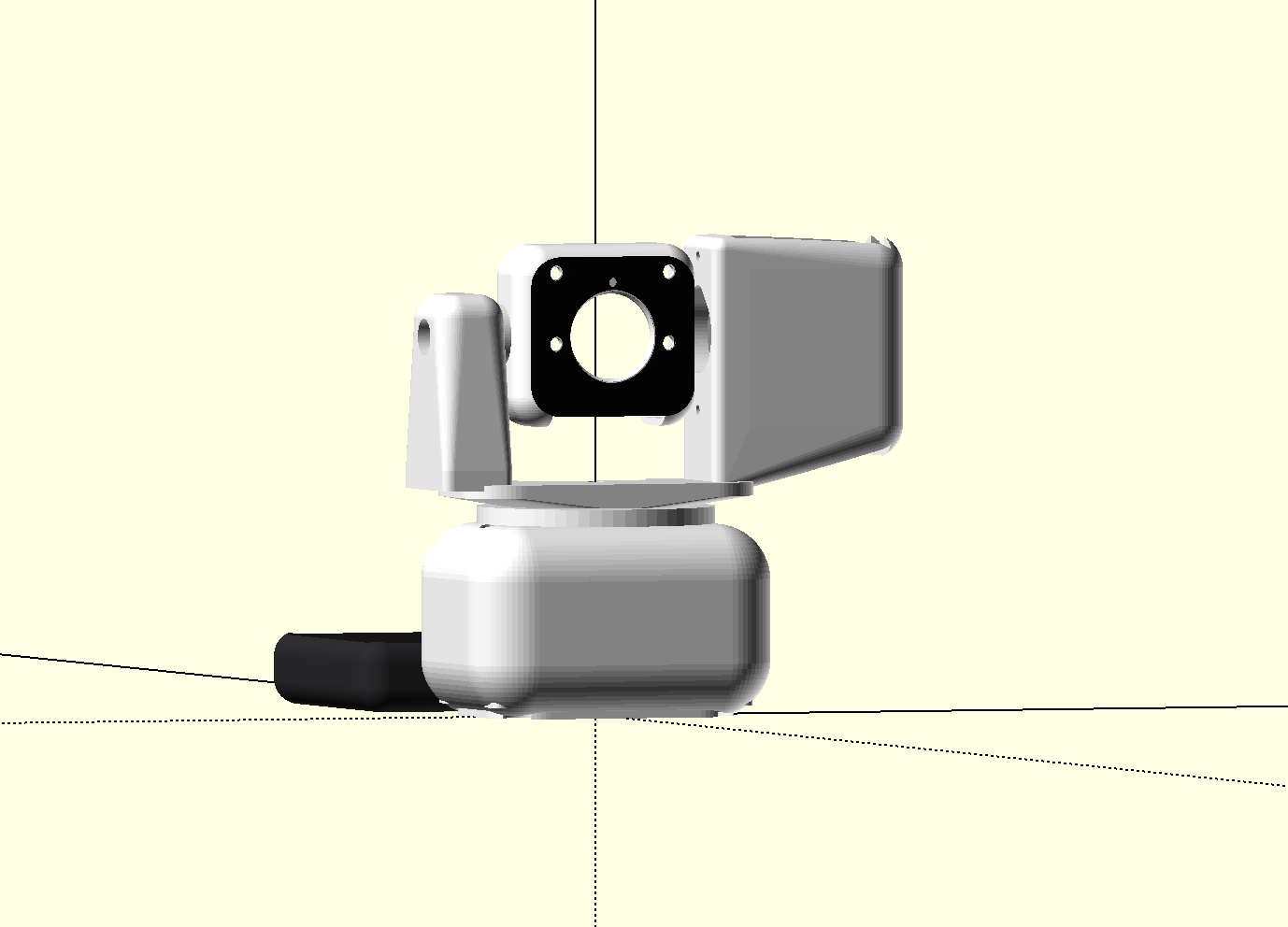
How It Works
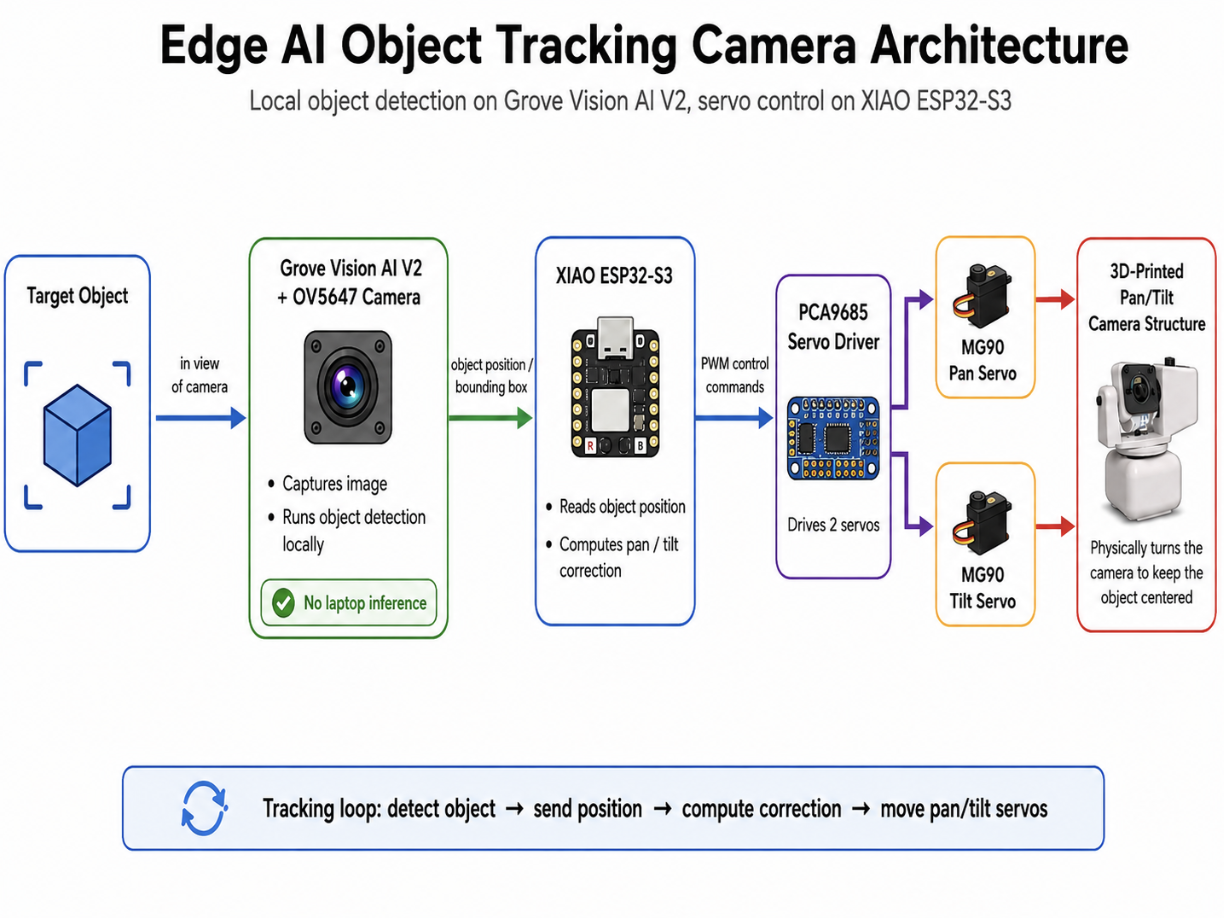
- Grove Vision AI V2 detects the object.
- It sends the object's position to the XIAO.
- The XIAO compares that position with the center of the camera frame.
- If the object is off-center, the XIAO moves the pan and tilt servos.
- The camera turns toward the object.
Object detection and servo control now run locally on the device.
Demo
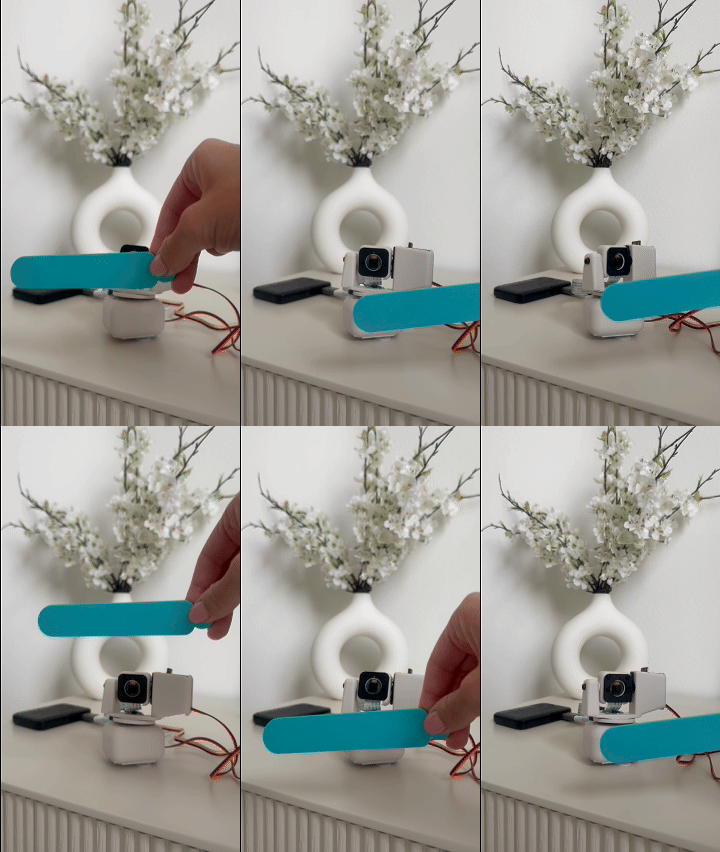
The upgraded prototype can now detect an object, decide where to move, and physically follow it without relying on a laptop.
Hardware
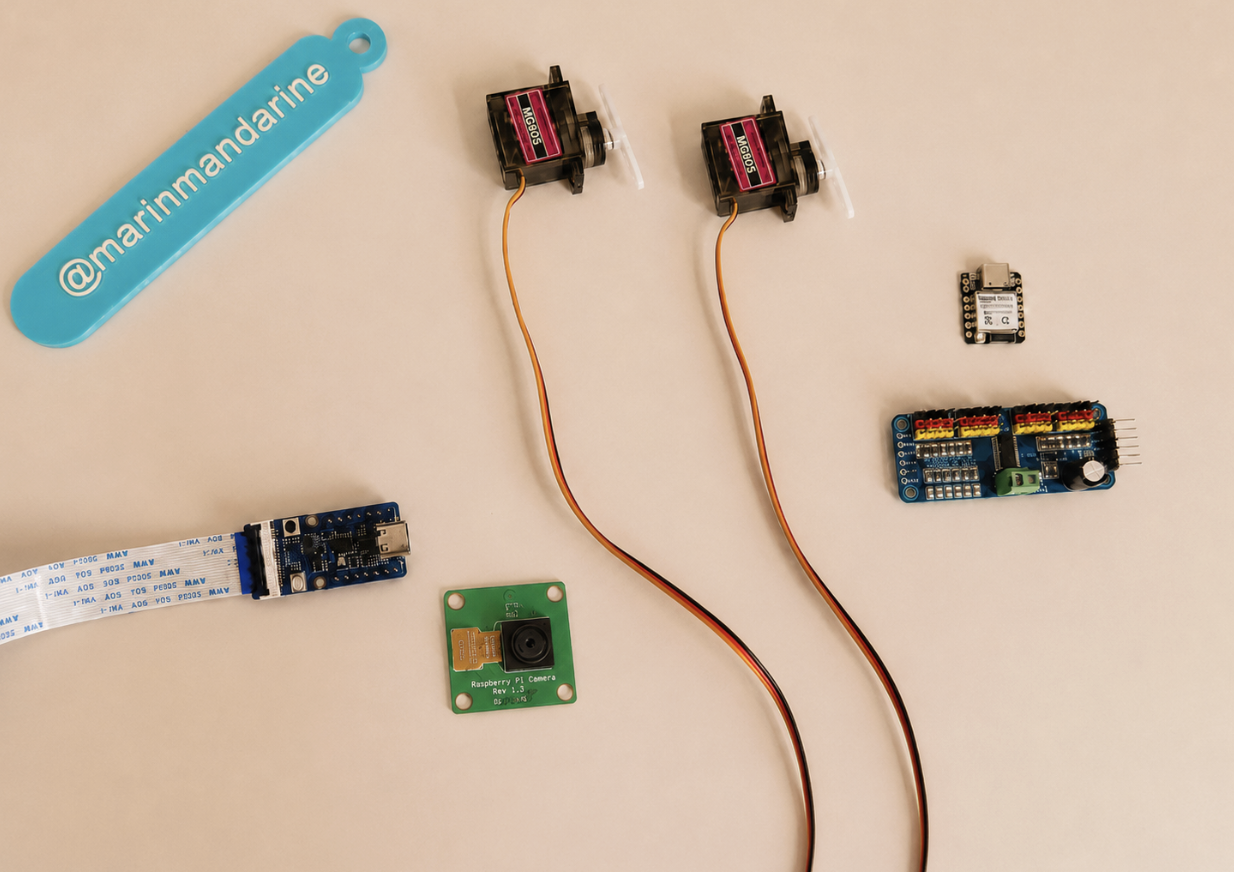
- Grove Vision AI V2 Kit
- XIAO ESP32-S3
- OV5647-62 FOV camera module
- 2 × MG90S metal gear micro servos
- PCA9685 servo driver
- External 5 V servo power supply
- Custom 3D-printed pan/tilt structure
- Jumper wires and mounting hardware
Servo Control
The XIAO checks how far the object is from the center of the frame:
errorX = objectCenterX - frameCenterX;
errorY = objectCenterY - frameCenterY;
The error is converted into a target servo speed:
panSpeed  = clamp(KpPan * errorX, -maxPanSpeed, maxPanSpeed);
tiltSpeed = clamp(KpTilt * errorY, -maxTiltSpeed, maxTiltSpeed);
If the object is far from the center, the camera moves faster. If it is only slightly off-center, it moves more slowly.
A dead zone prevents tiny movements when the object is already close to the center. Acceleration limits make the speed change gradually instead of jumping instantly.
Accurate detection alone is not enough. Smooth and stable servo control is also important for reliable tracking.
Wiring
See docs/wiring.md.
The servos use an external 5 V power supply. The external power ground and XIAO ground must be connected together.
Software
Required Arduino Libraries
- Seeed Arduino SSCMA
- Adafruit PWM Servo Driver Library
Uploading the Firmware
- Install the required libraries in Arduino IDE.
- Open:
firmware/grove_vision_ai_object_tracker/grove_vision_ai_object_tracker.ino - Select the XIAO ESP32-S3 board and the correct port.
- Upload the sketch.
- Open Serial Monitor at
115200baud. - A successful start should print:
AI BEGIN OKTracking Settings
The most important values are grouped near the beginning of the sketch:
- Servo center positions
- Mechanical movement limits
- Servo directions
- Proportional gains
- Maximum speed
- Acceleration
- Dead-zone sizes
- Detection smoothing
These values may need small adjustments for a different pan/tilt structure.
Original Version vs. Upgraded Version
Original Version
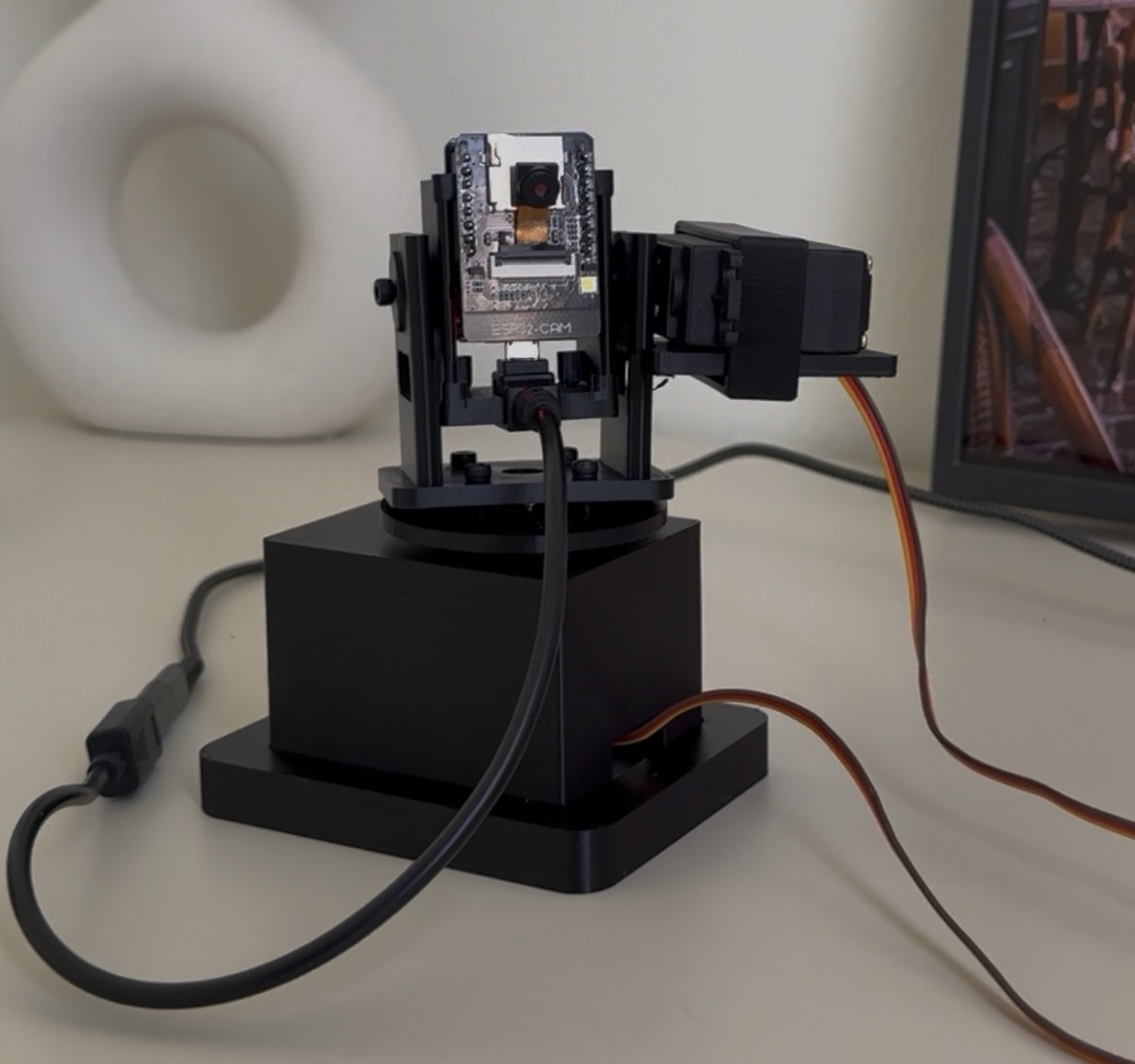
The original version streamed video to my laptop, where a YOLO model detected the object.
Upgraded Version
The upgraded version runs object detection locally on Grove Vision AI V2.
| Feature | Original Version | Upgraded Version |
|---|---|---|
| Camera system | ESP32-CAM | Grove Vision AI V2 + OV5647 camera |
| AI inference | Laptop | Grove Vision AI V2 |
| Servo control | Second ESP32 | XIAO ESP32-S3 + PCA9685 |
| Servos | MG995/MG996-style servos | MG90S servos |
| Tracking loop | Laptop YOLO + serial commands | Local detection + servo control |
| Portability | Limited | More compact |
| Main limitation | Required laptop inference | Still needs a cleaner enclosure and power system |
The biggest upgrade is not only the hardware. It is the architecture. Moving object detection onto the embedded vision module brings the project much closer to a standalone edge AI camera.
Project Structure
edge-ai-object-tracking-camera/
├── firmware/
│   └── grove_vision_ai_object_tracker/
│       └── grove_vision_ai_object_tracker.ino
├── docs/
│   └── wiring.md
├── images/
│   ├── cad-assembly.png
│   ├── hardware.jpg
│   ├── original-camera.jpg
│   ├── system-diagram.png
│   ├── tracking-demo.gif
│   ├── upgraded-camera.jpg
│   └── README.md
├── cad/
│   ├── source/
│   │   └── object_tracking_camera.scad
│   ├── stl/
│   │   ├── base.stl
│   │   ├── base_cover.stl
│   │   ├── yoke.stl
│   │   ├── camera_head.stl
│   │   └── faceplate_insert.stl
│   └── README.md
├── .gitignore
├── LICENSE
└── README.md
What I Want to Improve Next
- Cleaner wiring
- A better electronics enclosure
- Battery power and power management
- Smoother servo movement
- Better mechanical balance
- More latency and response-time testing
- A larger and more varied training dataset
One future idea is to turn this into a small nature or wildlife monitoring camera. That would require a stronger enclosure, reliable power, and environmental protection.
Current Status
This is still a prototype, but the main local edge AI tracking loop is working.
The camera can now:
- Detect the object locally
- Send its position to the XIAO
- Move the pan and tilt servos
- Follow the object without a laptop
License
This project is available under the MIT License.