

Repository
vscode-ts-customized-language-service
TS/JS VS Code Customized Language Service to improve code navigation of the vscode source code.
README
TS/JS VS Code Customized Language Service
Setup
- Manually build & install this extension
Features
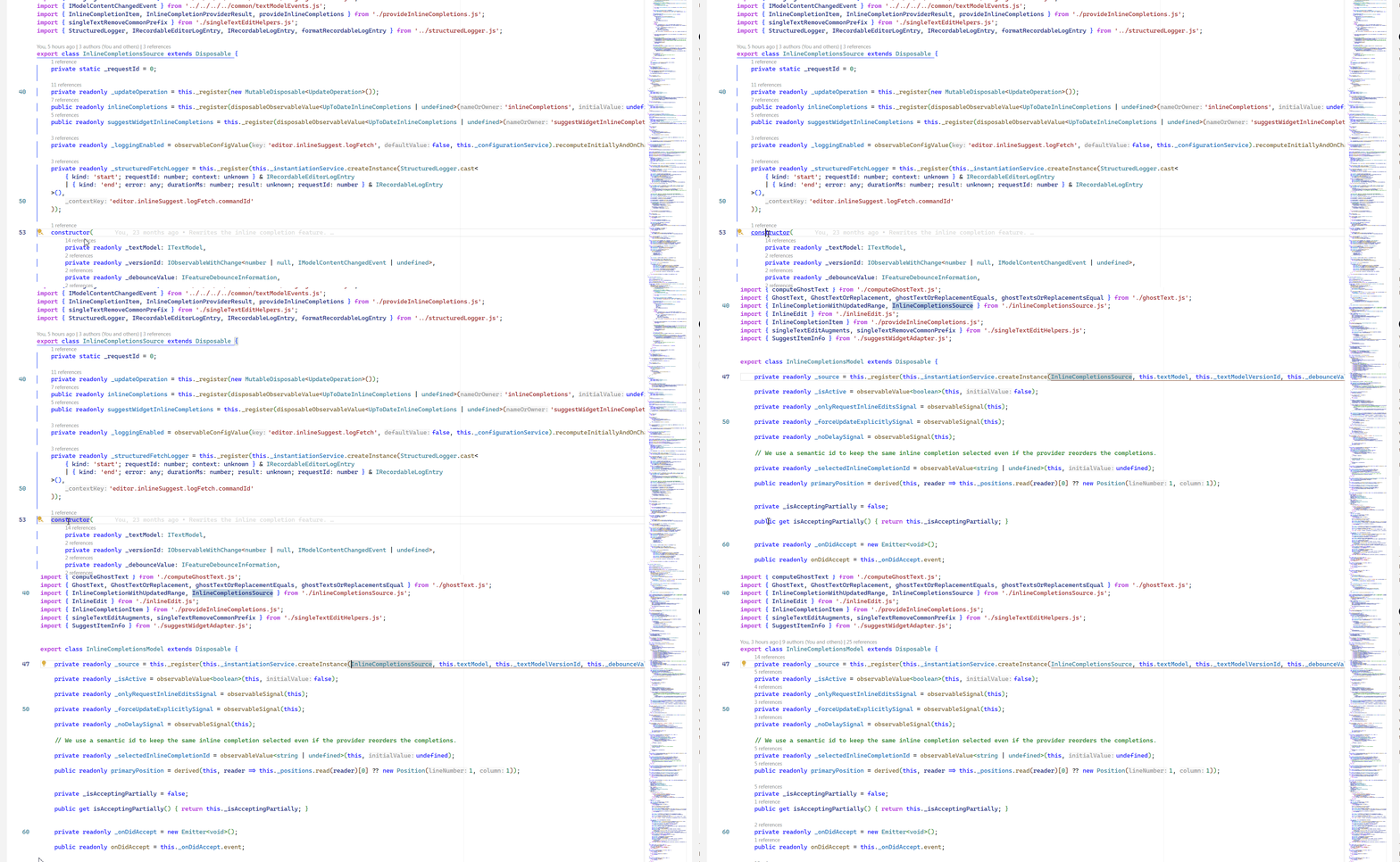
- Find
createInstancefromconstructor:
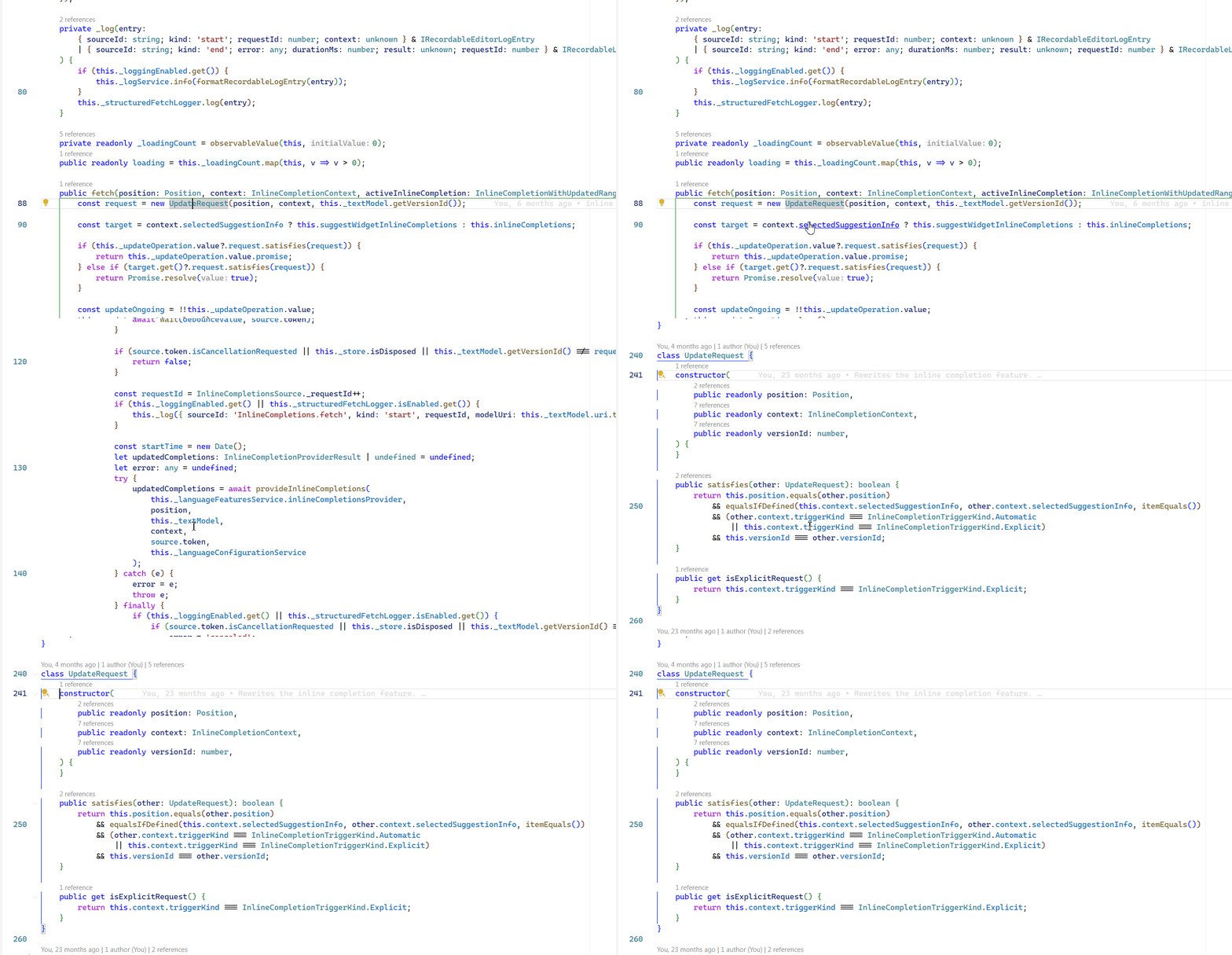
- Go to definition skips class, and only jumps to constructor:
Building
git clone https://github.com/microsoft/vscode-ts-customized-language-service
cd vscode-ts-customized-language-service

yarn; yarn build

code-insiders --install-extension ./vscode-extension/extension.vsix
Contributing
This project welcomes contributions and suggestions. Most contributions require you to agree to a
Contributor License Agreement (CLA) declaring that you have the right to, and actually do, grant us
the rights to use your contribution. For details, visit https://cla.opensource.microsoft.com.
When you submit a pull request, a CLA bot will automatically determine whether you need to provide
a CLA and decorate the PR appropriately (e.g., status check, comment). Simply follow the instructions
provided by the bot. You will only need to do this once across all repos using our CLA.
This project has adopted the Microsoft Open Source Code of Conduct.
For more information see the Code of Conduct FAQ or
contact [email protected] with any additional questions or comments.
Trademarks
This project may contain trademarks or logos for projects, products, or services. Authorized use of Microsoft
trademarks or logos is subject to and must follow
Microsoft's Trademark & Brand Guidelines.
Use of Microsoft trademarks or logos in modified versions of this project must not cause confusion or imply Microsoft sponsorship.
Any use of third-party trademarks or logos are subject to those third-party's policies.