

Repository
chatgpt-imagegen
Use your ChatGPT subscription to generate images from the command line — no OPENAI_API_KEY, no gateway, no daemon. Zero-dep Python CLI + AI-agent skill.
README
chatgpt-imagegen

English | 中文
Generate images with your ChatGPT subscription — no OPENAI_API_KEY.
A tiny zero-dependency Python CLI (and AI-agent skill): one file, stdlib only. Works on a free ChatGPT account too — the default backend just drives the normal ChatGPT web chat, where even free-tier users get image generation.
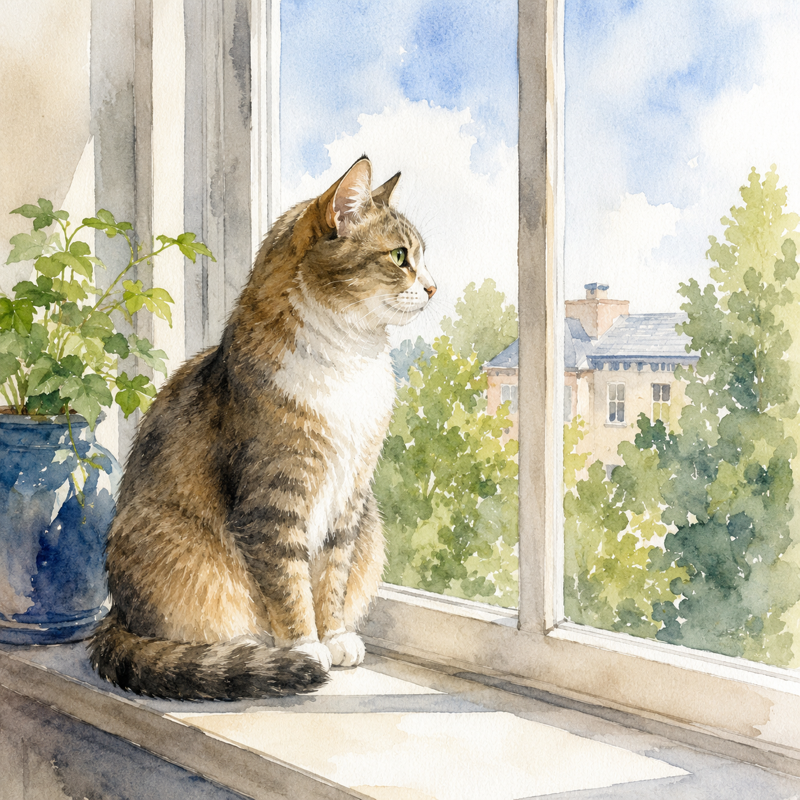
chatgpt-imagegen "a watercolor cat sitting on a windowsill" -o cat.png
# -> saved: cat.png  (812,344 bytes)  size=1024x1024  quality=medium
Install
Needs Python 3.10+ and a ChatGPT subscription (free tier works).
For AI agents (recommended) — drops the skill into Claude Code, Codex, Cursor, etc.:
npx skills add leeguooooo/chatgpt-imagegen -gThen just ask: "画一张 …" / "generate a hero banner for the README".
Standalone CLI — no pip, no virtualenv:
git clone https://github.com/leeguooooo/chatgpt-imagegen
sudo install chatgpt-imagegen/chatgpt-imagegen /usr/local/bin/chatgpt-imagegen
You also need one backend — web (default, drives your logged-in Chrome, spends no Codex-usage) or codex (headless fallback). chatgpt-imagegen doctor shows what's ready. → Backends & troubleshooting
Got a Gemini subscription too? Two more backends use it instead of OpenAI: --backend gemini (drives a logged-in gemini.google.com Chrome) and --backend agy (the Antigravity CLI, headless). They bill separate quotas from each other, so either can cover for the other. Neither is ever chosen automatically — ask by name. Pin the subscribed Chrome profile with --gemini-profile, since most profiles are signed in to some Google account. Note that Gemini text-to-image output carries a visible watermark in the bottom-right corner (image-to-image does not), and --size steers the aspect ratio there rather than the exact pixel count.
Upgrade
chatgpt-imagegen updateIt runs the skills manager for you — directly when skills is on PATH, through npx when it isn't (it usually isn't). Interactive runs check for a newer version at most once a day and upgrade automatically for the next run; failures fall back to a notice listing what changed. CHATGPT_IMAGEGEN_NO_AUTO_UPDATE=1 disables installation but keeps the check and notice, while CHATGPT_IMAGEGEN_NO_UPDATE_CHECK=1 disables both. --quiet/--no-progress never upgrades in the background.
On 0.23.1 or earlier? That self-update only looked for a global skills and gave up when it was missing, so it cannot deliver its own fix. Bootstrap once with:
npx -y skills update chatgpt-imagegenAfter that chatgpt-imagegen update works on its own.
Usage
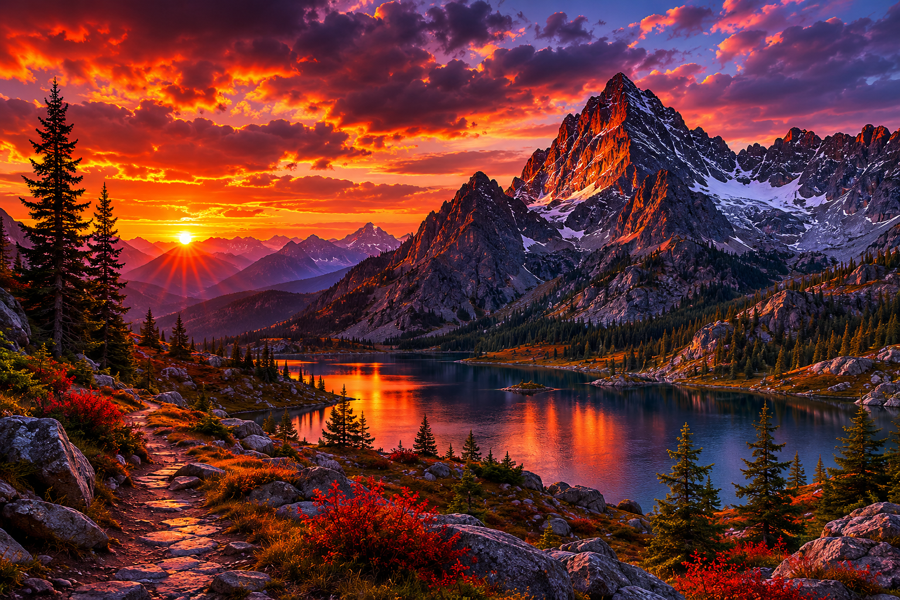
chatgpt-imagegen "moody mountain sunset" -o web/hero.png --size 1536x1024
chatgpt-imagegen "make it a warm golden-hour photo, cinematic 35mm" -i photo.jpg   # reference the subject
chatgpt-imagegen "a different fictional person" --composition-ref photo.jpg        # borrow the framing, not the face
chatgpt-imagegen "a robot mascot" --style doodle                                    # apply a gallery style (auto-pulled + saved)
chatgpt-imagegen animate "a dog happily wagging its tail" --style-online snoopy --also-gif
OUT=$(chatgpt-imagegen "icon" --quiet)                                              # capture the path
All three below came straight out of the commands above — no retouching:
<table>
<tr>
<td width="33%">
</td>
<td width="33%">
</td>
<td width="33%">

</td>
</tr>
<tr>
<td><sub><code>"a watercolor cat sitting on a windowsill"</code></sub></td>
<td><sub><code>"moody mountain sunset" --size 1536x1024</code></sub></td>
<td><sub><code>"a coffee shop logo, circular emblem"</code></sub></td>
</tr>
</table>
animate asks the image model for a strict 4×2 sprite sheet, crops eight equal
frames, rejects obvious subject drift, and writes a smooth ping-pong loop. It
defaults to animated WebP; pass --animation-format gif or --also-gif when
GIF compatibility matters. The source sprite PNG is always kept beside the
animation. Animation post-processing needs
ImageMagick (magick); WebP output additionally
needs libwebp (img2webp).
chatgpt-imagegen doctor reports whether both are installed.
Full options: chatgpt-imagegen --help. → Generate images · Styles
Community styles
Browse and reuse art styles other people tuned — a public gallery at drawstyle.leeguoo.com. No script update needed:
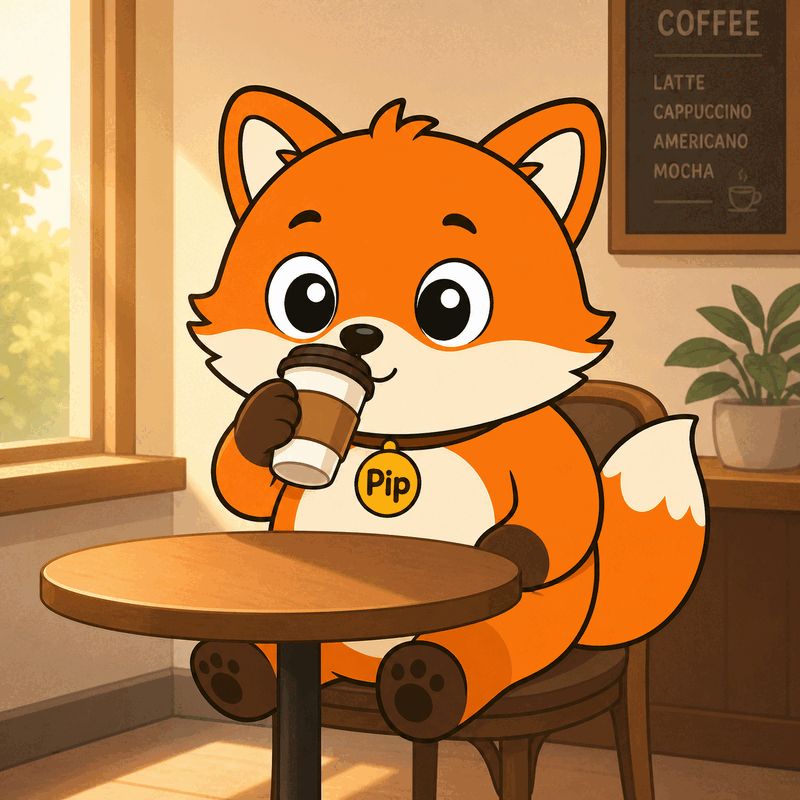
chatgpt-imagegen "a fox barista" --style-online doodle  # generate with a gallery style, nothing saved
chatgpt-imagegen style search "watercolor mascot"       # search the gallery
chatgpt-imagegen style publish mystyle --category cute --from-last   # share yours (one-time login)
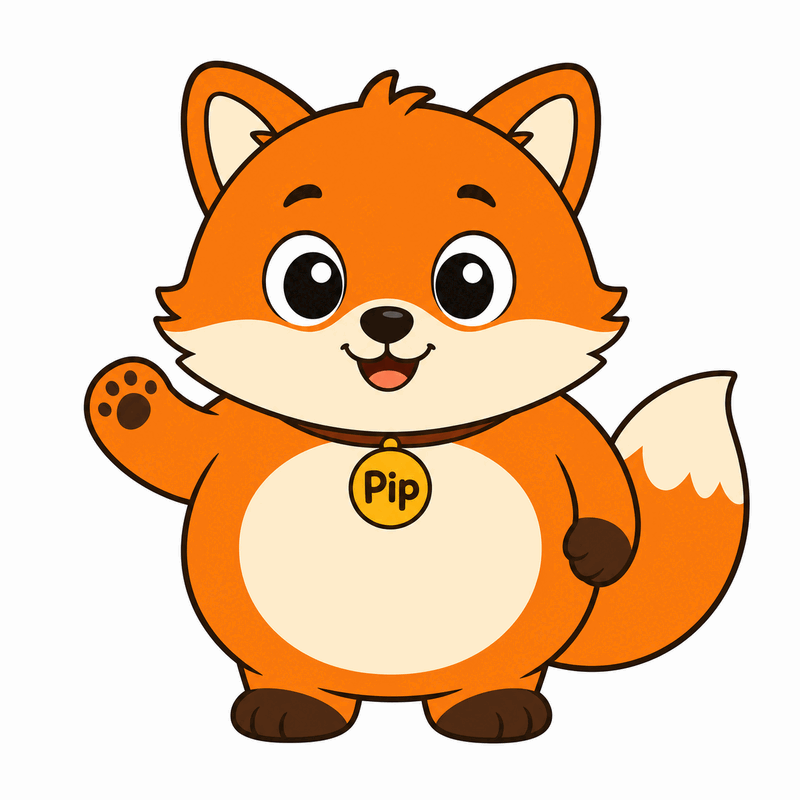
A style can pin a character, not just a look. Style assets carry reference images, so the same character comes back in a brand-new scene:
chatgpt-imagegen style add pip --kind character --ref pip-ref.png
chatgpt-imagegen "a fox barista" --style pip
<table>
<tr>
<td width="50%">
</td>
<td width="50%">
</td>
</tr>
<tr>
<td align="center"><sub>the pinned reference</sub></td>
<td align="center"><sub>generated from <code>"a fox barista"</code></sub></td>
</tr>
</table>
Gallery packages can be characters too — xiaohei is one.
→ Using gallery styles · Submitting a style
Learn more
- 📖 Full documentation — install, generating, styles, backends, the platform.
- 🎨 Style gallery — browse and contribute community art styles.
- 📝 Deep dive (blog) — the design and principles behind it.
- ⚙️ How it works · HTTP API wrapper
License
MIT — see LICENSE.
Disclaimer
This tool calls ChatGPT's internal backend-api/codex endpoint — the same one the official Codex CLI uses. It is not a documented public API; OpenAI could change or restrict it at any time. Use at your own risk and within the OpenAI Terms of Use — in particular, do not use your ChatGPT subscription to power a public-facing image generation service.
<details>
<summary>Keywords</summary>
ChatGPT subscription image generation, free ChatGPT account image generation, use ChatGPT Plus for image API, gpt-image-2 without OPENAI_API_KEY, gpt-image-2 ChatGPT subscription, image_generation tool Responses API, ChatGPT image CLI, Codex CLI image_gen as standalone tool, DALL-E via ChatGPT Plus, OAuth-backed OpenAI image generation, no-API-key image generation, AI agent image generation skill, Claude Code image skill, OpenAI image generation without billing.
中文: 用 ChatGPT 订阅生成图片、免费 ChatGPT 账号生图、ChatGPT Plus 生图工具、不用 API key 生图、gpt-image-2 用订阅、ChatGPT 订阅生图 CLI、Codex CLI 生图能力独立工具、给 AI agent 用的生图 skill、本地生图脚本、零依赖 Python 生图工具。
</details>