

- traffic
- :gpu
- nano, 32 concurrent × 1 text
- 1,267 tok/s
- nano, 64 concurrent (mixed)
- 3,000 tok/s
- nano, bulk (4×128)
- 16,134 tok/s
Specs
- traffic:gpu
- nano, 32 concurrent × 1 text1,267 tok/s
- nano, 64 concurrent (mixed)3,000 tok/s
- nano, bulk (4×128)16,134 tok/s
- small, 64 concurrent (mixed)1,231 tok/s
README
jina-on-prem
On-prem deployment toolkit for Jina AI models. Bundle embedding, reranker, and reader models into self-contained Docker images that run fully offline.
New here? The Quick Start wiki page gets you to your first
/v1/embeddingsresponse in 5 minutes using a prebuilt image. Full tutorials, troubleshooting, and the model catalog live in the wiki.

flowchart TB
    subgraph Phase1["Phase 1: BUNDLE - requires network"]
        A["python jina-on-prem.py bundle"] --> B["Select model + runtime"]
        B --> C["Docker build, weights + deps baked in"]
        C --> D["docker save - .tar.gz"]
    end

    Phase1 -->|"USB / SCP / physical media"| Phase2

    subgraph Phase2["Phase 2: DEPLOY - no network needed"]
        E["docker load < model.tar.gz"] --> F["docker run -p 8080:8080"]
        F --> G["Multi-schema API ready: OpenAI / Gemini / Cohere / Voyage"]
        G --> H["Elasticsearch / Your App"]
    end
Quick start
Already have a prebuilt? Skip bundling
./scripts/pull-prebuilt.sh jina-embeddings-v5-text-nano cpu
# produces jina-embeddings-v5-text-nano-cpu.tar.gz
# transfer it, then on the offline machine:
docker load < jina-embeddings-v5-text-nano-cpu.tar.gz
docker run -p 8080:8080 jina/jina-embeddings-v5-text-nano:cpu
Bundle from scratch
python jina-on-prem.py list                                       # show all models
python jina-on-prem.py bundle                                     # interactive picker
python jina-on-prem.py bundle --model jina-embeddings-v5-text-nano --cpu-only --yes
Need a builder machine? scripts/bootstrap-gcp.sh provisions one on GCP with Docker + NVIDIA Container Toolkit + the repo pre-cloned.
Deploy (air-gapped machine)
No repo, no scripts, no Python. Just Docker.
docker load < MODEL.tar.gz
docker run -p 8080:8080 jina/MODEL:cpu                           # CPU
docker run --gpus all -p 8080:8080 jina/MODEL:gpu                # GPU
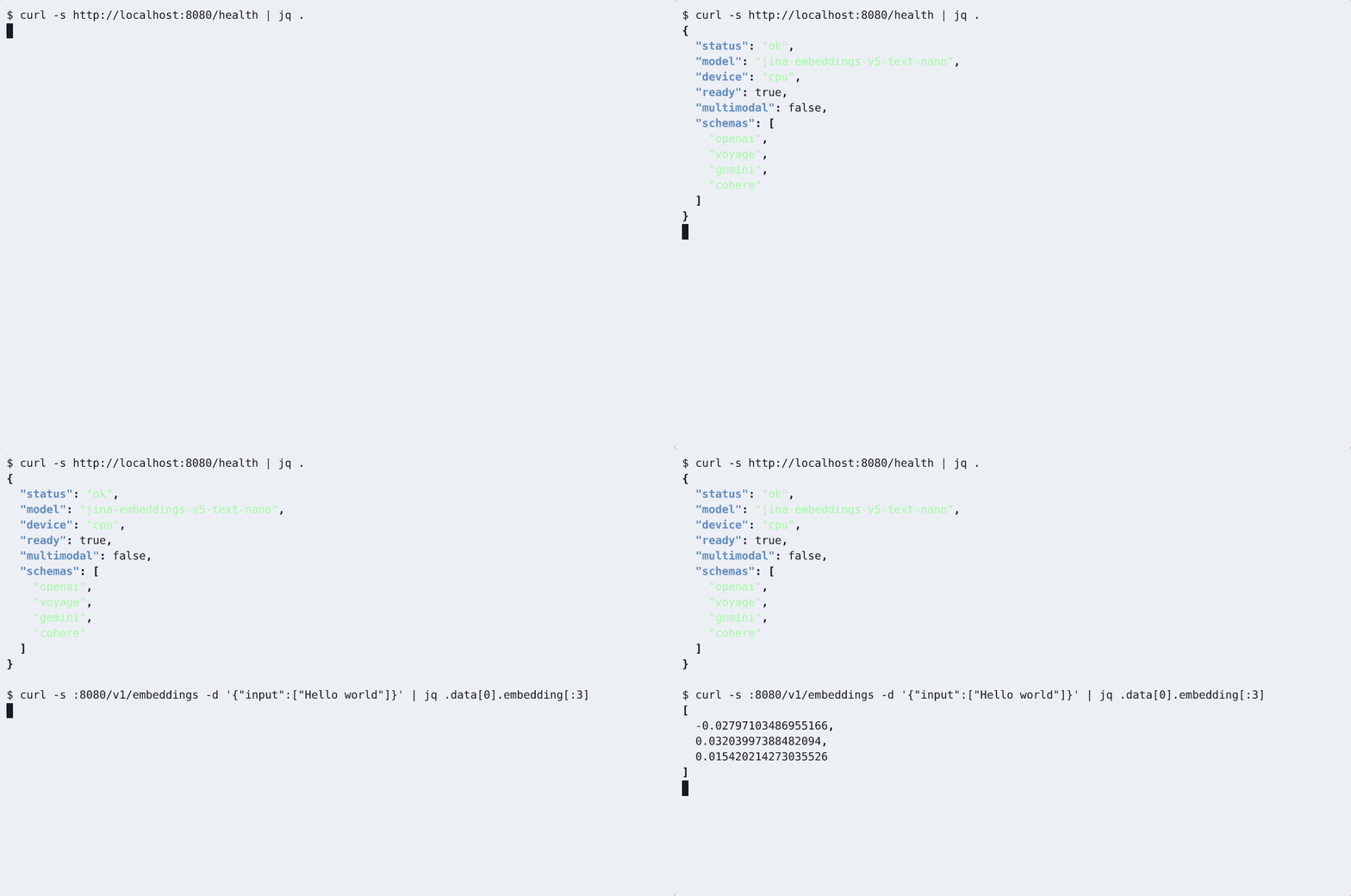
curl http://localhost:8080/health
Or via docker compose:
MODEL=jina-embeddings-v5-text-nano RUNTIME=cpu docker compose up -d
# for embed + rerank side-by-side:
docker compose -f docker-compose.multi.yml up -d
Python client
uv pip install openai requests
python examples/python_client.py
Drops in via OpenAI SDK with base_url="http://your-host:8080/v1".
Models
29 models supported: embeddings (v5, v4, v3, v2), rerankers, readers, ColBERT, CLIP, VLM. All 29 models have prebuilt images. Headline picks:
| Model | Type | Modality | Params | VRAM | Prebuilt |
|---|---|---|---|---|---|
jina-embeddings-v5-text-nano |
embedding | text | 239M | ~2GB | cpu / gpu |
jina-embeddings-v5-text-small |
embedding | text | 677M | ~3GB | cpu / gpu |
jina-embeddings-v3 |
embedding | text | 570M | ~3GB | cpu / gpu |
jina-embeddings-v5-omni-nano |
embedding | multimodal | 1.04B | ~5GB | cpu / gpu |
jina-embeddings-v5-omni-small |
embedding | multimodal | 1.74B | ~8GB | cpu / gpu |
jina-clip-v2 |
embedding | multimodal | 865M | ~4GB | cpu / gpu |
jina-reranker-v3.5 |
reranker | text | 0.6B | ~3GB | cpu / gpu |
jina-reranker-v3 |
reranker | text | 597M | ~3GB | cpu / gpu |
Full catalog with all 29 models, VRAM, context windows, and licenses: Model Catalog wiki (auto-generated from models/catalog.json).
CC-BY-NC-4.0 models require a commercial license for production use. Contact Elastic sales.
Maximum GPU throughput (:gpu-opt)
The default :gpu server processes one request at a time on the event loop, so concurrent clients serialize (32 clients ≈ the throughput of 1). For high-QPS serving, the :gpu-opt tags (text embedding models) add a server-side dynamic batcher — a single GPU worker coalesces concurrent requests into length-sorted, token-budgeted batches, so clients can send one input at a time and still saturate the GPU:
docker run --gpus all -p 8080:8080 \
  ghcr.io/jina-ai/jina-on-prem/jina-embeddings-v5-text-nano:gpu-opt   # or -small
Same weights and API as :gpu; fp16 by default (matches the stock :gpu dtype — zero dtype-induced drift; per-vector cos-sim 0.9999981 vs fp32, batch-invariant). For best throughput clients should request encoding_format: "base64" — byte-identical output, far cheaper to serialize (the OpenAI SDK does this by default). Measured end-to-end over HTTP on a single L4 (base64):
| traffic | :gpu |
:gpu-opt |
|---|---|---|
| nano, 32 concurrent × 1 text | 1,267 tok/s | 14,550 (~11×) |
| nano, 64 concurrent (mixed) | 3,000 tok/s | 27,341 (~9×) |
| nano, bulk (4×128) | 16,134 tok/s | 36,415 (2.3×) |
| small, 64 concurrent (mixed) | 1,231 tok/s | 8,738 (~7×) |
This default is multi-task — every task (retrieval/text-matching/clustering/classification) returns correct embeddings, same as :gpu.
Maximum throughput (single task). The same image also carries a full single-task stack on top of the batcher — LoRA merge_and_unload, torch.compile (emulate_precision_casts), and a lean tokenize-once pipeline. Merging fixes the model to one task, so it's opt-in via env rather than the default:
docker run --gpus all -p 8080:8080 \
  -e JINA_MERGE_TASK=retrieval -e JINA_LEAN=1 -e JINA_COMPILE=default \
  ghcr.io/jina-ai/jina-on-prem/jina-embeddings-v5-text-nano:gpu-opt
nano then reaches 95,428 tok/s on the lowest single L4 (g2-standard-4, 4 vCPU — 6.0× the stock :gpu server) and 102,195 on g2-standard-8, err=0, per-vector cos-sim 0.9999988 vs fp32. Set JINA_MERGE_TASK to text-matching/clustering/classification for those tasks; 200K tok/s on a single L4 is past the chip's lossless ceiling, so use replicas for higher aggregate (see Sizing & Hardware).
Tunable via env (JINA_BATCH_TOKENS, JINA_DTYPE, JINA_BATCH_WAIT_MS, …) with optimal defaults baked in. Full benchmark, tuning, and replica guidance: Sizing & Hardware → GPU dynamic batching.
API at a glance
The server speaks four schemas on the same port simultaneously:
# OpenAI / Voyage AI
curl http://localhost:8080/v1/embeddings \
  -H 'Content-Type: application/json' \
  -d '{"input": ["Hello world"]}'

# Cohere
curl http://localhost:8080/v1/embed -d '{"texts": ["hi"], "input_type": "search_query"}'

# Google Gemini
curl 'http://localhost:8080/v1/models/MODEL:embedContent' \
  -d '{"content": {"parts": [{"text": "hi"}]}, "taskType": "RETRIEVAL_QUERY"}'

# Reranker
curl http://localhost:8080/v1/rerank \
  -d '{"query": "best embedding model", "documents": ["..."], "top_n": 2}'
Tasks (retrieval, text-matching, classification, ...), matryoshka truncation (dimensions: 128), and multimodal inputs (omni / clip / vlm models): see the API Reference wiki.
Elasticsearch inference service drop-in: Elasticsearch integration.
Licensing (time-sensitive keys)
Optional offline entitlement signal: a signed, expiring key that gives sales/audit a visible "expires on X" control. Fully air-gapped (local HMAC check, no phone-home); issuing/renewing needs no image rebuild (key injected at run time).
python jina-on-prem.py keygen --sub acme-corp --days 90        # mint a 90-day key
docker run -e JINA_LICENSE_KEY=JINA-xxx.yyy -p 8080:8080 jina/MODEL:cpu
curl -s http://localhost:8080/health   # shows license status; /health always open
Fail-open by default: a deployed customer is never blocked. The default warn mode always serves - a missing/expired/invalid key only logs and shows in /health. Hard 403 blocking is opt-in via JINA_LICENSE_MODE=enforce (trials/POCs only), and even then an expired key survives a grace window. Compliance speed-bump, not DRM - the signing secret ships in the image (防君子不防小人). Details: Licensing wiki.
Architecture
Two-phase model: bundle (Phase 1, connected) and deploy (Phase 2, offline). Same terminology as zarf, NVIDIA NIM, and Red Hat disconnected install.
- Zero-dep CLI:
jina-on-prem.pyuses Python stdlib only - Weights baked in: multi-stage Docker build downloads weights at bundle time;
HF_HUB_OFFLINE=1+TRANSFORMERS_OFFLINE=1enforced at runtime - No connection of its own: the server opens nothing outbound on its own initiative. It will fetch an
http(s)image or video URL when a request contains one - reachability is your network's decision, and--network nonestill serves every model. Onlyhttp/httpsand inlinedata:URLs are read, capped at 10 MB with an 8s budget - Split Dockerfiles:
Dockerfile.gpu(pytorch base, CUDA, FP16) andDockerfile.cpu(python:3.11-slim) - Per-model pinned deps:
catalog.jsondepsfield drives exact versions per model - Multi-schema API: OpenAI, Voyage AI, Cohere, Gemini - all active simultaneously
- GPU auto-detect: falls back to CPU if no CUDA available
- Matryoshka: pass
dimensionsto truncate embeddings to any supported size
Serve without Docker
If model dependencies are already installed:
python jina-on-prem.py serve --model jinaai/jina-embeddings-v5-text-nano --port 8080
python jina-on-prem.py serve --local-path /data/models/jina-v5-nano
Repo structure
jina-on-prem/
- jina-on-prem.py             # CLI: bundle / deploy / serve / list
- models/
  - catalog.json           # 28-model registry with pinned deps
- docker/
  - Dockerfile.gpu         # GPU image (pytorch base, FP16)
  - Dockerfile.cpu         # CPU image (python:3.11-slim)
  - download_model.py      # Model download + patch script (build stage)
- server/
  - app.py                 # FastAPI server: 4 API schemas
  - requirements.txt       # Server framework deps
- scripts/
  - bootstrap-gcp.sh       # one-shot GCP L4 builder provisioner
  - pull-prebuilt.sh       # pull GHCR image + save tar.gz for offline transport
  - gen_catalog_md.py      # regenerate the Model Catalog wiki page
  - benchmark.py           # throughput benchmark
- test_airgap.sh             # quick sanity check on a built image
Documentation
- Quick Start - 5-minute walkthrough with a prebuilt image
- Bundling Guide - build your own from a connected machine, GCP L4 walkthrough
- Model Catalog - all 29 models with full metadata
- API Reference - four schemas, multimodal inputs, tasks, ES integration
- Troubleshooting - common errors and the fixes that work
- Product & Model Lifecycle (EOL) - how long a deployed model is supported, and why models are maintained differently from software
- CONTRIBUTING.md - build/test/push workflow for new bundles
Maximum GPU throughput ( :gpu-opt )
1
-
The default :gpu server processes one request at a time on the event loop, so concurrent clients serialize (32 clients ≈ the throughput of 1). For high-QPS serving, the :gpu-opt tags (text embedding models) add a server-side dynamic batcher — a single GPU worker coalesces concurrent requests into length-sorted, token-budgeted batches, so clients can send one input at a time and still saturate the GPU: