

Repository
HyperSamplerDataSet
Interactive image preparation tool for AI training datasets. Quickly transform, frame, and export images as perfect squares with real-time preview.
README
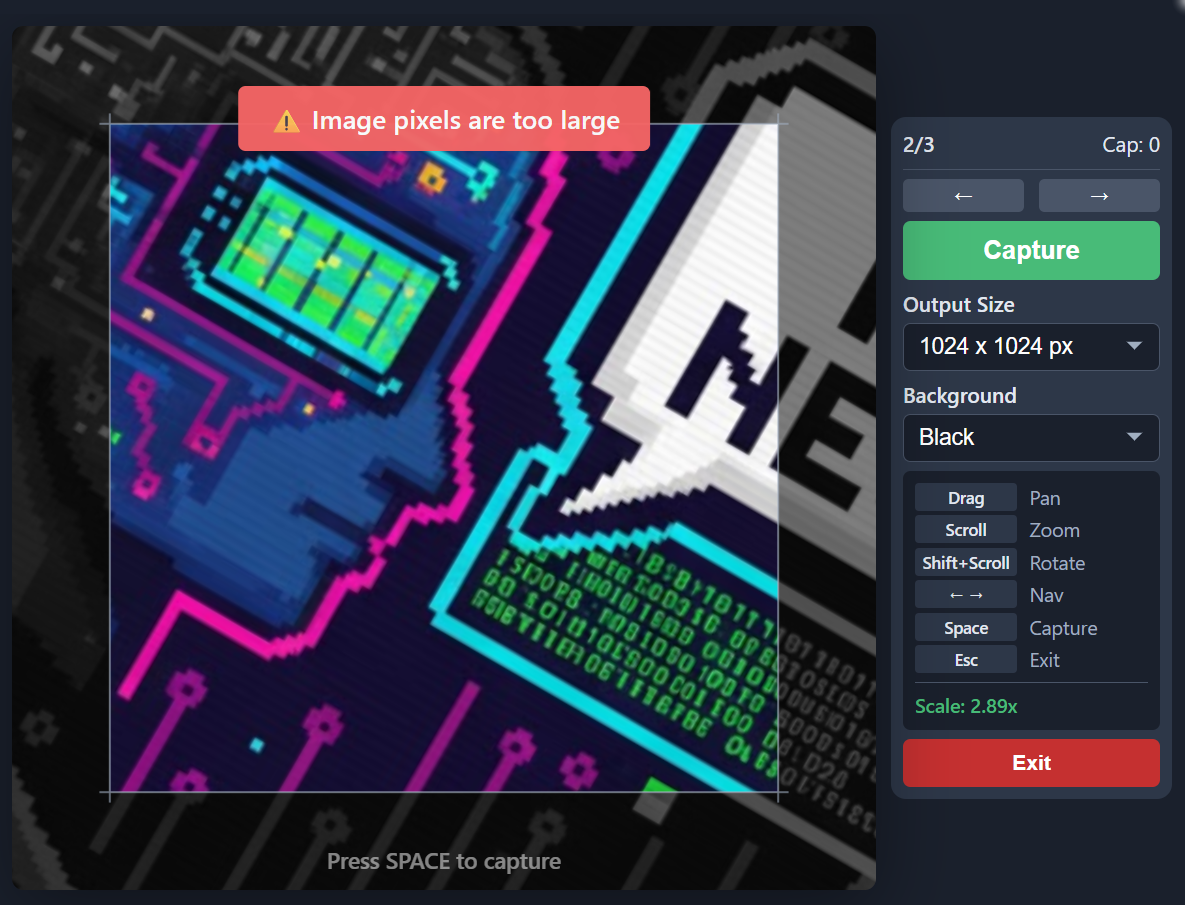
<i>Blitz through dataset prep. High-speed image snapshots for AI training. Crop, rotate, frame — capture and move on instantly.</i>

Features
- Bulk Import: Drag & drop entire folders
- Transform in Seconds: Scroll to zoom, Shift+scroll to rotate, drag to position
- Rapid Capture Loop: Space → export, Arrow → next image, repeat
- Export Options: 512 / 1024 / 2048px squares, black, white or transparent background
- Zero Setup: Works in browser or as standalone Windows app
Built for AI training workflows: Stable Diffusion, LoRA, data augmentation.
Quick Start
Option 1: Download Pre-built Executable (Easiest)
No coding required! Simply download and install:
- Go to the Releases page
- Download
HyperSampler.Setup.x.x.x.exe - Run the installer
- Done!
Option 2: Run in Browser (Recommended for Development)
- Install Node.js (LTS version)
- Double-click
start-web.bat - The app opens automatically at
http://localhost:3000
The script handles everything: installs dependencies, pulls updates, and launches the dev server.
<details>
<summary>Manual commands</summary>
npm install
npm run dev
Build for production: npm run build (output in dist/)
</details>
Option 3: Build Desktop App from Source
- Install Node.js (LTS version)
- Double-click
build-windows.bat - Find your executable in
dist-electron\
Controls
Mouse Controls
- Drag: Position the image
- Scroll wheel: Zoom in/out (0.01x to 5x)
- Shift + Scroll: Rotate the image
- Side buttons (3/4): Navigate Previous/Next image
Keyboard Controls
- Spacebar: Capture and download screenshot
- Arrow Left/Right: Navigate between images
- Escape: Exit to file selection
Technical Details
- Framework: React 18 + Vite
- Desktop App: Electron 28
- Canvas API: HTML5 Canvas for image rendering
- Resolution: 512, 1024 or 2048px square output
- Supported Formats: PNG, JPG input
Features
1
-
Bulk Import : Drag & drop entire folders Transform in Seconds : Scroll to zoom, Shift+scroll to rotate, drag to position Rapid Capture Loop : Space → export, Arrow → next image, repeat Export Options : 512 / 1024 / 2048px squares, black, white or transparent background Zero Setup : Works in browser or as standalone Windows app
Option 1: Download Pre-built Executable (Easiest)
2
-
No coding required! Simply download and install:
Option 2: Run in Browser (Recommended for Development)
1
Option 3: Build Desktop App from Source
1
Mouse Controls
1
-
Drag : Position the image Scroll wheel : Zoom in/out (0.01x to 5x) Shift + Scroll : Rotate the image Side buttons (3/4) : Navigate Previous/Next image
Keyboard Controls
1
-
Spacebar : Capture and download screenshot Arrow Left/Right : Navigate between images Escape : Exit to file selection
Technical Details
1
-
Framework : React 18 + Vite Desktop App : Electron 28 Canvas API : HTML5 Canvas for image rendering Resolution : 512, 1024 or 2048px square output Supported Formats : PNG, JPG input