

Repository
h2ogpte-action
AI code assistance for GitHub Actions on your infrastructure, powered by h2oGPTe.
README
h2oGPTe Action
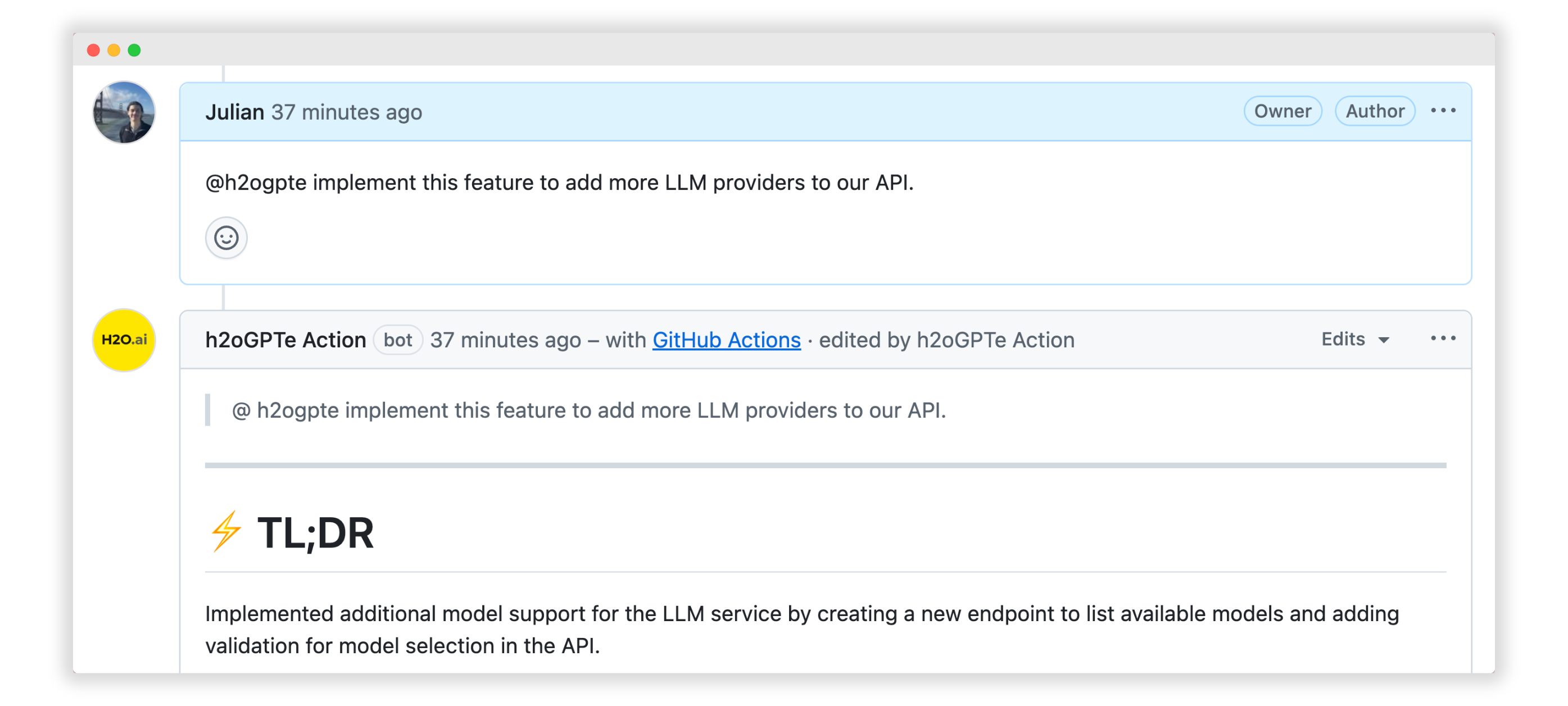
The h2oGPTe GitHub Action brings intelligent AI assistance directly into your GitHub workflow. Simply tag @h2ogpte in any comment, issue, or pull request, and the agent will provide instant AI-powered code review feedback, understand your codebase context, and even write code and make commits when requested.
🎥 Watch our YouTube Video to get started.
🚀 Quick Start
Install the action in your repository using our installation script:
curl -fsSL https://raw.githubusercontent.com/h2oai/h2ogpte-action/refs/heads/main/installation.sh | sh -s < /dev/ttyRunning the installation script will lock the action to the latest tag version.
Watch our installation video for a step-by-step guide.
💬 Basic Usage
Once installed, simply mention @h2ogpte in any comment, issue, or pull request:
@h2ogpte Can you review the changes in this PR and suggest improvements?The agent will automatically analyze your code and provide intelligent feedback.
For all configuration options, see the Configuration guide.
📚 Examples
The repository includes several example workflows:
- Basic Usage - Standard workflow for manual
@h2ogptementions with slash commands - Auto PR Review - Automatic code review on pull requests
- Auto Documentation - Automatic documentation generation
See examples for more workflow configurations. Or, check out our use case series on YouTube.
📖 Documentation
- Configuration - Detailed configuration options and settings
- Usage Guide - Comprehensive usage examples and custom prompting
- FAQ - Common questions and troubleshooting
- Contributing - Development setup and contribution guidelines
✅ Requirements
h2oGPTe Action v0.2.2-beta requires h2oGPTe versions 1.6.31 through 1.6.47.
This version range has been tested and verified for compatibility.
For GitHub Enterprise Server, see Configuring MCP for GHES.
📄 License
This project is licensed under the Apache License 2.0 - see the LICENSE file for details.
🆘 Support
For questions, bug reports, or feature requests, please open an issue on GitHub.