

Repository
Clawatar
From Agentic Intelligence to Interactive Intelligence. Give your AI agent a body and home.
- Command
- Description
- npm run start
- Start dev server + WebSocket server
- npm run dev
- Vite dev server only
- npm run ws-server
- WebSocket server only
Specs
- CommandDescription
- npm run startStart dev server + WebSocket server
- npm run devVite dev server only
- npm run ws-serverWebSocket server only
- npm run buildProduction build
- npm run catalogRegenerate animation catalog
- npm run meetingVirtual meeting bridge v2 (continuous listen + smart trigger)
- npm run meeting:v3Virtual meeting bridge v3 (streaming VAD + streaming TTS)
- ScriptScene
- build_room_v9.pyCozy Bedroom
- build_izakaya_v4.pyIzakaya Bar
- build_cafe_v6.pyCoffee Café
- build_phone_booth_v6.pyRainy Phone Booth
- build_balcony_v8.pySunset Balcony
- build_pool_v8.pySwimming Pool
README
Clawatar 🎭
From Agent Intelligence to Interactive Intelligence. Give your AI agent a body.
A web-based 3D VRM avatar viewer with real-time animations, voice chat, and lip sync — built for OpenClaw.
Screenshots
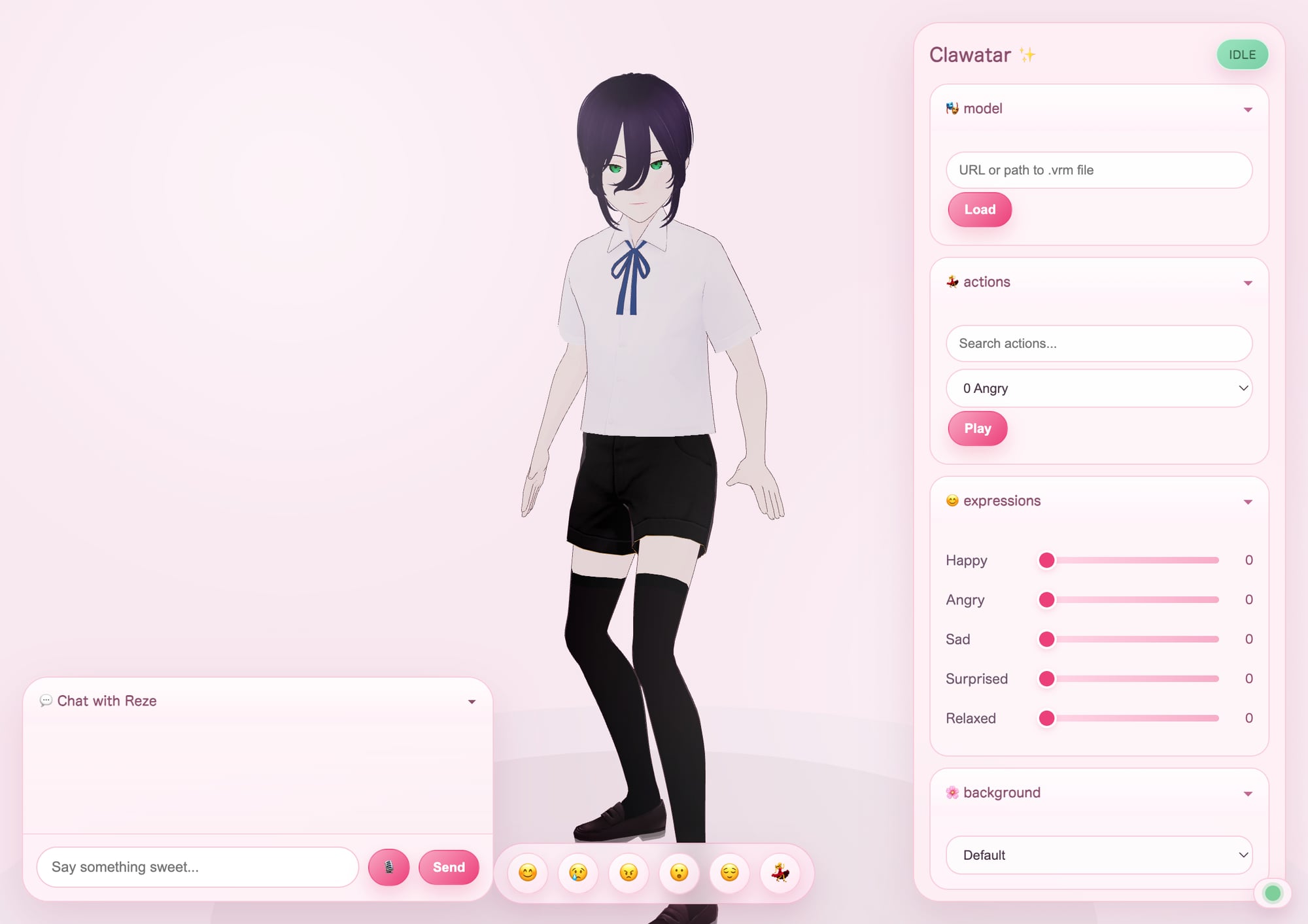
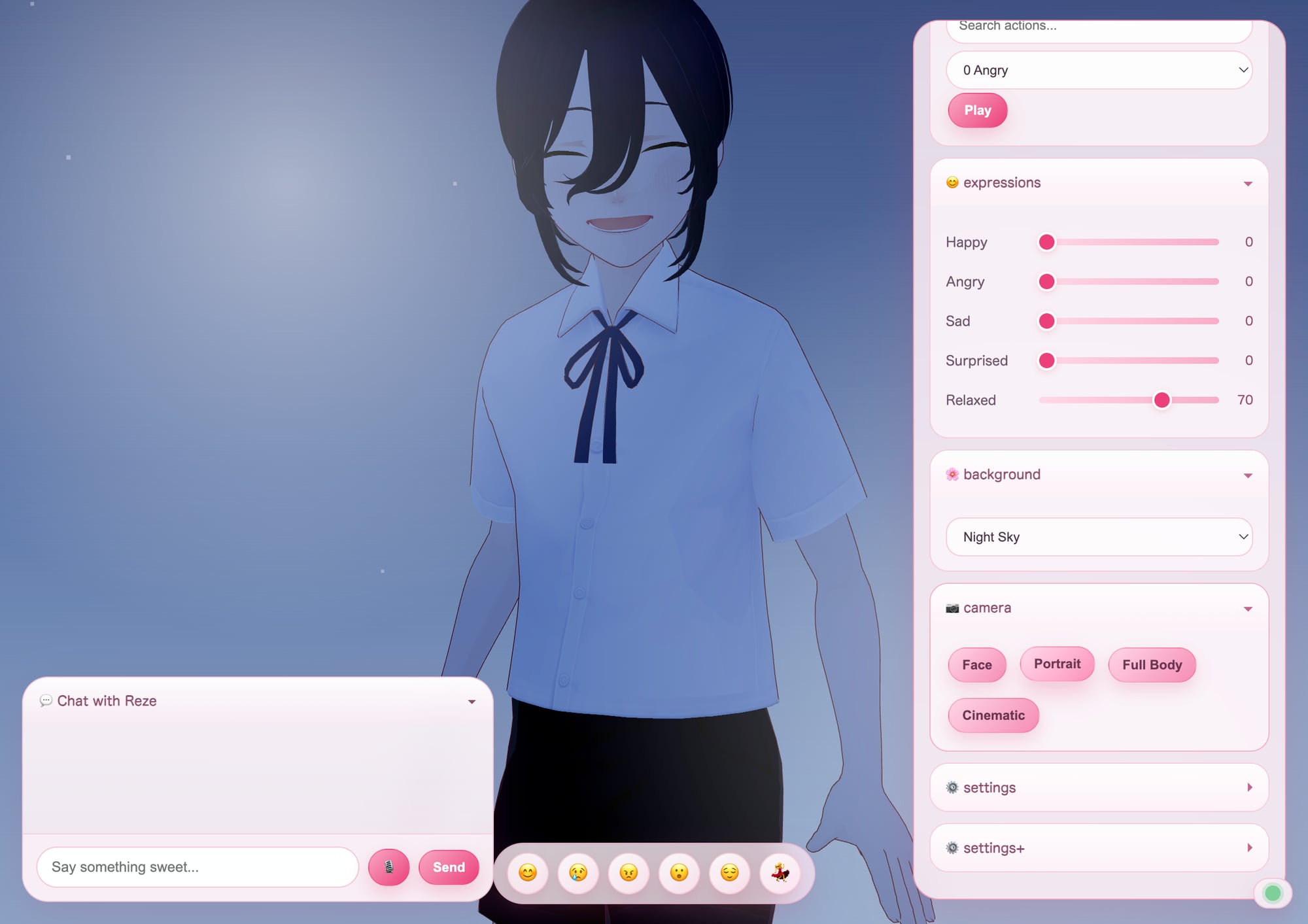
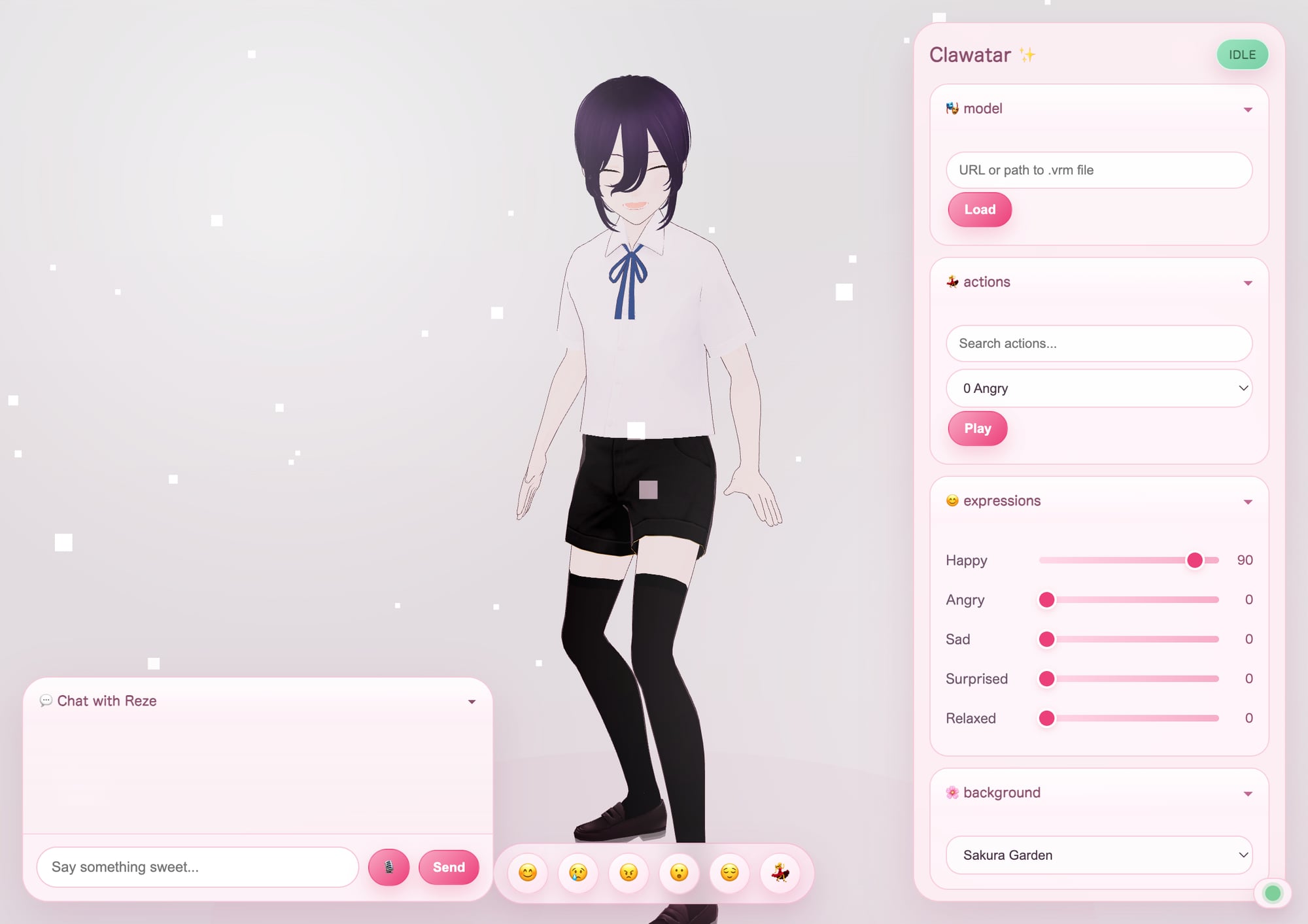
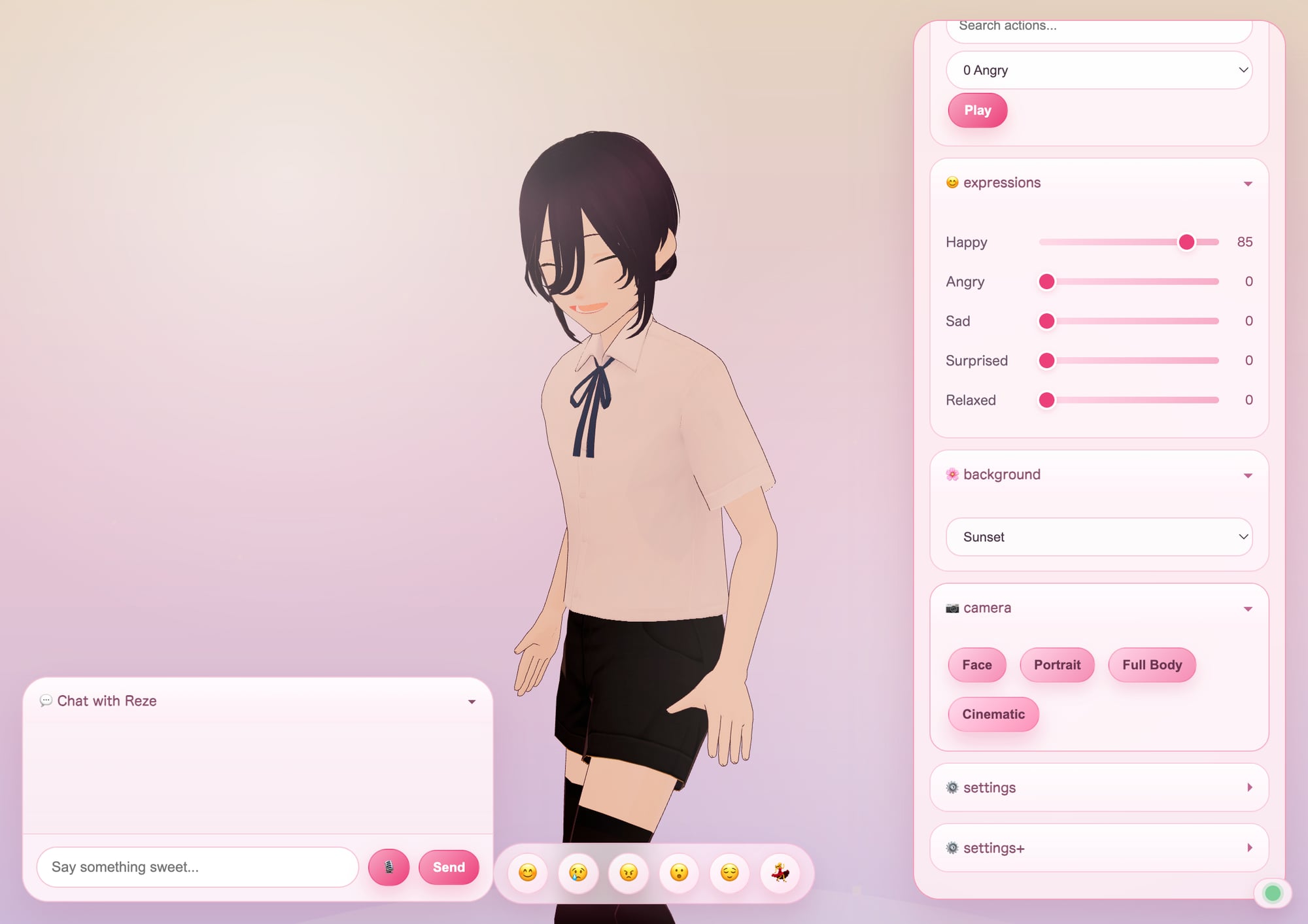
Cute sakura UI, multiple background scenes, camera presets, emotion bar, and 162 animations. VRM model not included — bring your own!
Quick Start
git clone https://github.com/Dongping-Chen/Clawatar.git
cd Clawatar
npm install
npm run start
Open http://localhost:3000 and drop your .vrm model onto the page.
Features
🎭 Avatar & Animation
- 162 animations — wave, dance, think, laugh, shrug, and more (Mixamo VRMA)
- Facial expressions — happy, sad, angry, surprised, relaxed
- Idle behavior — avatar looks around, stretches, yawns when waiting
- Touch reactions — click the avatar for headpats, pokes, and silly reactions ✨
🌸 Beautiful UI
- Sakura/anime theme — cute pink glassmorphism panels
- Background scenes — Sakura Garden 🌸, Night Sky 🌙, Cozy Café ☕, Sunset 🌅
- Camera presets — Face, Portrait, Full Body, Cinematic with smooth transitions
- Quick emotion bar — 😊😢😠😮😌💃 one-tap expression + animation combos
🎤 Voice & Chat
- Audio-driven lip sync — mouth moves to actual speech audio
- Voice input — speak via your browser's microphone
- Voice output — ElevenLabs TTS (optional, requires API key)
- AI conversation — powered by OpenClaw (optional)
- Multi-device routing policy — action/expression is broadcast to all paired devices, while reply text/audio is routed only to the device that triggered the turn
🏠 3D Scene System (Blender Pipeline)
- 6 scenes — Cozy Bedroom 🛏️, Izakaya 🏮, Café ☕, Phone Booth 📞, Sunset Balcony 🌇, Swimming Pool 🏊
- Blender procedural pipeline — Python scripts generate geometry + materials + lights → Cycles render → GLB export
- Emissive-only materials — all scenes use Emission shaders for reliable rendering in Three.js
- Auto emissive lights — brightest emissive meshes automatically spawn PointLights
- Camera freedom — orbit ±135° inside scenes, configurable per-scene camera + exposure
- Activity modes — Study, Exercise, Chill with themed camera angles + animations
- Scene loader —
loadRoomGLB()loads single GLB as entire environment with character lighting
📹 Virtual Meeting Avatar
- Join Google Meet / Zoom — avatar appears via OBS Virtual Camera
- Listen & respond — captures meeting audio via BlackHole → Whisper STT → OpenClaw AI → TTS
- Smart triggers — responds when called by name or asked a question
- Streaming pipeline (v3) — VAD + OpenClaw orchestrated model + streaming ElevenLabs TTS
- No direct LLM calls — all AI routes through OpenClaw Gateway (model selection, context, persona handled automatically)
- Rolling context — maintains 2-minute transcript window for coherent responses
🔌 Developer-Friendly
- Local WebSocket API — control everything programmatically on the same machine
- Drag & drop — load any VRM model
- Standalone mode — works without OpenClaw or ElevenLabs
- OpenClaw skill — install as an agent skill for AI-driven avatars
Bring Your Own Model
No VRM model is bundled. You can:
- Drag & drop a
.vrmfile onto the viewer - Set a URL in
clawatar.config.json→model.url - Enter a URL in the Model panel in the UI
Configuration
Edit clawatar.config.json:
{
  "model": { "url": "", "autoLoad": true },
  "voice": {
    "elevenlabsVoiceId": "your-voice-id",
    "elevenlabsModel": "eleven_turbo_v2_5"
  },
  "server": { "vitePort": 3000, "wsPort": 8765, "audioPort": 8866 },
  "openclaw": { "gatewayPort": 18789, "sessionId": "vrm-chat" }
}
WebSocket Protocol
{"type": "play_action", "action_id": "161_Waving"}
{"type": "set_expression", "name": "happy", "weight": 0.8}
{"type": "speak", "text": "Hello!", "action_id": "161_Waving", "expression": "happy"}
{"type": "reset"}
Multi-device message split
{"type":"sync","category":"action","payload":{"actionId":"161_Waving","expression":"happy","expressionWeight":0.8}}
{"type":"speak_audio","text":"Hello!","audio_url":"https://...","audio_device":"<source_device>","target_device":"<source_device>","reply_device":"<source_device>"}sync/actionis broadcast to keep avatar motion synchronized across all devices.speak_audio/audio_start/audio_chunk/audio_endare reply-routed to the focused source device.
Architecture
Browser (localhost:3000)
├── Three.js + @pixiv/three-vrm
├── VRMA animation playback
├── Audio-driven lip sync
└── Chat UI + Emotion Bar
    │
    │ Local WebSocket (loopback ws://127.0.0.1:8765)
    ▼
WS Server (server/ws-server.ts)
├── Command relay & routing
├── ElevenLabs TTS
├── OpenClaw Gateway bridge (all AI routing)
└── Meeting speech → Gateway API → orchestrated model
    │
    ▼
OpenClaw Gateway (localhost:18789)
├── Model orchestration (Opus/Sonnet/Codex)
├── Session & context management
└── Persona & memory
Apple App Transport Policy (Relay-only)
- iPhone, iPad, and macOS clients use relay transport only (
/ws/client). - Simulator builds follow the same relay-only policy.
- Direct app WebSocket transport (
ws://127.0.0.1:8765) is removed from Apple clients. ws-server.tsbinds loopback (127.0.0.1) by default and also rejects non-loopback WS clients as defense in depth. SetCLAWATAR_ALLOW_REMOTE_WS_CLIENTS=1only for explicit LAN debugging.- Pairing tokens are long-lived; add new devices with
/pair/add-deviceinstead of creating a new session. - Model orchestration path is unchanged: relay bridge ->
ws-server.ts-> OpenClaw gateway (:18789).
OpenClaw Skill
Clawatar includes an OpenClaw skill at skill/SKILL.md. Install it to let your AI agent control the avatar with animations, expressions, and voice.
Scripts
| Command | Description |
|---|---|
npm run start |
Start dev server + WebSocket server |
npm run dev |
Vite dev server only |
npm run ws-server |
WebSocket server only |
npm run build |
Production build |
npm run catalog |
Regenerate animation catalog |
npm run meeting |
Virtual meeting bridge v2 (continuous listen + smart trigger) |
npm run meeting:v3 |
Virtual meeting bridge v3 (streaming VAD + streaming TTS) |
Building Scenes (Blender Pipeline)
Each scene is a Blender Python script that generates procedural geometry → exports GLB.
# Build a scene
/Applications/Blender.app/Contents/MacOS/Blender --background --python blender/build_izakaya_v4.py

# Copy to public
cp /tmp/izakaya.glb public/scenes/izakaya.glb

# Load in viewer
open http://localhost:3000?room=izakaya
Scene scripts (in blender/)
| Script | Scene | GLB Size |
|---|---|---|
build_room_v9.py |
Cozy Bedroom | 3.7 MB |
build_izakaya_v4.py |
Izakaya Bar | 5.9 MB |
build_cafe_v6.py |
Coffee Café | 4.6 MB |
build_phone_booth_v6.py |
Rainy Phone Booth | 1.6 MB |
build_balcony_v8.py |
Sunset Balcony | 7.7 MB |
build_pool_v8.py |
Swimming Pool | 7.1 MB |
Key rules for scene scripts
- All emission strengths ≥ 3.0 — sub-1.0 gets baked dark by glTF exporter
- Use Emission shader only (not Principled BSDF) for reliable Three.js rendering
- Cycles renderer — 64 samples + denoiser
- Center stage clear — character stands at origin (0,0,0)
- Background elements at Blender -Y — they end up behind the character in Three.js
- GLB under 8 MB — optimize mesh complexity
- See
SCENES.mdfor detailed scene configs and review scores
Virtual Meeting Setup
- Install OBS Studio and BlackHole 2ch
- Create a Multi-Output Device (Audio MIDI Setup) → your speakers + BlackHole 2ch
- Set system output to the Multi-Output Device
- OBS: Add Browser Source →
http://localhost:3000?embed→ Start Virtual Camera - Start the avatar:
npm run start - Start the meeting bridge:
npm run meeting:v3 - In Google Meet: select OBS Virtual Camera (video) and BlackHole 2ch (mic)
See virtual-meeting/README.md for detailed architecture docs.
Credits
- Animations: Mixamo — non-commercial use, credit required
- VRM rendering: @pixiv/three-vrm
- Inspired by: moeru-ai/airi
License
MIT — see LICENSE
Scene scripts (in blender/ )
1
-
Script Scene GLB Size build_room_v9.py Cozy Bedroom 3.7 MB build_izakaya_v4.py Izakaya Bar 5.9 MB build_cafe_v6.py Coffee Café 4.6 MB build_phone_booth_v6.py Rainy Phone Booth 1.6 MB build_balcony_v8.py Sunset Balcony 7.7 MB build_pool_v8.py Swimming Pool 7.1 MB