

Repository
foundry-container-registry
A graphical hub to the CrowdStrike container registry, built on Foundry.
README

Container Registry (Foundry app)
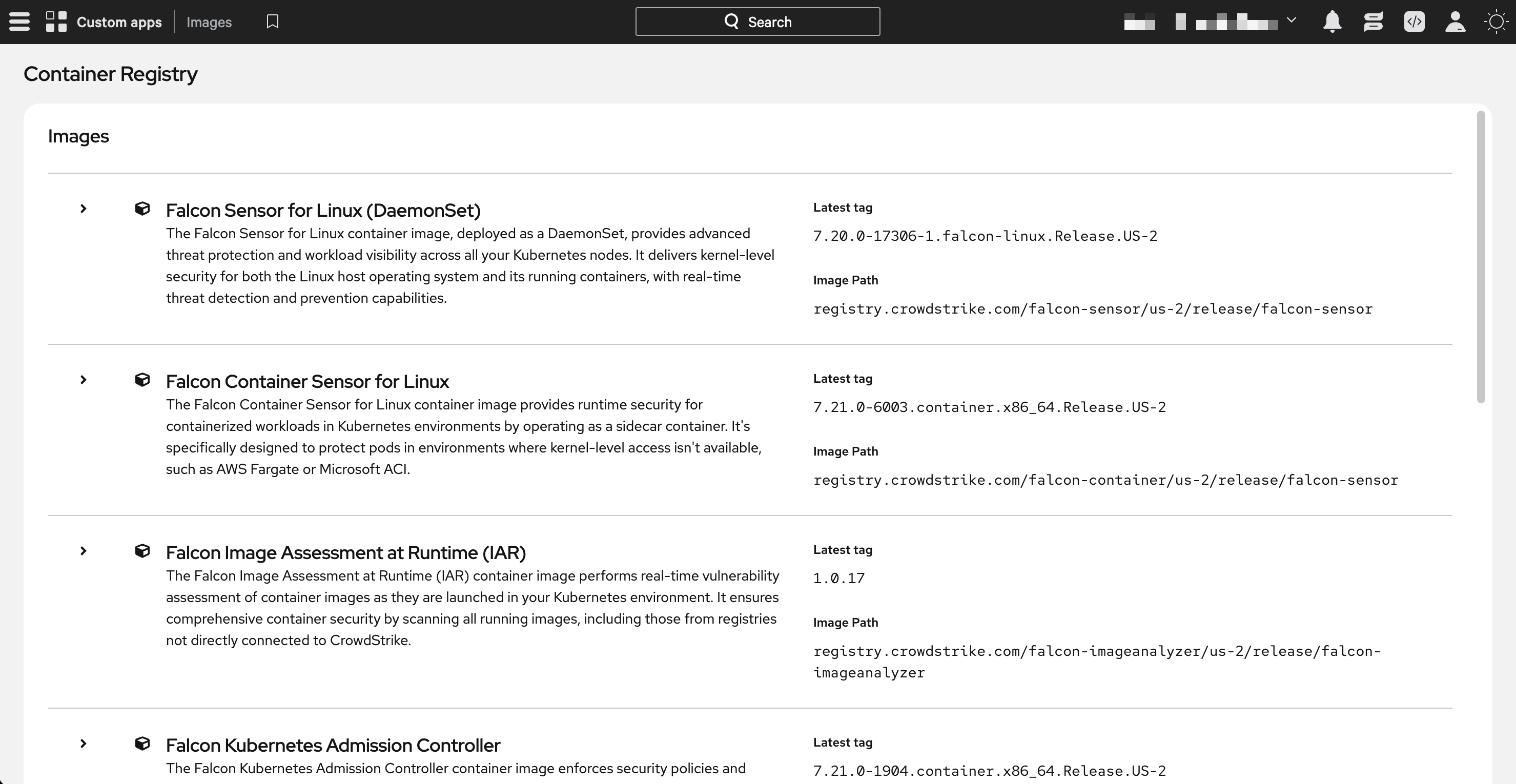
A Foundry application that provides a user-friendly interface for viewing CrowdStrike's container registry, allowing customers to easily view available container images and their associated tags.
Installation
The application can be installed through Foundry's app import functionality. You'll need appropriate permissions in your Foundry environment to import and install the application.
Requirements
- Falcon Roles:
- Falcon Administrator
- App Capabilities
- One or more of these subscriptions:
- Falcon Cloud Security with Containers
- Falcon for Managed Containers
- One or more of these subscriptions:
Download the app
The Foundry app is exported as a release artifact upon creation of new releases. To download the app:
- Navigate to the Releases page
- Download the latest
foundry-container-registry-<version>.tar.gzunder Assets
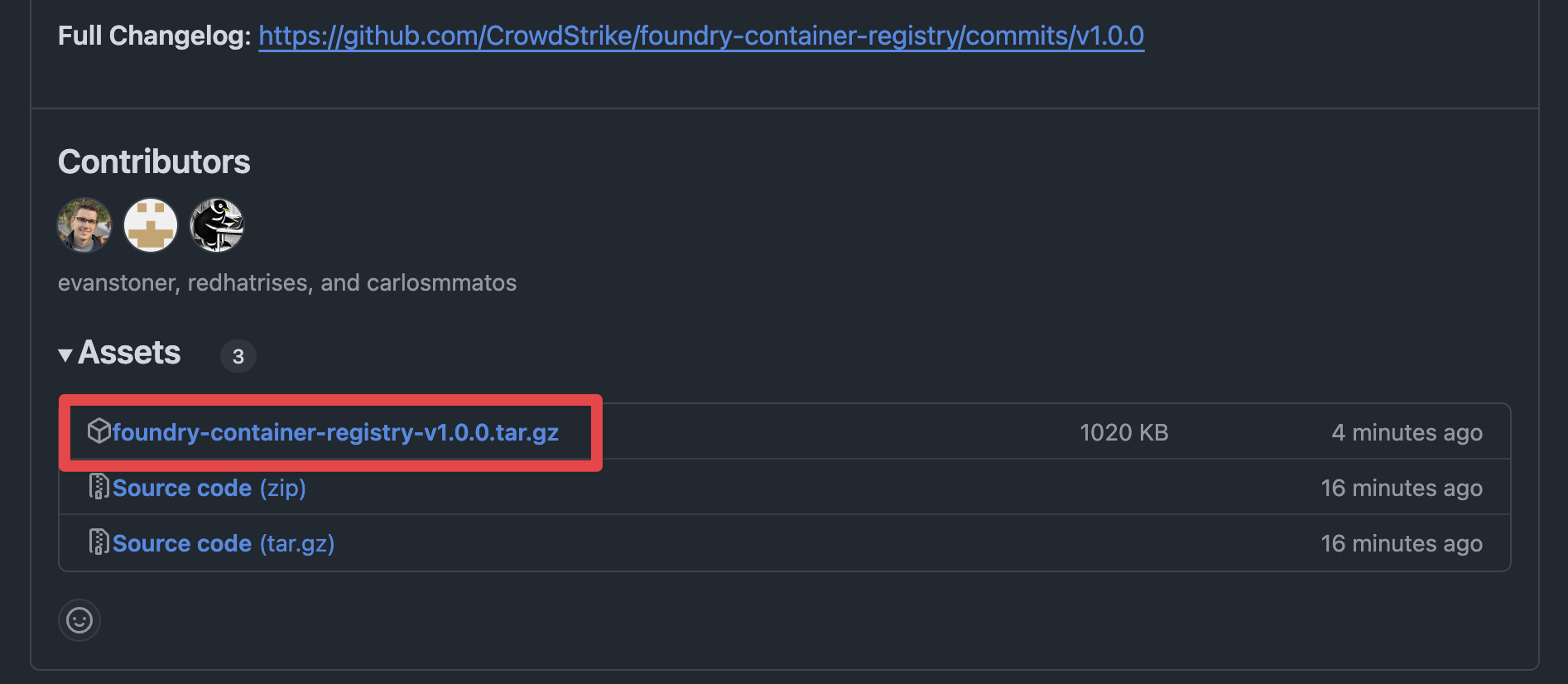
- Save the file to your local machine
Import the app into Foundry
[!WARNING]
There are limitations to importing apps in Foundry:
- You can't import multiple deployment versions of the same app
- Editing an exported file before importing it can cause the file to become invalid. Instead of editing the exported file, edit the app after import.
- On the Falcon console, navigate to Foundry -> Foundry -> App manager
- Click on Import app
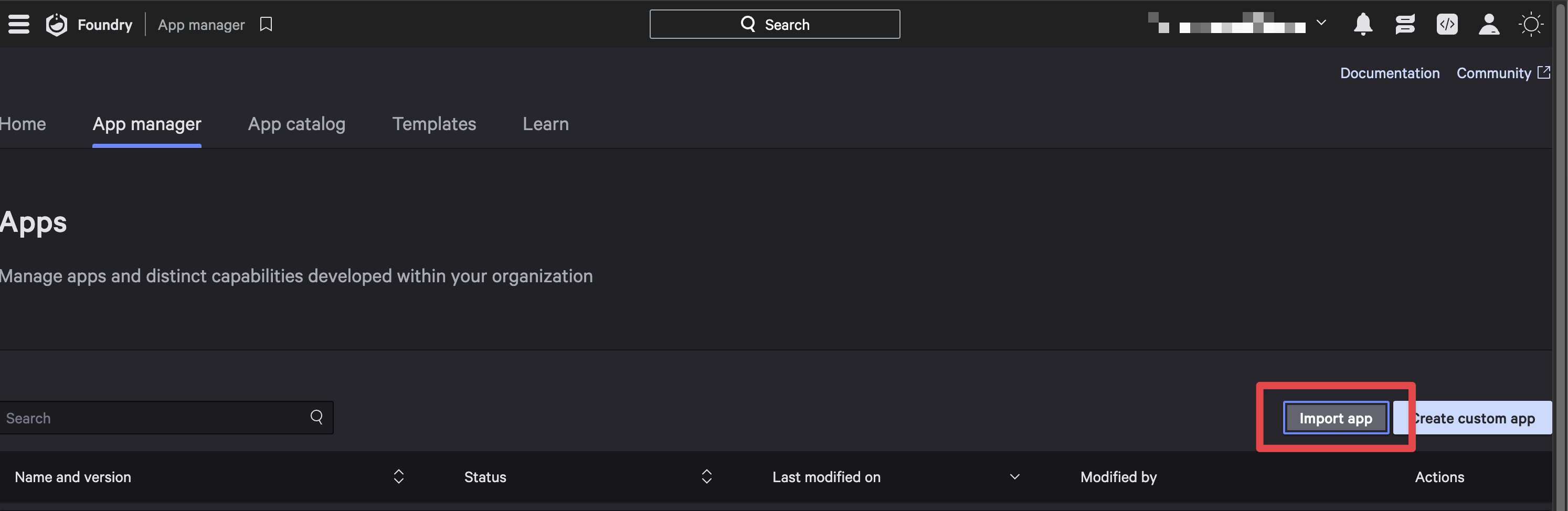
- Click Upload file and select the downloaded
foundry-container-registry-<version>.tar.gzfile from the previous section - (Optionally) modify the app name
- Click Import to complete the import process
[!NOTE]
A message is displayed when deployment begins, and another message is displayed when deployment is complete.The deployment is automatically assigned a type of Major, with a version of 1.0.0. The change log reads Major: App Imported.
Release the app
Release a deployment version of the app to make it available for installation and use in your CID. To release the app:
- In App manager click the Open menu (3 dots) for the deployment you want to release and select Release app
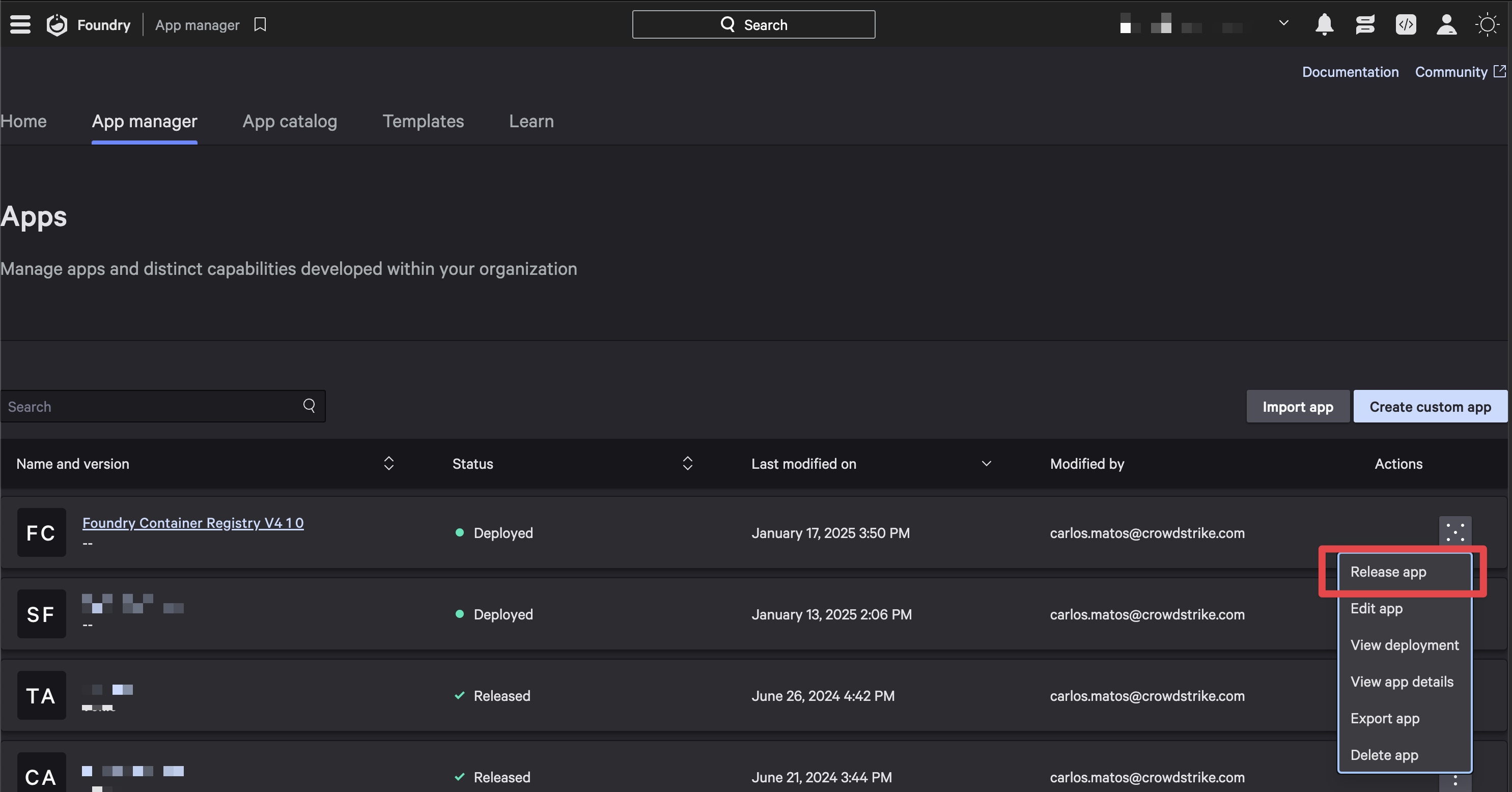
- Select Major for change type, add any notes you would like to and click Release
This will take you to the App overview page after a successful release.
Install the app
To install the Foundry app and make it available to your CID:
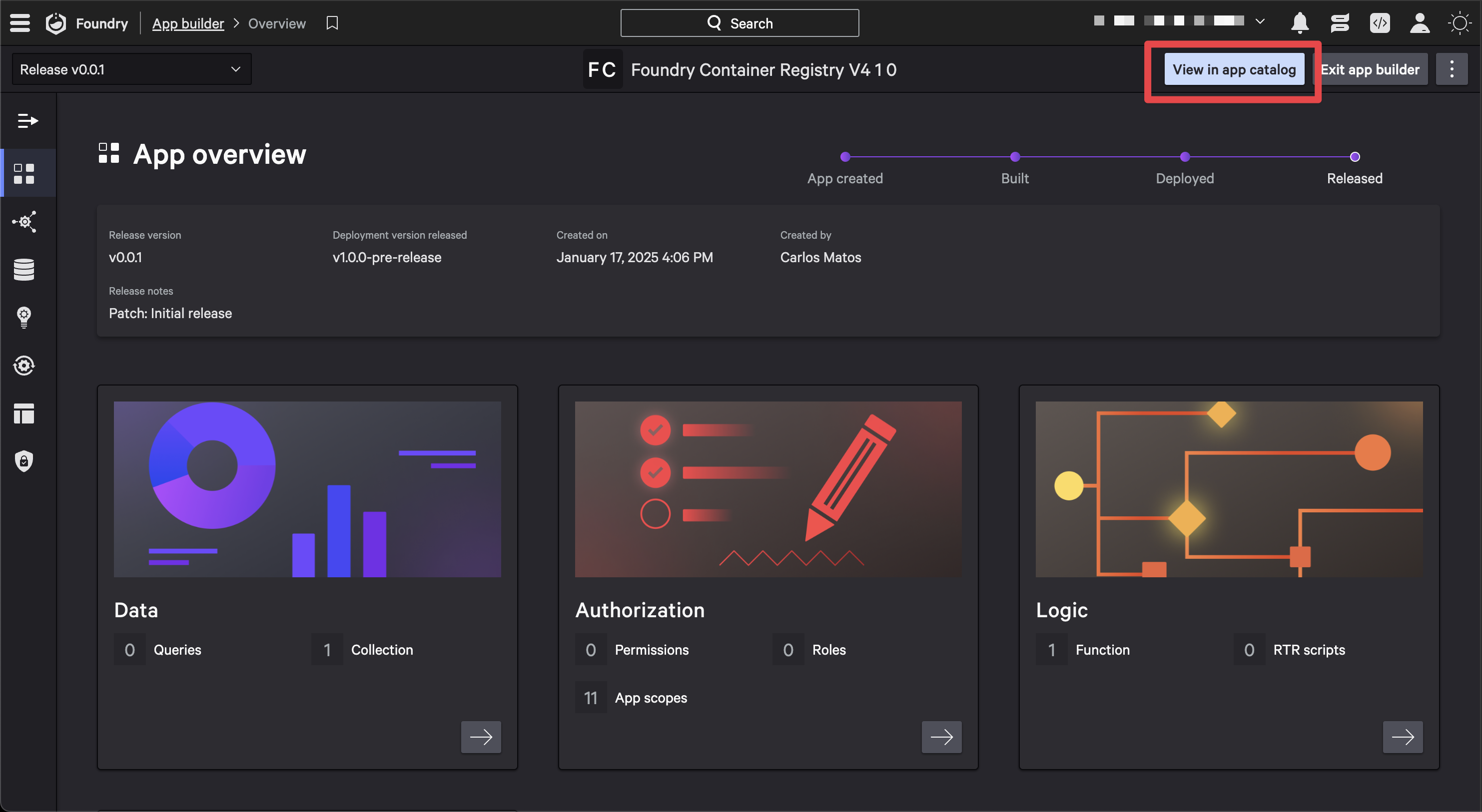
- In the App overview page, select View in app catalog to navigate to the app catalog for the Container Registry app
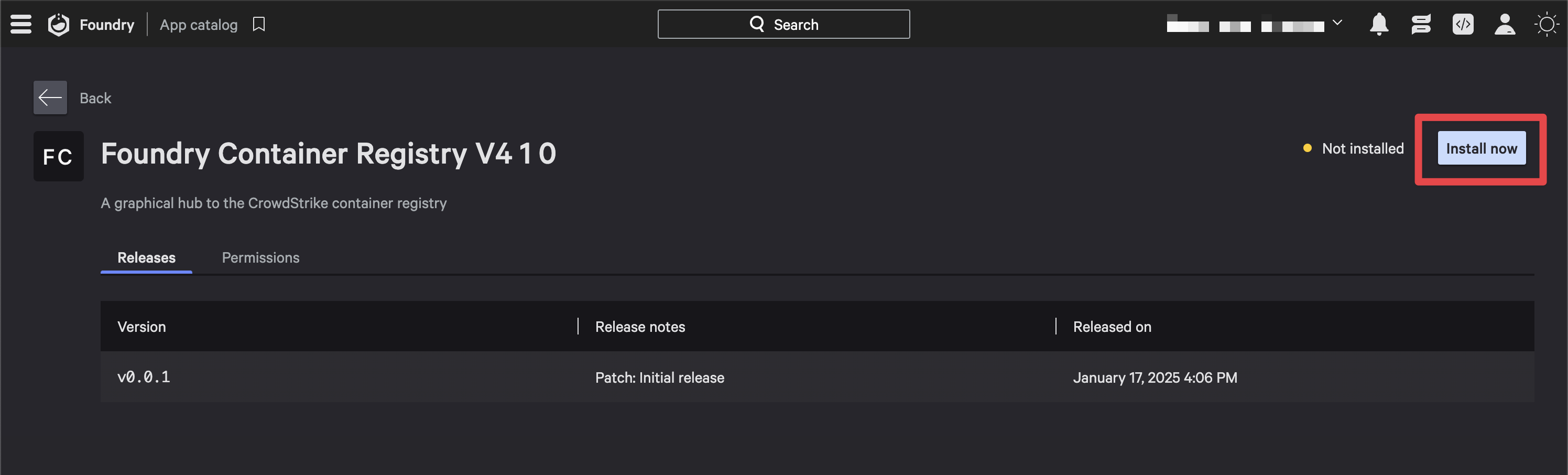
- Click Install now to start the installation process
- The application permissions will be displayed. Review them and click Save and install to complete the installation
Usage
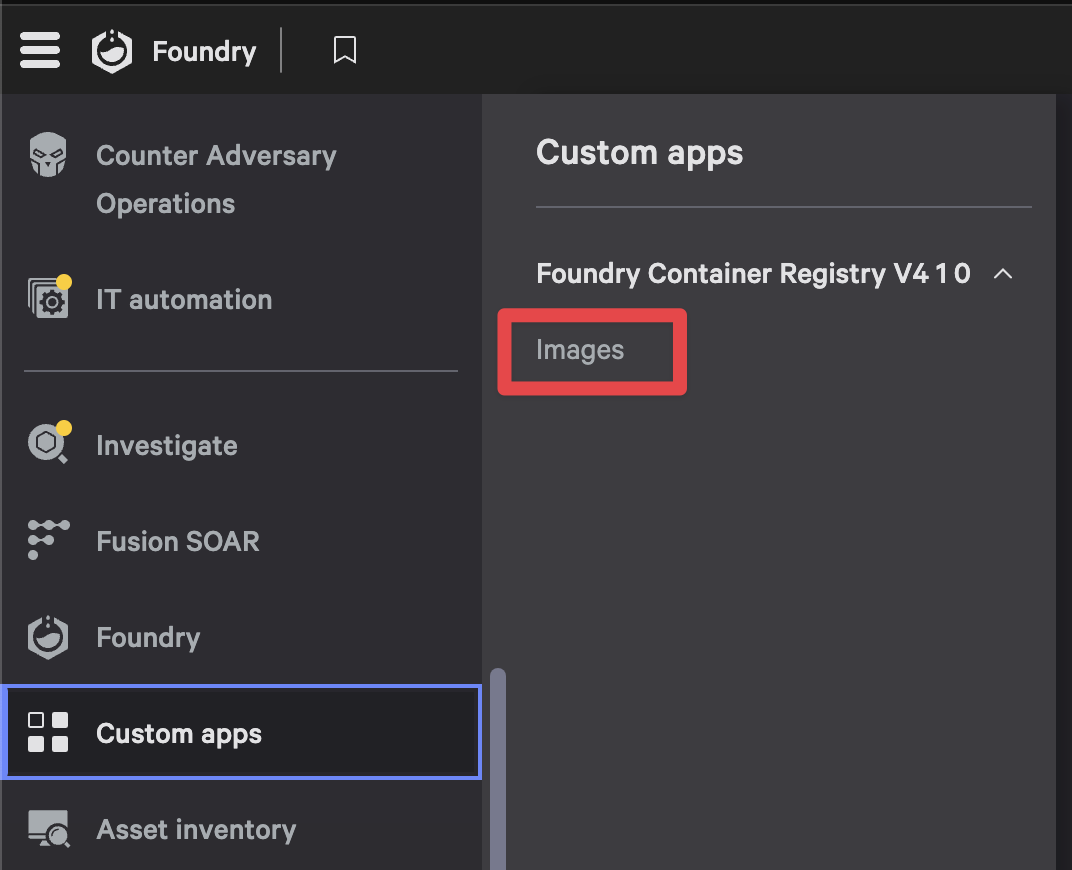
Once the app has been installed, you can now access it via the Custom apps menu in the Falcon console:
- Navigate to Custom apps and select Images to open the app
[!NOTE]
The first time you launch the app, you will need to click on the Sync images now button to fetch the latest data from the container registry and populate the app with data.
Contributing
Support
Container Registry (Foundry app) is a community-driven, open source project designed to provide a user-friendly interface for viewing CrowdStrike's container registry. While not a formal CrowdStrike product, Container Registry (Foundry app) is maintained by CrowdStrike and supported in partnership with the open source developer community.
For additional support, please see the SUPPORT.md file.
License
This project is licensed under the MIT License