README
Art Studio 23 Website
The website of Art Studio 23, an art studio in NJ.
https://www.artstudio23.org
DOCUMENTATION:
PLEASE READ: This documentation may look boring and long, but it is important that you understand the basics of how this website works.
NOTICE: Please read both this documentation and LOGISTICS.md
This website is made using HTML (HyperText Markup Language), CSS (Cascading Style Sheets), and JS (JavaScript). All usage is stricly vanilla.
Third-party libraries include:
- Animate.css (for animation)
- jQuery (for simplifying JS code, not used often)
IMPORTANT NOTES:
- If you don't know how to use GitHub, please read this PDF (very short, very well-made with lots of easy-to-understand graphics). https://training.github.com/downloads/github-git-cheat-sheet.pdf
- The website is hosted with GitHub Pages. It is called an enviornment.
- I am Hello9999901. You'll find that I have edited all the files (as I made the website). Don't fret -- you haven't been hacked.
- Feel free to add more files as needed
- Be careful with what you do, despite all of GitHub's file versioning protections and precautions
- Have fun editing it :)
- Most importantly, don't lose your mind
File-directory tree:
This file tree, which lists files in order, will be updated as files get added/removed.
Please read all annotations, which will be written after a "#"
Also, There will be a "E" or "N" in parenthesis after the annotation, indicating whether you should edit the file. Remember, you are welcome to look at or edit any file, the "E/N" indication only shows whether it is recommended to edit the file.
For example:
├── example.html # ANNOTATION GOES (E/N)Tree:
├── CNAME         # Has domain name           (N)
├── index.html    # MAIN PAGE                 (E)
├── about.html    # About page                (E)
├── awards.html   # Awards page               (E)
├── location.html # Location page             (E)
├── menu.css      # CSS for hamburger menu    (Not Suggested)
├── style.css     # MAIN CSS FILE             (Not Suggested)
├── loader.css    # CSS for loading animation (Not Suggested)
├── TEST.html     # HTML file for testing     (N)
├── test2.html    # Another test html file    (N)
├── README.md     # What you're reading       (Not Suggested)
├── scripts.js    # JavaScript scripts        (N)
├── archive       # archive folder            (Folder)
│   └── base.html # This is a skeleton file   (N)
├── fonts         # Fonts                     (Feel free to add more)
│   ├── TitilliumWeb-Black.ttf                (N)
│   ├── TitilliumWeb-Bold.ttf                 (N)
│   ├── TitilliumWeb-BoldItalic.ttf           (N)
│   ├── TitilliumWeb-ExtraLight.ttf           (N)
│   ├── TitilliumWeb-ExtraLightItalic.ttf     (N)
│   ├── TitilliumWeb-Italic.ttf               (N)
│   ├── TitilliumWeb-Light.ttf                (N)
│   ├── TitilliumWeb-LightItalic.ttf          (N)
│   ├── TitilliumWeb-Regular.ttf              (N)
│   ├── TitilliumWeb-SemiBold.ttf             (N)
│   └── TitilliumWeb-SemiBoldItalic.ttf       (N)
├── logo # Different versions of the logo     (Folder)
│   ├── ArtStudio23Logo.jp2                   (N)
│   ├── ArtStudio23Logo.jpg                   (N)
│   ├── ArtStudio23Logo.webp                  (N)
│   └── referenceLogo.png                     (N)
├── media # all the pictures                  (Folder, Feel free to add more, more docs HERE)
│   ├── jp2 # jp2 version (for Safari)        (Don't delete these pictures)
│   │   ├── aaronArchitecture.jp2
│   │   ├── christaCombination.jp2
│   │   ├── christaJeff.jp2
│   │   ├── christaLetters.jp2
│   │   ├── christaPainting.jp2
│   │   ├── connorDesign.jp2
│   │   ├── emilyYeDesign.jp2
│   │   ├── evelynShiangArt.jp2
│   │   ├── evelynShiangArt2.jp2
│   │   ├── fashionAward18-19.jp2
│   │   ├── fashionAward19.jp2
│   │   ├── fashionAward20.jp2
│   │   ├── fashionAward21.jp2
│   │   ├── isabelleArt.jp2
│   │   ├── isabelleArt2.jp2
│   │   ├── nicoleDesign.jp2
│   │   └── yiLiFashion.jp2
│   ├── jpg # jpg version (fallback file format)
│   │   ├── aaronArchitecture.jpg
│   │   ├── christaCombination.jpg
│   │   ├── christaJeff.jpg
│   │   ├── christaLetters.jpg
│   │   ├── christaPainting.jpg
│   │   ├── connorDesign.jpg
│   │   ├── emilyYeDesign.jpg
│   │   ├── evelynShiangArt.jpg
│   │   ├── evelynShiangArt2.jpg
│   │   ├── fashionAward18-19.jpg
│   │   ├── fashionAward19.jpg
│   │   ├── fashionAward20.jpg
│   │   ├── fashionAward21.jpg
│   │   ├── isabelleArt.jpg
│   │   ├── isabelleArt2.jpg
│   │   ├── nicoleDesign.jpg
│   │   └── yiLiFashion.jpg
│   ├── srcArchive # uncompressed images
│   │   ├── aaronArchitecture.jpg
│   │   ├── christaCombination.jpg
│   │   ├── christaJeff.jpg
│   │   ├── christaLetters.jpg
│   │   ├── christaPainting.jpg
│   │   ├── connorDesign.jpg
│   │   ├── emilyYeDesign.jpg
│   │   ├── evelynShiangArt.jpg
│   │   ├── evelynShiangArt2.jpg
│   │   ├── fashionAward18-19.jpg
│   │   ├── fashionAward19.jpg
│   │   ├── fashionAward20.jpg
│   │   ├── fashionAward21.jpg
│   │   ├── isabelleArt.jpg
│   │   ├── isabelleArt2.jpg
│   │   ├── nicoleDesign.jpg
│   │   └── yiLiFashion.jpg
│   └── webp # webp version (for Chrome)
│       ├── aaronArchitecture.webp
│       ├── christaCombination.webp
│       ├── christaJeff.webp
│       ├── christaLetters.webp
│       ├── christaPainting.webp
│       ├── connorDesign.webp
│       ├── emilyYeDesign.webp
│       ├── evelynShiangArt.webp
│       ├── evelynShiangArt2.webp
│       ├── fashionAward18-19.webp
│       ├── fashionAward19.webp
│       ├── fashionAward20.webp
│       ├── fashionAward21.webp
│       ├── isabelleArt.webp
│       ├── isabelleArt2.webp
│       ├── nicoleDesign.webp
│       └── yiLiFashion.webp
└── END OF FILE TREE
How To Add/Change artstudio23.org
IMPORTANT NOTE: THERE ARE 2 WAYS, ONE MORE COMPLEX (BELOW) and ONE SIMPLER (Click Here). The simpler one is easier, but can be confusing.
The process is rather complex for the first time, but will ease in difficulty as the process is the same each time.
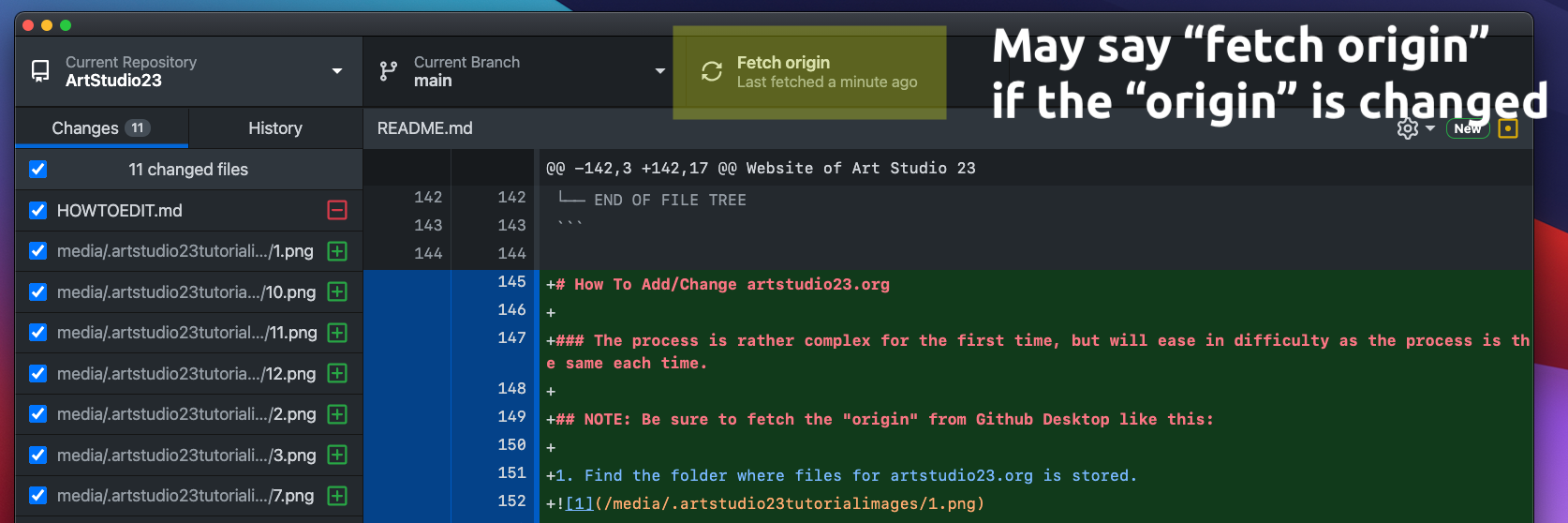
NOTE: Be sure to fetch the "origin" from Github Desktop like this:
(* the origin is basically the main file in Github, or the master copy.)
If it says "fetch origin", click it and it will update your file system accordingly.
NOTE #2: Don't worry about messing up.
Everything is secure and well managed in the "cloud" aka GitHub. The reason the process to update the website is so complex is because of a complex versioning system (basically meaning that nothing will get lost and each change will be recorded and reverable.)
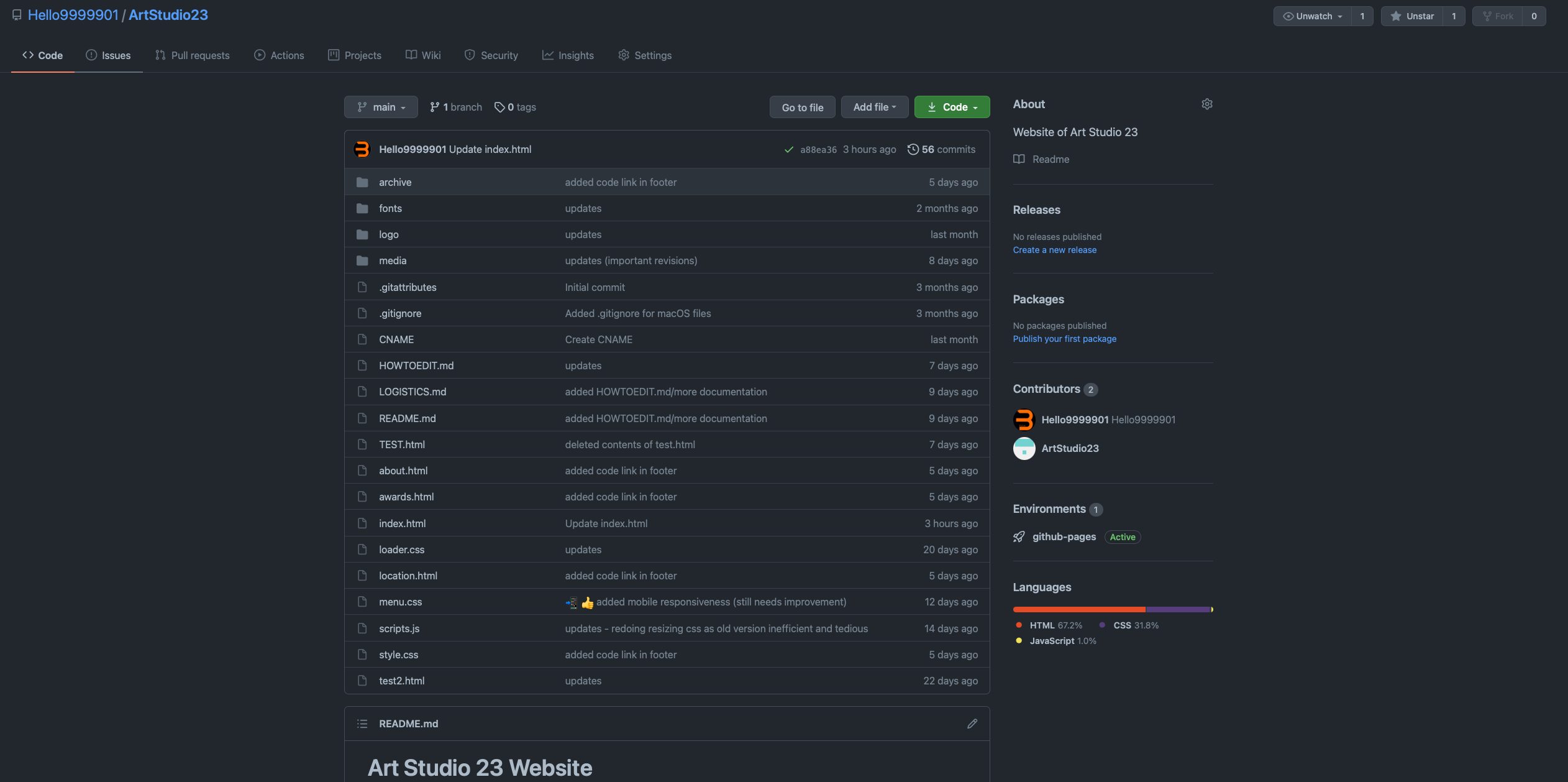
Below is the web interface for GitHub. It looks a little complex, but for good reason :)
-
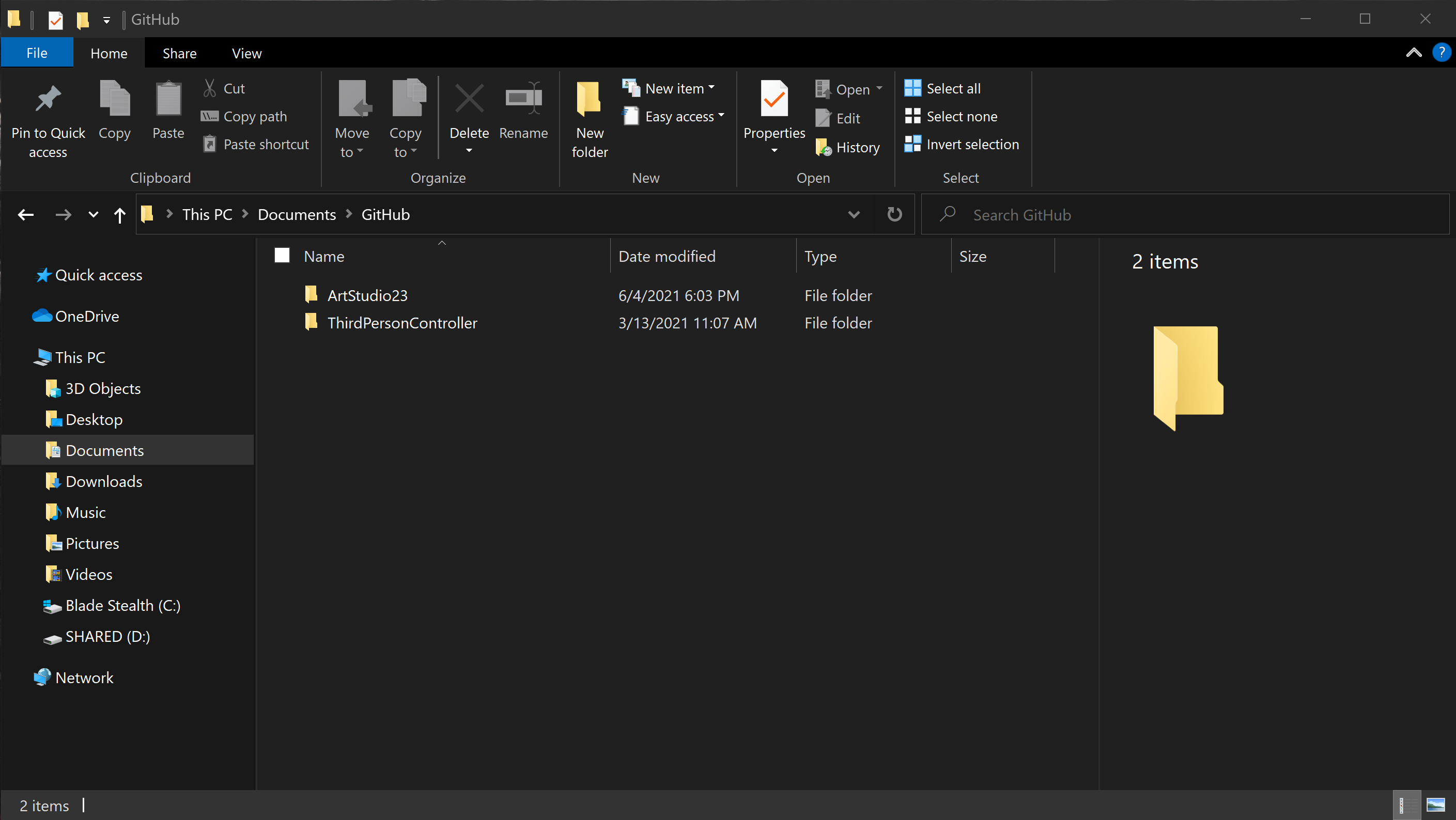
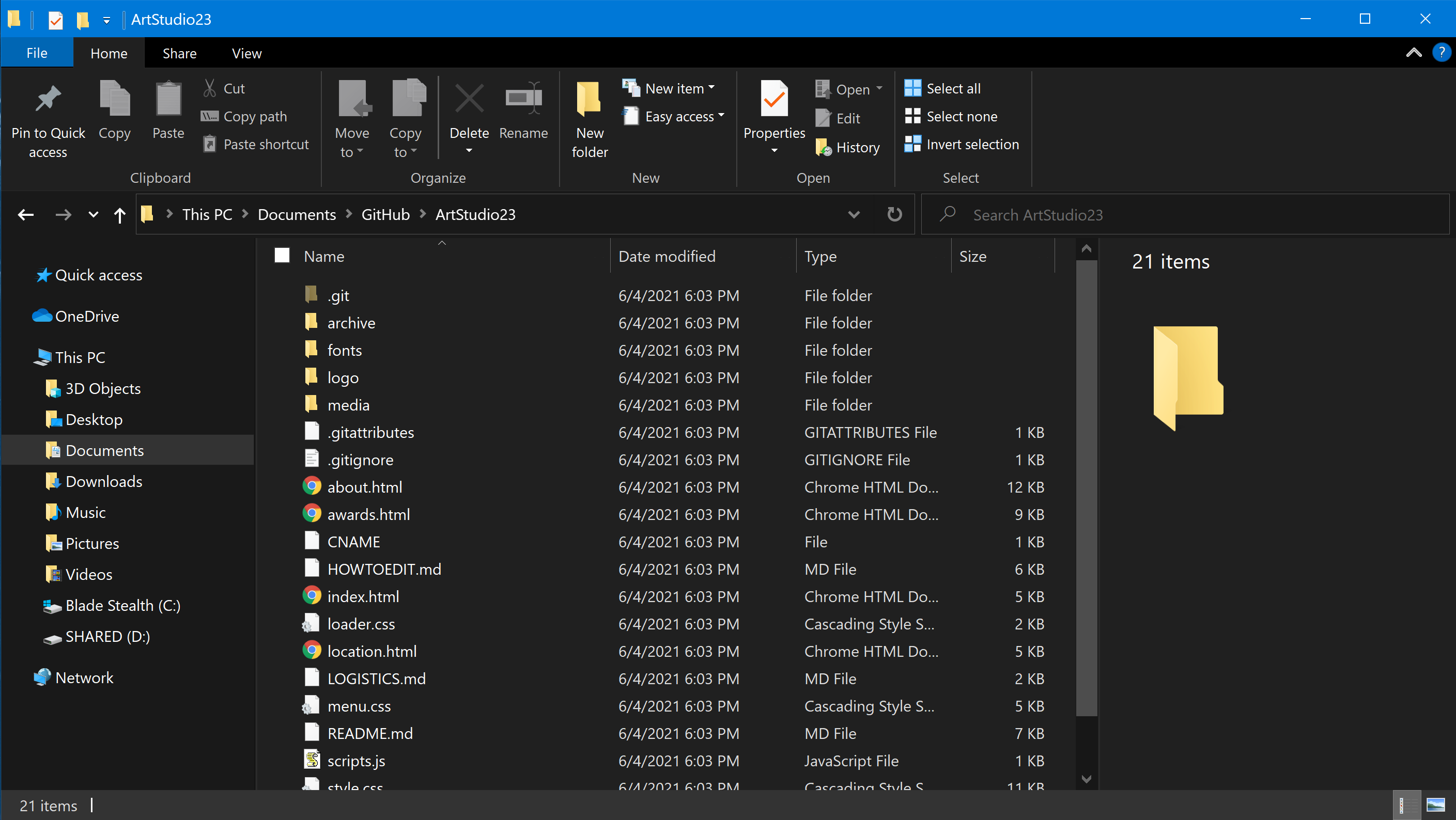
Find the folder where files for artstudio23.org is stored.
-
Enter the folder.
-
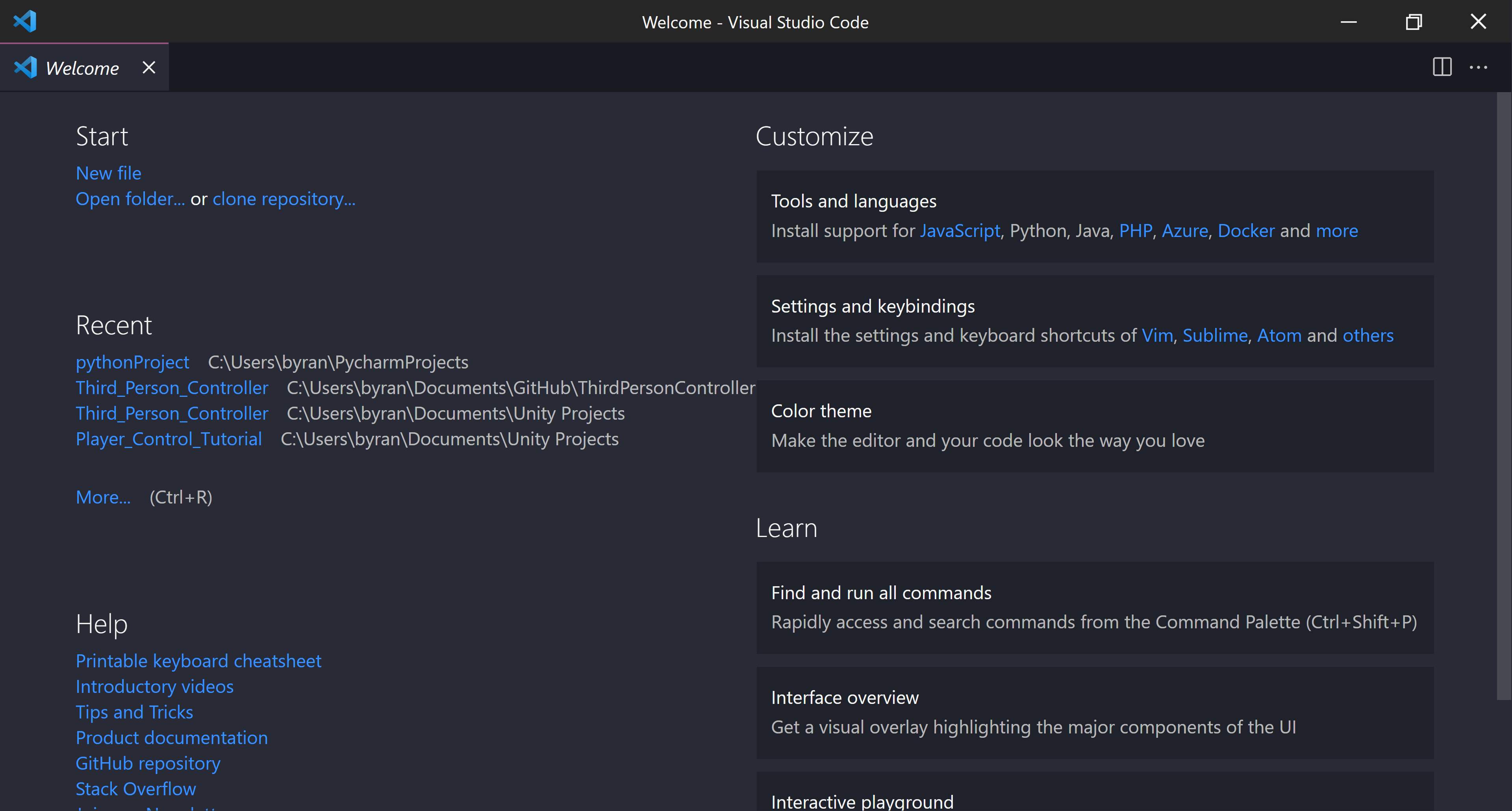
Open "Visual Studio Code"
(if it doesn't look like this, it is fine; please move on to the next step)
-
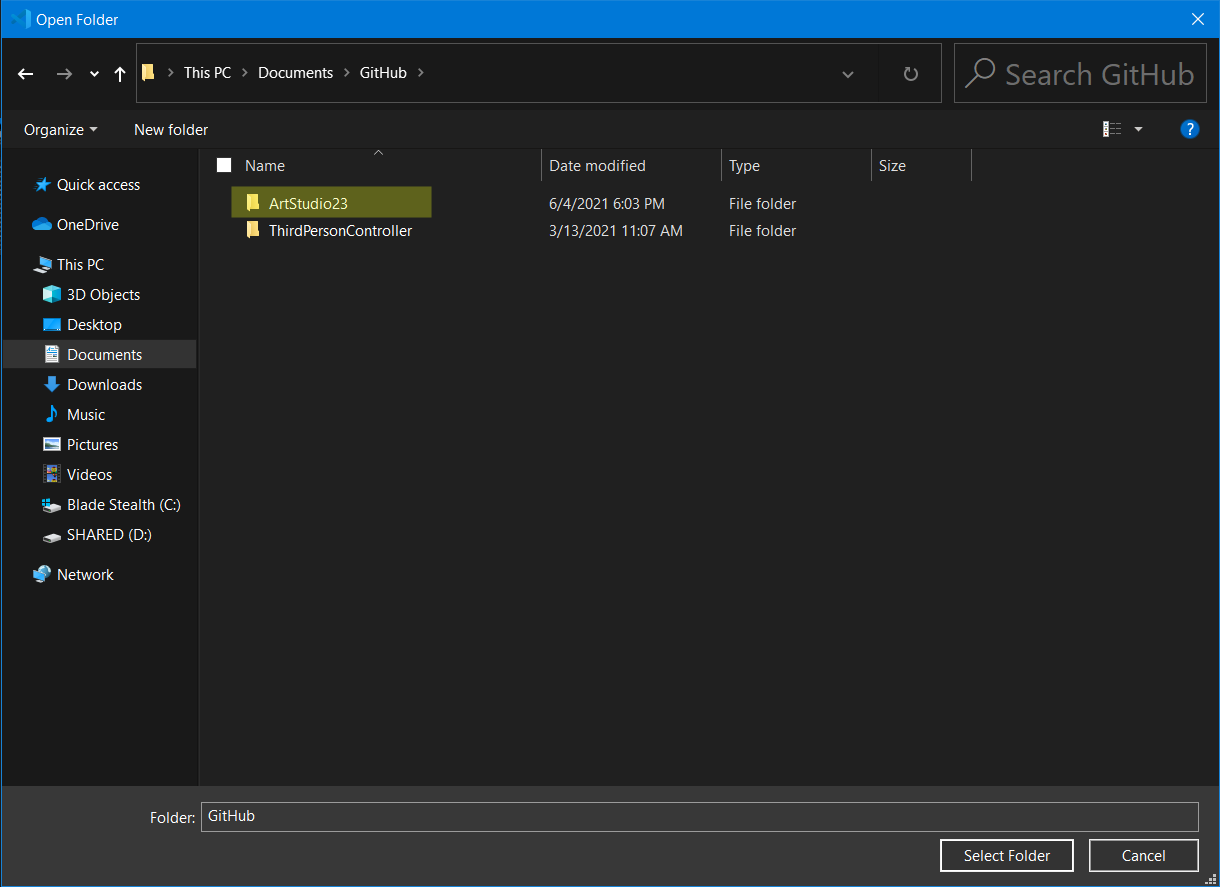
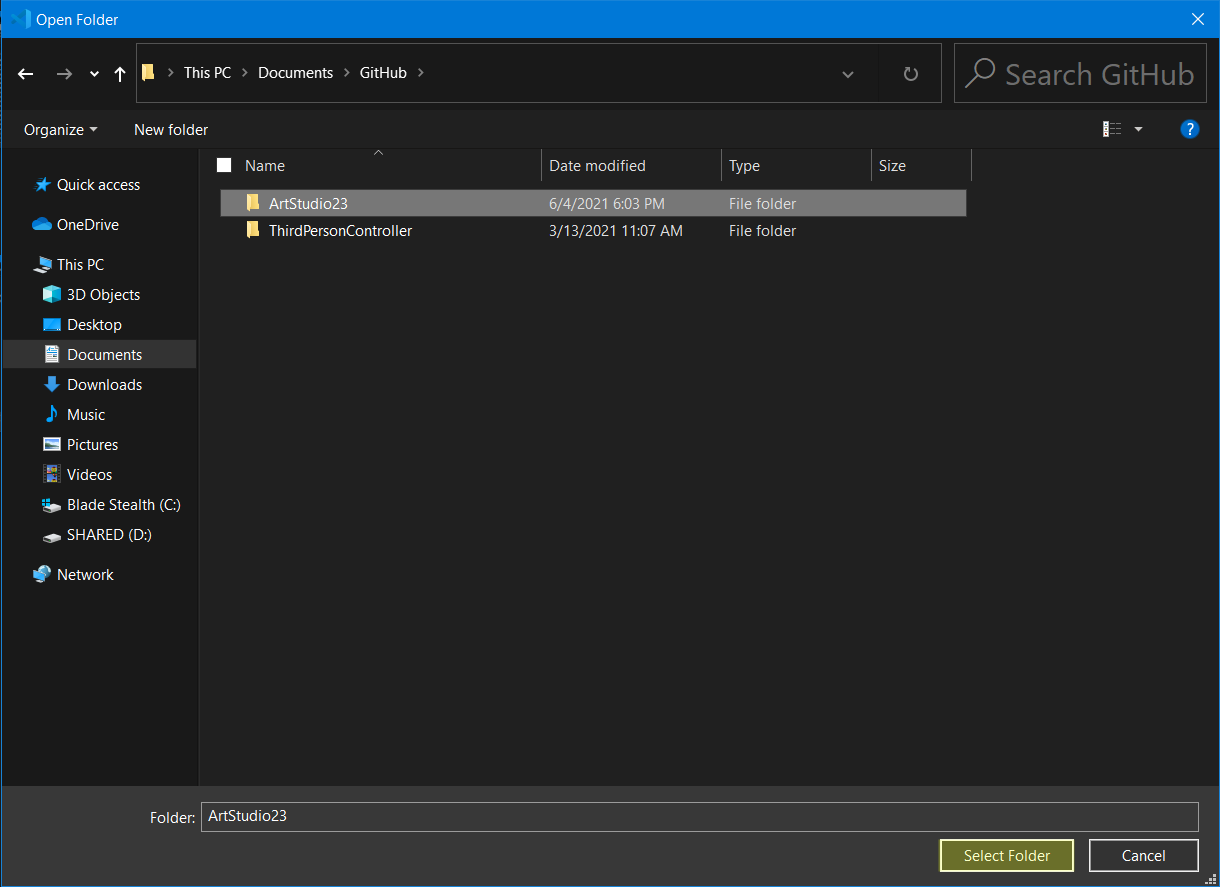
Press ctrl + o (o as in letter) or cmd + o (for macOS). Find the folder and click the ArtStudio23 folder ONCE. Press select folder on the bottom right.
-
Once the folder is open, Visual Studio Code should populate with files and code. Select the file you want to edit. (the files and the uses are explained at the top of the documentation)
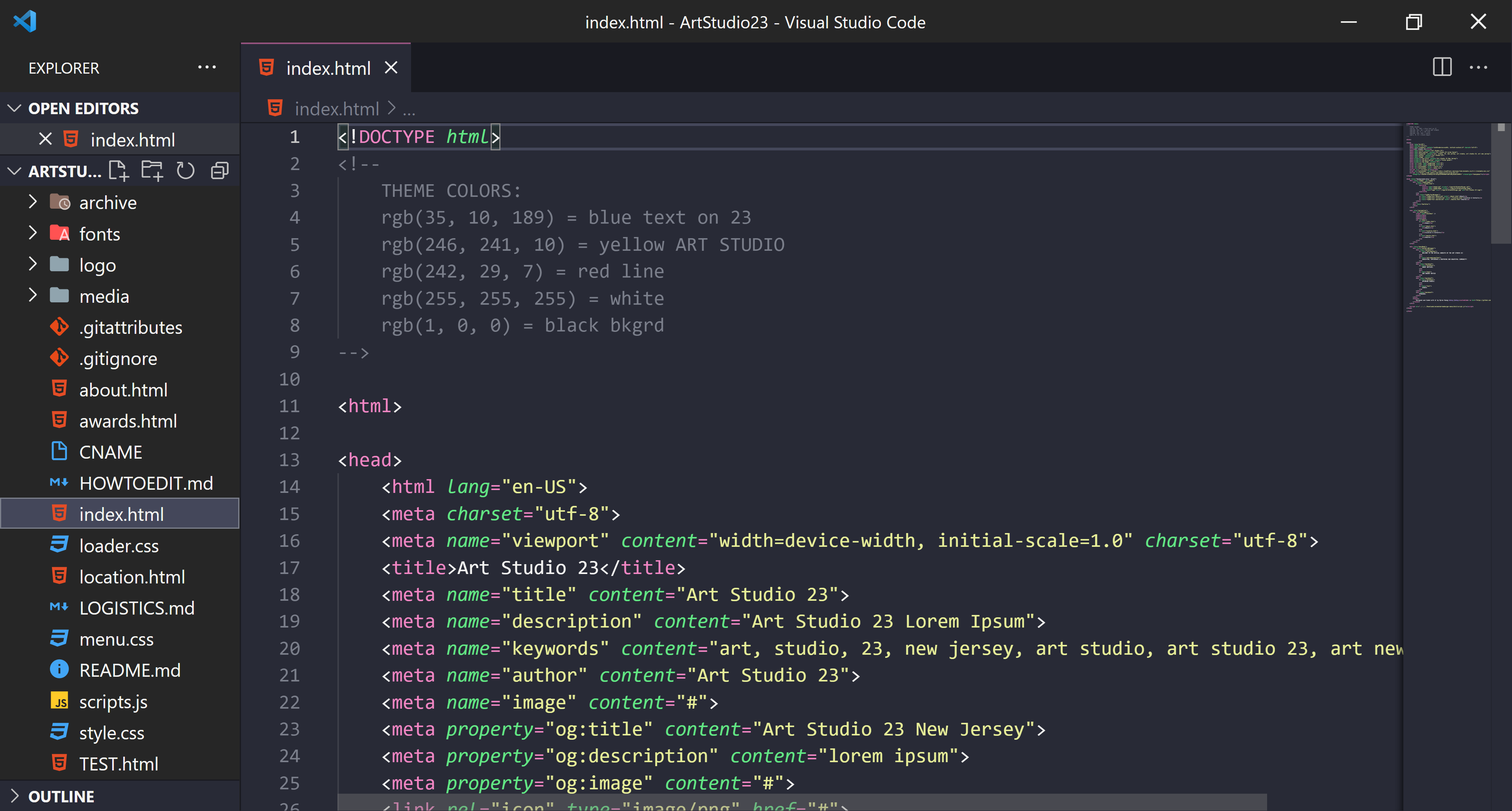
-
Change the file with what you want to change!
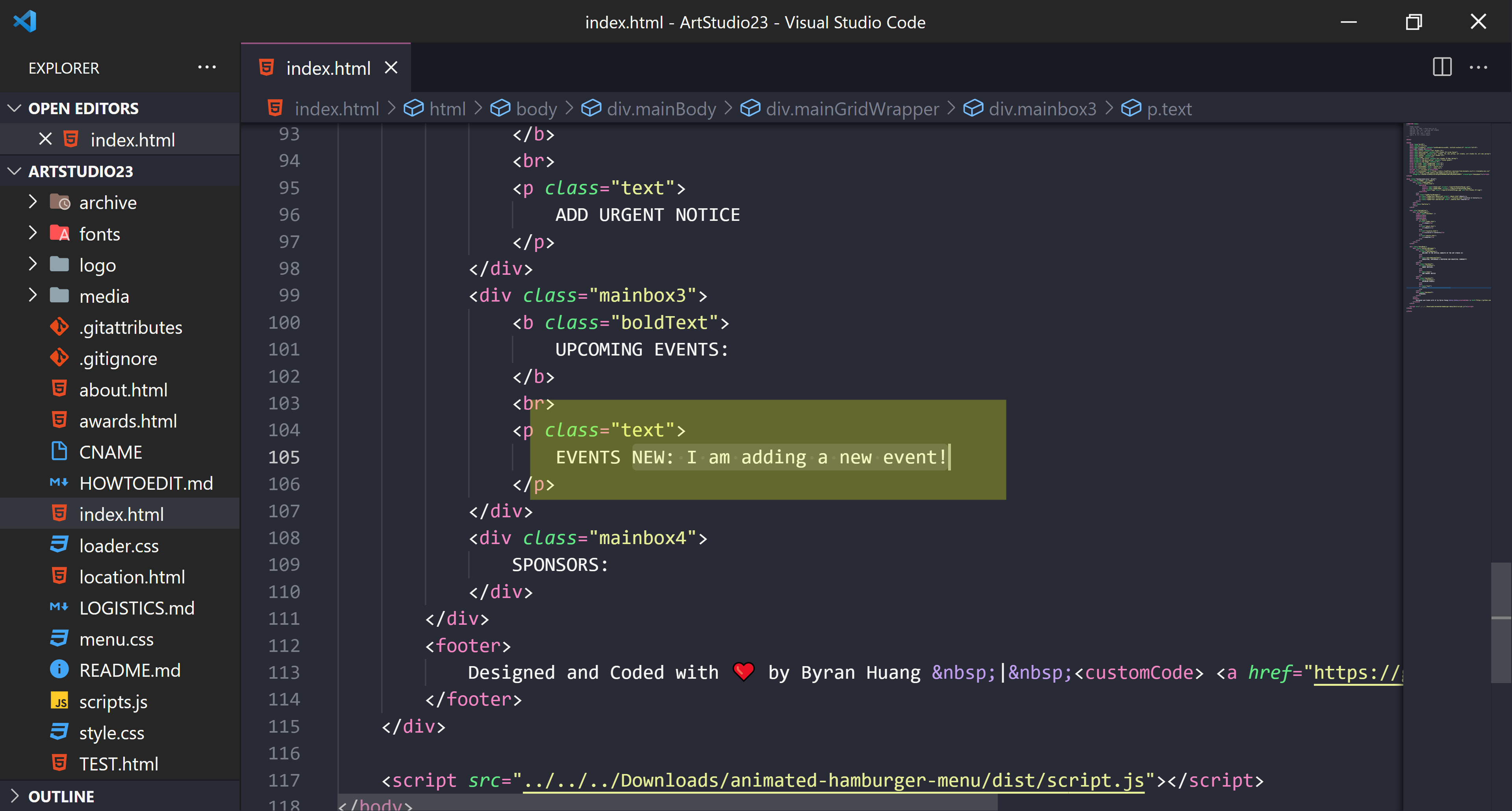
-
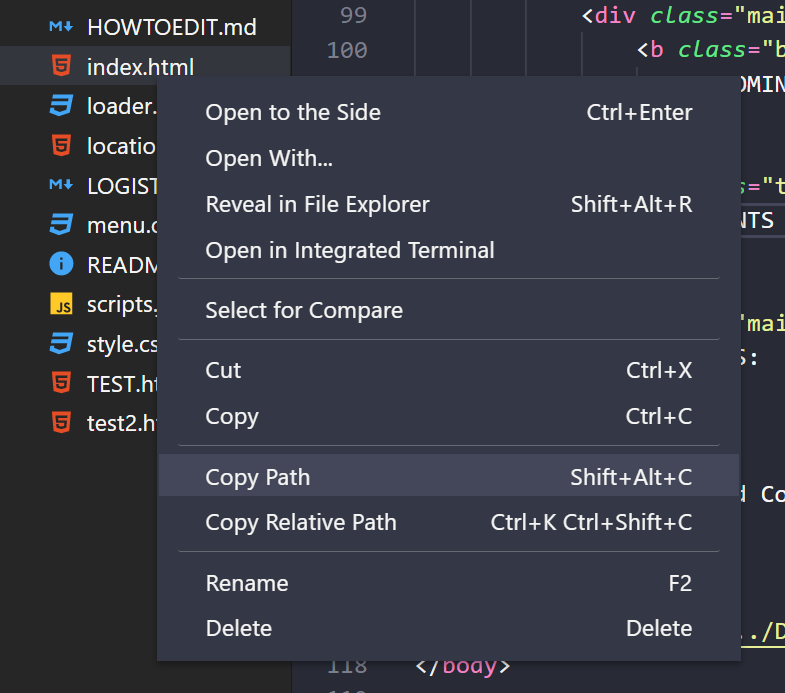
Save the file by pressing ctrl + s or cmd + s. Right click on the file you changed and select "Copy Path".
-
Open a browser of your choice. In the top link entering box, type "file://" followed by ctrl + v. Then press enter. This should open the file. In this case, I can see my change, so I am ready to move onto the next step.
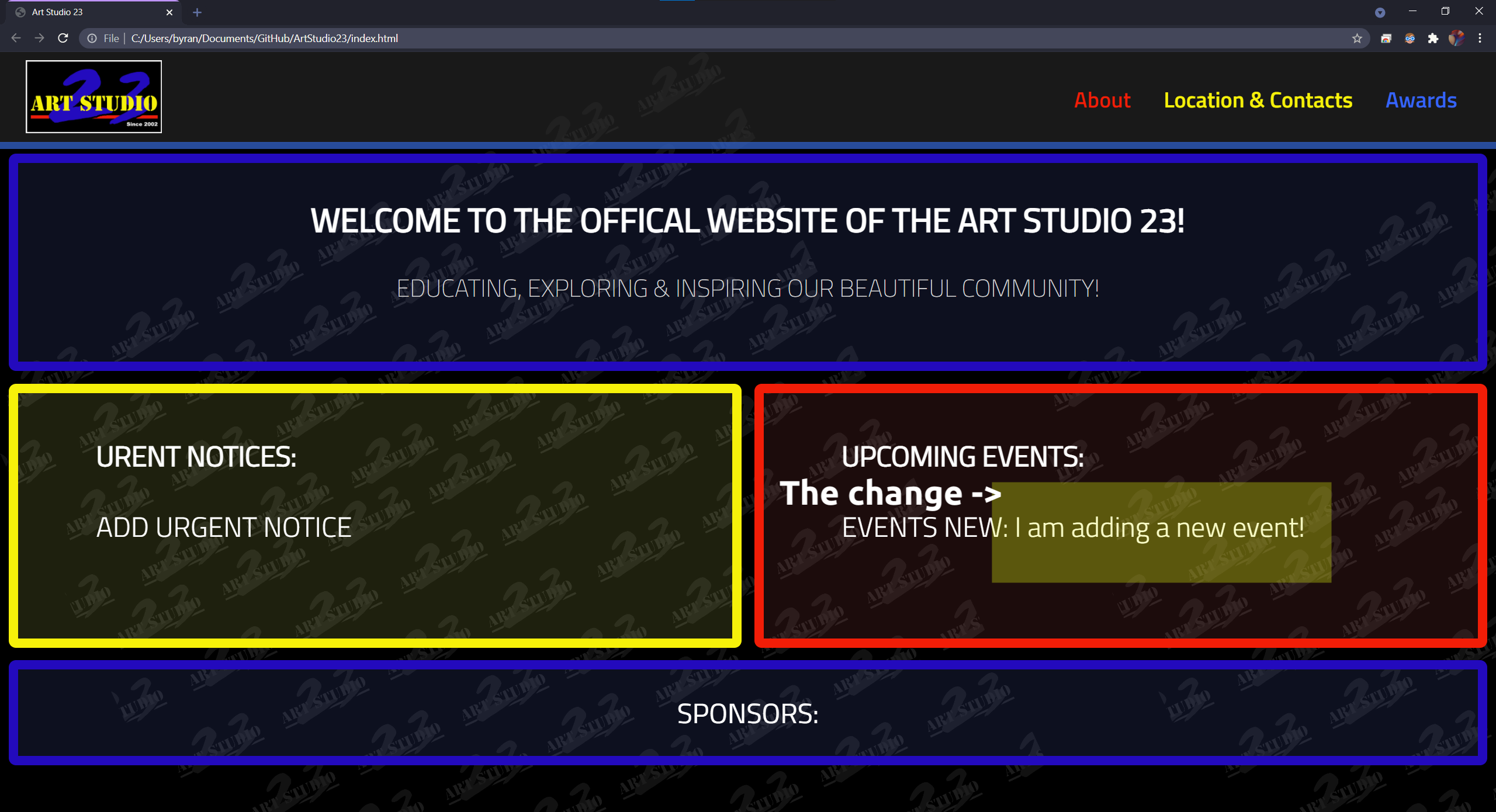
-
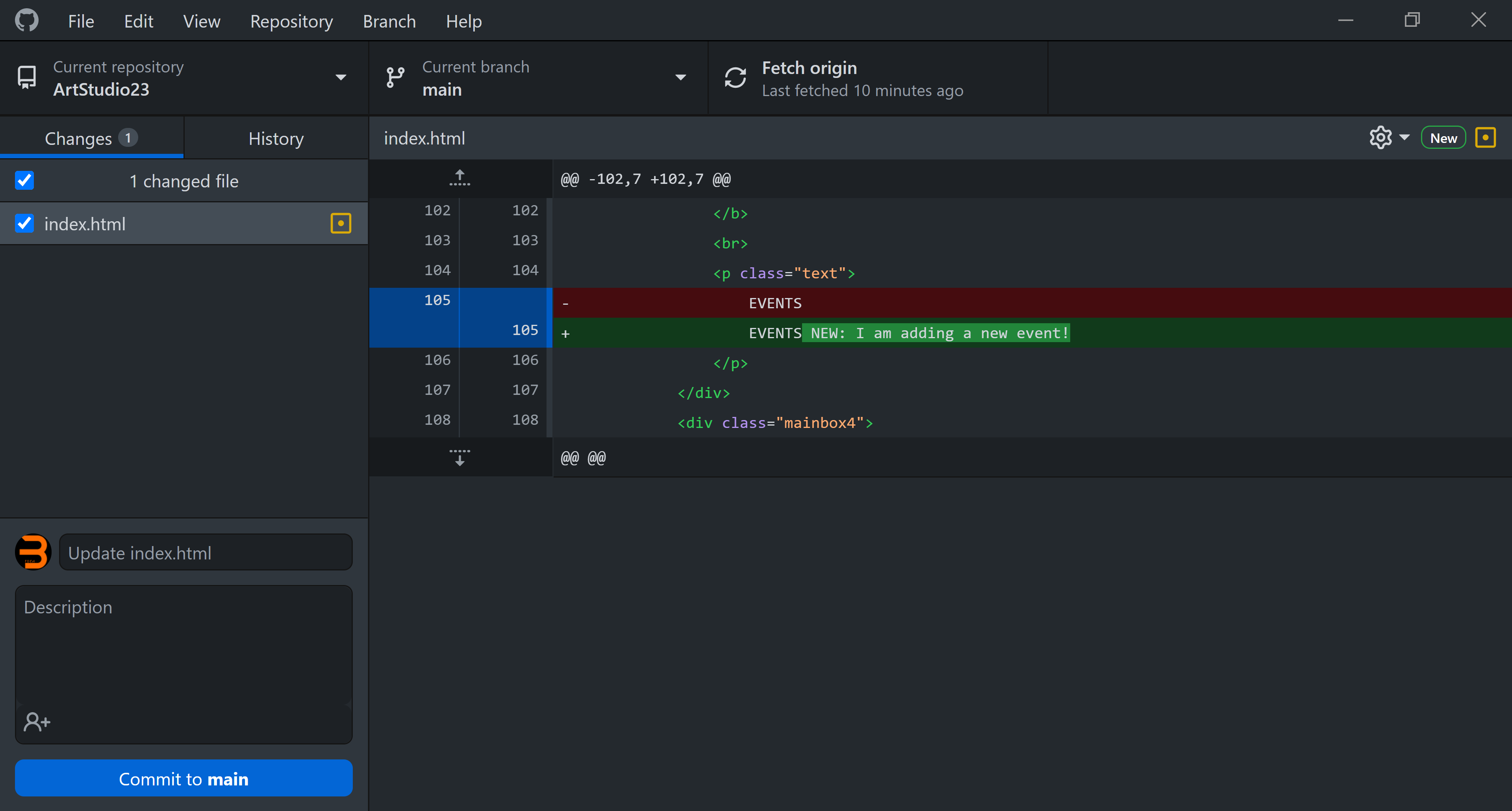
Open Github Desktop. You should see what file you have changed and the changes in the UI. Here, I can see that I added "NEW: I am...." into
index.html. This is what I did, so I can continue to the next step.
-
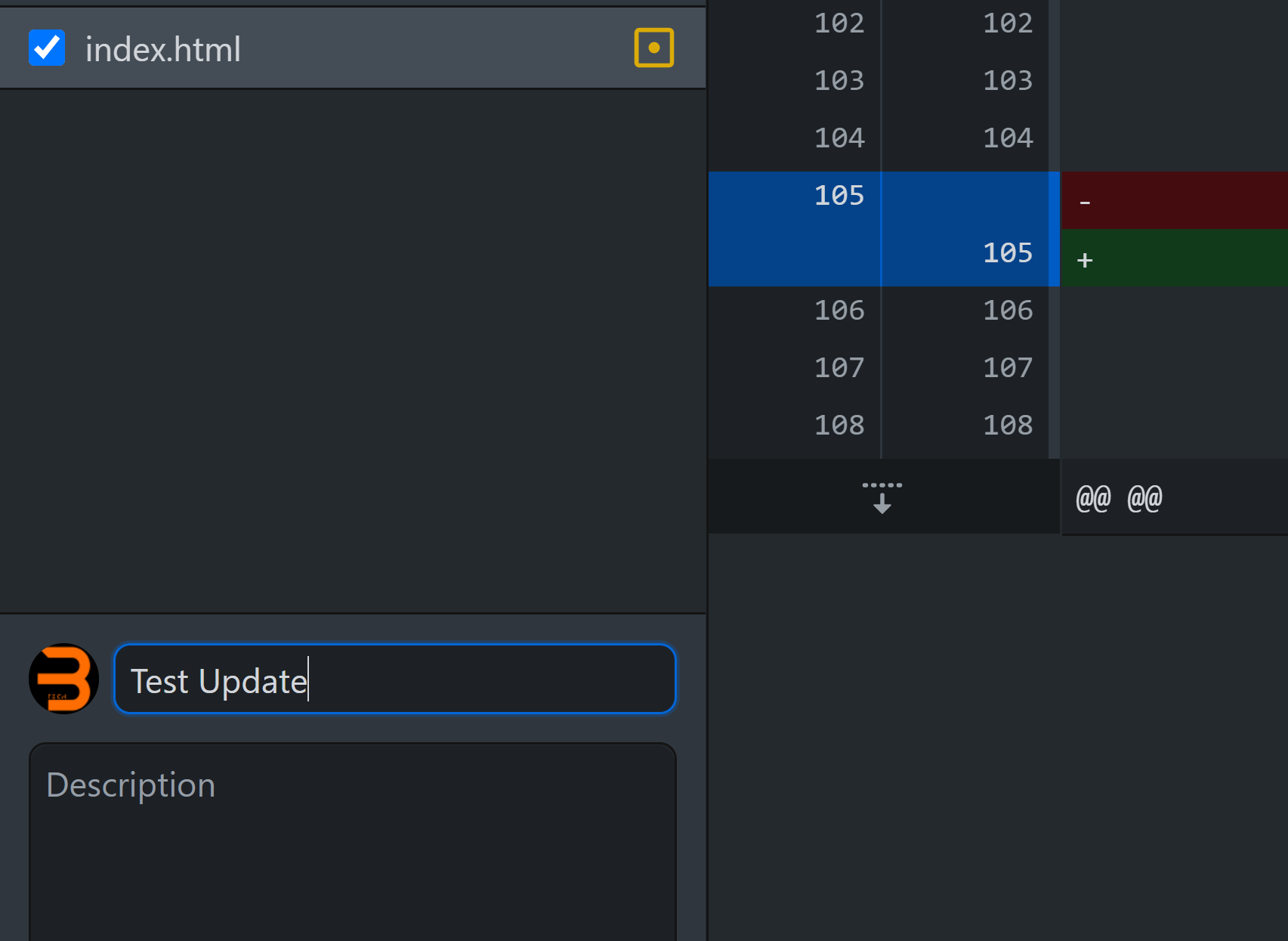
You may want to change the name of the commit. This will show on the history of changes of the website. I changed the name to "Test Update"
-
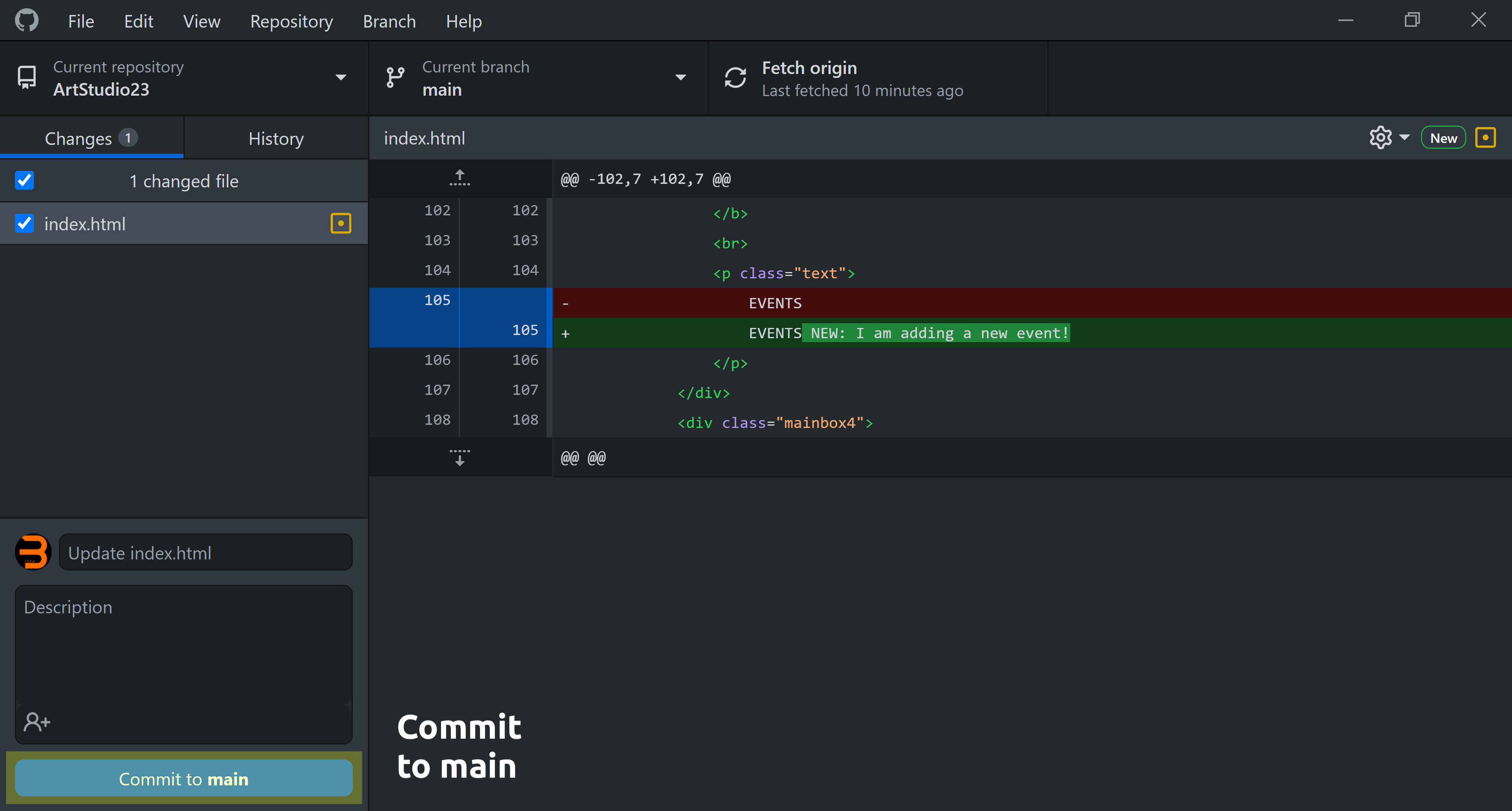
Press "Commit to main"
-
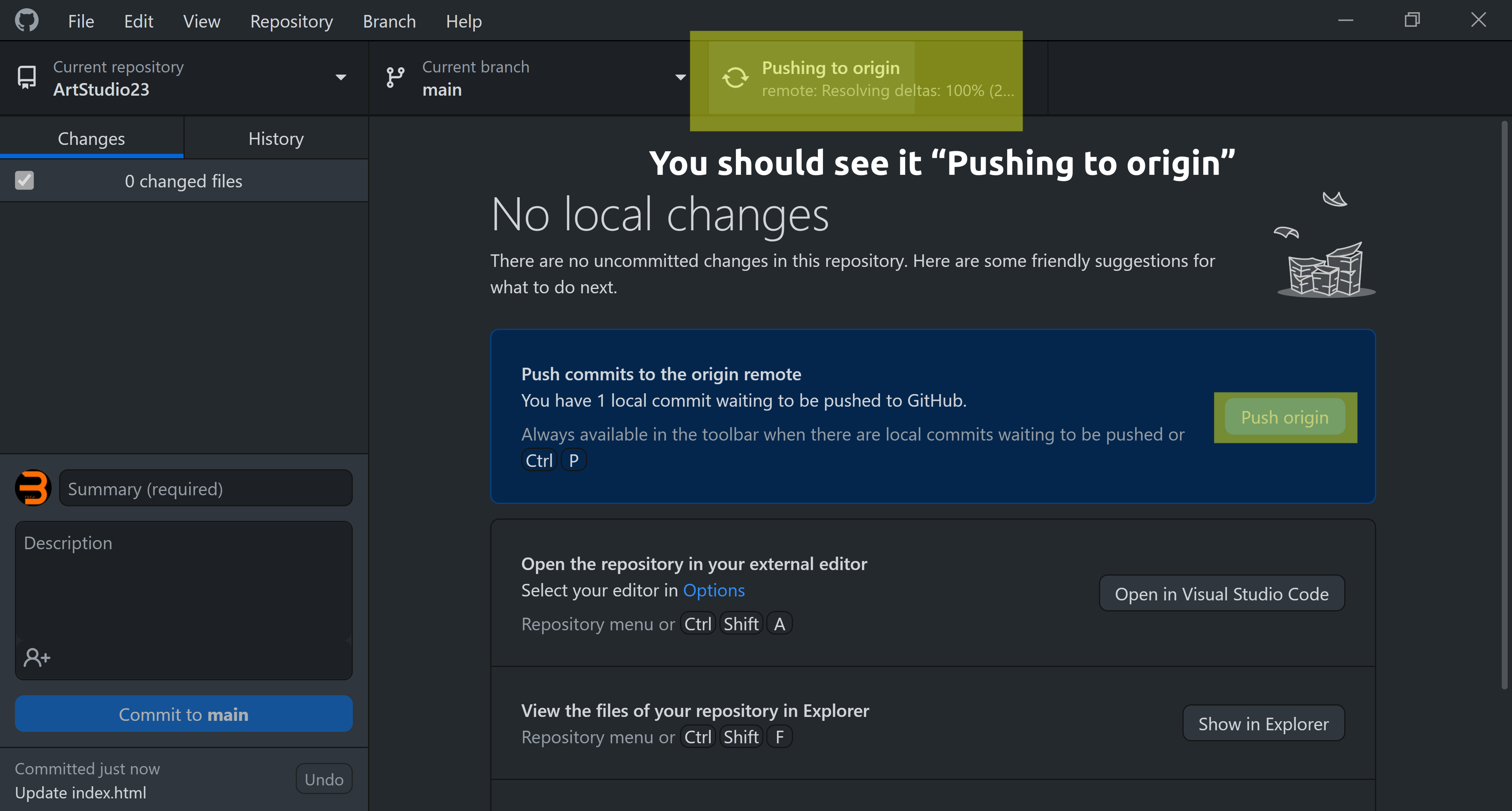
Lastly, press "Push Origin". The button will only appear after you commit to main. Lastly, check https://www.artstudio23.org (it should update within 1-2 minutes or less) to see if the site has updated (you might have to refresh the page manually)!