

Repository
openvidstudio
Open-source MCP-driven video-generation pipeline: an AI coding agent builds cinematic demo/launch videos from your real, running product.
- What
- Minimum
- Node.js
- 18
- ffmpeg
- 4.0
- Playwright
- 1.48
Specs
- WhatMinimum
- Node.js18
- ffmpeg4.0
- Playwright1.48
- Chromiumwhatever playwright install pulls
- Your apprunning, reachable
- edge-ttsany current, Python 3.8+
- init_projectScaffolds the project shell: package.json, Remotion config, the SFX pack, docs
- preflightChecks node, ffmpeg, Playwright, Chromium, and whether your app is responding. Every failure names its fix
- plan_beatsA beat skeleton with a narration word budget per beat
- validate_beatsSchema and pacing, before anything is written
- write_beats_fileCommits the approved beats
- capture_screenshotZoom compensated capture of the real running app
- capture_screen_recordingFull viewport recording
- scaffold_sceneA scene that renders, from one of ten templates, using that beat's own copy
- validate_scenesCatches what renders successfully and is wrong, chiefly content cropped outside the camera
- generate_narrationOne clip per beat, paced to fit without sounding stretched
- stitch_compositionSequences scenes and audio
- contact_sheetEvery beat in one image, in a fraction of a render
- render_videoDraft or full quality
- qc_extract_framesFrames back out for review
- plan_sound_effectsWorks out which sounds the synthesized pack already covers, and where to get the rest
- extract_brandReads your repo's palette, fonts and logo so the video looks like your product
- import_higgsfield_clipOptional AI b roll, gated on config
README





openvidstudio is an open-source video-generation add-on, built on Remotion and
Playwright, that an AI coding agent drives through MCP tools to produce
launch and demo videos for a project directly from its repo and running app,
with an optional Higgsfield AI b-roll tier for shots that can't be captured
from a live screen. packages/ and templates/ each get their own README as
they're built out. The site is live at
openvidstudio.vercel.app.
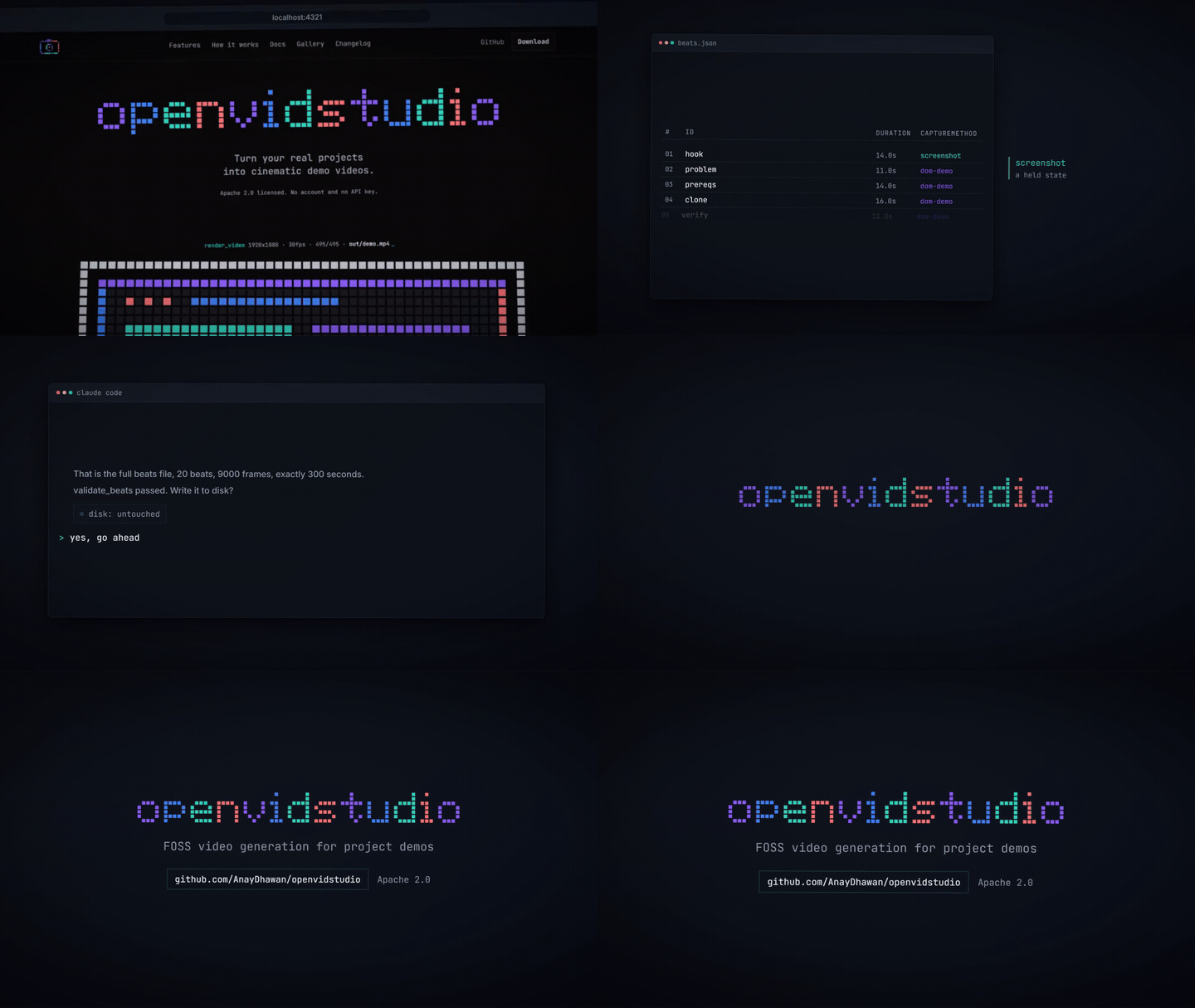
openvidstudio features
- Real product, real pixels. Every screenshot and recording comes from your
actually running app, so nothing on screen is invented: the UI, the product
text, and the layout are all ground truth. - Your agent drives. No separate app, no timeline editor, no manual
keyframing. The AI coding agent you already use (Claude Code, Cursor,
ChatGPT, or anything that speaks MCP) runs the whole pipeline through
sixteen tools, seventeen with the Higgsfield tier enabled. - A directed video, not a screen recording. Push-ins, drift, shallow depth
of field, an oversized cursor, narration, and a synthesized music bed turn
plain captures into something you'd ship. - B-roll for what a screen can't show. An optional Higgsfield tier covers
atmosphere and establishing shots, never product UI, when the running app
genuinely can't produce a frame.
Quick Start
{
  "mcpServers": {
    "openvidstudio": {
      "command": "npx",
      "args": ["-y", "@openvidstudio/mcp-server"]
    }
  }
}
Drop that into your MCP client's config, which for Claude Code is .mcp.json, and
restart the client. Sixteen tools should appear.
Then paste this to your agent, from inside the repo you want a video of:
make a demo video of this project with openvidstudio.

handle it end to end. work out what this project is and how to start it, get it
running, and use its own brand rather than your defaults. ask me anything you
need along the way, one question at a time, and show me the result when it is
done.
That is the whole thing. You do not have to know the port, read the tool list, or
put the steps in order: the agent works out how to start the app from your scripts,
checks the machine with preflight, reads your palette and fonts with
extract_brand, asks what the video should cover, and shows you the full plan before
writing anything to disk. Say yes and it captures, renders, and hands you the mp4.
Working from a clone instead:
git clone https://github.com/AnayDhawan/openvidstudio.git
cd openvidstudio && pnpm install
pnpm --filter @openvidstudio/mcp-server build
# then point the config at packages/mcp-server/dist/stdio.js with "command": "node"
Prerequisites
| What | Minimum | Needed for | Blocking |
|---|---|---|---|
| Node.js | 18 | Runs the server. npx ships with it, and npx is the install |
yes |
| ffmpeg | 4.0 | Sound effects and pulling QC frames back out of a render | yes |
| Playwright | 1.48 | Resolvable inside the project the video is built in | yes |
| Chromium | whatever playwright install pulls |
The browser capture actually drives | yes |
| Your app | running, reachable | Capture points at a real URL. Nothing serving means nothing to film | yes |
| edge-tts | any current, Python 3.8+ | Narration | no |
preflight checks every row and names the fix for your platform. Only the Node
version is enforced numerically; the rest are presence checks.
# Windows. Reopen the terminal after installing ffmpeg, winget only puts it on
# PATH for new shells.
winget install --id Gyan.FFmpeg -e
npm install playwright && npx playwright install chromium
pip install edge-tts

# macOS
brew install ffmpeg
npm install playwright && npx playwright install chromium
pip install edge-tts

# Debian or Ubuntu
sudo apt update && sudo apt install -y ffmpeg
npm install playwright && npx playwright install chromium
pip install edge-tts
pnpm is not needed to use openvidstudio. It is only for building this repo from a
clone, which is covered under Quick Start.
Docs
Read packages/docs/PLANNING.md first for the guided intake flow, then
packages/docs/OVERVIEW.md for the full pipeline shape. PIPELINE.md,
STYLE.md, CAPTURE.md and SCRIPT.md cover the individual steps and the rules
that are enforced rather than suggested.
Agent skills
Both this repo and every scaffolded project ship the official Remotion
agent-skills bundle (markup, captions, rendering, SaaS, maps, and more) for
Claude Code, Cursor, Windsurf, OpenCode, and GitHub Copilot, so whichever
coding agent writes your scenes has real Remotion knowledge to work from,
not just this project's own PIPELINE.md/STYLE.md rules.
What the tools do
| Tool | |
|---|---|
init_project |
Scaffolds the project shell: package.json, Remotion config, the SFX pack, docs |
preflight |
Checks node, ffmpeg, Playwright, Chromium, and whether your app is responding. Every failure names its fix |
plan_beats |
A beat skeleton with a narration word budget per beat |
validate_beats |
Schema and pacing, before anything is written |
write_beats_file |
Commits the approved beats |
capture_screenshot |
Zoom compensated capture of the real running app |
capture_screen_recording |
Full viewport recording |
scaffold_scene |
A scene that renders, from one of ten templates, using that beat's own copy |
validate_scenes |
Catches what renders successfully and is wrong, chiefly content cropped outside the camera |
generate_narration |
One clip per beat, paced to fit without sounding stretched |
stitch_composition |
Sequences scenes and audio |
contact_sheet |
Every beat in one image, in a fraction of a render |
render_video |
Draft or full quality |
qc_extract_frames |
Frames back out for review |
plan_sound_effects |
Works out which sounds the synthesized pack already covers, and where to get the rest |
extract_brand |
Reads your repo's palette, fonts and logo so the video looks like your product |
import_higgsfield_clip |
Optional AI b roll, gated on config |
Status
The pipeline runs end to end and scaffold_scene emits scenes that render, so an
agent can go from a brief to a narrated mp4 without hand writing Remotion. The
templates are structurally correct but plain: a first render looks right rather than
good, and making it look good is still your job.