

- Control
- Range
- Azimuth ( horizontal_angle )
- Azimuth
- Elevation ( vertical_angle )
- Elevation
- Zoom ( zoom )
- Zoom
Specs
- ControlRange
- Azimuth ( horizontal_angle )Azimuth
- Elevation ( vertical_angle )Elevation
- Zoom ( zoom )Zoom
README
Qwen Multi-Angle Camera Control
A small web app that lets you adjust a virtual camera (azimuth, elevation, zoom) and generate alternate views of an image using fal.ai’s Qwen Image Edit “multiple angles” model.
Screenshot
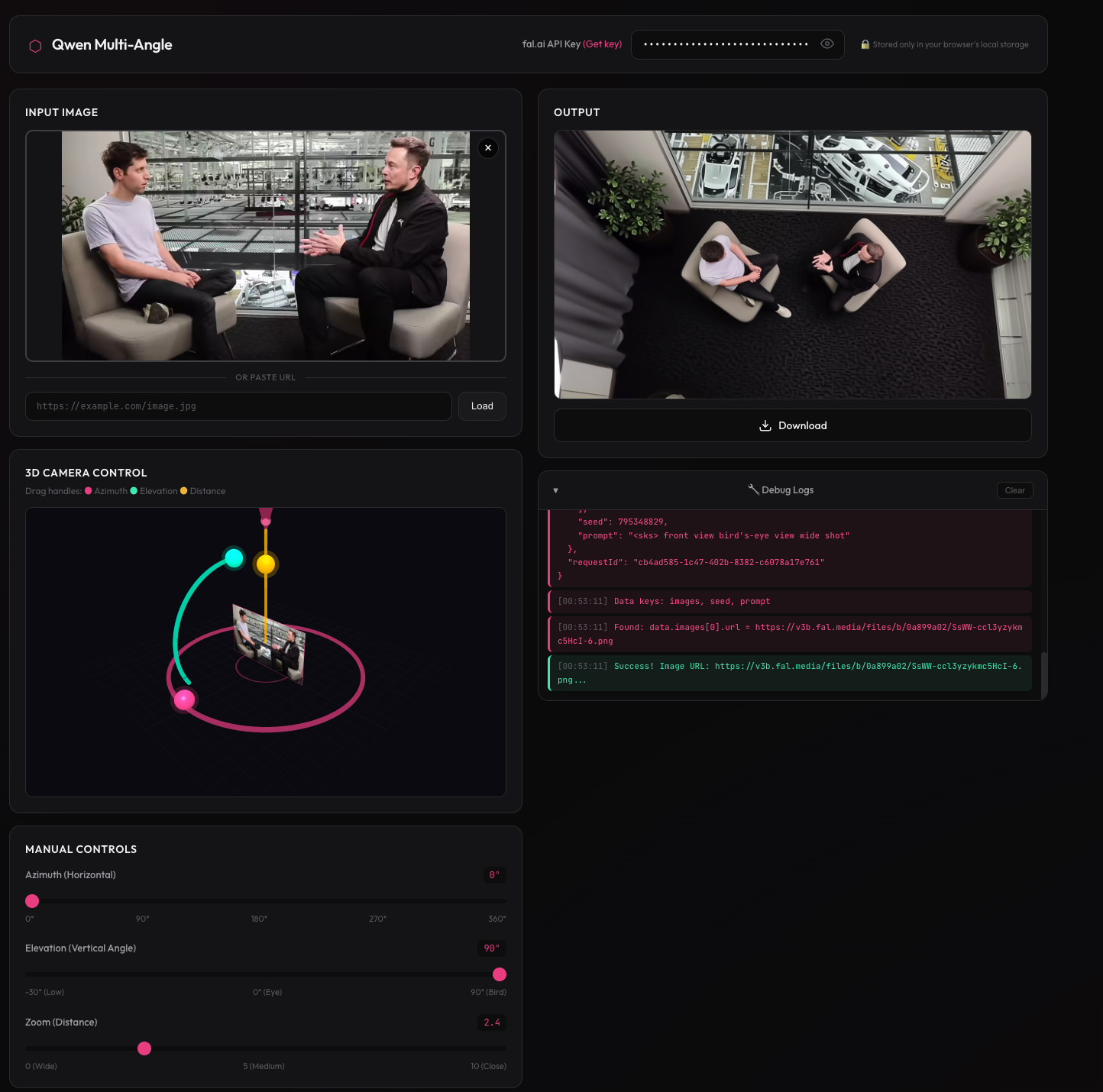
Features
- Interactive Three.js camera controls (drag handles + sliders)
- Works with an uploaded image or an image URL
- Multi-image keyframes + camera motion (image-to-video) mode
- API key is stored locally in your browser (localStorage)
Credits & Inspiration
Inspired by multimodalart/qwen-image-multiple-angles-3d-camera on Hugging Face Spaces.
Powered by fal.ai - Qwen Image Edit 2511 Multiple Angles
Getting Started
Prerequisites
- Node.js 18+
- A fal.ai API key (create one)
Local Development
npm install
npm start
Then open http://localhost:3000 and paste your fal.ai API key into the header input.
Project Structure
qwenmultiangle/
├── index.html      # Main HTML structure
├── style.css       # Modern dark theme styling
├── app.js          # Three.js scene + fal.ai API integration
├── server.js       # Express server for static file serving
├── package.json    # Node.js dependencies
└── README.md       # This file
Camera Controls
| Control | Range | Description |
|---|---|---|
Azimuth (horizontal_angle) |
0° - 360° | Horizontal rotation (front/right/back/left) |
Elevation (vertical_angle) |
-30° - 90° | Vertical angle (low → bird’s-eye) |
Zoom (zoom) |
0 - 10 | Wide → close-up |
License
MIT