

README
TRIBE Review MVP
Private local web app for analyzing short video ads with Meta TRIBE v2 and presenting the result as an editing-friendly review.
The app runs the official TRIBE v2 inference path, visualizes the predicted brain-response curve and heatmap, and adds a practical recommendation layer for comparing cuts and finding weak moments in the timeline.
Credits and sources
Application shell, interface, workflow layer, and practical editing wrapper:
Official model and research sources:
All inference is run through the official TRIBE v2 model as released by Meta on Hugging Face under the CC BY-NC 4.0 license.
This repository is a non-commercial community prototype built around the official Meta TRIBE v2 model. TRIBE v2 is used under the CC BY-NC 4.0 license, and Meta remains the owner of the model, its weights, and associated research materials. This project is not affiliated with, endorsed by, sponsored by, or officially connected to Meta. It does not claim ownership over TRIBE v2, Meta research materials, model weights, brand assets, uploaded videos, or third-party materials. No sales, paid distribution, sublicensing, or commercial use are intended.
What it does
- Reviews one uploaded video as a deep analysis.
- Compares 2-4 uploaded versions side by side.
- Shows a predicted response-over-time curve.
- Shows a 3D brain activity visualization.
- Explains the major brain zones used by the model.
- Adds practical editing recommendations.
- Exports JSON and PDF reports.
- Uses a local Whisper speech layer for transcript/timing hints.
- Optionally uses Ollama for local recommendation copy rewriting when a supported local model is available.
What it is not
- It is not an official Meta application.
- It is not affiliated with, endorsed by, sponsored by, or officially connected to Meta.
- It is not a commercial product.
- It is not a guaranteed virality predictor.
- It does not measure one specific real viewer.
- It does not claim ownership over TRIBE v2, Meta research assets, uploaded videos, or any third-party materials.
See NOTICE.md for the non-commercial notice and official source links.
Main idea
The response graph is the primary tool.
Use the curve first, then use the video player, brain map, and recommendation cards to understand what is happening around the marked timestamps.
Workflows
A. Compare 2-4 versions
Use compare mode for several versions of the same creative. The goal is not to blindly pick one full video. The goal is to find the strongest sections across versions and use them as an editing map for the next cut.
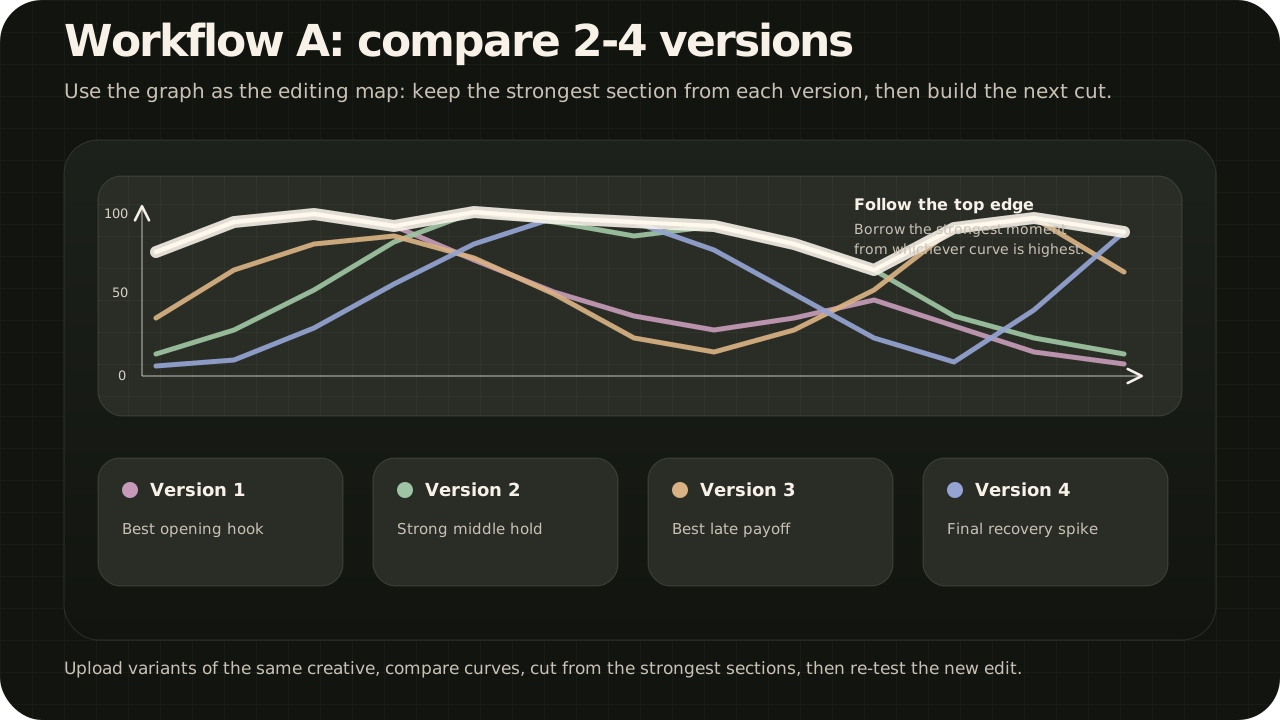
Typical use:
- Upload 2-4 variants of the same ad/video idea.
- Compare the overlaid curves.
- Mark which version has the strongest hook, middle hold, transitions, and later useful section.
- Build a new edit from the best-performing blocks.
- Re-run the new edit against the current leader.
B. Improve one video
Use solo mode when you only have one cut. Look for real dips in the graph, click the timestamp, inspect nearby frames, and test one edit at a time.
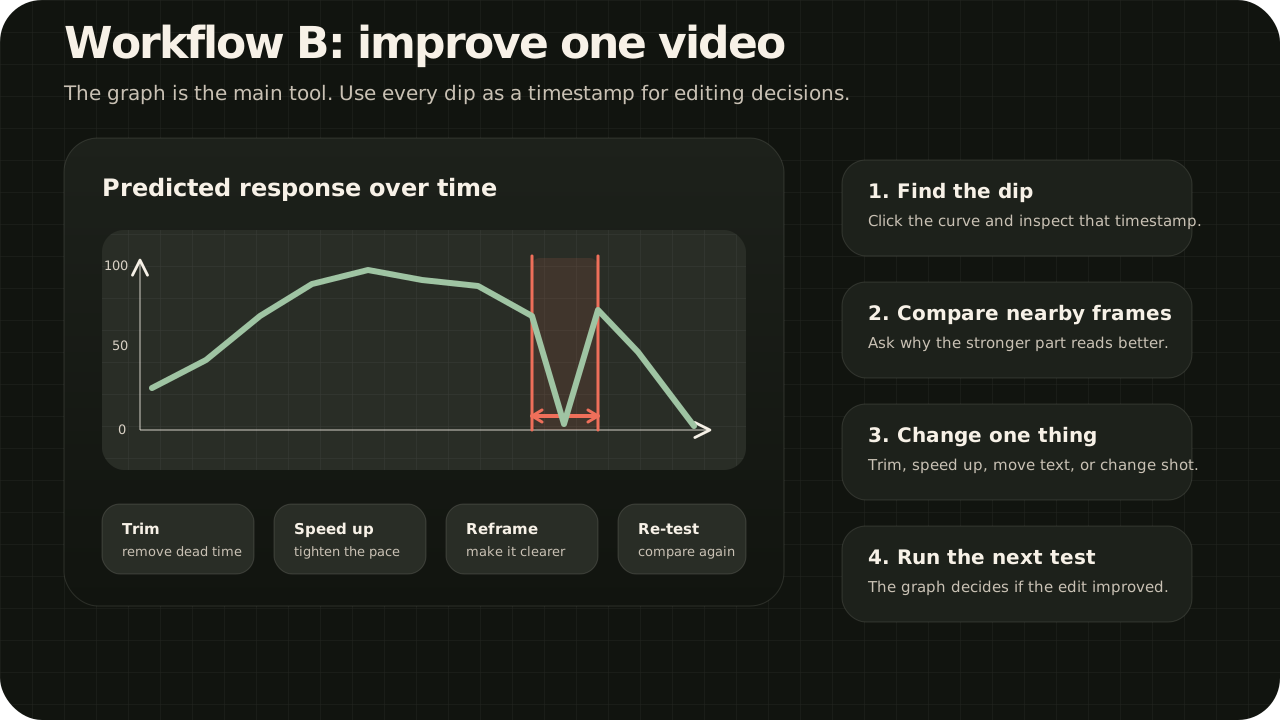
Typical edits:
- Cut or shorten slow fragments.
- Speed up a section that drags.
- Move the main action or caption earlier.
- Make the subject larger or clearer.
- Remove visual clutter.
- Add a new beat before the graph drops.
Full workflow notes: docs/WORKFLOWS.md
Project structure
.
|-- app.py                         # FastAPI app and report routes
|-- bootstrap_models.py            # First-launch dependency and model preparation
|-- tribe_runtime.py               # TRIBE v2 model loading and inference wrapper
|-- official_report.py             # Official-output report layer
|-- review_engine.py               # Local recommendation and comparison logic
|-- brain_visualization.py         # Brain heatmap visualization data
|-- report_localization.py         # UI/report copy layer
|-- pdf_report.py                  # Chrome-based HTML-to-PDF export
|-- templates/index.html           # Main web UI
|-- static/vendor/                 # Local browser dependencies
|-- runtime_media/                 # Local runtime uploads/reports, ignored by Git
|-- docs/INSTALL_WINDOWS.md        # Windows setup guide
`-- docs/TROUBLESHOOTING.md        # Common issues
Quick start on Windows
For non-technical users:
- Click the green
Codebutton on GitHub. - Click
Download ZIP. - Extract the ZIP into a normal folder, for example
DesktoporDownloads. - Open the extracted folder.
- Double-click
Start_TRIBE_Review.cmd. - Keep the black terminal window open while the app prepares itself.
- When the terminal says setup is complete, close it.
- Double-click
Start_TRIBE_Review.cmdagain. - The app should open in your browser.
The first launch can take a while because the app downloads and installs everything it needs. Later launches are much faster.
Quick command version:
Start_TRIBE_Review.cmdIf the browser does not open automatically, open:
http://127.0.0.1:8000Full setup notes: docs/INSTALL_WINDOWS.md
Requirements
Recommended local setup:
- Windows 10/11 64-bit
- Python 3.11
- 16 GB RAM
- Modern 8-core CPU or better
- NVIDIA GPU
- 6 GB VRAM minimum, 12 GB+ preferred
- 30 GB+ free disk space, preferably on SSD
Runtime data and privacy
Uploaded videos and generated reports are written to runtime_media/.
That folder is intentionally ignored by Git. Do not commit runtime media, reports, transcripts, tokens, logs, model weights, or cache folders.
Development checks
Run a syntax check:
python -m py_compile app.py bootstrap_models.py tribe_runtime.py speech_runtime.py official_report.py review_engine.py report_localization.py pdf_report.py brain_visualization.py runtime_setup.pyRun a smoke test with a local video:
python smoke_test.py C:\path\to\test-video.mp4License and use
No open-source license is granted yet. Treat this repository as private, all-rights-reserved, non-commercial evaluation code unless a license is explicitly added later.
Review the official TRIBE v2 license and all third-party licenses before any redistribution or public use.
TRIBE v2 model weights are not included in this repository. They are downloaded from the official Hugging Face model page by the local setup flow and remain subject to the official TRIBE v2 license.