

Repository
sympozium
Run a fleet of AI agents on Kubernetes. Administer your cluster agentically
- Concern
- OpenClaw (in-process)
- Tool
- Type
- execute_command
- IPC (sidecar)
- read_file
- Native
Specs
- ConcernOpenClaw (in-process)
- ToolType
- execute_commandIPC (sidecar)
- read_fileNative
- write_fileNative
- list_directoryNative
- fetch_urlNative
- send_channel_messageIPC (bridge)
- schedule_taskIPC (bridge)
- ChannelProtocol
- CRDKubernetes Analogy
- SympoziumInstanceNamespace / Tenant
- AgentRunJob
- SympoziumPolicyNetworkPolicy
- SkillPackConfigMap
- SympoziumScheduleCronJob
- PersonaPackHelm Chart / Operator Bundle
- PackCategory
- platform-teamPlatform
- devops-essentialsDevOps
- LayerMechanism
- NetworkNetwork
- Pod sandboxPod sandbox
- Admission controlAdmission control
- Skill RBACSkill RBAC
- Controller privilegeController privilege
- Multi-tenancyMulti-tenancy
- FlagDefault
- --port8080
- --openfalse
- --service-namespacesympozium-system
- KeyView
- 1Personas
- 2Instances
- 3Runs
- 4Policies
- 5Skills
- 6Channels
- 7Schedules
- 8Pods
README
Every agent is an ephemeral Pod.Every policy is a CRD. Every execution is a Job. Orchestrate multi-agent workflows and let agents diagnose, scale, and remediate your infrastructure. Multi-tenant. Horizontally scalable. Safe by design. From the creator of k8sgpt and llmfit
This project is under active development. API's will change, things will be break. Be brave.



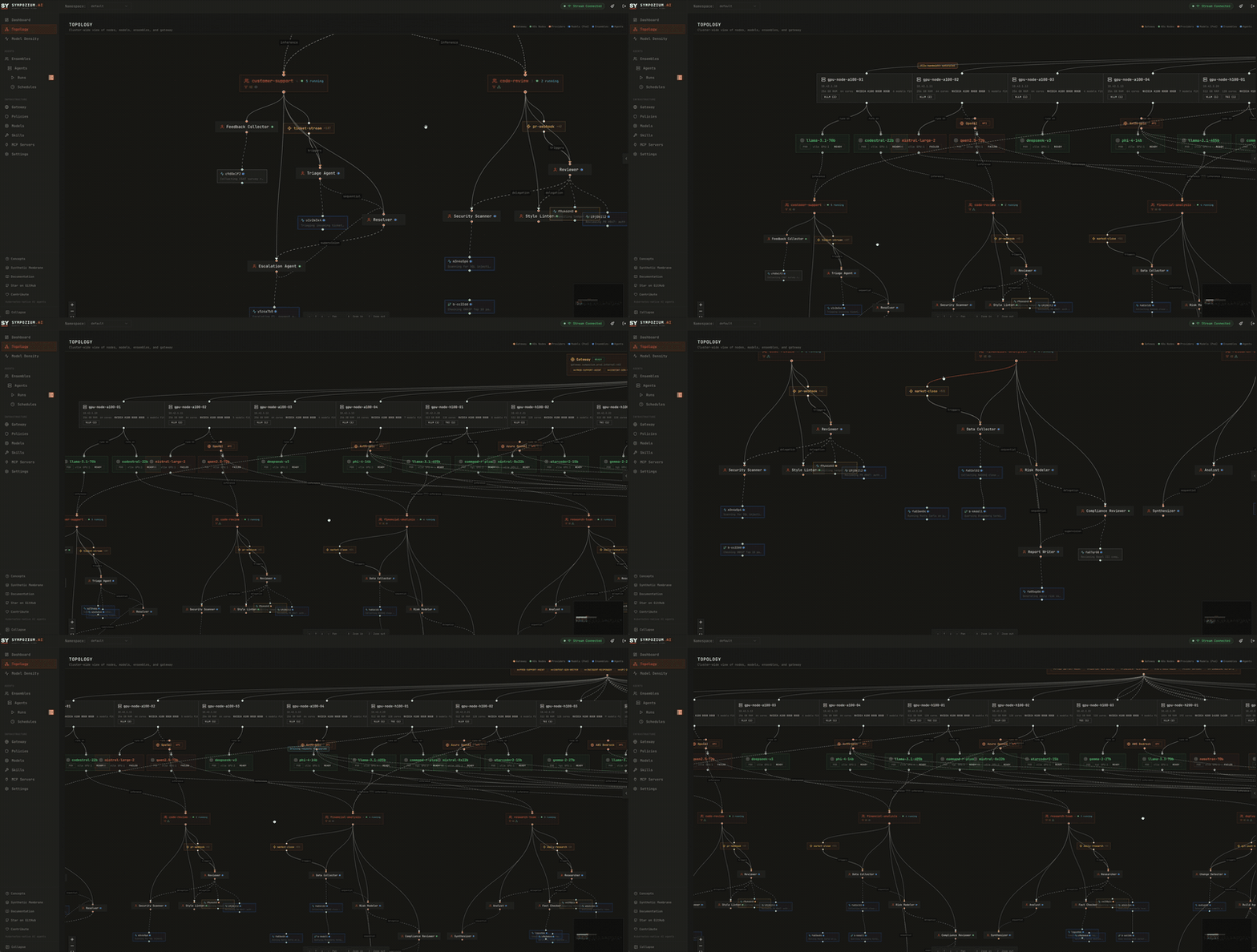
Quick Install (macOS / Linux)
Homebrew:
brew tap AlexsJones/sympozium
brew install sympozium
Shell installer:
curl -fsSL https://deploy.sympozium.ai/install.sh | shThen deploy to your cluster and activate your first agents:
sympozium install          # deploys CRDs, controllers, and built-in PersonaPacks
sympozium                  # launch the TUI — go to Personas tab, press Enter to onboard
# (WIP): sympozium serve            # open the web dashboard (port-forwards to the in-cluster UI)
sympozium install now also deploys a built-in OpenTelemetry collector (sympozium-otel-collector) so telemetry and dashboard observability features are available by default.
Sympozium ships with PersonaPacks — pre-configured bundles of agents that you activate with a few keypresses. No YAML required. See PersonaPacks below.
Choose your interface: a k9s-style terminal UI (sympozium) or a full web dashboard (sympozium serve). Both support all operations.
📖 New here? See the Getting Started guide — install, deploy, onboard your first agent, and learn the TUI, web UI, and CLI commands.
Advanced: Helm Chart
For production and GitOps workflows, you can deploy the control plane separately using Helm and install the CLI independently.
Control Plane
Prerequisites: cert-manager (for webhook TLS):
kubectl apply -f https://github.com/cert-manager/cert-manager/releases/download/v1.17.1/cert-manager.yamlDeploy the Sympozium control plane:
helm install sympozium ./charts/sympoziumSee charts/sympozium/values.yaml for configuration options (replicas, resources, external NATS, network policies, etc.).
By default, the Helm chart also deploys a built-in OpenTelemetry collector:
observability:
  enabled: true
  collector:
    service:
      otlpGrpcPort: 4317
      otlpHttpPort: 4318
      metricsPort: 8889
Disable it if you already run a shared collector:
observability:
  enabled: false
CLI
Install the CLI on your local machine to connect to the cluster:
brew tap AlexsJones/sympozium && brew install sympozium
# or
curl -fsSL https://deploy.sympozium.ai/install.sh | sh
Why Sympozium?
Sympozium serves two powerful use cases on one Kubernetes-native platform:
- Orchestrate fleets of AI agents — customer support, code review, data pipelines, or any domain-specific workflow. Each agent gets its own pod, RBAC, and network policy with proper tenant isolation.
- Administer the cluster itself agentically — point agents inward to diagnose failures, scale deployments, triage alerts, and remediate issues, all with Kubernetes-native isolation, RBAC, and audit trails.
Agentic frameworks like OpenClaw pioneered rich agent orchestration — sub-agent registries, tool pipelines, channel integrations, and sandbox execution. But they run as in-process monoliths with file-based state, single-instance locks, and tightly coupled plugin systems.
Sympozium takes the same agentic control model and rebuilds it on Kubernetes primitives:
Isolated Skill Sidecars — a game-changer
Most agent frameworks dump every tool into one shared process. One bad kubectl delete and your whole agent environment is toast. Sympozium does this completely differently:
Every skill runs in its own sidecar container — a separate, isolated process injected into the agent pod at runtime. Use skills to give agents cluster-admin capabilities (kubectl, helm, scaling) or domain-specific tools — each with ephemeral least-privilege RBAC that's garbage-collected when the run finishes. Toggle a skill on, and the controller automatically:
- Injects a dedicated sidecar container with only the binaries that skill needs (
kubectl,helm,terraform, etc.) - Provisions ephemeral, least-privilege RBAC scoped to that single agent run — no standing permissions, no god-roles
- Shares a
/workspacevolume so the agent can coordinate with the sidecar - Garbage-collects everything when the run finishes — containers, roles, bindings, all gone
This means you can give an agent full kubectl access for a troubleshooting run without worrying about leftover permissions. Skills are declared as CRDs, toggled per-instance in the TUI with a single keypress, and their containers are built and shipped alongside the rest of Sympozium. No plugins to install, no runtime to configure — just Kubernetes-native isolation that scales.
"Give the agent tools, not trust." — Whether it's orchestrating a fleet or administering the cluster, skills get exactly the permissions they declare, for exactly as long as the run lasts, and not a second longer.
How it compares
| Concern | OpenClaw (in-process) | Sympozium (Kubernetes-native) |
|---|---|---|
| Agent execution | Shared memory, single process | Ephemeral Pod per invocation (K8s Job) |
| Orchestration | In-process registry + lane queue | CRD-based registry with controller reconciliation |
| Sandbox isolation | Long-lived Docker sidecar | Pod SecurityContext + PodSecurity admission |
| IPC | In-process EventEmitter | Filesystem sidecar + NATS JetStream |
| Tool/feature gating | 7-layer in-process pipeline | Admission webhooks + SympoziumPolicy CRD |
| Persistent memory | Files on disk (~/.openclaw/) |
ConfigMap per instance, controller-managed |
| Scheduled tasks | Cron jobs / external scripts | SympoziumSchedule CRD with cron controller |
| State | SQLite + flat files | etcd (CRDs) + PostgreSQL + object storage |
| Multi-tenancy | Single-instance file lock | Namespaced CRDs, RBAC, NetworkPolicy |
| Scaling | Vertical only | Horizontal — stateless control plane, HPA |
| Channel connections | In-process per channel | Dedicated Deployment per channel type |
| Observability | Application logs | kubectl logs, events, conditions, OpenTelemetry traces/metrics, k9s-style TUI, web dashboard |
The result: every concept that OpenClaw manages in application code, Sympozium expresses as a Kubernetes resource — then adds the ability to point agents at the cluster itself. Declarative, reconcilable, observable, and scalable.
Deploy to Your Cluster
sympozium install          # CRDs, controllers, webhook, NATS, RBAC, network policies
sympozium onboard          # interactive setup wizard — instance, provider, channel
sympozium                  # launch the interactive TUI (default command)
sympozium serve            # open the web dashboard in your browser
sympozium uninstall        # clean removal
Slack setup (Socket Mode)
For reliable Slack connectivity, configure your Slack app with both tokens and required app settings:
- Provide both secrets in the channel secret:
SLACK_BOT_TOKEN(xoxb-...)SLACK_APP_TOKEN(xapp-...)
- Enable App Home → Messages Tab and allow users to message the app.
- Enable Socket Mode.
- Add bot event subscriptions:
message.immessage.channelsapp_mention
- Reinstall the app after changing scopes or event subscriptions.
If SLACK_APP_TOKEN is omitted, Sympozium falls back to Slack Events API mode, which requires a publicly reachable webhook URL.
Architecture
graph TB
subgraph K8S["Kubernetes Cluster"]
direction TB
subgraph CP["Control Plane"]
CM["Controller Manager<br/><small>SympoziumInstance · AgentRun · PersonaPack<br/>SympoziumPolicy · SkillPack · SympoziumSchedule</small>"]
API["API Server<br/><small>HTTP + WebSocket</small>"]
WH["Admission Webhook<br/><small>Policy enforcement</small>"]
NATS[("NATS JetStream<br/><small>Event bus</small>")]
CM --- NATS
API --- NATS
WH -.- CM
end
subgraph SCHED["Scheduled Tasks"]
CS["SympoziumSchedule Controller<br/><small>Cron-based reconciler</small>"]
SROUTER["Schedule Router<br/><small>NATS → SympoziumSchedule CRD</small>"]
CS -- "creates AgentRuns<br/>on schedule" --> CM
SROUTER -- "creates / updates<br/>SympoziumSchedule CRDs" --> CS
end
subgraph CH["Channel Pods · one Deployment per type"]
TG["Telegram"]
SL["Slack"]
DC["Discord"]
WA["WhatsApp"]
end
subgraph WE["Web Endpoints · long-lived Deployments"]
WP["Web Proxy<br/><small>OpenAI-compat API + MCP</small>"]
GW["Envoy Gateway<br/><small>HTTPRoute per instance</small>"]
GW -- "routes traffic" --> WP
end
subgraph AP["Agent Pod · ephemeral K8s Job"]
direction LR
A1["Agent Container<br/><small>LLM provider agnostic</small>"]
IPC["IPC Bridge<br/><small>fsnotify → NATS</small>"]
SB["Sandbox<br/><small>optional sidecar</small>"]
SKS["Skill Sidecars<br/><small>kubectl, helm, etc.<br/>auto-RBAC</small>"]
A1 -. "/ipc volume" .- IPC
A1 -. optional .- SB
A1 -. "/workspace" .- SKS
end
subgraph SEC["Skill RBAC · ephemeral, least-privilege"]
SR["Role + RoleBinding<br/><small>namespace-scoped<br/>ownerRef → AgentRun</small>"]
SCR["ClusterRole + Binding<br/><small>cluster-scoped<br/>label-based cleanup</small>"]
end
SKS -- "uses" --> SR
SKS -- "uses" --> SCR
CM -- "creates / deletes" --> SEC
WP -- "creates per-request<br/>AgentRun Jobs" --> CM
WP --- NATS
CM -- "creates Deployment<br/>+ Service + HTTPRoute" --> WE
subgraph MEM["Persistent Memory"]
MCM[("ConfigMap<br/><small><instance>-memory</small>")]
A1 -- "reads /memory<br/>MEMORY.md" --> MCM
CM -- "extracts & patches<br/>memory markers" --> MCM
end
subgraph DATA["Data Layer"]
ETCD[("etcd<br/><small>CRDs, state</small>")]
PG[("PostgreSQL<br/><small>sessions, history</small>")]
SK[("SkillPack ConfigMaps<br/><small>mounted at /skills</small>")]
end
TG & SL & DC & WA -- "messages" --> NATS
NATS -- "tasks" --> IPC
IPC -- "channel msgs<br/>schedule requests" --> NATS
NATS -- "schedule.upsert" --> SROUTER
end
USER(["User / Chat Client"]) -- "Telegram · Slack<br/>Discord · WhatsApp" --> CH
HTTPUSER(["HTTP / API Client"]) -- "REST · MCP<br/>OpenAI-compat" --> GW
ADMIN(["Operator / SRE"]) -- "sympozium TUI · Web UI<br/>kubectl · k9s" --> CP
style K8S fill:#0d1117,stroke:#30363d,color:#c9d1d9
style CP fill:#1a1a2e,stroke:#e94560,color:#fff
style SCHED fill:#1a1a2e,stroke:#f5a623,color:#fff
style CH fill:#16213e,stroke:#0f3460,color:#fff
style WE fill:#16213e,stroke:#f5a623,color:#fff
style AP fill:#0f3460,stroke:#53354a,color:#fff
style MEM fill:#1c2333,stroke:#7c3aed,color:#fff
style SEC fill:#1c2333,stroke:#238636,color:#fff
style DATA fill:#161b22,stroke:#30363d,color:#c9d1d9
style NATS fill:#e94560,stroke:#fff,color:#fff
style USER fill:#238636,stroke:#fff,color:#fff
style HTTPUSER fill:#f5a623,stroke:#fff,color:#000
style ADMIN fill:#1f6feb,stroke:#fff,color:#fffHow It Works
- A message arrives via a channel pod (Telegram, Slack, etc.) and is published to the NATS event bus.
- The controller creates an AgentRun CR, which reconciles into an ephemeral K8s Job — an agent container + IPC bridge sidecar + optional sandbox + skill sidecars (with auto-provisioned RBAC).
- The agent container calls the configured LLM provider (OpenAI, Anthropic, Azure, Ollama, or any OpenAI-compatible endpoint), with skills mounted as files, persistent memory injected from a ConfigMap, and tool sidecars providing runtime capabilities like
kubectl. - Results flow back through the IPC bridge → NATS → channel pod → user. The controller extracts structured results and memory updates from pod logs.
- Web endpoints expose agents as HTTP APIs. When an instance has the
web-endpointskill, the controller creates a long-lived Deployment (serving mode) with a web-proxy sidecar. The proxy accepts OpenAI-compatible (/v1/chat/completions) and MCP (/sse,/message) requests, creating per-request AgentRun Jobs. An Envoy Gateway with per-instance HTTPRoutes provides external access with TLS. - Everything is a Kubernetes resource — instances, runs, policies, skills, and schedules are all CRDs. Lifecycle is managed by controllers. Access is gated by admission webhooks. Network isolation is enforced by NetworkPolicy. The TUI and web dashboard give you full visibility into the entire system.
Built-in Agent Tools
Every agent pod has these tools available out of the box (no skill sidecar required for native tools):
| Tool | Type | Description |
|---|---|---|
execute_command |
IPC (sidecar) | Execute shell commands (kubectl, bash, curl, jq, etc.) in the skill sidecar container. Timeout-configurable, working directory support. |
read_file |
Native | Read file contents from the pod filesystem (/workspace, /skills, /tmp, /ipc). Truncated at 100 KB. |
write_file |
Native | Create or overwrite files under /workspace or /tmp. Auto-creates parent directories. |
list_directory |
Native | List directory contents with type, size, and name. |
fetch_url |
Native | Fetch web pages or API endpoints. HTML is converted to readable plain text; JSON returned as-is. Supports custom headers, configurable max chars (default 50k). |
send_channel_message |
IPC (bridge) | Send a message through a connected channel (WhatsApp, Telegram, Discord, Slack). Routes via IPC bridge → NATS → channel pod. |
schedule_task |
IPC (bridge) | Create, update, suspend, resume, or delete recurring SympoziumSchedule tasks. Routes via IPC bridge → NATS → schedule router. |
Native tools run directly in the agent container. IPC tools communicate with sidecars or the IPC bridge via the shared
/ipcvolume. See the Tool Authoring Guide for how to add your own.
Built-in Skills (SkillPacks)
Skills are mounted as files into agent pods and optionally inject sidecar containers with runtime tools. Toggle skills per-instance in the TUI with s → Space.
| SkillPack | Category | Sidecar | Description | Status |
|---|---|---|---|---|
k8s-ops |
Kubernetes | ✅ kubectl, curl, jq |
Cluster inspection, workload management, troubleshooting, scaling. Full admin RBAC auto-provisioned per run. | Stable |
sre-observability |
SRE | ✅ kubectl, curl, jq |
Prometheus/Loki/Kubernetes observability workflows: health triage, metrics queries, and deep log/event correlation. Read-only observability RBAC auto-provisioned per run. | Alpha |
llmfit |
SRE | ✅ llmfit, kubectl, jq |
Node-level model placement analysis. Runs llmfit probes per node and ranks best nodes for requested models. | Alpha |
incident-response |
SRE | ✅ | Structured incident triage — gather context, diagnose root cause, suggest remediation. | Alpha |
code-review |
Development | — | Code review guidelines and best practices for pull request analysis. | Alpha |
web-endpoint |
Connectivity | ✅ web-proxy |
Expose agents as HTTP APIs — OpenAI-compatible chat completions (/v1/chat/completions) and MCP (/sse, /message). Deploys a long-lived web-proxy sidecar with bearer-token auth and token-bucket rate limiting. |
Alpha |
Channels
Channels connect Sympozium to external messaging platforms. Each channel runs as a dedicated Kubernetes Deployment. Messages flow through NATS JetStream and are routed to AgentRuns by the channel router.
| Channel | Protocol | Self-chat | Status |
|---|---|---|---|
WhatsApp Web (multidevice) via whatsmeow |
✅ Owner can message themselves to interact with agents | Stable | |
| Telegram | Bot API (tgbotapi) |
✅ Owner can message themselves to interact with agents | Stable |
| Discord | Gateway WebSocket (discordgo) |
— | Alpha |
| Slack | Socket Mode (slack-go) |
— | Alpha |
Stable — tested and actively used. Alpha — implemented but not yet production-tested.
Custom Resources
Sympozium models every agentic concept as a Kubernetes Custom Resource:
| CRD | Kubernetes Analogy | Purpose |
|---|---|---|
SympoziumInstance |
Namespace / Tenant | Per-user gateway — channels, provider config, memory settings, skill bindings |
AgentRun |
Job | Single agent execution — task, model, result capture, memory extraction |
SympoziumPolicy |
NetworkPolicy | Feature and tool gating — what an agent can and cannot do |
SkillPack |
ConfigMap | Portable skill bundles — kubectl, Helm, or custom tools — mounted into agent pods as files, with optional sidecar containers for cluster ops |
SympoziumSchedule |
CronJob | Recurring tasks — heartbeats, sweeps, scheduled runs with cron expressions |
PersonaPack |
Helm Chart / Operator Bundle | Pre-configured agent bundles — activating a pack stamps out instances, schedules, and memory for each persona |
PersonaPacks
PersonaPacks are the recommended way to get started with Sympozium. A PersonaPack is a CRD that bundles multiple pre-configured agent personas — each with a system prompt, skills, tool policy, schedule, and memory seeds. Activating a pack is a single action: the PersonaPack controller stamps out all the Kubernetes resources automatically.
Why PersonaPacks?
Without PersonaPacks, setting up even one agent requires creating a Secret, SympoziumInstance, SympoziumSchedule, and memory ConfigMap by hand. PersonaPacks collapse that into: pick a pack → enter your API key → done.
How it works:
PersonaPack "platform-team" (3 personas)
  │
  ├── Activate via TUI (Enter on pack → wizard → API key → confirm)
  │
  └── Controller stamps out:
      ├── Secret: platform-team-openai-key
      ├── SympoziumInstance: platform-team-security-guardian
      │   ├── SympoziumSchedule: ...security-guardian-schedule (every 30m)
      │   └── ConfigMap: ...security-guardian-memory (seeded)
      ├── SympoziumInstance: platform-team-sre-watchdog
      │   ├── SympoziumSchedule: ...sre-watchdog-schedule (every 5m)
      │   └── ConfigMap: ...sre-watchdog-memory (seeded)
      └── SympoziumInstance: platform-team-platform-engineer
          ├── SympoziumSchedule: ...platform-engineer-schedule (weekdays 9am)
          └── ConfigMap: ...platform-engineer-memory (seeded)
All generated resources have ownerReferences pointing back to the PersonaPack — delete the pack and everything gets garbage-collected.
Built-in packs:
| Pack | Category | Agents | Description |
|---|---|---|---|
platform-team |
Platform | Security Guardian, SRE Watchdog, Platform Engineer | Core platform engineering — security audits, cluster health, manifest review |
devops-essentials |
DevOps | Incident Responder, Cost Analyzer | DevOps workflows — incident triage, resource right-sizing |
developer-team |
Development | Tech Lead, Backend Dev, Frontend Dev, QA Engineer, Code Reviewer, DevOps Engineer, Docs Writer | A 2-pizza software development team that collaborates on a single GitHub repository through PRs, issues, code review, testing, and documentation |
Activating a pack in the TUI:

- Launch
sympozium— the TUI opens on the Personas tab (view 1) - Select a pack and press Enter to start the onboarding wizard
- Choose your AI provider and paste an API key
- Optionally bind channels (Telegram, Slack, Discord, WhatsApp)
- Confirm — the controller creates all instances within seconds
Activating via kubectl:
# 1. Create the provider secret
kubectl create secret generic my-pack-openai-key \
  --from-literal=OPENAI_API_KEY=sk-...

# 2. Patch the PersonaPack with authRefs to trigger activation
kubectl patch personapack platform-team --type=merge -p '{
  "spec": {
    "authRefs": [{"provider": "openai", "secret": "my-pack-openai-key"}]
  }
}'
The controller detects the authRefs change and reconciles — creating SympoziumInstances, Schedules, and memory ConfigMaps for each persona.
Writing your own PersonaPack:
apiVersion: sympozium.ai/v1alpha1
kind: PersonaPack
metadata:
  name: my-team
spec:
  description: "My custom agent team"
  category: custom
  version: "1.0.0"
  personas:
    - name: my-agent
      displayName: "My Agent"
      systemPrompt: |
        You are a helpful assistant that monitors the cluster.
      skills:
        - k8s-ops
      toolPolicy:
        allow: [read_file, list_directory, execute_command, fetch_url]
      schedule:
        type: heartbeat
        interval: "1h"
        task: "Check cluster health and report any issues."
      memory:
        enabled: true
        seeds:
          - "Track recurring issues for trend analysis"
Apply it with kubectl apply -f my-team.yaml, then activate through the TUI.
Skill Sidecars
SkillPacks can declare a sidecar container that is dynamically injected into the agent pod when the skill is active. The controller automatically creates scoped RBAC:
SympoziumInstance has skills: [k8s-ops]
  → AgentRun created
    → Controller resolves SkillPack "k8s-ops"
      → Finds sidecar: { image: skill-k8s-ops, rbac: [...] }
      → Injects sidecar container into pod
      → Creates Role + RoleBinding (namespace-scoped)
      → Creates ClusterRole + ClusterRoleBinding (cluster-wide access)
    → Pod runs with kubectl + RBAC available
    → On completion/deletion: all skill RBAC cleaned up
The k8s-ops, sre-observability, and llmfit built-in skills provide sidecars for cluster operations and placement analysis. k8s-ops is designed for active workload management, sre-observability is read-only for metrics/logs/events triage, and llmfit probes each node to rank the best placement for a target model. See the Skill Authoring Guide for a full walkthrough of building your own skills. To enable a skill, toggle it on your instance:
# In the TUI: press 's' on an instance → Space to toggle k8s-ops / llmfit
# Or via kubectl:
kubectl patch sympoziuminstance <name> --type=merge -p '{"spec":{"skills":[{"skillPackRef":"k8s-ops"},{"skillPackRef":"llmfit"}]}}'
Security
Sympozium enforces defence-in-depth at every layer — from network isolation to per-run RBAC:
| Layer | Mechanism | Scope |
|---|---|---|
| Network | NetworkPolicy deny-all egress on agent pods |
Only the IPC bridge can reach NATS; agents cannot reach the internet or other pods |
| Pod sandbox | SecurityContext — runAsNonRoot, UID 1000, read-only root filesystem |
Every agent and sidecar container runs with least privilege |
| Admission control | SympoziumPolicy admission webhook |
Feature and tool gates enforced before the pod is created |
| Skill RBAC | Ephemeral Role/ClusterRole per AgentRun |
Each skill declares exactly the API permissions it needs — the controller auto-provisions them at run start and revokes them on completion |
| RBAC lifecycle | ownerReference (namespace) + label-based cleanup (cluster) |
Namespace RBAC is garbage-collected by Kubernetes. Cluster RBAC is cleaned up by the controller on AgentRun completion and deletion. |
| Controller privilege | cluster-admin binding |
The controller needs cluster-admin to create arbitrary RBAC rules declared by SkillPacks (Kubernetes prevents RBAC escalation otherwise) |
| Multi-tenancy | Namespaced CRDs + Kubernetes RBAC | Instances, runs, and policies are namespace-scoped; standard K8s RBAC controls who can create them |
The skill sidecar RBAC model deserves special attention: permissions are created on-demand when an AgentRun starts, scoped to exactly the APIs the skill needs, and deleted when the run finishes. There is no standing god-role — each run gets its own short-lived credentials. This is the Kubernetes-native equivalent of temporary IAM session credentials.
Persistent Memory
Each SympoziumInstance can enable persistent memory — a ConfigMap (<instance>-memory) containing MEMORY.md that is:
- Mounted read-only into every agent pod at
/memory/MEMORY.md - Prepended as context so the agent knows what it has learned
- Updated after each run — the controller extracts memory markers from pod logs and patches the ConfigMap
This gives agents continuity across runs without external databases or file systems. Memory lives in etcd alongside all other cluster state.
Scheduled Tasks (Heartbeats)
SympoziumSchedule resources define cron-based recurring agent runs — perfect for automated cluster health checks, overnight alert reviews, resource right-sizing sweeps, or any domain-specific task:
apiVersion: sympozium.ai/v1alpha1
kind: SympoziumSchedule
metadata:
  name: daily-standup
spec:
  instanceRef: alice
  schedule: "0 9 * * *"        # every day at 9am
  type: heartbeat
  task: "Review overnight alerts and summarize status"
  includeMemory: true           # inject persistent memory
  concurrencyPolicy: Forbid     # skip if previous run still active
Concurrency policies (Forbid, Allow, Replace) work like CronJob.spec.concurrencyPolicy — a natural extension of Kubernetes semantics.
Web Dashboard
Sympozium includes a full web dashboard embedded in the API server pod. Access it locally with:
sympozium serveThis port-forwards the in-cluster API server to http://127.0.0.1:8080 and prints the authentication token. The dashboard provides a graphical interface for all Sympozium operations — instances, runs, policies, skills, schedules, personas, and real-time streaming.
Options:
| Flag | Default | Description |
|---|---|---|
--port |
8080 |
Local port to forward to |
--open |
false |
Automatically open a browser |
--service-namespace |
sympozium-system |
Namespace of the apiserver service |
The token is auto-generated during sympozium install and stored in a Kubernetes Secret. You can also set it explicitly via Helm (apiserver.webUI.token) or by creating a sympozium-ui-token Secret.
OpenTelemetry Observability
Sympozium supports OpenTelemetry for agent runs and tool execution. The built-in collector is installed by default with sympozium install and enabled by default in the Helm chart.
Instance-Level Configuration
Enable observability per SympoziumInstance:
apiVersion: sympozium.ai/v1alpha1
kind: SympoziumInstance
metadata:
  name: my-agent
spec:
  observability:
    enabled: true
    otlpEndpoint: sympozium-otel-collector.sympozium-system.svc:4317
    otlpProtocol: grpc
    serviceName: sympozium
    resourceAttributes:
      deployment.environment: production
      k8s.cluster.name: my-cluster
Web UI Observability Views
- Runs page (
/runs): collector status, run totals, token totals, tool-invocation totals, model token breakdown. - Run detail (
/runs/<name>) → Telemetry tab: run timeline events, trace correlation fields, and observed telemetry metric names.
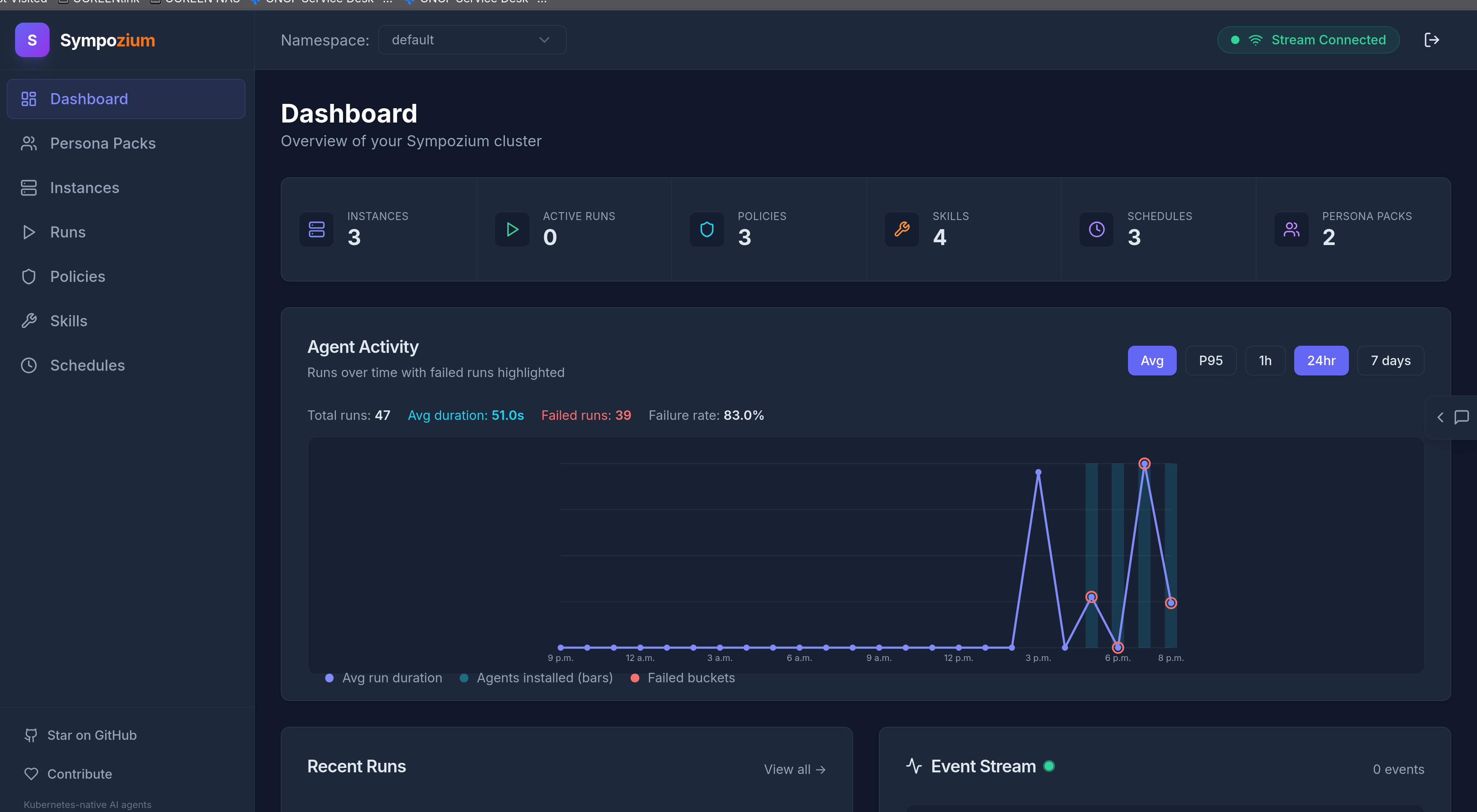
For full distributed trace waterfall views, configure collector exporters to your preferred backend (Jaeger, Tempo, Datadog, Honeycomb, etc.).
Interactive TUI
Running sympozium with no arguments launches a k9s-style interactive terminal UI for full cluster-wide agentic management.
Views
| Key | View | Description |
|---|---|---|
1 |
Personas | PersonaPack list — press Enter to activate a pack and create agents |
2 |
Instances | SympoziumInstance list with status, channels, memory config |
3 |
Runs | AgentRun list with phase, duration, result preview |
4 |
Policies | SympoziumPolicy list with feature gates |
5 |
Skills | SkillPack list with file counts |
6 |
Channels | Channel pod status (Telegram, Slack, Discord, WhatsApp) |
7 |
Schedules | SympoziumSchedule list with cron, type, phase, run count |
8 |
Pods | All sympozium pods with status and restarts |
Keybindings
| Key | Action |
|---|---|
l |
View logs for the selected resource |
d |
Describe the selected resource (kubectl describe) |
x |
Delete the selected resource (with confirmation) |
Enter |
View details / select row |
Tab |
Cycle between views |
Esc |
Go back / close panel |
? |
Toggle help |
Slash Commands
| Command | Description |
|---|---|
/run <task> |
Create and submit an AgentRun |
/schedule <instance> <cron> <task> |
Create a SympoziumSchedule |
/memory <instance> |
View persistent memory for an instance |
/personas |
Switch to PersonaPacks view |
/instances /runs /channels /schedules |
Switch views |
/delete <type> <name> |
Delete a resource with confirmation |
Getting Started
1. Install the CLI
curl -fsSL https://deploy.sympozium.ai/install.sh | shDetects your OS and architecture, downloads the latest release binary, and installs to /usr/local/bin (or ~/.local/bin).
2. Deploy to your cluster
sympozium installApplies CRDs, RBAC, controller manager, API server, admission webhook, NATS event bus, cert-manager (if not present), and network policies to your current kubectl context.
sympozium install --version v0.0.13 # specific version3. Activate a PersonaPack (recommended)
Launch the TUI and activate one of the built-in PersonaPacks:
sympoziumThe TUI opens on the Personas tab. Press Enter on a pack (e.g. platform-team) to start the onboarding wizard:
- Choose your AI provider (OpenAI, Anthropic, Azure, Ollama, or custom)
- Paste your API key
- Pick a model
- Optionally bind messaging channels
- Confirm — the controller creates all agent instances automatically
Within seconds you'll have multiple purpose-built agents running on schedules, each with their own skills, memory, and tool policies.
Alternative: Manual onboard (single instance)
If you prefer to create a single instance manually:
sympozium onboardThe wizard walks you through five steps:
  ╔═══════════════════════════════════════════╗
  ║         Sympozium · Onboarding Wizard       ║
  ╚═══════════════════════════════════════════╝

  Step 1/5 — Cluster check
  Step 2/5 — Name your SympoziumInstance
  Step 3/5 — Choose your AI provider
  Step 4/5 — Connect a channel (optional)
  Step 5/5 — Apply default policy
Step 3 supports any GenAI provider:
| Provider | Base URL | API Key |
|---|---|---|
| OpenAI | (default) | OPENAI_API_KEY |
| Anthropic | (default) | ANTHROPIC_API_KEY |
| Azure OpenAI | your endpoint | AZURE_OPENAI_API_KEY |
| Ollama | http://ollama:11434/v1 |
none |
| Any OpenAI-compatible | custom URL | custom |
4. Launch Sympozium
Terminal UI:
sympoziumThe interactive TUI gives you full visibility — browse instances, runs, schedules, and channels; view logs and describe output inline; submit agent runs with /run <task>; check memory with /memory <instance>.
Web dashboard:
sympozium serveOpens the web dashboard at http://127.0.0.1:8080. The token is printed in the terminal — use it to log in.
CLI:
sympozium instances list                              # list instances
sympozium runs list                                   # list agent runs
sympozium features enable browser-automation \
  --policy default-policy                           # enable a feature gate
5. Remove Sympozium
sympozium uninstallProject Structure
sympozium/
├── api/v1alpha1/           # CRD type definitions (SympoziumInstance, AgentRun, SympoziumPolicy, SkillPack, SympoziumSchedule, PersonaPack)
├── cmd/                    # Binary entry points
│   ├── agent-runner/       # LLM agent runner (runs inside agent pods)
│   ├── controller/         # Controller manager (reconciles all CRDs)
│   ├── apiserver/          # HTTP + WebSocket API server (+ embedded web UI)
│   ├── ipc-bridge/         # IPC bridge sidecar (fsnotify → NATS)
│   ├── web-proxy/          # Web proxy (OpenAI-compat API + MCP gateway)
│   ├── webhook/            # Admission webhook (policy enforcement)
│   └── sympozium/            # CLI + interactive TUI
├── web/                    # Web dashboard (React + TypeScript + Vite)
├── internal/               # Internal packages
│   ├── controller/         # Kubernetes controllers (6 reconcilers incl. PersonaPack)
│   ├── orchestrator/       # Agent pod builder & spawner
│   ├── apiserver/          # API server handlers
│   ├── eventbus/           # NATS JetStream event bus
│   ├── ipc/                # IPC bridge (fsnotify + NATS)
│   ├── webhook/            # Policy enforcement webhooks
│   ├── webproxy/           # Web proxy handlers (OpenAI, MCP, rate limiting)
│   ├── session/            # Session persistence (PostgreSQL)
│   └── channel/            # Channel base types
├── channels/               # Channel pod implementations (Telegram, Slack, Discord, WhatsApp)
├── images/                 # Dockerfiles for all components
├── config/                 # Kubernetes manifests
│   ├── crd/bases/          # CRD YAML definitions
│   ├── manager/            # Controller deployment
│   ├── rbac/               # ClusterRole, bindings
│   ├── webhook/            # Webhook configuration
│   ├── network/            # NetworkPolicy for agent isolation
│   ├── nats/               # NATS JetStream deployment
│   ├── cert/               # TLS certificate resources
│   ├── personas/           # Built-in PersonaPack definitions
│   ├── skills/             # Built-in SkillPack definitions
│   ├── policies/           # Default SympoziumPolicy presets
│   └── samples/            # Example CRs
├── migrations/             # PostgreSQL schema migrations
├── docs/                   # Design documentation
├── Makefile
└── README.md
Key Design Decisions
| Decision | Kubernetes Primitive | Rationale |
|---|---|---|
| One Pod per agent run | Job | Blast-radius isolation, resource limits, automatic cleanup — each agent is as ephemeral as a CronJob pod |
| Filesystem IPC | emptyDir volume | Agent writes to /ipc/, bridge sidecar watches via fsnotify and publishes to NATS — language-agnostic, zero dependencies in agent container |
| NATS JetStream | StatefulSet | Durable pub/sub with replay — channels and control plane communicate without direct coupling |
| NetworkPolicy isolation | NetworkPolicy | Agent pods get deny-all egress; only the IPC bridge connects to the event bus — agents cannot reach the internet or other pods |
| Policy-as-CRD | Admission Webhook | SympoziumPolicy resources gate tools, sandboxes, and features — enforced at admission time, not at runtime |
| Memory-as-ConfigMap | ConfigMap | Persistent agent memory lives in etcd — no external database, no file system, fully declarative and backed up with cluster state |
| Schedule-as-CRD | CronJob analogy | SympoziumSchedule resources define recurring tasks with cron expressions — the controller creates AgentRuns, not the user |
| Skills-as-ConfigMap | ConfigMap volume | SkillPacks generate ConfigMaps mounted into agent pods — portable, versionable, namespace-scoped |
| Skill sidecars with auto-RBAC | Role / ClusterRole | SkillPacks can declare sidecar containers with RBAC rules — the controller injects the container and provisions ephemeral, least-privilege RBAC per run |
| PersonaPacks | Operator Bundle | Pre-configured agent bundles — the controller stamps out SympoziumInstances, Schedules, and memory ConfigMaps. Activating a pack is a single TUI action |
Configuration
| Variable | Component | Description |
|---|---|---|
EVENT_BUS_URL |
All | NATS server URL |
DATABASE_URL |
API Server | PostgreSQL connection string |
INSTANCE_NAME |
Channels | Owning SympoziumInstance name |
MEMORY_ENABLED |
Agent Runner | Whether persistent memory is active |
TELEGRAM_BOT_TOKEN |
Telegram | Bot API token |
SLACK_BOT_TOKEN |
Slack | Bot OAuth token |
DISCORD_BOT_TOKEN |
Discord | Bot token |
WHATSAPP_ACCESS_TOKEN |
Cloud API access token |
Development
make test        # run tests (46 passing)
make lint        # run linter
make manifests   # generate CRD manifests
make run         # run controller locally (needs kubeconfig)
License
Apache License 2.0