
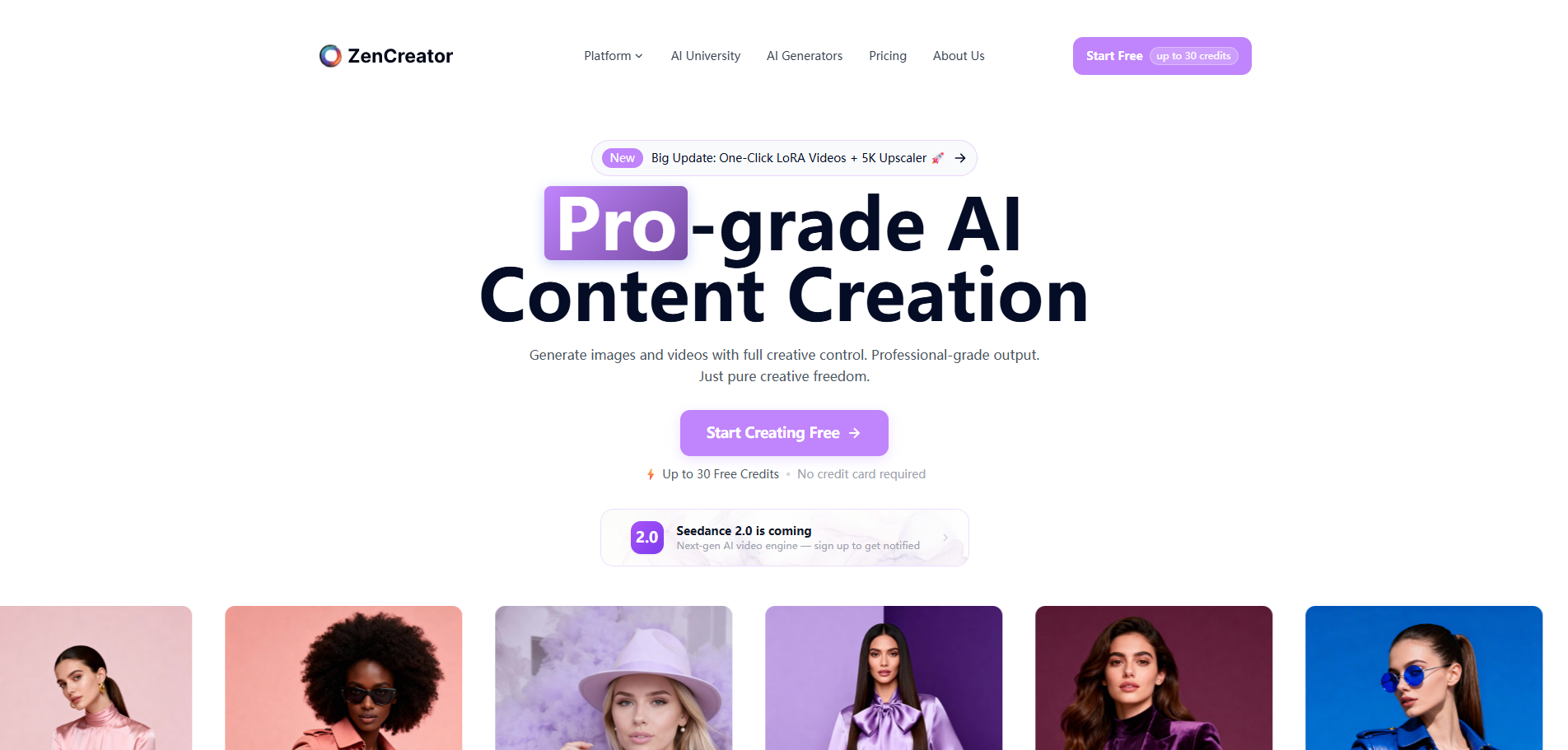
ZenCreator — Unrestricted AI Video & Photo
ZenCreator is an AI-powered content creation platform for generating, transforming, and enhancing images and videos. It offers 12+ specialized tools including text-to-image, image-to-video, face swap, AI photoshoots, upscaling, lipsync, and more — all on a credit-based system with SFW and NSFW modes.
Verdict
A quick read before you dig into the full page.
- Best if
- You are uGC & Influencers and need: Content creators generating AI-powered images and videos for social media
- Skip if
- You need enterprise SLAs or a fully managed team plan right away
- Pick this when
- Freemium · Free
Overview
ZenCreator is a comprehensive AI-powered content creation SaaS platform specializing in image and video generation, manipulation, and enhancement. The platform operates on a credit-based system and supports both SFW and NSFW content generation modes across most tools.
Key tools include:
- Text-To-Image: Generate images from text prompts using models like General (4K), SDXL, WAN, and Nano Banana Pro. Supports batch generation (up to 10 images), negative prompts, aspect ratio selection, and LoRA. Cost: 1 credit/image.
- Image-To-Image: Generate new images from reference photos using SDXL SFW/NSFW model. Upload up to 1000 references. Cost: 1 credit/image.
- Image-To-Video: Transform static images into dynamic videos using models like Seedance Pro, WAN 2.2/2.5, Kling 2.1/2.5. Outputs 720p video with audio support. Cost: 4 credits/video.
- Video-To-Video: AI style transfer and restyle footage. Modes include Animate (animate photos) and Replace (swap person in video). Cost: 7 credits/video.
- Head & Face Swap: Full head or face-only swapping in photos using uploaded source faces or Personas. Cost: 1 credit/image.
- AI Face Generator: Create realistic AI faces with customizable gender, age, ethnicity, body type, eye color, hair, and makeup. SFW only. Cost: 1 credit/image.
- AI PhotoShoot Generator: Generate professional photos across 18+ themes (bikini, vintage pin-up, red carpet, etc.) using face + body image uploads. Cost: 3 credits/image.
- AI Image Upscaler: Enhance image resolution up to 4K/32K. Basic and Premium versions with optional face enhancement. Batch upload up to 1000 files. Cost: 1 credit/image.
- Lipsync: Create lip-synced videos from photos and audio files. Supports JPG, PNG, MP3, WAV, M4A. Cost: 3 credits/second of audio.
- Editor & Combiner: AI-powered image editing — lighting swap, background change, outfit modification, artistic style transfer. Cost: 1 credit/image.
- AI Carousel: Generate image carousels/variations for social media with batch generation. Cost: 1 credit/generation.
- AI Collabs Generator: Combine two personas into collaborative images. Cost: 1 credit/image.
Advanced features include Flows (automated multi-step pipelines combining upscaling, face swap, and reference generation), a Personas Management system for managing virtual characters with social media integrations (Instagram, Threads, Twitter/X, YouTube, Facebook), and a My Generations dashboard to filter and download all created content.
Platform highlights:
- Credit system: First 30 credits add a ZenCreator watermark; paid credits remove it.
- Template Library: 18+ pre-built templates across all tools.
- Batch Processing: Up to 1000 files for upscaling, carousel, and reference generation.
- AI University: Educational resource for learning the platform.
- Referral Program: Earn 10% commission as an affiliate.
- Community: Active on Instagram, LinkedIn, Facebook, Threads, X, YouTube, Telegram, and Discord.
Best for
Short scenarios where ZenCreator — Unrestricted AI Video & Photo tends to shine.
-
Content creators generating AI-powered images and videos for social media
Best for UGC & Influencers
-
Digital artists creating personalized AI photos with custom personas and face swaps
Best for E-commerce owners
-
Marketers producing professional AI photoshoots and product visuals at scale
Best for Gaming developers
-
Adult content creators leveraging NSFW modes for exclusive fan content
Best for Marketing agencies
-
Video creators animating static photos or creating lip-synced video content
Best for Content creators
-
Influencers managing multiple virtual personas with automated social media posting
Best for Digital artists
How it works
2. Choose a tool from the dashboard: Text-to-Image, Image-to-Video, Face Swap, AI PhotoShoot, Upscaler, Lipsync, and more.
3. Upload your source images or enter a text prompt depending on the tool.
4. Select SFW or NSFW mode, choose a model or template, set aspect ratio and batch size.
5. Click Generate and wait for the AI to process your content.
6. Download results from My Generations or share directly to social media via Personas.
7. Use Flows to automate multi-step pipelines (e.g., Upscale + Face Swap in one click).
Example outputs 1
Sample generations and before/after results for ZenCreator — Unrestricted AI Video & Photo.
Access & connections
Where you can use ZenCreator — Unrestricted AI Video & Photo, and what it plugs into.
Platforms
Integrations
Capabilities
What this tool accepts, produces, and is strongest at.
Highlights
- Text-To-Image: Generate 4K images from prompts using General, SDXL, WAN, and Nano Banana Pro models with batch generation up to 10 images
- Image-To-Video: Transform static images into 720p videos using Seedance Pro, WAN 2.2/2.5, and Kling 2.1/2.5 models with audio support
- Video-To-Video: AI style transfer with Animate (animate photos) and Replace (swap person) modes
- Head & Face Swap: Full head or face-only AI swapping using uploaded faces or Personas integration
- AI PhotoShoot Generator: Professional photo generation across 18+ themes using face + body image uploads
- AI Image Upscaler: Enhance resolution up to 4K/32K with batch processing of up to 1000 files
- Lipsync: Create lip-synced videos from photos and audio files (MP3, WAV, M4A)
- Personas Management: Virtual character system with social media integrations for Instagram, Threads, Twitter/X, YouTube, Facebook
Show 2 more
- Automated Flows: Multi-step pipelines combining upscaling, face swap, and reference generation in one workflow
- AI Face Generator: Customizable realistic face creation with gender, age, ethnicity, hair, and makeup options
People also view
Tools that often show up alongside ZenCreator — Unrestricted AI Video & Photo in collections and comparisons.


FAQ 7
What is ZenCreator — Unrestricted AI Video & Photo?
Key tools include:
- Text-To-Image: Generate images from text prompts using models like General (4K), SDXL, WAN, and Nano Banana Pro. Supports batch generation (up to 10 images), negative prompts, aspect ratio selection, and LoRA. Cost: 1 credit/image.
- Image-To-Image: Generate new images from reference photos using SDXL SFW/NSFW model. Upload up to 1000 references. Cost: 1 credit/image.
- Image-To-Video: Transform static images into dynamic videos using models like Seedance Pro, WAN 2.2/2.5, Kling 2.1/2.5. Outputs 720p video with audio support. Cost: 4 credits/video.
- Video-To-Video: AI style transfer and restyle footage. Modes include Animate (animate photos) and Replace (swap person in video). Cost: 7 credits/video.
- Head & Face Swap: Full head or face-only swapping in photos using uploaded source faces or Personas. Cost: 1 credit/image.
- AI Face Generator: Create realistic AI faces with customizable gender, age, ethnicity, body type, eye color, hair, and makeup. SFW only. Cost: 1 credit/image.
- AI PhotoShoot Generator: Generate professional photos across 18+ themes (bikini, vintage pin-up, red carpet, etc.) using face + body image uploads. Cost: 3 credits/image.
- AI Image Upscaler: Enhance image resolution up to 4K/32K. Basic and Premium versions with optional face enhancement. Batch upload up to 1000 files. Cost: 1 credit/image.
- Lipsync: Create lip-synced videos from photos and audio files. Supports JPG, PNG, MP3, WAV, M4A. Cost: 3 credits/second of audio.
- Editor & Combiner: AI-powered image editing — lighting swap, background change, outfit modification, artistic style transfer. Cost: 1 credit/image.
- AI Carousel: Generate image carousels/variations for social media with batch generation. Cost: 1 credit/generation.
- AI Collabs Generator: Combine two personas into collaborative images. Cost: 1 credit/image.
Advanced features include Flows (automated multi-step pipelines combining upscaling, face swap, and reference generation), a Personas Management system for managing virtual characters with social media integrations (Instagram, Threads, Twitter/X, YouTube, Facebook), and a My Generations dashboard to filter and download all created content.
Platform highlights:
- Credit system: First 30 credits add a ZenCreator watermark; paid credits remove it.
- Template Library: 18+ pre-built templates across all tools.
- Batch Processing: Up to 1000 files for upscaling, carousel, and reference generation.
- AI University: Educational resource for learning the platform.
- Referral Program: Earn 10% commission as an affiliate.
- Community: Active on Instagram, LinkedIn, Facebook, Threads, X, YouTube, Telegram, and Discord.
How to use ZenCreator — Unrestricted AI Video & Photo?
2. Choose a tool from the dashboard: Text-to-Image, Image-to-Video, Face Swap, AI PhotoShoot, Upscaler, Lipsync, and more.
3. Upload your source images or enter a text prompt depending on the tool.
4. Select SFW or NSFW mode, choose a model or template, set aspect ratio and batch size.
5. Click Generate and wait for the AI to process your content.
6. Download results from My Generations or share directly to social media via Personas.
7. Use Flows to automate multi-step pipelines (e.g., Upscale + Face Swap in one click).