Speech to text

Whisper Snapper for Mac

Mac AI transcription app with local/cloud models, speaker ID, and multiple exports.

Source rating 5.0 (67) 1.4k views 1.4k/mo traffic 0 saves Freemium
More categories (8)

Verdict

A quick read before you dig into the full page.

Best if
Mac AI transcription app with local/cloud models, speaker ID, and multiple exports
Skip if
You need enterprise SLAs or a fully managed team plan right away
Pick this when
Freemium · Free + from $9.99

Overview

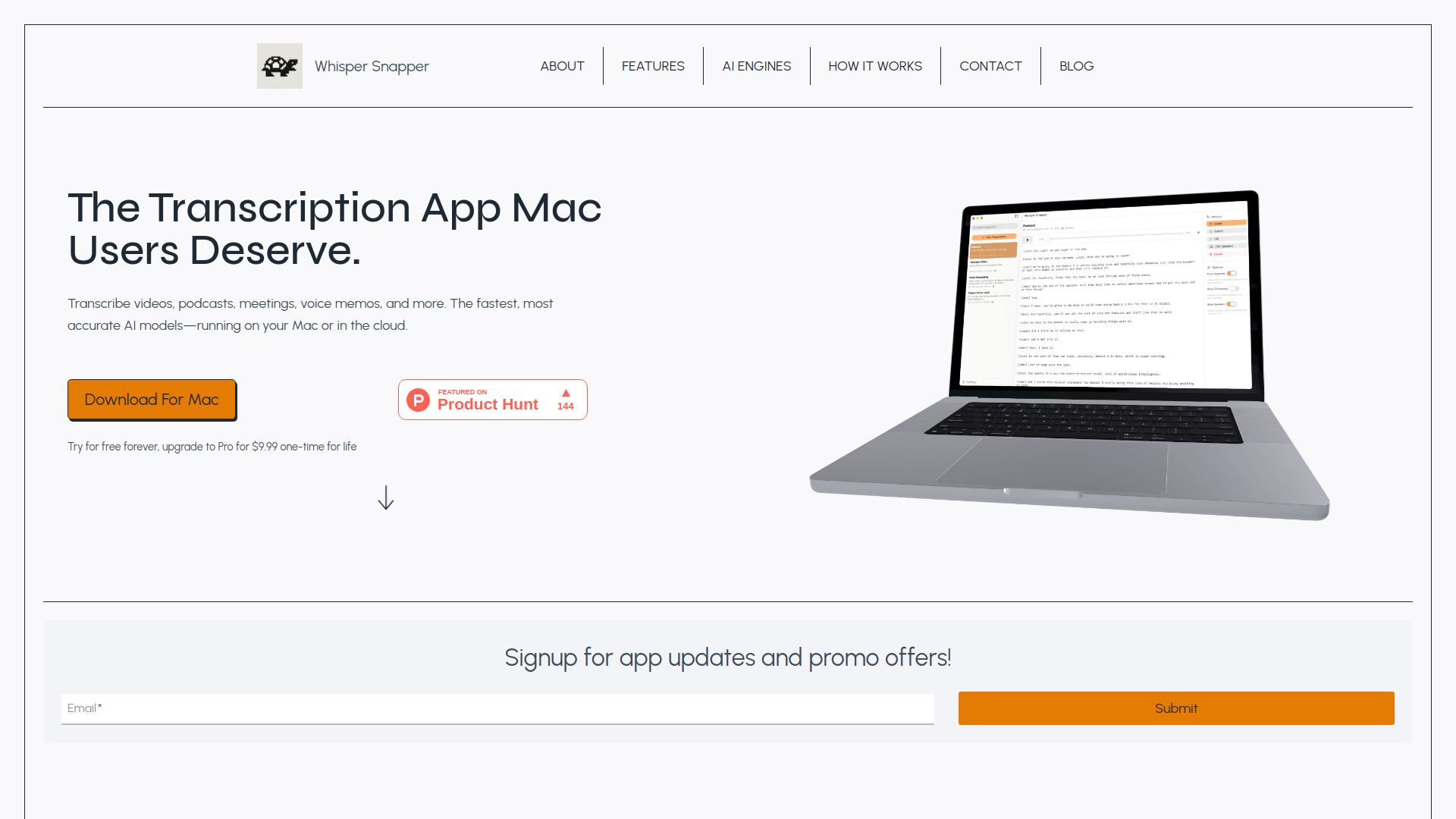
Whisper Snapper is an AI transcription application for Mac designed to transcribe videos, podcasts, meetings, and voice memos. It leverages fast and accurate AI models, offering both local (offline) processing for privacy and cloud-based options for speed. Key features include speaker identification (diarization), timestamps, support for various audio and video formats (MP4, MOV, M4A, MP3, WAV), and export capabilities to formats like SRT, Markdown, PDF, and more. The app emphasizes privacy with local processing and no account requirement.

Whisper Snapper for Mac screenshot

Access & connections

Where you can use Whisper Snapper for Mac.

Platforms

Web

Capabilities

What this tool accepts, produces, and is strongest at.

Highlights

  • Fast and accurate AI transcription (local & cloud)
  • Speaker identification (diarization)
  • Support for diverse audio/video formats and direct recording
  • Multiple export options (SRT, VTT, Markdown, PDF, TXT, CSV)
  • Privacy-focused offline transcription
FAQ 7

What is Whisper Snapper?
Whisper Snapper is an AI transcription application for Mac designed to transcribe videos, podcasts, meetings, and voice memos. It leverages fast and accurate AI models, offering both local (offline) processing for privacy and cloud-based options for speed. Key features include speaker identification (diarization), timestamps, support for various audio and video formats (MP4, MOV, M4A, MP3, WAV), and export capabilities to formats like SRT, Markdown, PDF, and more. The app emphasizes privacy with local processing and no account requirement.
How to use Whisper Snapper?
Users can drag and drop any video or audio file into Whisper Snapper, or record audio directly within the app. They then choose their preferred AI engine (cloud for speed or local for privacy). The app generates a transcript with timestamps and speaker labels, which can then be edited, searched, and exported in various formats.
What AI models does Whisper Snapper use?
Whisper Snapper uses industry-leading AI engines including Whisper (Local & Cloud), Parakeet (Local), Deepgram Nova-2 (Cloud), and GPT-4o Diarize.
Can I use Whisper Snapper offline?
Yes, Whisper Snapper supports 100% offline transcription by allowing you to download Parakeet and WhisperKit models directly to your Mac, meaning no internet is required and your audio never leaves your device.
What file formats does Whisper Snapper support?
It supports MP4, MOV, M4A, MP3, and WAV files for transcription. You can also record audio directly within the app.
Is there a free version of Whisper Snapper?
Yes, Whisper Snapper offers a free version to try forever, with an option to upgrade to Pro for a one-time lifetime payment.
Does Whisper Snapper identify different speakers?
Yes, speaker identification (diarization) is available via Deepgram, GPT-4o Transcribe, and Parakeet v3, allowing you to know who said what.
Whisper Snapper for Mac Free + from $9.99
