Verdict

A quick read before you dig into the full page.

Best if
You are content providers and need: Audiobooks & Podcasts
Skip if
You need a free plan with no credit card
Pick this when
Paid · Price needs confirmation

Overview

Voicemaker is an AI-based online Text to Speech converter website that helps content providers, video creators, podcasters, and writers get automated human-like voiceovers. It offers features such as voice effects, pauses, speed, pitch, and volume settings, as well as industry-leading features and a developer API. It has 1.1 million users in over 120 countries and has converted over 100 million characters into voiceovers so far.

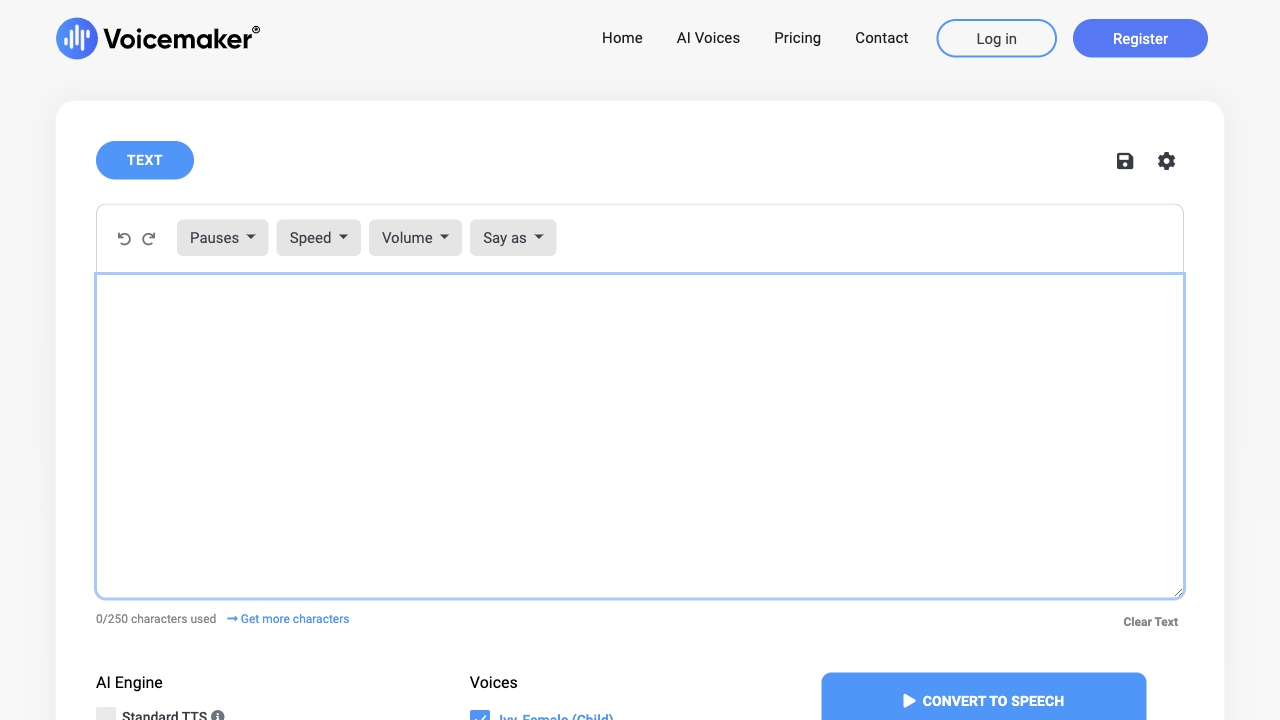
Voicemaker screenshot

Best for

Short scenarios where Voicemaker tends to shine.

  • Audiobooks & Podcasts

    Best for Content providers

  • YouTube videos

    Best for Video creators

  • E-learning material

    Best for Podcasters

  • Sales & Social media videos

    Best for Writers

  • Public use and broadcasting

    Best for E-learning developers

  • Web & Mobile Application

    Best for Marketing professionals

  • Call Centers & IVR System

    Best for App developers

How it works

Convert text into ultra-realistic speech by pasting it into the text box, selecting from 1,000+ AI voices in 130 languages, and customizing voice settings. Download the TTS audio files in MP3 & WAV formats.

Example outputs 1

Sample generations and before/after results for Voicemaker.

Access & connections

Where you can use Voicemaker.

Platforms

Web

Capabilities

What this tool accepts, produces, and is strongest at.

Highlights

  • Text to Speech conversion
  • AI Voices
  • Voice Cloning
  • Speech to Speech
  • Multi Editor
  • VoxStudio
  • Voice Effects
  • Pronunciation Editor
Show 1 more
  • Developer API

People also view

Tools that often show up alongside Voicemaker in collections and comparisons.

FAQ 12

What is Voicemaker?
Voicemaker is an AI-based online Text to Speech converter website that helps content providers, video creators, podcasters, and writers get automated human-like voiceovers. It offers features such as voice effects, pauses, speed, pitch, and volume settings, as well as industry-leading features and a developer API. It has 1.1 million users in over 120 countries and has converted over 100 million characters into voiceovers so far.
How to use Voicemaker?
Convert text into ultra-realistic speech by pasting it into the text box, selecting from 1,000+ AI voices in 130 languages, and customizing voice settings. Download the TTS audio files in MP3 & WAV formats.
How to get started with Voicemaker?
By registering, you can use our free plan with limited conversions per week. For full access to our features and voices, you will need to purchase our starter, premium, or business plans. For more information about our platform, please refer to our Help Center docs.
Will my subscription auto-renew?
No. At this moment you need to re-activate your subscription manually every month.
How can I cancel my subscription?
At this moment, we do not offer automatic plan renewal and your plan will expire at the end of its duration, hence we have not added subscription cancel button on our platform.
Do you count text characters based on Converts or Downloads?
We count Text characters based on Converts, not on downloads. Every time you click 'Convert to Speech', we count the text characters which typed in box. Any Chinese, Japanese, or Korean character will be billed as two characters for all typed in characters.
With 500,000 text characters, how many hours of TTS voiceovers can I create?
500,000 text characters are equivalent to 12 to 13 hours of text to speech voice-over audio generation.
Can I upgrade my plan from Starter to Premium or Business?
If your usage is under 10,000 text characters and you switch to a Premium or Business plan within 48 hours, we will automatically compute and deduct the cost of your previous Starter plan and apply that discount to your new plan.
Do you really offer unlimited text-to-speech conversions?
No, Offering a truly unlimited converts is impossible from a technological point of view. Generating natural-sounding human speech from text requires significant CPU and GPU power to run AI models and produce voice output. Hence we have a monthly text character limit in place. We offer customized plans for businesses and prominent content creators.
What should I do, if my subscription has expired?
To renew your subscription, please navigate to the 'Subscription' page in your profile menu. Here, you will need to purchase a new plan, similar to the initial subscription process.
Can I get a refund?
If you are not satisfied with our platform, you can contact us within 5 days of your initial payment and before using more than 10,000 text characters. We will process your refund within one business day. No hard feelings, no questions asked. For more details, please refer to our refund policy.
Who owns the copyright for text-to-speech audio?
By subscribing to our Paid Plans, you own the full copyright of any voice speech generated using Voicemaker, forever.
Voicemaker Price needs confirmation
