
Viral Reply
AI-powered Chrome Extension for generating viral social media replies on LinkedIn and Twitter.
Source rating 5.0
(78)
0 views
0 saves
Paid
From $10.00 / month
Verdict
A quick read before you dig into the full page.
- Best if
- AI-powered Chrome Extension for generating viral social media replies on LinkedIn and Twitter
- Skip if
- You need a free plan with no credit card
- Pick this when
- Paid · From $10.00 / month
Overview
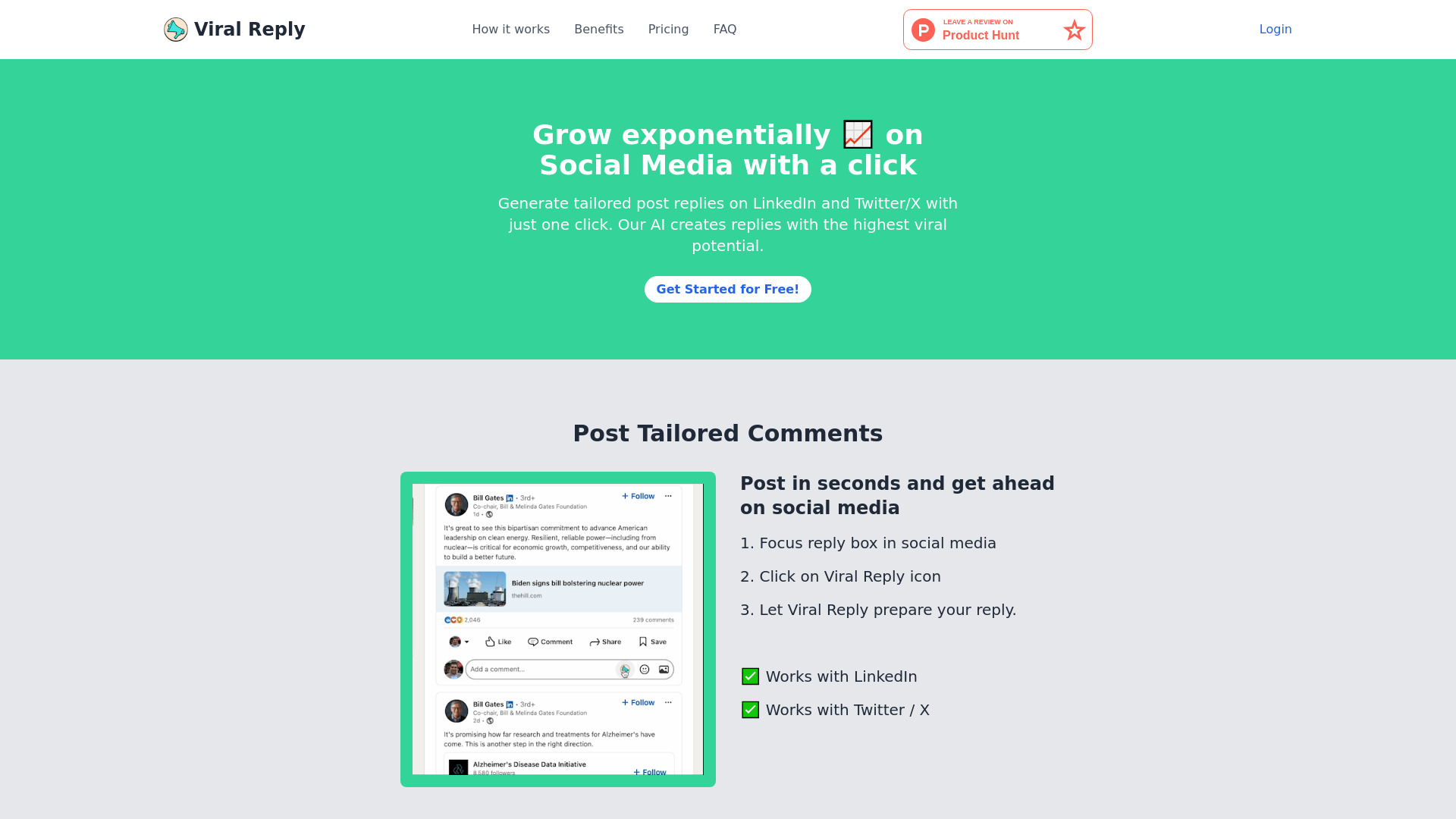
Viral Reply is a Chrome Extension designed to help users write AI-powered comments and replies on LinkedIn and Twitter / X. It enables users to quickly respond to posts, increase their social media activity, and attract more followers. The AI generates tailored post replies with the potential to go viral, boosting social media engagement and growth.
Access & connections
Where you can use Viral Reply, and what it plugs into.
Platforms
Integrations
Capabilities
What this tool accepts, produces, and is strongest at.
Highlights
- AI-powered reply generation for LinkedIn and Twitter/X
- Single-click reply creation
- Chrome Extension integration
FAQ 10
What is Viral Reply?
Viral Reply is a Chrome Extension designed to help users write AI-powered comments and replies on LinkedIn and Twitter / X. It enables users to quickly respond to posts, increase their social media activity, and attract more followers. The AI generates tailored post replies with the potential to go viral, boosting social media engagement and growth.
How to use Viral Reply?
1. Focus on the reply box in social media.
2. Click on the Viral Reply icon.
3. Let Viral Reply prepare your reply.
2. Click on the Viral Reply icon.
3. Let Viral Reply prepare your reply.
What is this Chrome Extension and how does it work?
Our Chrome Extension leverages AI technology to help you generate thoughtful and relevant replies to social media posts on platforms like LinkedIn and Twitter. Simply highlight the post you want to respond to, click the extension, and get an AI-generated reply ready to use.
How can I start using the extension?
To start using the extension, download and install it from the Chrome Web Store. After installation, register for an account to begin your 7-day free trial.
What features are included in the free trial?
The 7-day free trial allows you to use the extension for up to 20 replies. This trial period gives you a chance to experience how our AI can enhance your social media engagement before deciding to subscribe.
What happens after the free trial ends?
After the 7-day free trial ends, you will need to subscribe to continue using the extension. The subscription costs $10 per month and provides you with up to 3000 replies each month.
How do I subscribe and what are the benefits?
You can subscribe by clicking the Billing Portal button on our Chrome Extension. Subscribing for $10 per month gives you access to 3000 replies per month, allowing you to engage more extensively with your social media audience.
Can I cancel my subscription anytime?
Yes, you can cancel your subscription at any time. However, you will retain access to the service until the end of your current billing period. After that, you will revert to the limitations of the free trial if you decide to resubscribe later.
How does the AI generate replies?
Our AI analyzes the content of the social media post you want to reply to and generates a response based on the context and sentiment. The goal is to provide you with a relevant, coherent, and engaging reply that you can use or modify as needed.
Is my data safe and private?
Yes, we take data privacy and security seriously. All data is processed securely, and we do not store any personal information beyond what is necessary for the service to function. Please review our privacy policy for more details.
Related tools
Recommended

Viral Reply
From $10.00 / month