Media(93)

Vidyo.ai

Social Media AI tool built for coaches, small business owners, podcasters and video content creators to generate AI clips, blogs, show-notes, caption and more from long videos using AI video repurposing and manage their social media using social scheduling features.

Source rating 5.0 (93) 81k views 81k/mo traffic 0 saves Paid
More categories (53)

Verdict

A quick read before you dig into the full page.

Best if
You are video Creators and need: Turn long videos into viral clips for TikTok and Reels
Skip if
You need a free plan with no credit card
Pick this when
Paid · start from $29.99/month

Overview

quso.ai is an AI-powered video repurposing platform that transforms long-form content into viral short clips, blogs, threads, LinkedIn posts and more. It also has added capabilities of social media scheduling to manage your social media channels from one single dashboard. Perfect for coaches, consultants, and content creators who want to repurpose podcasts, webinars, and recordings into engaging social media content and automate their social media using AI.

Key Features:
• AI clip generation with virality scoring
• Intelligent scene detection and highlights
• Automated subtitles and brand templates
• Multi-platform optimization (TikTok, Instagram, YouTube Shorts)
• Silence removal and filler word detection
• One-click social media scheduling
• B-roll integration with royalty-free footage
• Custom captions with emojis and styling

The platform streamlines the entire content creation workflow from editing to distribution, helping businesses maintain consistent branding while scaling their social media presence with minimal manual effort.

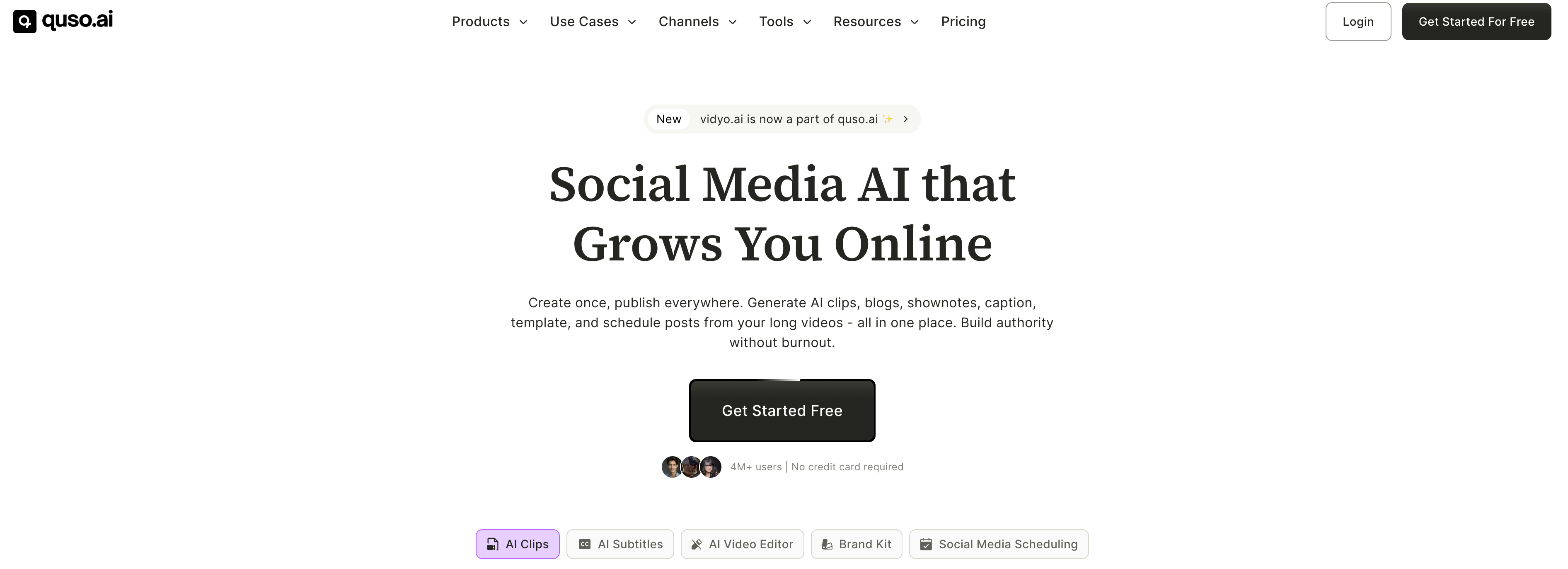
Vidyo.ai screenshot

Best for

Short scenarios where Vidyo.ai tends to shine.

  • Turn long videos into viral clips for TikTok and Reels

    Best for Video Creators

  • Schedule posts across multiple social media platforms

    Best for Social Media Managers

  • Generate engaging captions and hashtags

    Best for Content Creators

  • Repurpose your videos into blogs, show-notes, newsletter and more.

    Best for Podcasters

  • Talk to your video to generate more content ideas

    Best for Online Coaches

Example outputs 1

Sample generations and before/after results for Vidyo.ai.

Access & connections

Where you can use Vidyo.ai, and what it plugs into.

Platforms

Web

Integrations

Capabilities

What this tool accepts, produces, and is strongest at.

Highlights

  • AI Video Editor
  • AI Clip Maker
  • Social Media Scheduler
  • AI Content Planner
  • AI Social Captions
  • AI Video Repurposing

People also view

Tools that often show up alongside Vidyo.ai in collections and comparisons.

FAQ 6

What is quso.ai?
quso.ai is an AI-powered video repurposing platform that transforms long-form content into viral short clips, blogs, threads, LinkedIn posts and more. It also has added capabilities of social media scheduling to manage your social media channels from one single dashboard. Perfect for coaches, consultants, and content creators who want to repurpose podcasts, webinars, and recordings into engaging social media content and automate their social media using AI.

Key Features:
• AI clip generation with virality scoring
• Intelligent scene detection and highlights
• Automated subtitles and brand templates
• Multi-platform optimization (TikTok, Instagram, YouTube Shorts)
• Silence removal and filler word detection
• One-click social media scheduling
• B-roll integration with royalty-free footage
• Custom captions with emojis and styling

The platform streamlines the entire content creation workflow from editing to distribution, helping businesses maintain consistent branding while scaling their social media presence with minimal manual effort.
How to use quso.ai?
To use quso.ai, simply sign up for a free account and navigate to the dashboard where you can start creating AI-powered video clips in just a few clicks. Upload your long-form video content by pasting a YouTube URL or uploading files from your device, then let the AI automatically analyze and generate short, viral-ready clips from the best moments. Customize your clips by selecting language preferences, caption styles, and brand templates, then use the intuitive editor to add text overlays, remove filler words, adjust timing, and apply your brand kit for consistent styling. Once satisfied, you can either download your clips directly or schedule them across multiple social media platforms including Instagram, TikTok, YouTube Shorts, and LinkedIn using quso.ai's built-in social media scheduler. The platform handles everything from automatic transcription and subtitle generation to B-roll integration and performance analytics, making it a complete solution for transforming long videos into engaging social media content without requiring advanced video editing skills.
Can I use quso.ai for free?
Yes, quso.ai offers a free trial with limited credits to experience the tool and help you make a better decision.
How does quso.ai work?
To use quso.ai, simply sign up for a free account and navigate to the dashboard where you can start creating AI-powered video clips in just a few clicks. Upload your long-form video content by pasting a YouTube URL or uploading files from your device, then let the AI automatically analyze and generate short, viral-ready clips from the best moments. Customize your clips by selecting language preferences, caption styles, and brand templates, then use the intuitive editor to add text overlays, remove filler words, adjust timing, and apply your brand kit for consistent styling. Once satisfied, you can either download your clips directly or schedule them across multiple social media platforms including Instagram, TikTok, YouTube Shorts, and LinkedIn using quso.ai's built-in social media scheduler. The platform handles everything from automatic transcription and subtitle generation to B-roll integration and performance analytics, making it a complete solution for transforming long videos into engaging social media content without requiring advanced video editing skills.
What types of videos can I upload on the quso.ai app?
quso.ai lets you import a video from YouTube or upload a full video in mp4, m4v, mov & webm format. Free users can upload 5GB and paid users can upload 15GB files.
What languages are supported by quso.ai?
quso.ai currently supports English, Spanish, German, and French and will soon be adding more languages to cater to a wider audience.
Vidyo.ai start from $29.99/month

