
Video Upscaler - 1
AI tool for enhancing and upscaling MP4 videos
Source rating 5.0
(99)
0 views
0 saves
Freemium
Free + from $8.33 per month
Verdict
A quick read before you dig into the full page.
- Best if
- AI tool for enhancing and upscaling MP4 videos
- Skip if
- You need enterprise SLAs or a fully managed team plan right away
- Pick this when
- Freemium · Free + from $8.33 per month
Overview
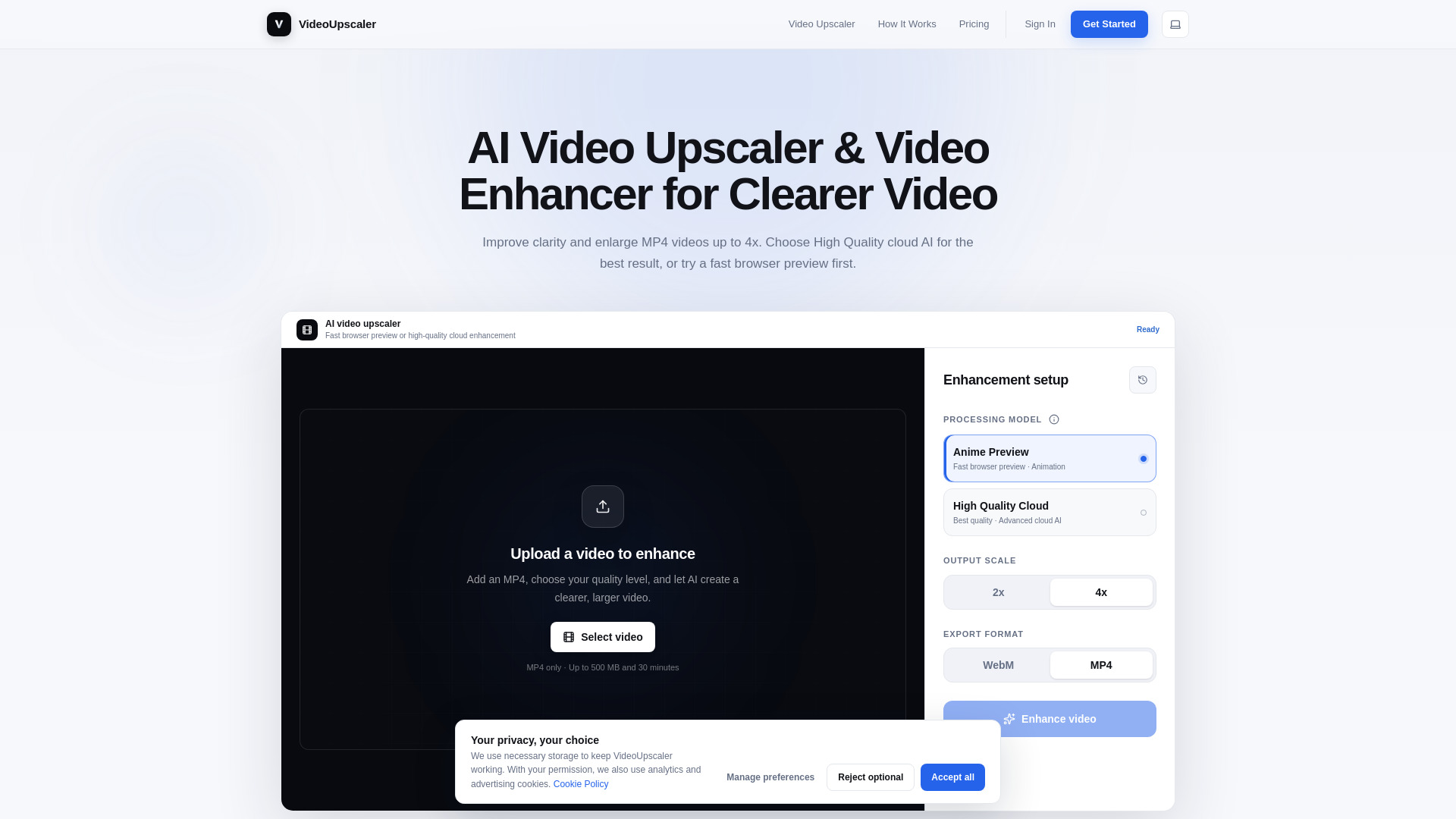
VideoUpscaler is an AI video upscaling and enhancement tool that improves video clarity and enlarges MP4 videos by 2x or 4x. Users can choose High Quality Cloud for advanced AI processing or use browser-based previews locally on their device. The platform supports videos up to 500 MB and 30 minutes, with features including MP4 export, video trimming, processing history, and watermark-free results on paid plans.
Access & connections
Where you can use Video Upscaler - 1.
Platforms
Capabilities
What this tool accepts, produces, and is strongest at.
Highlights
- AI video upscaling with 2x and 4x enlargement
- High Quality Cloud enhancement for clearer, more detailed videos
- Fast browser-based previews that run privately on the user's device
- MP4 upload, trimming, preview, and export
- Support for animation, old footage, outdoor scenes, sports, and fast-moving video
FAQ 10
What is Video Upscaler?
VideoUpscaler is an AI video upscaling and enhancement tool that improves video clarity and enlarges MP4 videos by 2x or 4x. Users can choose High Quality Cloud for advanced AI processing or use browser-based previews locally on their device. The platform supports videos up to 500 MB and 30 minutes, with features including MP4 export, video trimming, processing history, and watermark-free results on paid plans.
How to use Video Upscaler?
Upload an MP4 video, optionally trim it, select Anime Preview or High Quality Cloud, choose a 2x or 4x output scale, and start enhancement. Browser previews run locally, while High Quality Cloud processes the video online. Once processing is complete, preview and download the enhanced video as an MP4.
What does VideoUpscaler do?
It enlarges videos by 2x or 4x while improving visible clarity and detail with AI enhancement.
Which model provides the best video quality?
High Quality Cloud is the recommended option because it uses more advanced AI processing than browser previews.
Is Anime Preview the same as the final cloud result?
No. Anime Preview is a fast browser-based preview for testing and is not intended to match the quality of High Quality Cloud.
Are browser previews uploaded?
No. Browser previews run on your device, so the source video is not uploaded.
What video files are supported?
The service supports MP4 videos up to 500 MB and 30 minutes long. Videos can also be trimmed before enhancement.
How do cloud credits work?
Cloud credits are used for High Quality Cloud processing. Credit usage depends on video duration, resolution, and whether 2x or 4x output is selected.
Can I use VideoUpscaler for free?
Yes. The Free plan costs $0 per month and includes 30 cloud credits monthly, high-quality cloud AI trial access, video previews up to 6 seconds, and unlimited browser image previews.
Can I cancel my subscription?
Yes. You can cancel at any time and retain access until the end of the current billing period.
Related tools
Recommended



Video Upscaler - 1
Free + from $8.33 per month