Video generation

Video to Text AI

AI-powered tool for fast, accurate video-to-text transcription and subtitle generation in 55+ languages.

Source rating 5.0 (56) 0 views 0 saves Freemium
More categories (6)

Free + from $10 / mo

Verdict

A quick read before you dig into the full page.

Best if
AI-powered tool for fast, accurate video-to-text transcription and subtitle generation in 55+ languages
Skip if
You need enterprise SLAs or a fully managed team plan right away
Pick this when
Freemium · Free + from $10 / mo

Overview

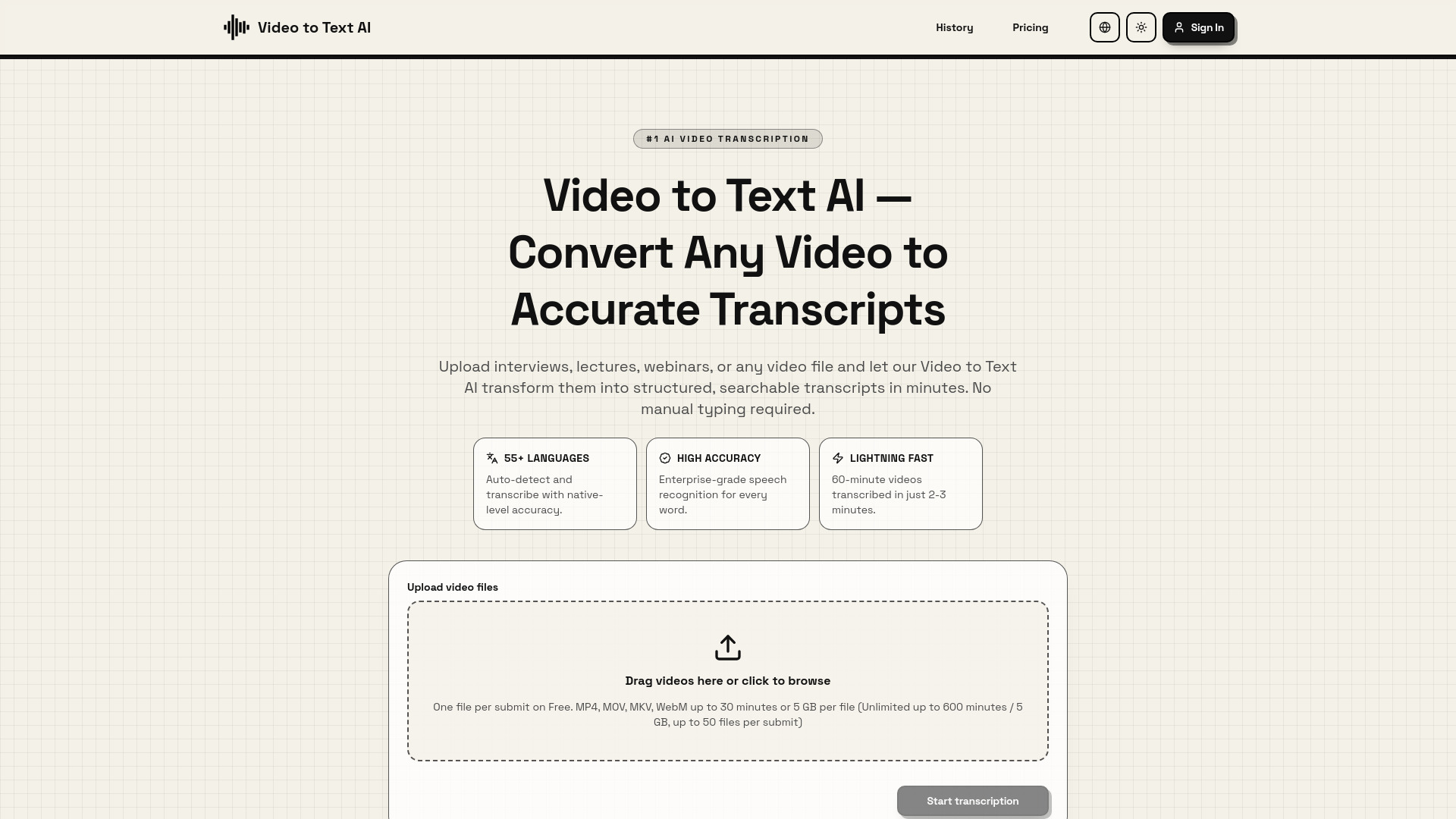
Video to Text AI is an advanced transcription platform that utilizes state-of-the-art machine learning and speech recognition algorithms to convert spoken content from videos and audio into accurate written text. It supports over 55 languages and can process various video formats, including MP4, MOV, and MKV, as well as direct YouTube URLs. The tool is designed to provide high-precision, time-stamped transcripts in minutes, featuring speaker identification and enterprise-grade accuracy. It helps users save hours of manual typing, boosts SEO through searchable text, and improves accessibility by generating captions that comply with standards like ADA and WCAG.

Video to Text AI screenshot

Access & connections

Where you can use Video to Text AI.

Platforms

Web

Capabilities

What this tool accepts, produces, and is strongest at.

Highlights

  • Automatic speech recognition with high accuracy
  • Support for 55+ languages with auto-detection
  • Lightning-fast processing (60-minute video in 2-3 minutes)
  • YouTube URL to text conversion
  • Multi-format exports (TXT, SRT, VTT)
  • Speaker identification and time-stamping

FAQ 5

What is Video to Text AI?
Video to Text AI is an advanced transcription platform that utilizes state-of-the-art machine learning and speech recognition algorithms to convert spoken content from videos and audio into accurate written text. It supports over 55 languages and can process various video formats, including MP4, MOV, and MKV, as well as direct YouTube URLs. The tool is designed to provide high-precision, time-stamped transcripts in minutes, featuring speaker identification and enterprise-grade accuracy. It helps users save hours of manual typing, boosts SEO through searchable text, and improves accessibility by generating captions that comply with standards like ADA and WCAG.
How to use Video to Text AI?
To use the service, upload a video file (MP4, MOV, MKV, or WebM) or paste a YouTube URL. The AI engine will automatically detect the language, identify speakers, and process the audio. Once the transcription is complete, you can review, edit, and download the results in formats like plain text, SRT, or VTT.
How accurate is Video to Text AI transcription?
The service uses enterprise-grade speech recognition to provide high precision, identifying words, different speakers, and even handling technical terminology effectively.
How long does it take to transcribe a video?
It is lightning fast; a 60-minute video can typically be transcribed in just 2-3 minutes.
What export formats are available?
You can download your transcripts as plain text, SRT for subtitles, or VTT for web videos.
Video to Text AI Free + from $10 / mo