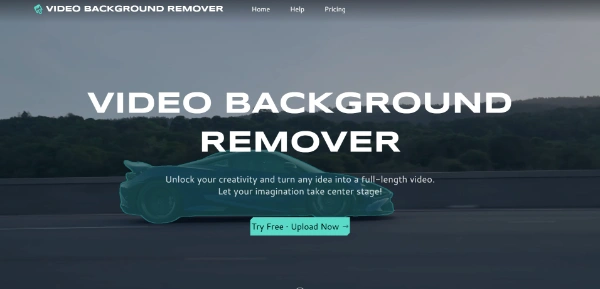
Video-Background-Remover.com : Free AI for erasing video backgrounds
Content creators have been waiting for this moment, a completely free AI video background remover that actually delivers professional results without watermarks or time limits. Video-background-remover.com has just launched what many consider the holy grail of video editing tools, and it’s causing quite a stir in the creator community (and for good reason).
➥ What Makes This Platform Different
Most video background removal tools charge hefty monthly fees or slap watermarks on your content. Video-background-remover.com breaks this pattern entirely by providing completely free access to their AI-powered background removal technology. The platform supports all major video formats including MP4, MOV, and WebM, processing everything directly in your browser without requiring any software downloads.
Fast, high-quality technology
The AI technology behind the application automatically detects and tracks multiple subjects in your video with just a few clicks. Whether you’re filming a makeup tutorial, gaming content, or business presentation, the system handles complex scenes with remarkable accuracy (even capturing fine details like hair and shadows).
➥ Features That Actually Matter to Creators
Multi-subject tracking stands out as one of the platform’s strongest capabilities. Unlike basic tools that struggle with multiple people in frame, this system effortlessly handles complex scenes with several subjects moving simultaneously. The AI maintains consistent tracking throughout the entire video duration.
Full HD output comes standard with every processed video, ensuring your content maintains professional quality for YouTube, TikTok, Instagram Reels, or any other web app. The system processes videos and delivers watermark-free results in Full HD resolution (currently available for a limited time).
Browser-based processing eliminates the frustration of software installations or system compatibility issues. Everything happens online, making the tool accessible from any device with internet access, whether you’re using a phone, laptop, or tablet.
➥ The Five-Step Process That Works
Getting professional results takes just five simple steps, clearly outlined below:
- Upload Your Video: Select and upload your video directly from your device. The app accepts all popular formats without needing any prior conversion.
- Select Your Subjects: Use the AI detection tool to precisely select one or more subjects that you want to remain visible in your video.
- Customize Subjects: Apply various editing effects and treatments to enhance your selected subjects, ensuring they stand out exactly how you envision.
- Adjust the Background: Independently customize your video’s background with effects such as blur, gradients, overlays, or your own custom textures.
- Download Your Video: Generate and download your professionally edited video in crisp, Full HD quality.
The entire process typically completes within minutes, depending on your video’s length and complexity—no technical expertise or learning curve required.
➥ Perfect Applications for Different Content Types
Social media creators find the website particularly valuable for YouTube content, TikTok videos, Instagram Reels, and Shorts. The tool excels at travel vlogs, makeup tutorials, gaming videos, reaction clips, and lifestyle content where background distractions need elimination.
Business applications include product demos, social media ads, testimonial videos, and promotional content. Marketing agencies and e-commerce brands can apply brand colors, logos, or promotional graphics while maintaining professional consistency. This web app integrates seamlessly with Canva, CapCut, and Adobe Express workflows.
Educational content creators benefit from distraction-free, focused videos that keep learners engaged. The system works perfectly for online courses, training materials, and webinars, allowing educators to replace cluttered backgrounds with virtual whiteboards, dynamic slides, or branded templates.
Technical Capabilities and Compatibility
The site handles various creative overlays including emojis and spotlight effects, all applied directly within the browser interface. Background customization options extend beyond simple removal, creators can apply blur effects, swap scenes entirely, or add complex visual elements.
Integration capabilities with popular editing website make this tool particularly attractive for existing workflows. Whether you’re already using Canva for graphics, CapCut for mobile editing, or Adobe Express for quick projects, the processed videos work seamlessly across all platforms.
Format flexibility ensures compatibility with different distribution channels. The system exports in formats optimized for web sharing, mobile viewing, and professional editing applications.
➥ Why Free Actually Works Here
The current free offering represents a limited-time promotional period, making now the perfect time to explore the platform’s capabilities. Unlike other “free” tools that severely limit functionality or add intrusive watermarks, video-background-remover.com provides full access to their professional-grade AI system.
This approach allows creators to test the technology thoroughly before any potential future pricing changes. The quality of results rivals paid alternatives that charge $10-45 monthly, making this an exceptional opportunity for content creators at any level.
No software, everything is done online!
The platform’s focus on browser-based processing also eliminates ongoing software costs and update hassles that plague traditional video editing solutions. Everything stays current automatically, with improvements rolling out seamlessly to all users.
Getting Started Today
The barrier to entry couldn’t be lower: simply visit the website and start uploading videos immediately. No account creation required, no credit card information needed, no software to install. This website works on any device with a modern web browser and internet connection.
➥ Conclusion & Review
For creators tired of paying monthly subscriptions for basic background removal, or those frustrated with watermarked outputs from other platforms, video-background-remover.com represents a genuine breakthrough in accessible video editing technology. The combination of professional results, zero cost, and browser-based convenience creates an opportunity that’s difficult to ignore.
 More sites like Video Background Remover in the category: #Video Editing
Text generated by AI


 Copy Link
« Chat with a selection of the best AI characters available online. Quickly develop role-playing scenarios or test different types of AI-assisted social interactions. This platform features AI girlfriends, AI boyfriends, and anime-inspired characters »
#AI Characters #AIxploria Selection +1 171
171