Image editing

Upsampler

AI image upscaler and enhancer to increase resolution and add details.

Source rating 5.0 (84) 313k views 313k/mo traffic 0 saves Paid
More categories (7)

Verdict

A quick read before you dig into the full page.

Best if
You are photographers and need: Enhancing AI-generated images
Skip if
You need a free plan with no credit card
Pick this when
Paid · From $10

Overview

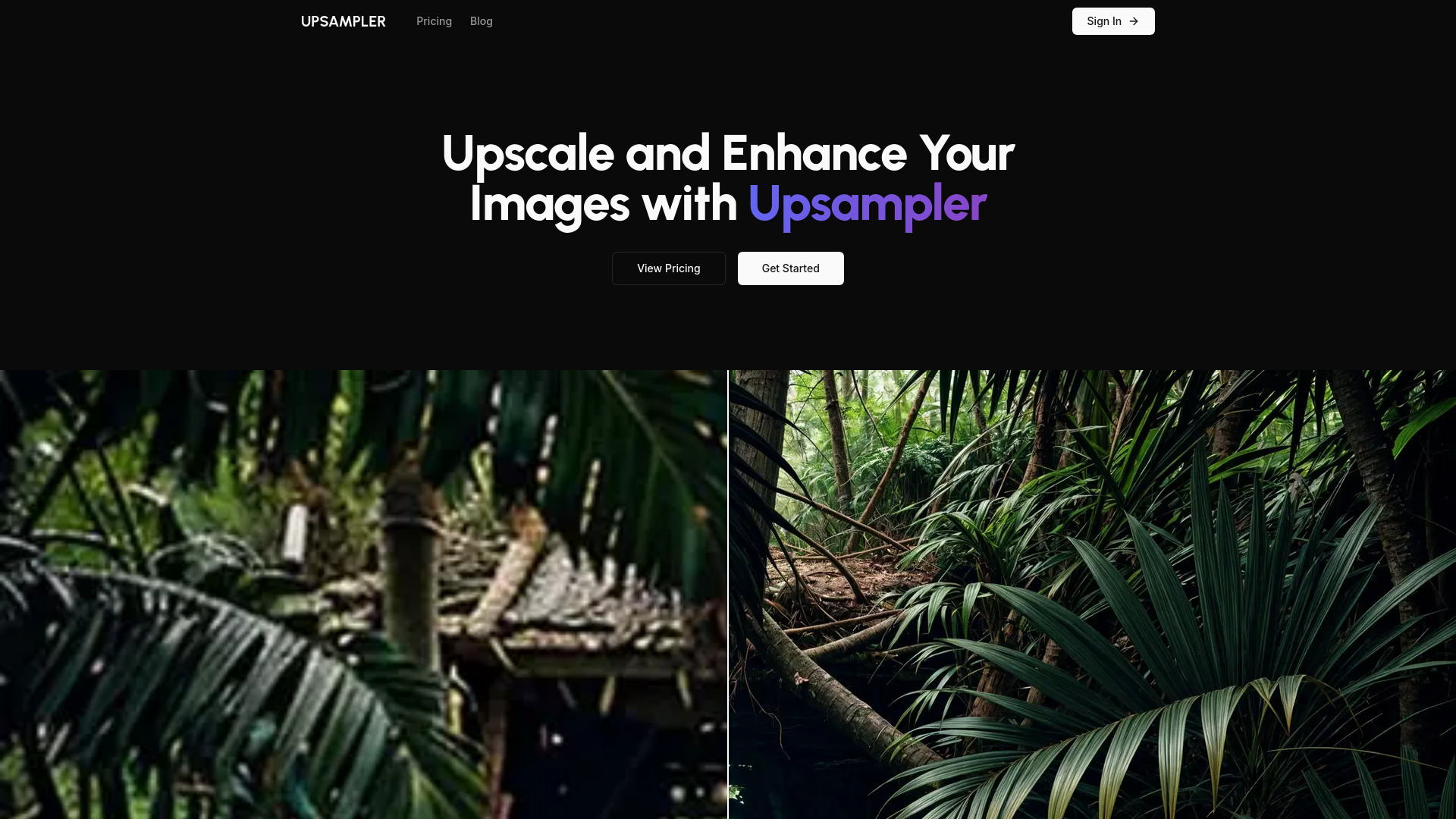
Upsampler.com is an AI-powered image upscaling and enhancement platform. It allows users to increase the resolution of their images, add new details, and improve textures using artificial intelligence. Unlike traditional upscaling methods, Upsampler can reimagine images, adding as much detail as desired. It offers various upscaling modes, including Smart Upscale, Dynamic Upscale, and Precise Upscale, catering to different image types and enhancement goals. It also integrates advanced AI models like Imagegen 3 by Google and GPT-4o by OpenAI for image generation and modification.

Upsampler screenshot

Best for

Short scenarios where Upsampler tends to shine.

  • Enhancing AI-generated images

    Best for Photographers

  • Upscaling real photos, manga, and anime

    Best for Graphic designers

  • Improving architecture imagery

    Best for AI artists

  • Enhancing illustrations and anime scenes

    Best for Game developers

  • Upscaling realistic human portraits

    Best for Architects

  • Improving game assets and graphics

    Best for Illustrators

  • Reviving impasto and watercolor artworks

    Best for Anime enthusiasts

How it works

To use Upsampler, upload an image to the website. Select the desired upscaling mode (Smart, Dynamic, or Precise Upscale) based on the image type and desired outcome. Adjust any available settings and initiate the upscaling process. The AI will enhance the image, and the upscaled version can then be downloaded.

Example outputs 1

Sample generations and before/after results for Upsampler.

Access & connections

Where you can use Upsampler.

Platforms

Web

Capabilities

What this tool accepts, produces, and is strongest at.

Highlights

  • AI-powered image upscaling
  • Image enhancement with new details
  • Smart Upscale for general image enhancement
  • Dynamic Upscale for adding new details to AI-generated images
  • Precise Upscale for content preservation
  • Generative Fill for image modification
  • Integration with advanced AI models

People also view

Tools that often show up alongside Upsampler in collections and comparisons.

FAQ 7

What is Upsampler?
Upsampler.com is an AI-powered image upscaling and enhancement platform. It allows users to increase the resolution of their images, add new details, and improve textures using artificial intelligence. Unlike traditional upscaling methods, Upsampler can reimagine images, adding as much detail as desired. It offers various upscaling modes, including Smart Upscale, Dynamic Upscale, and Precise Upscale, catering to different image types and enhancement goals. It also integrates advanced AI models like Imagegen 3 by Google and GPT-4o by OpenAI for image generation and modification.
How to use Upsampler?
To use Upsampler, upload an image to the website. Select the desired upscaling mode (Smart, Dynamic, or Precise Upscale) based on the image type and desired outcome. Adjust any available settings and initiate the upscaling process. The AI will enhance the image, and the upscaled version can then be downloaded.
What is Upsampler and how does it enhance my images?
Upsampler is an AI-powered platform that increases the resolution of your images and adds new details using artificial intelligence.
How does Upsampler's AI image upscaling actually work?
Upsampler uses advanced machine learning models to analyze and enhance images, adding details and increasing resolution beyond traditional methods.
What are the differences between "Smart Upscale," "Dynamic Upscale," and "Precise Upscale"?
Smart Upscale enhances images and regenerates details. Dynamic Upscale adds completely new details, best for AI-generated images. Precise Upscale preserves original content while sharpening images.
What is "Generative Fill" and how can it help me?
Generative Fill allows you to fix imperfections, add new content, or remove unwanted elements from your images before or after upscaling.
What image formats does Upsampler support for upscaling?
The website content does not specify the supported image formats.
Upsampler From $10
