
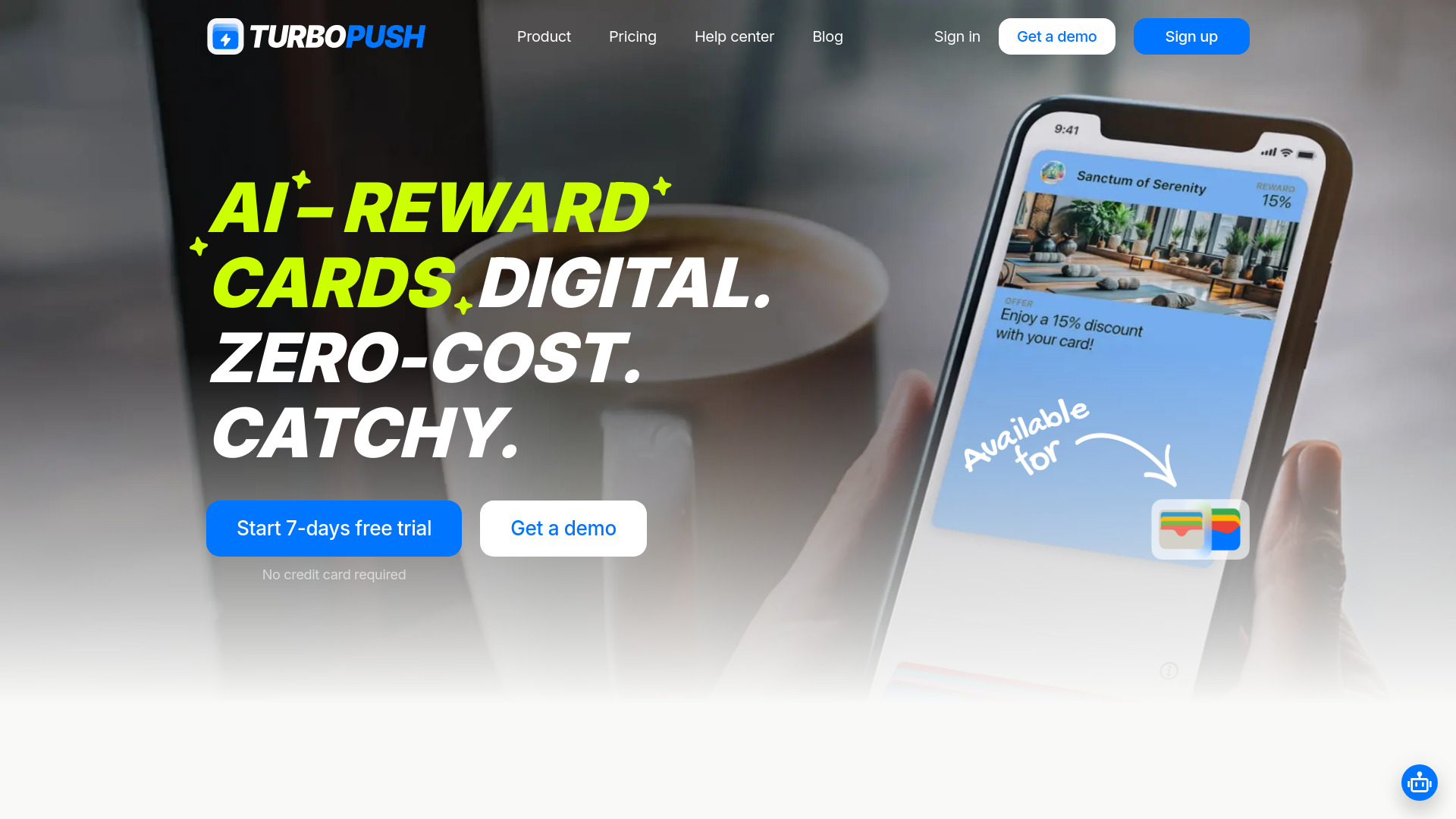
TurboPush
AI-powered platform for creating digital loyalty cards and boosting customer retention.
Source rating 5.0
(93)
0 views
0 saves
Paid
From $4.80 / month
Verdict
A quick read before you dig into the full page.
- Best if
- AI-powered platform for creating digital loyalty cards and boosting customer retention
- Skip if
- You need a free plan with no credit card
- Pick this when
- Paid · From $4.80 / month
Overview
TurboPush is an AI-powered platform that creates branded digital loyalty cards for Apple and Google Wallet. It's a tool designed to retain customers and bring them back through push notifications, suitable for all types of businesses. It helps grow business, improve customer retention, and drive sales by offering zero-cost, catchy loyalty cards.
Access & connections
Where you can use TurboPush.
Platforms
Capabilities
What this tool accepts, produces, and is strongest at.
Highlights
- AI-powered digital loyalty card creation
- Apple and Google Wallet integration
- Push notification support
- QR code distribution
- AI-generated card designs
- Customer data encryption
FAQ 9
What is TurboPush?
TurboPush is an AI-powered platform that creates branded digital loyalty cards for Apple and Google Wallet. It's a tool designed to retain customers and bring them back through push notifications, suitable for all types of businesses. It helps grow business, improve customer retention, and drive sales by offering zero-cost, catchy loyalty cards.
How to use TurboPush?
To set up a loyalty card with TurboPush, log in using your Apple or Google account, enter your Facebook page details, set reward discount rates, and the service will automatically extract details to personalize your loyalty card. You'll receive a digital loyalty card and QR code for distribution, and can send push notifications to customers.
What is TurboPush?
TurboPush is an AI-powered digital loyalty software built for small, local businesses to simplify loyalty programs. TurboPush helps you boost customer retention and drive repeat sales and visits—without the hassle or expense of traditional loyalty solutions.
How to set up a loyalty card?
Follow these steps to set up your reward card: 1. Log In to TurboPush: Use your Apple or Google account to log in. 2. Enter Your Facebook Page Details: Supply your Facebook page name or link. Our system auto-fetches public data like cover photo, logo, business name, and address. No permissions needed 3. Set Rewards: Choose your discount rates (5%, 10%, or 15%). 4. Automatic Information Retrieval: Our service will extract details from your Facebook page to personalise your loyalty card. 5. Get Your Reward Card and QR Code: You'll receive a digital loyalty card and QR code for your customers. 6. Use Push Notifications: Send updates or reminders to your customers.
What if I face problems setting up my loyalty program with TurboPush?
Here are some steps for common issues: 1. Login Issues: Check your Apple or Google account credentials. Try a password reset or check your network connection. 2. Wrong Business Info: If your Facebook page details are wrong, verify the information on Facebook and re-enter the link in our service. 3. Access to Loyalty Materials: All materials are in our service. If you can't view them, check your account and try refreshing your browser. 4. Push Notifications Issues: Check your subscription status and weekly notification limit if you have trouble sending notifications. 5. Technical Issues: Clear your browser’s cache or try another browser. Contact our customer support if issues remain.
How does TurboPush ensure privacy?
Protecting your customers' privacy and securing their data is a paramount concern for us. Here’s how TurboPush manages customer data and privacy: Encryption: We use encryption to secure emails and other data, ensuring privacy. Minimal Data: We only collect necessary data, like emails and cookies, reducing breach risks. Cookies: These enhance user experience by remembering preferences. Users can control settings. Compliance: We follow GDPR regulations for data security, ensuring our practices are standard. Audits: Regular security audits ensure our system has no vulnerabilities. Access: Strict protocols control access to data, allowing only authorized personnel.
How can I send push notifications to my customers?
Sending push notifications is a great way to keep your customers engaged and informed about your reward program and special offers. Here’s a step-by-step guide on how to send push notifications through our service: 1. Navigate to the Main Page: Log into your account and go to the main page. Look for the option labeled 'Send Push Notifications' 2. Choose Your Notification Type: You have two options for creating your message: – Write Yourself: Create a custom message that fits your specific needs. – Use Templates: We provide pre-written templates for various businesses like restaurants, bars, and beauty services for quick and effective messaging. 3. Send the Notification: Once you are satisfied with your message, click 'Send' to distribute the notification to all relevant customers who are part of your reward program. 4. Track and Manage Sent Notifications: After sending, you can view all past notifications in your Push-notification History. This feature allows you to resend notifications if necessary to further engage your customers.
How can I use push notifications to engage customers in my loyalty card?
Push notifications are a powerful tool to keep your customers engaged and informed about your reward card. Here’s how you can use them effectively: 1. Set Up Push Notifications: Use our service dashboard to establish and manage push notifications. You have the option to create custom messages or use preset templates. Notifications will be directly sent to your customers' devices. 2. Promote Special Offers: Send notifications about special discounts, exclusive offers, or limited-time promotions that are available to loyalty program members. This encourages customers to take action and make a purchase. 3. Event Reminders: Use push notifications to remind customers of upcoming events or sales. This helps keep your business top-of-mind and can increase foot traffic or online visits. 4. Reward Updates: Notify customers when they earn rewards or when new rewards are available. Keeping customers informed about their benefits increases their engagement with your reward card.
How to distribute your loyalty cards to customers?
Distributing your digital reward cards effectively is crucial for ensuring high participation in your loyalty program. Here’s how you can distribute your loyalty cards: Access your digital reward card: Log into your personal cabinet on our platform, where your digital loyalty card will be prominently displayed on the main page. QR code distribution: We provide a QR code for each loyalty card, which is your primary method for card distribution. This QR code can be scanned by customers to add the reward card directly to their devices.
Related tools
Recommended


TurboPush
From $4.80 / month