Speech to text

trnscrb

Local, private macOS meeting transcription tool with Whisper-powered offline processing and Claude integration.

Source rating 5.0 (54) 0 views 0 saves Unknown
More categories (7)

Verdict

A quick read before you dig into the full page.

Best if
Local, private macOS meeting transcription tool with Whisper-powered offline processing and Claude integration
Pick this when
Local, private macOS meeting transcription tool with Whisper-powered offline processing and Claude integration

Overview

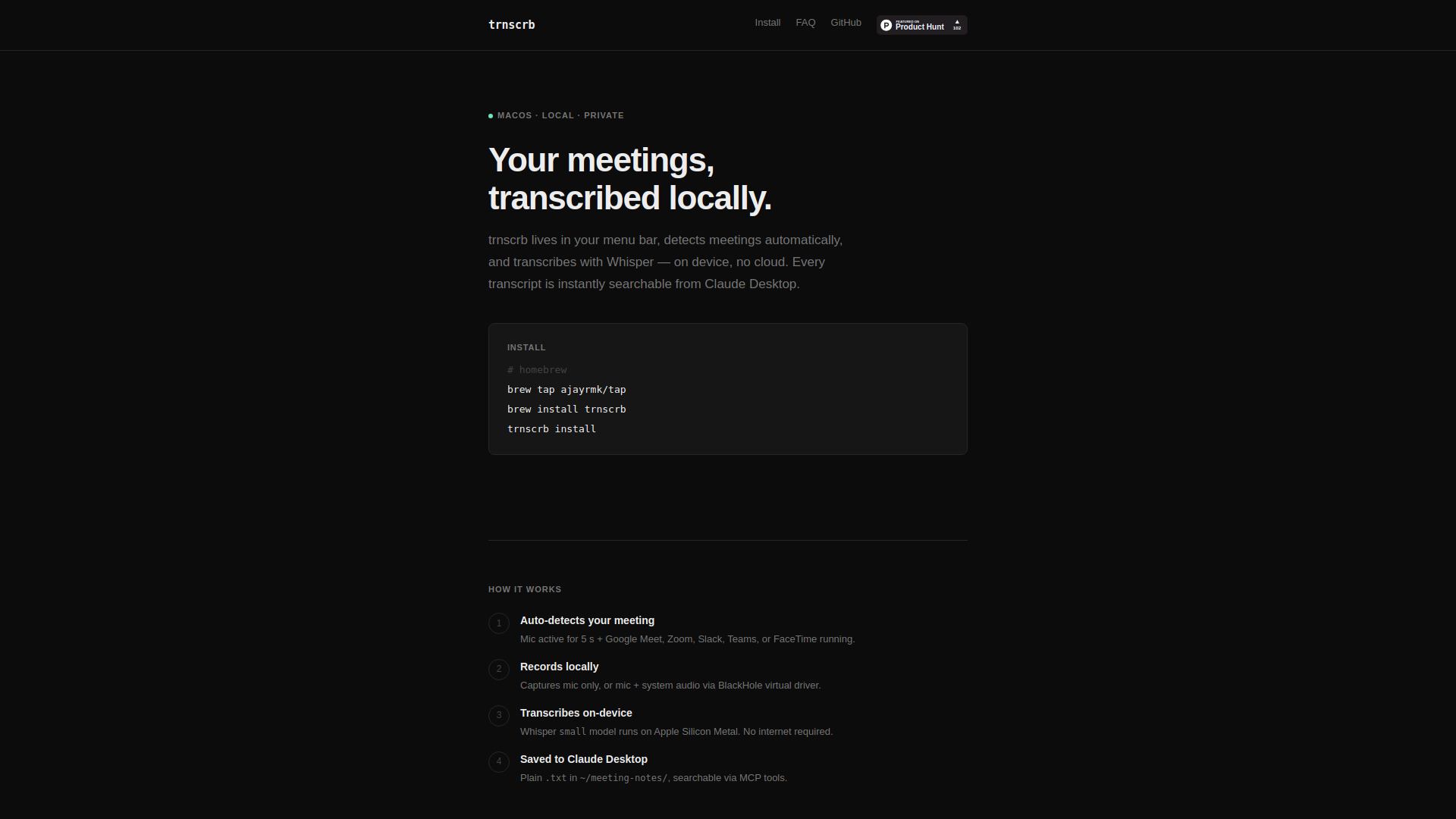
trnscrb is a local meeting transcription tool for macOS that lives in the menu bar and automatically detects meetings on platforms like Zoom, Google Meet, Microsoft Teams, Slack, and FaceTime. It utilizes OpenAI's Whisper model to perform on-device transcription via Apple Silicon Metal acceleration, ensuring that no audio or transcript data is sent to the cloud. The tool integrates with Claude Desktop through the Model Context Protocol (MCP), allowing users to search, summarize, and extract action items from their meeting history directly through the Claude interface. It saves transcripts as plain .txt files with speaker diarization and requires no account or subscription.

trnscrb screenshot

Access & connections

Where you can use trnscrb, and what it plugs into.

Platforms

macOS

Integrations

Capabilities

What this tool accepts, produces, and is strongest at.

Highlights

  • Automatic meeting detection for major platforms (Zoom, Meet, Teams, Slack, FaceTime)
  • On-device transcription using Whisper on Apple Silicon (Metal acceleration)
  • Claude Desktop MCP integration for natural language search and summarization
  • Local-first privacy with no cloud, no accounts, and no subscriptions
  • Speaker diarization for identifying different participants
  • Plain text storage for easy data ownership and portability

FAQ 6

What is trnscrb?
trnscrb is a local meeting transcription tool for macOS that lives in the menu bar and automatically detects meetings on platforms like Zoom, Google Meet, Microsoft Teams, Slack, and FaceTime. It utilizes OpenAI's Whisper model to perform on-device transcription via Apple Silicon Metal acceleration, ensuring that no audio or transcript data is sent to the cloud. The tool integrates with Claude Desktop through the Model Context Protocol (MCP), allowing users to search, summarize, and extract action items from their meeting history directly through the Claude interface. It saves transcripts as plain .txt files with speaker diarization and requires no account or subscription.
How to use trnscrb?
Users can install trnscrb via Homebrew using 'brew install trnscrb' or via Python's pip. After installation and setup (which includes installing the BlackHole audio driver for system audio), the app sits in the macOS menu bar. It automatically begins recording when it detects a meeting app running with an active microphone. Once the meeting ends, it transcribes the audio locally and saves the file to the '~/meeting-notes/' folder, where it can be accessed or queried via Claude Desktop.
Does it need an internet connection?
No. Recording and transcription are fully offline. The only exception is the optional 'enrich' feature, which uses the Claude API for summaries.
Which meeting apps are detected?
It detects Google Meet, Zoom, Slack Huddle, Microsoft Teams, and FaceTime.
Is my audio or transcript data sent anywhere?
Never. Audio is processed locally and deleted after transcription. Transcripts stay on your machine in plain text format.
What is BlackHole and do I need it?
BlackHole is a virtual audio driver that allows the app to capture system audio (other participants' voices) alongside your own mic. It is set up automatically during installation.
trnscrb