Speech to text

stagecaptions.io

Professional real-time closed captioning software for live events, broadcasts, and conferences.

Source rating 5.0 (72) 0 views 0 saves Unknown
More categories (6)

Verdict

A quick read before you dig into the full page.

Best if
Professional real-time closed captioning software for live events, broadcasts, and conferences
Pick this when
Professional real-time closed captioning software for live events, broadcasts, and conferences

Overview

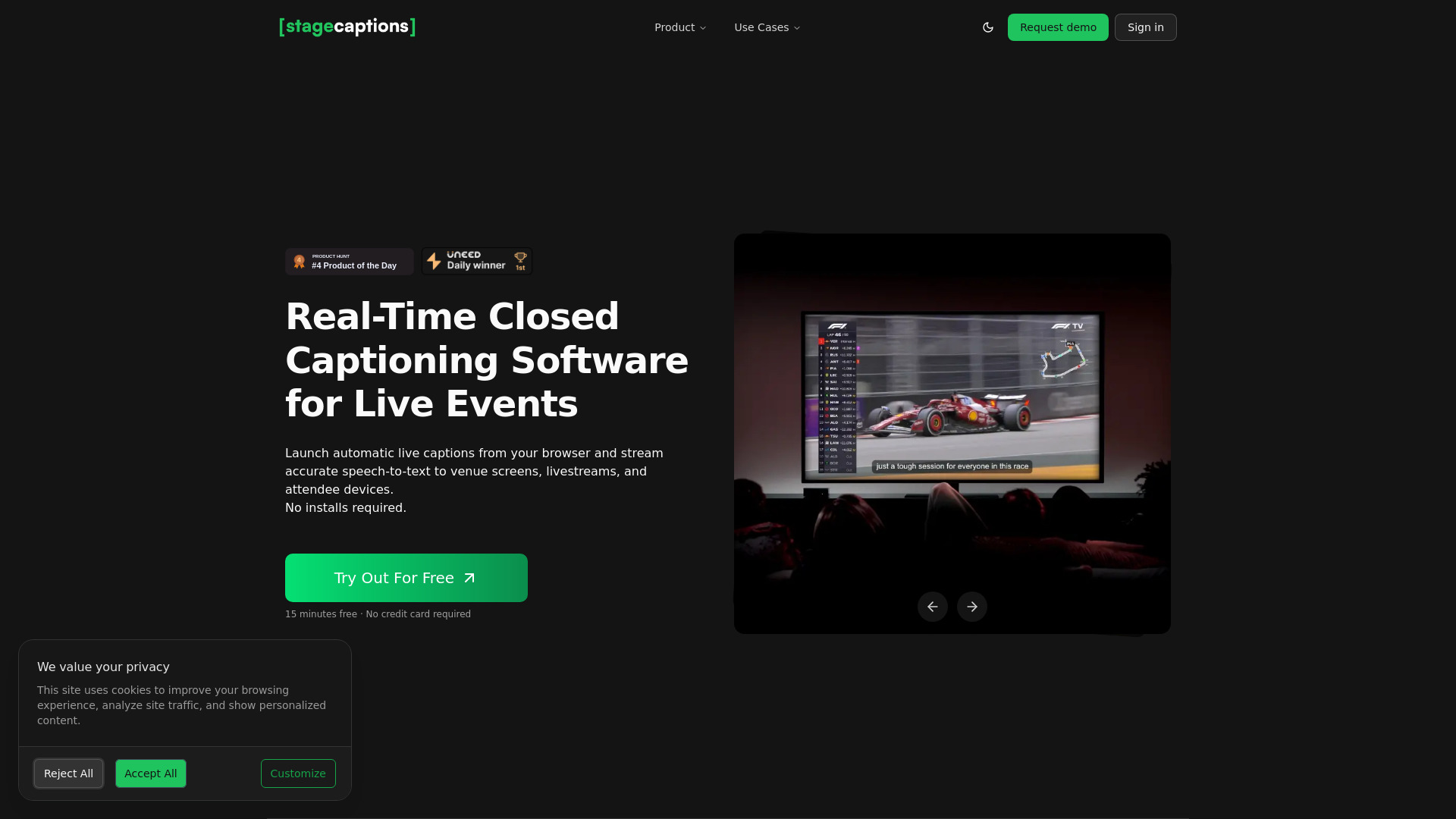
Stage Captions is a professional, browser-based real-time closed captioning software designed for live events, conferences, and broadcasts. It utilizes an advanced AI engine to deliver production-ready live transcription with industry-leading low latency. The platform allows users to stream accurate speech-to-text to venue screens, livestream overlays, and attendee devices via a simple URL or QR code. It features a presenter dashboard for full control, custom dictionaries to ensure technical terminology accuracy, and seamless integration with production tools like OBS Studio and Resolume Arena without the need for software installations or plugins.

stagecaptions.io screenshot

Access & connections

Where you can use stagecaptions.io.

Platforms

Web

Capabilities

What this tool accepts, produces, and is strongest at.

Highlights

  • Low-latency real-time captioning engine
  • Custom dictionaries for technical terminology and brand names
  • QR-powered viewer for instant mobile access
  • Browser-based output for OBS Studio and Resolume integration
  • Intuitive presenter dashboard for session management
  • Multilingual support for global events
FAQ 6

What is Stage Captions?
Stage Captions is a professional, browser-based real-time closed captioning software designed for live events, conferences, and broadcasts. It utilizes an advanced AI engine to deliver production-ready live transcription with industry-leading low latency. The platform allows users to stream accurate speech-to-text to venue screens, livestream overlays, and attendee devices via a simple URL or QR code. It features a presenter dashboard for full control, custom dictionaries to ensure technical terminology accuracy, and seamless integration with production tools like OBS Studio and Resolume Arena without the need for software installations or plugins.
How to use Stage Captions?
To use Stage Captions, first create a room in your browser by selecting your audio input, setting the language, and picking a design preset. Then, share the generated viewer link or QR code with your audience so they can follow along on their devices. Finally, use the browser output URL to display the captions on venue screens or integrate them into your livestream production software.
What is Stage Captions?
It is a browser-based platform that turns live speech into captions for venues, hybrid events, and broadcasts.
Do presenters or attendees need to install any software?
No, it works entirely in the browser. Attendees scan a QR code to view captions on their own devices without downloading apps.
How does it integrate with professional production software?
It provides a browser-based output URL that works flawlessly with OBS Studio, Resolume Arena, and professional stage display systems without plugins.
Can it handle technical jargon?
Yes, you can add industry-specific terms, brand names, and technical jargon to custom dictionaries to ensure correct transcription.
stagecaptions.io

